Introduction
Nonprofits thrive on staying connected with their communities. Thank-you notes after a gift, monthly newsletters, invitations to events, and appeals for recurring giving all help build stronger donor relationships.
The challenge is that donor information usually lives in Salesforce while campaigns go out through Mailchimp. Without a bridge between the two, staff often:
Export donor lists from Salesforce into spreadsheets
Clean and re-upload them into Mailchimp
Deal with outdated or duplicated records
The result is multiple errors and missed opportunities to connect with donors.
A Mailchimp Salesforce integration solves this problem. With the paid connector (starting at $25 USD/month per Salesforce org), your donor data stays in sync automatically. Campaigns become smarter and more targeted, and engagement metrics such as opens, clicks, and conversions flow back into Salesforce for a complete view of impact.
This makes a big difference in practice. For example, a museum planning its annual gala can identify lapsed donors in Salesforce. With the integration, those donors receive personalized invitations instantly, without any manual work.
For nonprofits, that means:
Simpler workflows with fewer manual tasks
Cleaner, more accurate donor data
Stronger donor engagement and timely communications
Why Nonprofits Use Mailchimp with Salesforce
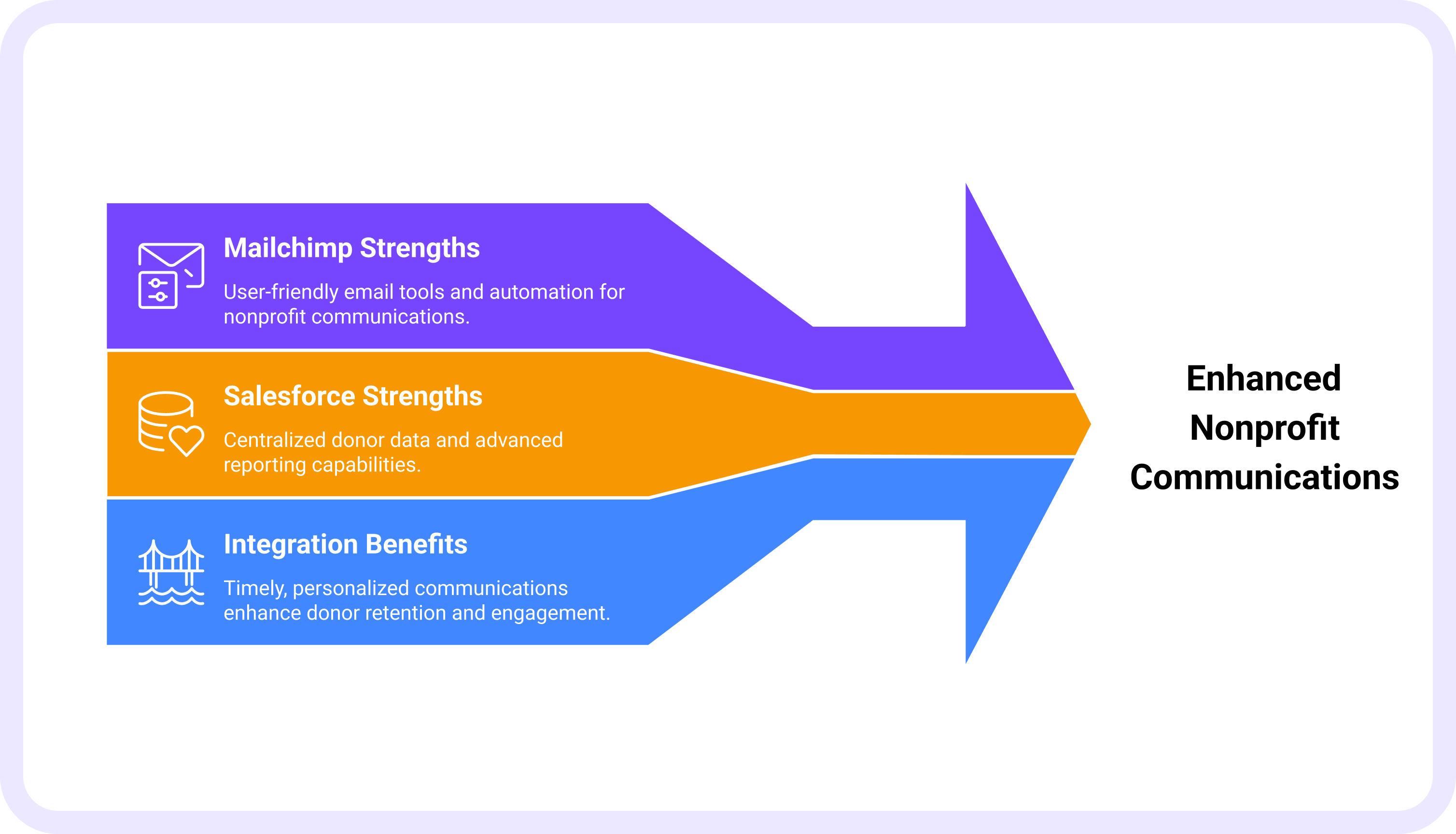
Nonprofits use Mailchimp and Salesforce integration because it combines the strengths of both tools.
Mailchimp strengths:
Easy-to-use email builder for newsletters, appeals, and event invitations
Automation workflows, like welcome emails and thank-you notes
Nonprofit discounts, making communications more affordable
Salesforce strengths:
Stores donor profiles, including giving history, event attendance, and volunteer activity
Advanced reporting on donor retention, lifetime value, and campaign performance
Acts as a single source of truth for donor data
Where the gap exists:
Donor data in Salesforce does not automatically update in Mailchimp
Lists need manual updating, which can mean donors miss personalized messages
Example scenarios:
Without integration: An animal shelter staff member uploads new donor data into Mailchimp once a week. Some first-time donors do not get a thank-you email immediately.
With integration: As soon as a donation is recorded in Salesforce, Mailchimp triggers a thank-you email and enrolls the donor into a welcome journey. Donors receive timely, personalized communications, improving retention.
How Mailchimp and Salesforce Integration Works
The integration connects donor data in Salesforce with Mailchimp's campaign tools. This ensures timely and personalized communications while maintaining accurate information.
Key functions of the integration:
Automatic donor sync(paid connector): With the paid version, contacts in Salesforce flow seamlessly into Mailchimp, reducing manual work.
Audience segmentation: Use Salesforce fields like donation size, frequency, or recency to build targeted Mailchimp donor lists
Engagement tracking: Campaign activity, such as opens, clicks, and unsubscribes, syncs back to Salesforce
Automation triggers: Actions in Salesforce, like a new donation or completed pledge, trigger automated donor journeys in Mailchimp
Example: A nonprofit supporting child welfare receives a new $100 donation logged in Salesforce. The donor is instantly added to Mailchimp’s “New Donor” segment. Mailchimp sends a personalized thank-you email and adds the donor to a three-email “impact journey” introducing the nonprofit’s mission.
Ways to Connect Mailchimp to Salesforce
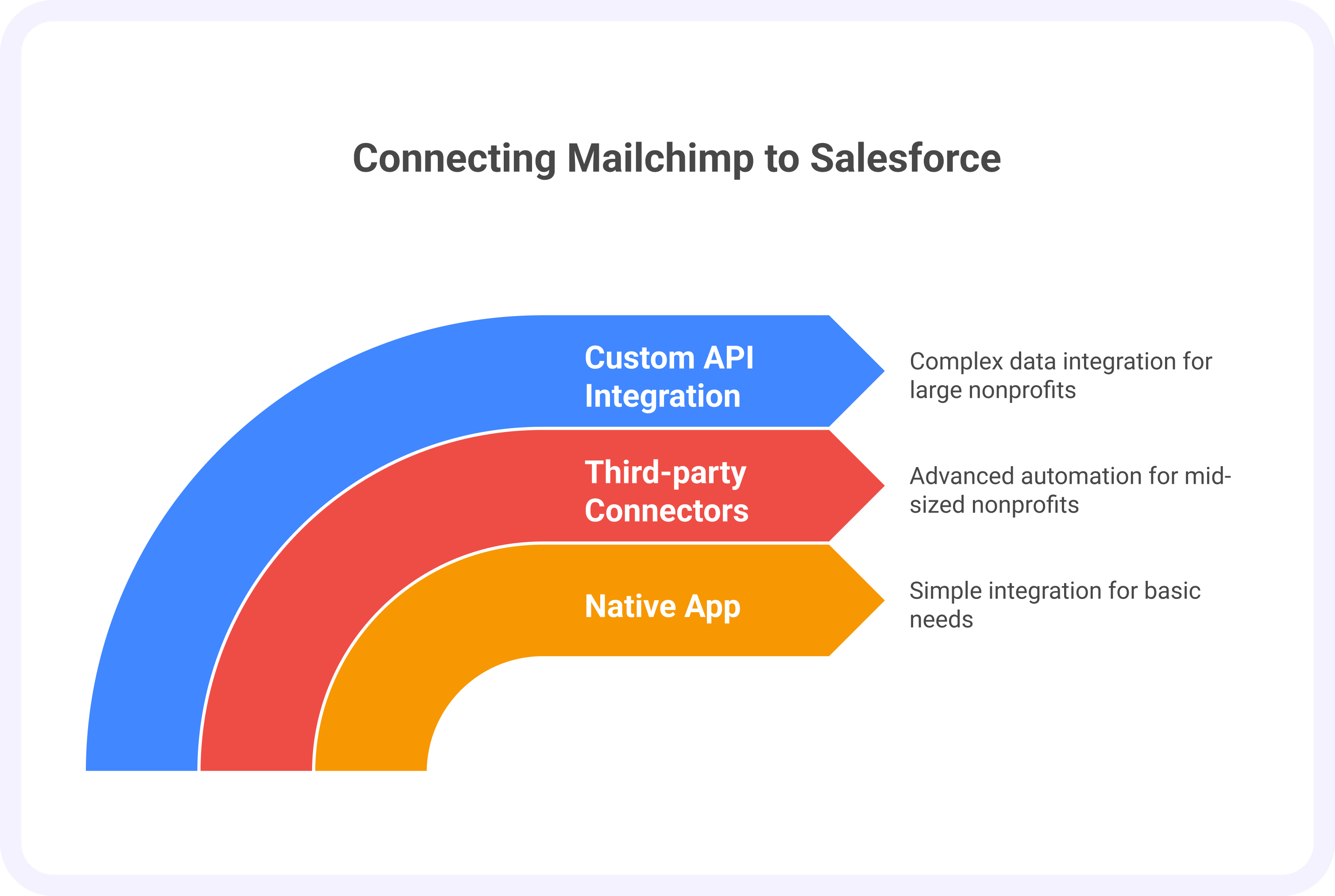
There are three main ways nonprofits can link Salesforce with Mailchimp, depending on needs and complexity.
Native “Mailchimp for Salesforce” App (free)
Simple integration for syncing contact data and campaign reports.
Best for small nonprofits with basic needs.
Example:A local food pantry uses the native Mailchimp for Salesforce app to schedule daily syncs of donor contacts from Salesforce into Mailchimp. By scheduling queries, Salesforce records can be kept up to date.
Third-party connectors (Zapier, PieSync, Cazoomi, etc.)
Offer more control over data syncing and advanced automation.
Good for mid-sized nonprofits juggling multiple campaigns.
Example: A youth nonprofit uses Zapier to automatically add event attendees from Salesforce into a Mailchimp “Post-Event Thank You” list.
Custom API integration
Designed for larger nonprofits with complex donor journeys and multi-channel campaigns.
Allows Salesforce program data (not just contacts) to feed into Mailchimp emails.
Example: A global humanitarian NGO pushes program impact data, such as meals delivered or wells built, into Mailchimp updates so donors can see exactly what their gifts have funded.
Benefits of Mailchimp Salesforce Integration for Nonprofits
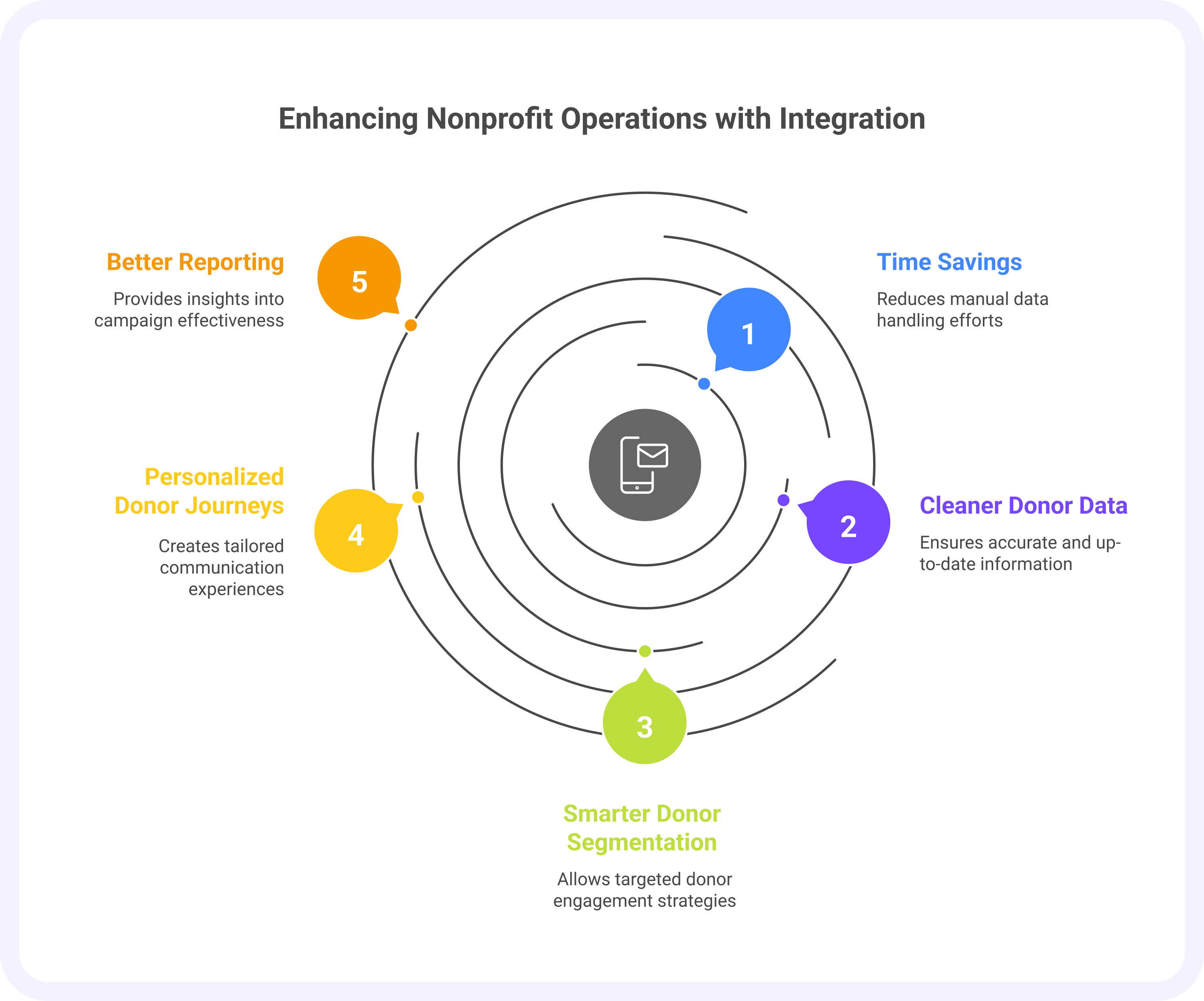
Using Mailchimp and Salesforce integration helps nonprofits save time, reduce errors, and engage donors more effectively.
The key benefits:
Time savings: Staff no longer spend hours exporting and importing donor lists.
Cleaner donor data: Updates happen in real time, reducing duplicates or errors.
Smarter donor segmentation: Target donors based on Salesforce fields such as donation size, frequency, or first-time donors
Personalized donor journeys: Create tailored campaigns in Mailchimp using donor giving history from Salesforce
Better reporting: Link Mailchimp engagement data with Salesforce donations to track campaign ROI.
Example: A food bank launches a Mailchimp appeal for recurring donations. Salesforce shows that 40% of donors who clicked the email signed up for monthly giving. Staff can now see real results and refine future campaigns for even better impact.
Mailchimp Salesforce Integration Reviews: What Nonprofits Say
Nonprofits appreciate how Mailchimp for Salesforce or third-party integrations simplify workflows and save time.
Positive feedback:
Cost-effective and saves hours of staff time.
Audience segmentation is easy, improving targeting.
Direct link between campaign engagement and donation outcomes.
Challenges:
The free Mailchimp for Salesforce app can be limited, with slower syncing and fewer customization options
Larger nonprofits may need more advanced solutions than the native app.
Pro tip: Mid-to-large nonprofits often prefer third-party connectors or custom API integrations for smoother syncing and more flexibility.
Example: A regional nonprofit reported that the integration cut campaign prep time from three to four hours down to just twenty minutes. Staff could focus on strategy instead of repetitive admin tasks.
Best Practices for Using Mailchimp with Salesforce
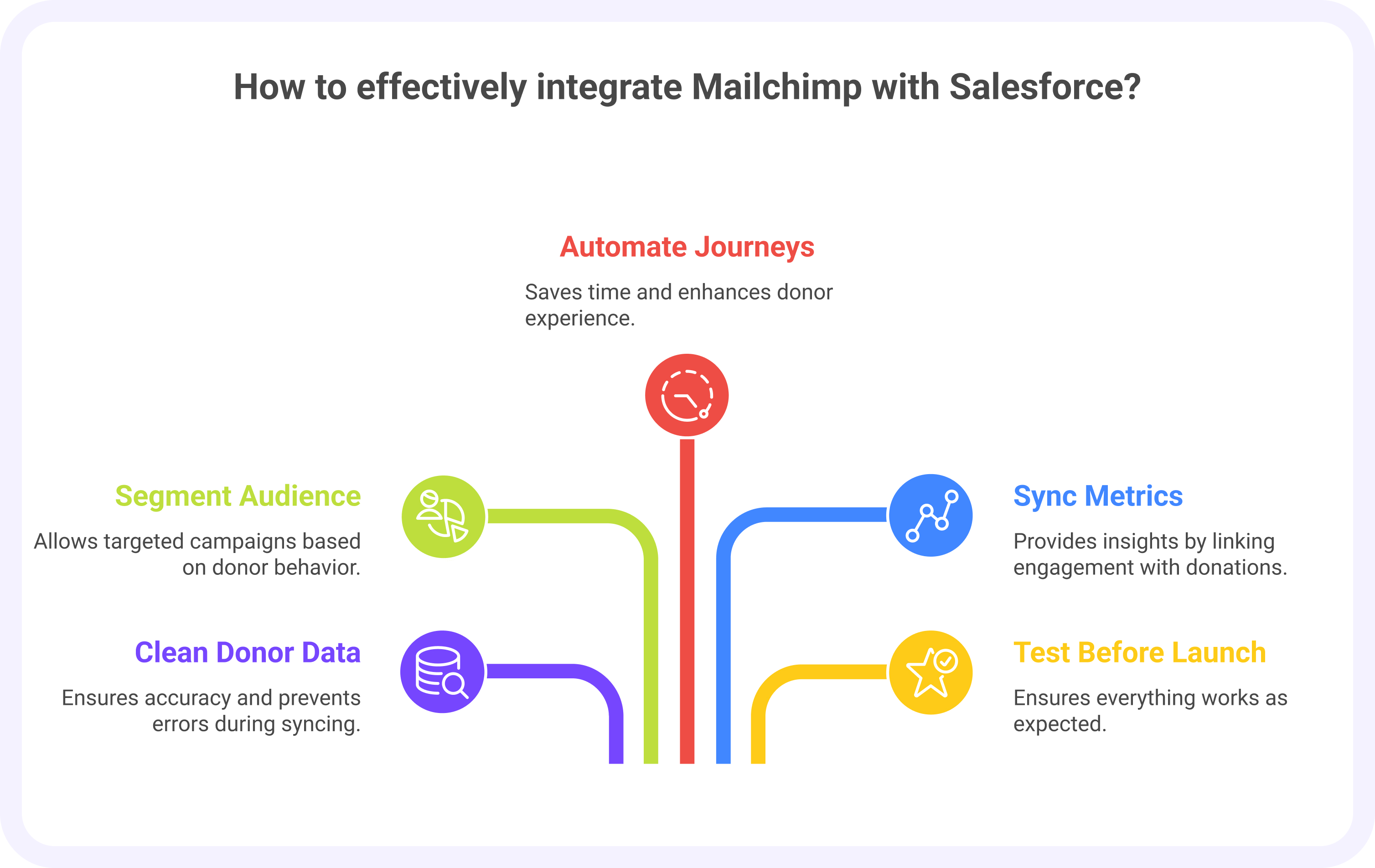
To get the most out of Mailchimp and Salesforce integration, nonprofits should follow these simple practices:
Clean your donor data first: Remove duplicates and verify details in Salesforce before syncing
Segment your audience wisely: Use giving level, donation recency, or event participation to target campaigns
Automate standard journeys: Welcome emails, thank-you notes, and re-engagement campaigns save time and improve donor experience
Sync campaign metrics back to Salesforce: Connect engagement directly with donations for better insights
Test before launching: Double-check lists, segmentation, and automations to ensure everything works as expected
Example: A community nonprofit set up an automation where any donor giving $250 or more is flagged as a “major donor” in Salesforce. Mailchimp then automatically adds them to a VIP list that receives impact reports and personalized thank-you emails.
Conclusion
A Mailchimp Salesforce integration bridges the gap between your CRM and email marketing. It makes donor campaigns simpler, more accurate, and more effective.
Key benefits include:
Saving staff time on manual exports and imports
Keeping donor data clean and consistent
Personalizing donor journeys for better engagement
Tracking ROI from campaign to donation
Nonprofits of all sizes can choose the integration that fits their needs. This could be the free Mailchimp for Salesforce app, a third-party connector, or a custom API. Each option supports growth and ensures the system works smoothly as your campaigns expand.
The outcome is clear: More effective campaigns, happier staff, and stronger donor relationships.