
Introduction: Why Compare Salesforce Sales Cloud and Service Cloud?
Businesses often get confused between Sales Cloud and Service Cloud in Salesforce because their names sound similar. Both are CRM tools, but each is designed for very different functions.
Understanding the sales cloud vs service cloud distinction helps you pick the right tool for your team. This blog explains Salesforce Sales Cloud vs Service Cloud, including features, examples, pricing, and a comparison table, so you can decide what fits your business needs.
What Is Salesforce Sales Cloud?
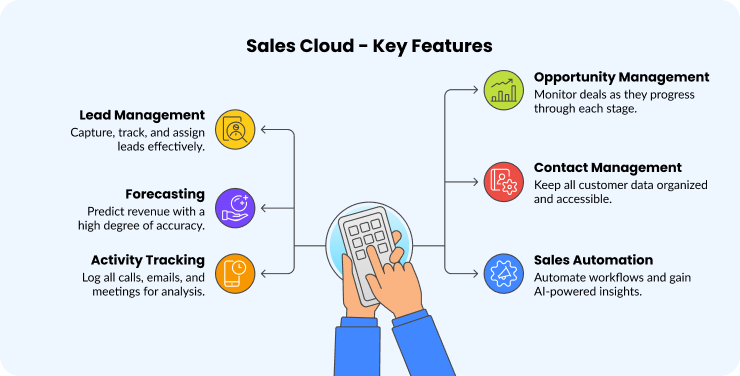
Salesforce Sales Cloud is a CRM platform focused on helping teams grow revenue. It manages leads, opportunities, accounts, and sales pipelines to close deals faster.
Key features include:
1. Lead management: capture, track, and assign leads.
2. Opportunity management: monitor deals through every stage.
3. Forecasting: predict revenue with accuracy.
4. Contact and account management: keep all customer data organized.
5. Activity tracking: log calls, emails, and meetings.
6. Sales automation: workflows and AI-powered insights through Einstein.
For example, a B2B SaaS company can use Sales Cloud to track webinar leads, assign them to sales reps, and forecast quarterly revenue.
What Is Salesforce Service Cloud?
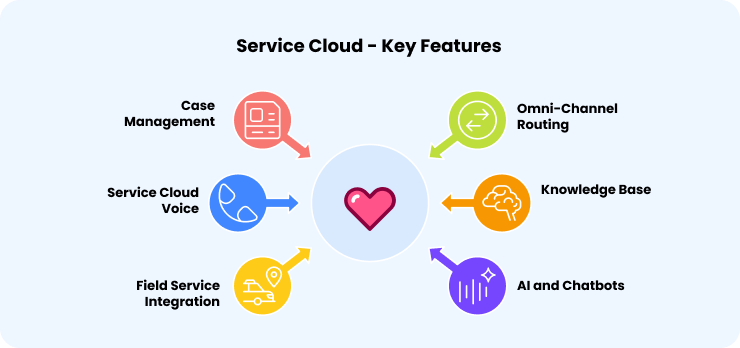
Salesforce Service Cloud is a CRM tool designed for customer service and support teams. Its main purpose is to manage customer issues, resolve requests faster, and improve loyalty.
Key features include:
1. Case management: turn inquiries into cases and assign to agents.
2. Omni-channel routing: distribute requests across chat, email, phone, and social media.
3. Service Cloud Voice: integrate telephony with Salesforce.
4. Knowledge base: articles for agents and self-service portals.
5. Field service integration: manage on-site visits efficiently.
6. AI and chatbots: automate routine support tasks.
For example, an e-commerce retailer uses Service Cloud to handle refund requests, live chat inquiries, and urgent escalations.
Salesforce Sales Cloud vs Service Cloud: Key Differences
Area | Sales Cloud | Service Cloud |
Primary Users | Sales reps, account executives, sales managers | Support agents, service managers, and call center teams |
Main Goal | Manage pipeline, close more deals, grow revenue | Resolve issues quickly, improve customer satisfaction |
Core Features | Lead tracking, opportunity management, forecasting, and contact management | Case management, omni-channel support, service knowledge base |
AI/Automation | Predictive sales insights (Einstein) | Case routing, chatbots, automated service flows |
Integrations | Marketing automation, CRM, and BI tools | Telephony, chat, and field service tools |
Best Fit | Businesses focused on sales growth | Businesses focused on customer service quality |
Pricing Overview
When deciding between Salesforce Sales Cloud and Service Cloud, it helps to understand the pricing for each edition so you can choose the one that fits your team size and business needs.
Note: Pricing information sourced from Salesforce as of 2025
Edition | Sales Cloud (USD) | Service Cloud (USD) | Notes |
Starter | $25/user/month | $25/user/month | Basic CRM features; ideal for small teams. |
Professional | $75/user/month | $75/user/month | Adds advanced features; suitable for growing businesses |
Enterprise | $175/user/month | $175/user/month | Includes AI tools and advanced customization. |
Unlimited | $350/user/month | $350/user/month | Offers unlimited CRM power and support. |
Agentforce 1 | $550/user/month | $550/user/month | Premium AI-driven features for large enterprises. |
Additional Notes:
1. All editions are billed annually.
2. Add-ons like Agentforce, Revenue Intelligence, and Sales Programs are available at extra costs.
3. Pricing may vary based on region and specific business needs.
4. Strengths and Weaknesses
Strengths and Weaknesses
Sales Cloud
Strengths:
1. Gives teams a clear, real-time view of the entire sales pipeline.
2. Enables accurate revenue forecasting using data-driven insights.
3. Automates repetitive sales tasks like follow-ups and reporting, saving time and boosting productivity.
4. Helps sales reps focus more on relationship-building and closing deals instead of admin work.
Weaknesses:
1. Not designed for customer service teams or support use cases.
2. Some advanced features and integrations come at an additional cost.
Service Cloud
Strengths:
1. Centralizes all customer cases, making it easier for teams to track and resolve issues in one place.
2. Supports multichannel communication through chat, phone, and email, providing a seamless customer experience.
3. Uses AI-driven automation to route cases, suggest solutions, and speed up response times.
4. Helps improve customer satisfaction by enabling faster and more personalized support.
Weaknesses:
1. Not built for managing sales activities or tracking opportunities.
2. Requires setup, customization, and agent training before teams can fully leverage its capabilities.
Which One Should You Choose?
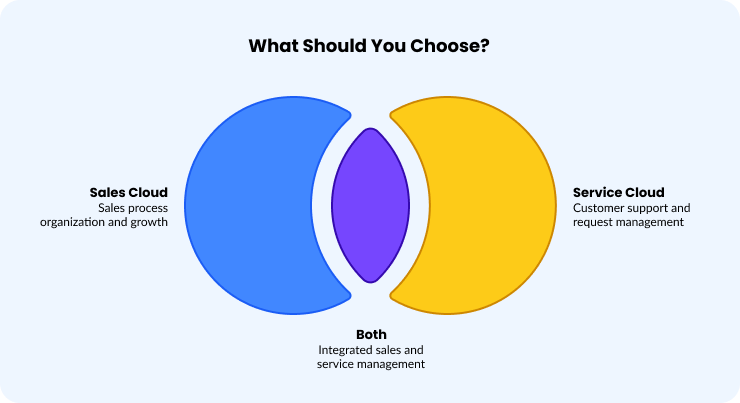
Choose Sales Cloud if:
1. You want to organize and grow your sales process.
2. Your goal is to track leads, manage deals, and forecast revenue.
3. Your team needs better visibility into the sales pipeline.
Example: A growing SaaS company uses Salesforce Sales Cloud to track webinar leads, assign them to sales reps, and forecast revenue in one place.
Choose Service Cloud if:
1. You want to manage a large number of customer requests efficiently.
2. Your priority is faster responses and improved customer satisfaction.
3. You need tools for chat, email, phone, and social media support all in one place.
Example: A telecom provider manages refund requests, live chat, and escalations from one unified dashboard.
Choose Both if:
1. Your organization has both sales and service teams that need to work together.
2. You want a connected system to manage the full customer journey from first contact to ongoing support.
Example: A software firm drives new sales with Sales Cloud and delivers post-purchase support through Service Cloud.
Common Mistakes to Avoid
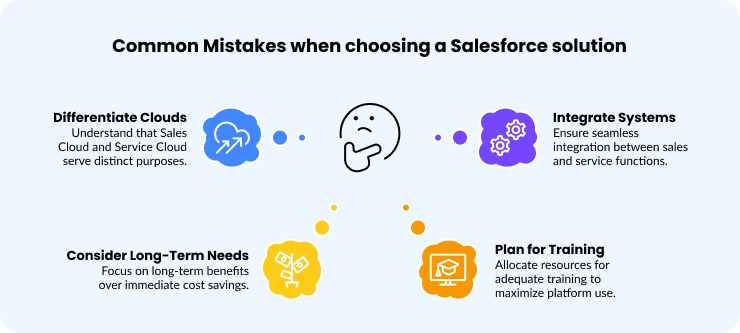
Before deciding, it helps to know a few common mistakes that often lead to choosing the wrong Salesforce solution.
1. Assuming Sales Cloud and Service Cloud are the same.
2. Choosing a platform solely on cost, without considering long-term needs.
3. Underestimating training requirements.
4. Not planning integration, even though sales and service often work together.
Conclusion: Salesforce Sales Cloud vs Service Cloud
Salesforce Sales Cloud helps teams grow revenue and manage pipelines efficiently.
Service Cloud helps teams resolve customer issues faster and improve satisfaction.
Each platform serves a different function, so choose based on what matters most to your business: Building strong customer relationships through effective sales or ensuring exceptional support experiences that strengthen customer trust. Many larger organizations use both Salesforce Sales Cloud and Salesforce Service Cloud to handle sales and service smoothly.
Not sure which Salesforce Cloud is right for you? Our team can help you evaluate, implement, and optimize the best-fit solution for your business.