
Cube84 Logo
Logo
  • Services
    • Strategy and Governance
    • Salesforce Audits
    • Development
    • On-Demand Talent Hire
    • Managed Services
    • Implementation
    • Data Migration
    • Integration
    • Quickstart
    Logo
    Preview

    87% Faster Reporting and Smarter Donor Engagement

    action
  • Product Expertise
    • Sales Cloud
    • Service Cloud
    • Experience Cloud
    • Nonprofit Cloud (NPC + NPSP)
    • Marketing Cloud
    • Revenue Cloud (CPQ)
    • Data Cloud
    • Agentforce 360
    • Tableau
    • MuleSoft
    Logo
    Preview

    Clean data, faster cycles, and smarter automation

    action
  • Industries
    • Nonprofit
    • Homelessness and Housing
    • Higher Education
    • Financial Services
    • Manufacturing
    • High Tech
    • Professional Services

    Better Reporting & Coordination for Housing Teams with Smart Systems

    Preview

    Solutions for Housing Teams

    action
  • Resources
    • Case Studies
    • Blogs
    logo
    Preview

    87% Faster Reporting and Smarter Donor Engagement

    action
    logo
    Preview

    Built stronger partnerships through centralized data and connected systems

    action
  • About Us
  • Phone Icon
  • Contact Us
Phone Icon
One record per resident, from referral to goal. A California affordable housing nonprofit moves resident services case management into Salesforce.

Salesforce Case Management Implementation

One record per resident, from referral to goal. A California affordable housing nonprofit moves resident services case management into Salesforce.

1

record per resident,
from referral to goal

2

role-based workspaces, for case
managers and intake officers

5

leadership views, from open
cases to critical tasks

Key outcomes

  • Every resident's referrals, intake, program enrollments, case plans, assessments, and notes on one Salesforce contact record
  • Standard intake, with checklists that guide staff through each program's required steps and documents
  • Templated case plans, where a goal updates its own status as staff complete its action items
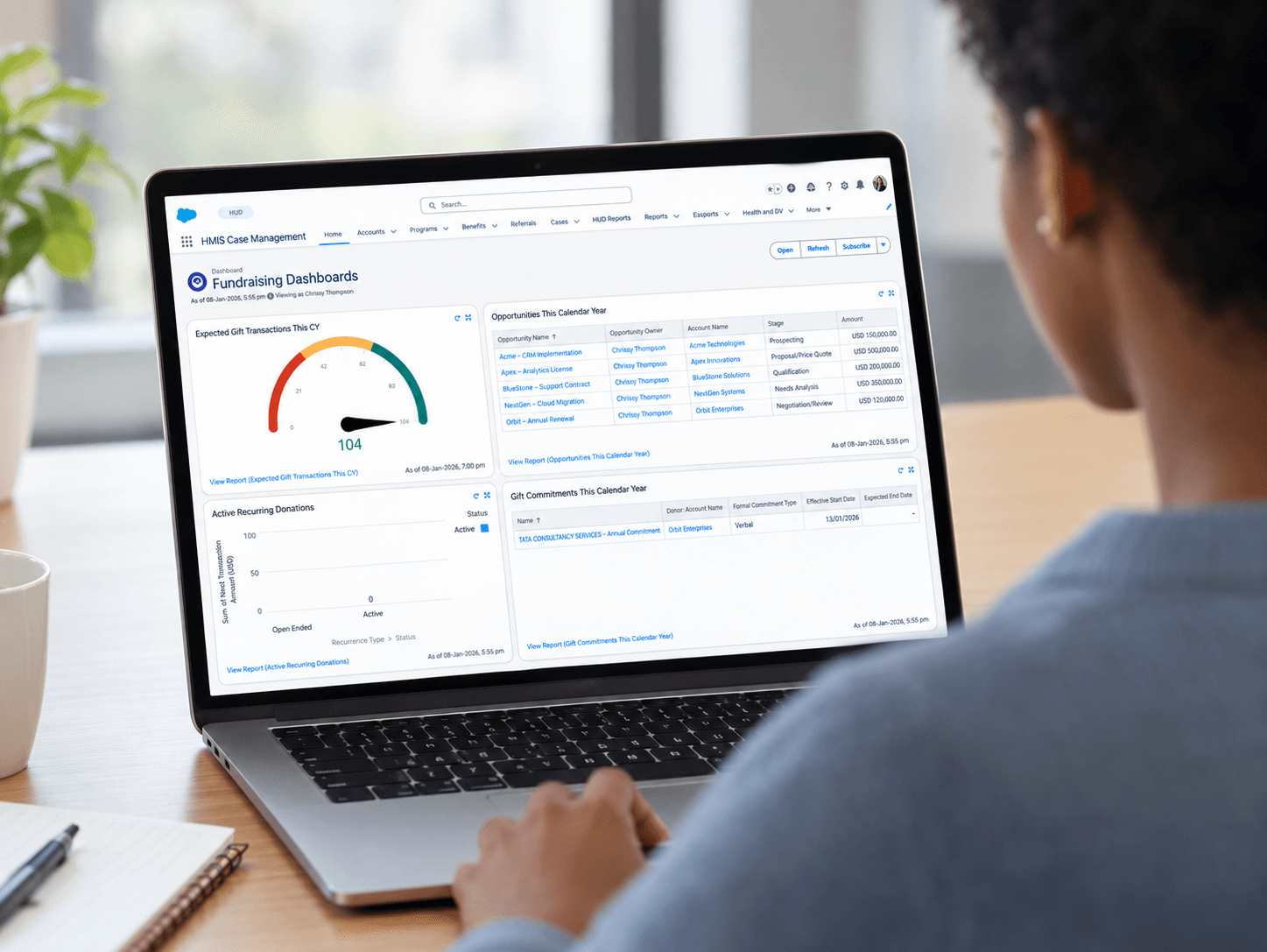
  • Case manager homepages that open on the day's workload: clients, open cases, follow-ups due, and action items
  • Leadership reports on open resident cases, inbound referrals, open case plans, and critical tasks

Industry

Nonprofit

Key Services

Salesforce Case Management Implementation

Key Technologies

Salesforce Case ManagementSalesforce FlowSalesforce Reports and Dashboards

Who they are

The client is a California nonprofit that develops and manages affordable housing communities. It also runs resident services programs inside those communities. Staff help residents resolve conflicts, stabilize their housing, and work toward goals such as employment, better finances, and education. The aim is self-sufficiency, to the point where a resident is ready to move on.

Salesforce solution summary

CUBE84 implemented Salesforce Case Management for the resident services team. The build covered:

  • A Case object for resident cases, inbound and outbound referrals, and incidents, with record types for each program's process
  • A custom Intake object with record types, lifecycle stages, checklists, and document capture
  • Program enrollments, so each resident is tied to the programs they take part in
  • Templated case plans with goals and action items, plus a flow that updates goal status from action item progress
  • Assessments for scored measures such as housing and job assessments
  • A contact record set up as the resident's working file, with quick texts for standard client notes
  • Case manager and intake officer profiles and roles, a branded case manager homepage, and reports and dashboards for leadership
  • Migration of past resident interactions into client notes

Rollout approach: discovery and requirements, build, client-led UAT, go-live, then post-go-live training and support hours.

At A Glance

Focus Area
Before
After
Resident record
Interactions logged as calendar events, apart from case details
One contact record with enrollments, case plans, assessments, and notes
Referrals and cases
No single place to track internal and external referrals by stage
Cases, referrals, and incidents tracked by stage, with record types for each program
Intake
Intake steps varied by staff member and program
Guided intake checklists, lifecycle stages, and document capture
Goal tracking
Resident progress was hard to see across a caseload
Templated case plans. Goal status updates as action items close
Visibility
Managers pieced together caseload status by hand
Dashboards for open cases, inbound referrals, case plans, and critical tasks

Beyond the surface problem

Resident services teams do case management work, but the tools they have usually weren't built for it. That shows up in four ways:

  • Referrals come from property staff, other departments, and outside partners, and each one arrives differently
  • Intake means different steps and documents depending on the program
  • Goals such as employment or financial stability take months, so progress gets lost between conversations
  • Managers can't see which cases are critical or which follow-ups are overdue without asking each case manager

The client needed a system that treats the resident as the center of the record, with every program, plan, and note attached to that person.

Objectives

  • Give case managers one place to manage each resident, from first referral through goal completion
  • Standardize intake and assessments across programs so data is complete and comparable
  • Cut repetitive admin work so staff spend more time with residents
  • Give leadership a current view of caseloads, referrals, and critical cases

      Resident services teams should spend their time with residents, not piecing a resident's history back together from scattered notes.
    
      Resident services teams should spend their time with residents, not piecing a resident's history back together from scattered notes.
    Quote icon

Resident services teams should spend their time with residents, not piecing a resident's history back together from scattered notes.

CUBE84 logo

Here's how we did it

1. Discovery

Ran a requirements questionnaire and stakeholder sessions to map each program's case, referral, and intake process, and how access worked by role.

2. Case and referral model

Set up the Case object for resident cases, inbound and outbound referrals, and incidents. Added record types for each program and stages such as approved, referred elsewhere, pending, and rejected.

3. Guided intake

Built the Intake object with record types, lifecycle stages from new through eligibility check, and checklists for personal, financial, and assessment steps. Automatic intake creation was switched off so staff decide when intake starts.

4. Programs, case plans, and assessments

Configured program enrollments, templated case plans with goals and action items, and assessment types for scored measures. Validation rules keep required detail from being skipped.

5. The resident record

Laid out the contact record as the case manager's working file, with enrollments, case plans, assessments, and client notes in one view. Quick texts standardize common note entries.

6. Automation

Added a flow that updates goal status from its action items, plus task reminders and macros for routine follow-ups.

7. Role-based access and homepages

Created case manager and intake officer profiles and roles. Built a branded homepage showing each user's clients, open cases, follow-ups, and action items.

8. Reports and dashboards

Agreed the report list with program leads, then built views for open resident cases by status, inbound referrals, open case plans, upcoming action items, and critical tasks.

9. Migration, UAT, and training

Migrated past resident interactions into client notes, supported client-led UAT, and delivered post-go-live training and support hours.

One honest note. The timeline ran longer than planned. Assessment fields, including their calculations, took extra rounds to finalize, and UAT ran long. Both were worked through with the client team before go-live.

Transformation in motion

After go-live:

  • Case managers open Salesforce to a homepage showing their clients, open cases, follow-ups required, and action items
  • Referrals from property staff, other departments, and partner organizations land in one pipeline, tracked by stage
  • Intake follows the same checklist for every resident in a program, with documents stored on the record
  • Goal status updates on its own as staff close action items, so case plans stay current without extra data entry
  • Quick texts and macros handle routine notes and follow-up reminders
  • Validation rules keep assessment and intake records complete

What changed

  • Staff see each resident's full picture, including enrollments, plans, assessments, and history, before a conversation starts
  • Progress toward goals such as employment or financial stability is visible across a caseload, not buried in notes
  • Managers can spot critical cases and overdue action items without asking each case manager
  • Leadership reports on open cases, referrals, and case plans come from the system of record
  • Access follows the job. Case managers and intake officers each see what their role needs
Let’s Connect

FAQs

Yes. For a California affordable housing nonprofit, CUBE84 set up Salesforce Case Management so each resident's referrals, intake, program enrollments, case plans, assessments, and notes sit on one contact record.
Through templated case plans. Each plan holds goals and action items, and a flow updates a goal's status as staff complete its action items, so case plans stay current without extra data entry.
Referrals from property staff, other departments, and partner organizations land in one pipeline, tracked by stage, with record types for each program's process.
In this project: discovery and requirements, build, client-led UAT, go-live, then post-go-live training and support hours. Past resident interactions were migrated into client notes along the way.

Running Resident Services On Tools That Weren't Built For Case Management?

Let's talk about what we learned setting up Salesforce Case Management for a California housing nonprofit.

Let's Connect

Running Resident Services On Tools That Weren't Built For Case Management?Running Resident Services On Tools That Weren't Built For Case Management?

More Success Stories

Streamlined donor and volunteer management with Salesforce NPSP. Enhancing nonprofit efficiency through tailored Salesforce integration.

Streamlined donor and volunteer management with Salesforce NPSP. Enhancing nonprofit efficiency through tailored Salesforce integration.

Custom Salesforce solutions for 2X efficiency and better engagement. Enhancing user experience and streamlining core processes for CCA

Custom Salesforce solutions for 2X efficiency and better engagement. Enhancing user experience and streamlining core processes for CCA

Enhancing donor management and efficiency with Salesforce. Discover how Salesforce can help elevate donor engagement and streamline fundraising efforts.

Enhancing donor management and efficiency with Salesforce. Discover how Salesforce can help elevate donor engagement and streamline fundraising efforts.

Services
  • Implementation
  • Strategy and Governance
  • Data Migration
  • Development
  • Integration
  • Audits
  • Quickstart
  • On-Demand Talent
  • Managed Services
Product Expertise
  • Sales Cloud
  • Service Cloud
  • Experience Cloud
  • Nonprofit Cloud (NPC + NPSP)
  • Marketing Cloud
  • Revenue Cloud (CPQ)
  • Data Cloud
  • Agentforce 360
  • Tableau
  • Mulesoft
Industries
  • Nonprofit
  • Higher Education
  • Financial Services
  • Manufacturing
  • High Tech
  • Professional Services
Resources
  • Case Studies
  • Blogs
Who We Are
Careers
Connect with us
+1 202-505-1056[email protected]
  • Icon
  • Icon
  • Icon
To Our Newsletter
United StatesUnited States
  • Salesforce AppExchange
  • District360
  • Privacy Policy
  • Cookie Settings
  • © 2026 CUBE84

This site is protected by reCAPTCHA and the Google Privacy Policy and Terms of Service apply.