
Data Cloud Triggered Flows Are Powerful, but Easy to Misuse
Data Cloud Triggered Flows open up a very different way of working with Salesforce, because instead of reacting to changes in a single object, you are now acting on a much richer, unified view of a person that brings together data from multiple systems, such as CRM, web activity, program data, or student information systems.
This becomes especially meaningful in spaces like nonprofits, housing organizations, and higher education, where every interaction with a donor, resident, or student carries context that should ideally inform the next step.
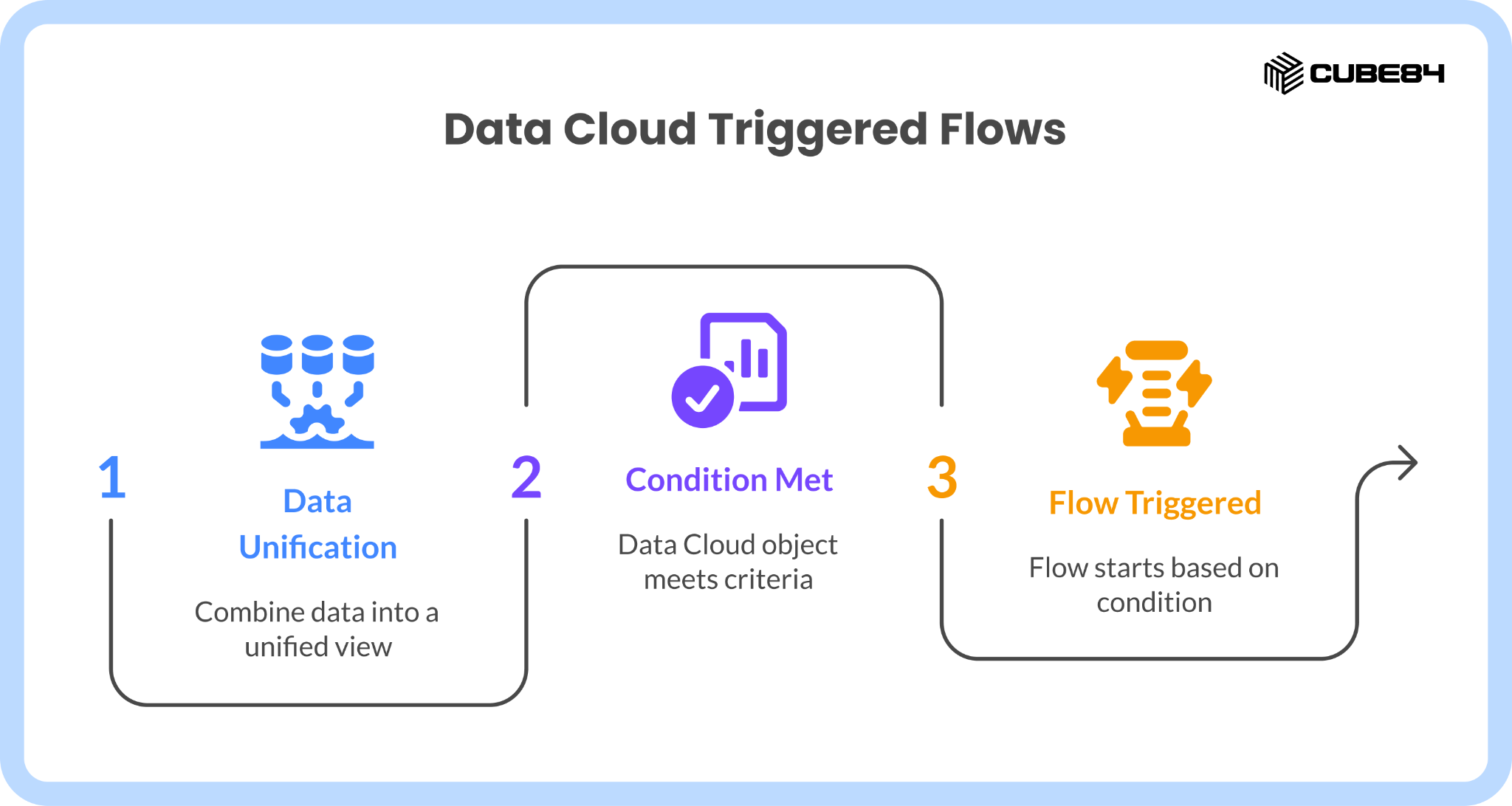
In simple terms, a Data Cloud Triggered Flow is a flow that starts when a Data Cloud object meets a defined condition, and then takes action in Salesforce or connected systems based on that change.
For example, if a student’s risk score crosses a defined threshold, the flow can automatically create a case for advisor follow-up and route it to the appropriate team, so that someone can step in at the right time.
It sounds straightforward, but in practice, it can quickly become messy if not designed carefully, because the same data that makes it powerful also makes it easy to trigger too often, act too quickly, or repeat actions unintentionally.
In this blog, we will walk through what makes these flows work well in real environments, the kinds of issues teams run into when they scale, and a set of patterns and guardrails that help you build something reliable instead of something that looks good in a demo but struggles in production.
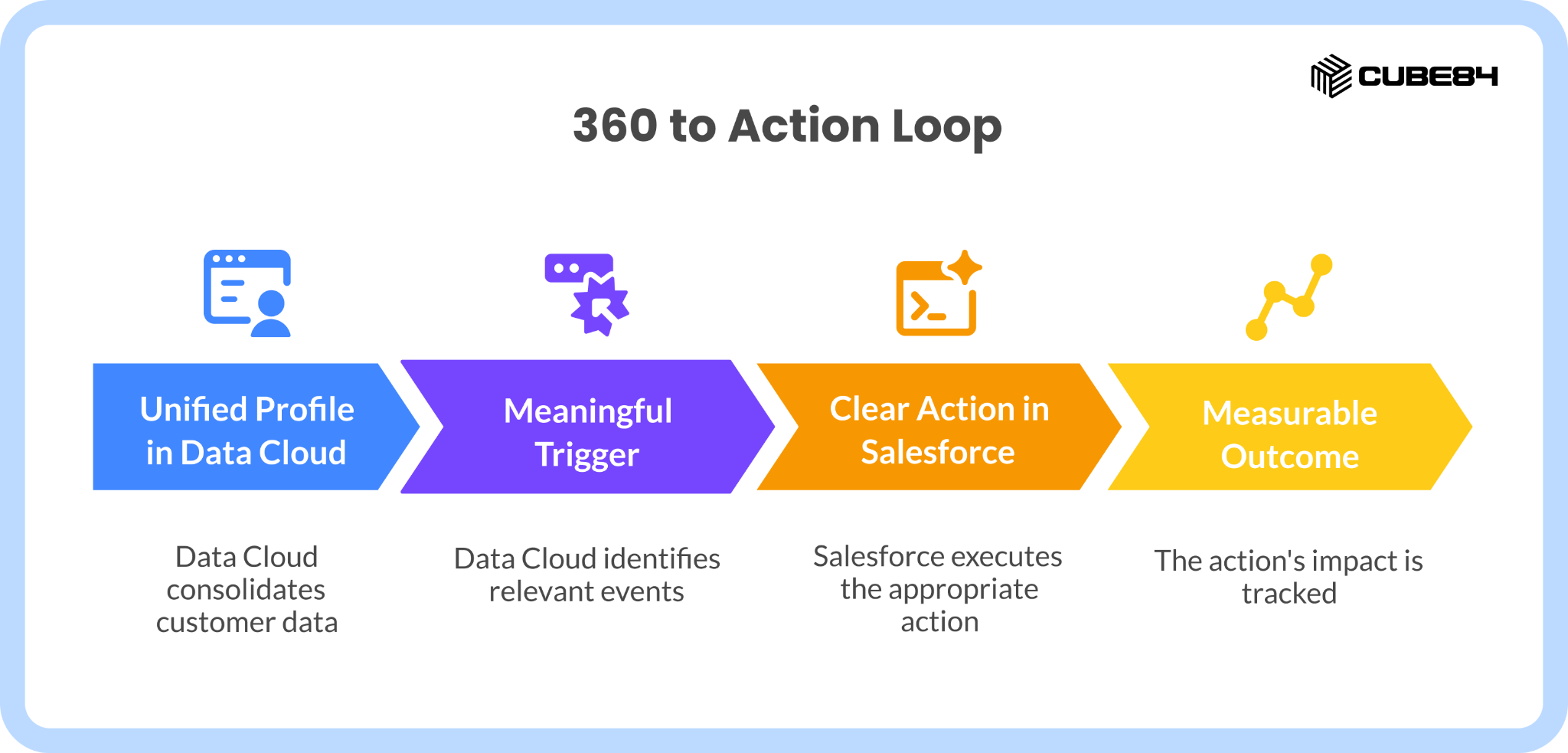
At the center of this is what we like to think of as a 360 to Action Loop, where your unified profile in Data Cloud leads to a meaningful trigger, which leads to a clear action in Salesforce, which then leads to a measurable outcome. Which means not every update needs to turn into an action.
A Quick Look at How Data Cloud Triggered Flows Actually Work
Before getting into patterns and risks, it helps to ground this in how things actually work inside Salesforce.
When you create a flow, you can choose Data Cloud Triggered as the starting point, select the relevant Data Space, and then pick the Data Model Object or Calculated Insight Object that you want to monitor.
From there, you define the condition that should trigger the flow, which could be something like a record being created, updated, or a calculated value crossing a certain threshold.
This is quite different from standard record-triggered flows, because here you are working with a unified profile that is stitched together from multiple sources and may be updated frequently as new data comes in.
Once triggered, the flow can take a range of actions, such as updating Salesforce records, creating tasks or cases, sending data to other systems, or calling subflows and Apex for more complex logic.
The key thing to remember is that these triggers are often tied to dynamic, frequently changing data, which means the way you define your conditions matters a lot more than it might in simpler setups.
What Starts to Break When These Flows Run at Scale
As soon as Data Cloud Triggered Flows move beyond small test scenarios and start running against real data, a few common challenges tend to show up.
One of the biggest is volume, because Data Cloud objects can update very frequently, especially when they are based on behavior data, calculated scores, or segment membership, and if your trigger conditions are too broad, you may end up running the same flow far more often than expected.
Another issue is repeated or overlapping actions, where a donor, resident, or student might receive multiple messages or have multiple tasks created for them simply because their profile changed slightly several times within a short window.
There are also performance considerations, especially when flows include heavy logic, multiple updates, or external calls, because these can slow things down or hit limits when triggered frequently.
On top of that, it can be surprisingly hard to see what is going wrong if you do not have a clear way to track flow runs, errors, or unexpected spikes in activity.
To make this more real, imagine a scenario where a risk score for a student moves slightly up and down around a threshold, triggering the same “at risk” workflow multiple times, or a donor profile gets enriched in stages after a gift and ends up receiving multiple thank you communications instead of just one.
These are not edge cases; they tend to show up quickly once flows start running against real data.
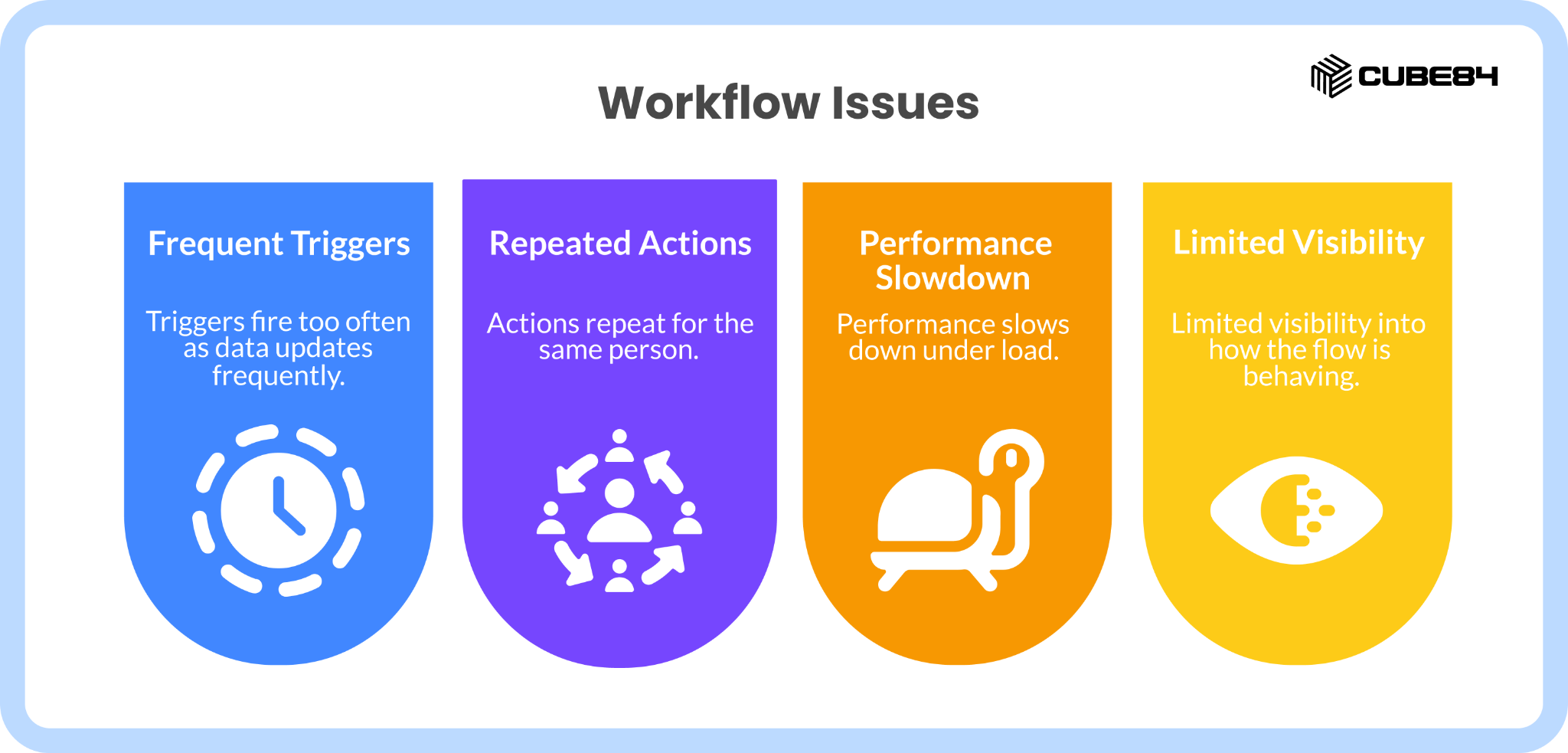
In practice, a few patterns come up again and again:
Triggers firing too often as data updates frequently
Actions repeating for the same person
Performance slowing down under load
Limited visibility into how the flow is behaving
How to Design Flows That React to the Right Signals, Not Every Change
A big part of making Data Cloud Triggered Flows work well is being very intentional about what actually counts as a meaningful trigger, rather than reacting to every small update.
This starts with defining conditions that represent real changes in state, such as a score crossing a meaningful threshold or a profile entering a specific segment, instead of triggering on any update to a record.
It also helps to filter out records that should not drive actions, such as test data, internal users, or profiles that have opted out of communication, so that your flows are focused only on relevant scenarios.
When you do this well, your flows start responding to signals that matter, which makes everything downstream more predictable and easier to manage.
How to Prevent the Same Action from Happening Again and Again
One of the most common issues with these flows is repetition, where the same action gets triggered multiple times for the same person because the underlying data keeps changing slightly.
A simple way to handle this is to store a small amount of state on the core Salesforce record, such as the last action taken or whether a particular workflow is already active.
Before taking a new action, the flow can check these fields and decide whether it should proceed or exit early.
For example, if a task has already been created for a high-risk situation and is still open, there is usually no need to create another one for the same condition.
This kind of check helps reduce noise and keeps the system focused on meaningful actions rather than repeated ones.
How to Keep Volume Under Control as Your Data Grows
As your data grows, so does the number of potential triggers, which makes it important to control how much work your flows are doing and when.
One approach is to add early checks in the flow that quickly exit if certain conditions are not met, such as missing key fields or situations where another process is already handling the case.
It is also important to avoid doing heavy work inside loops, and instead group actions where possible so that updates happen in a more efficient way.
For scenarios where volume starts to increase, it helps to be intentional about how work is handled within the flow.
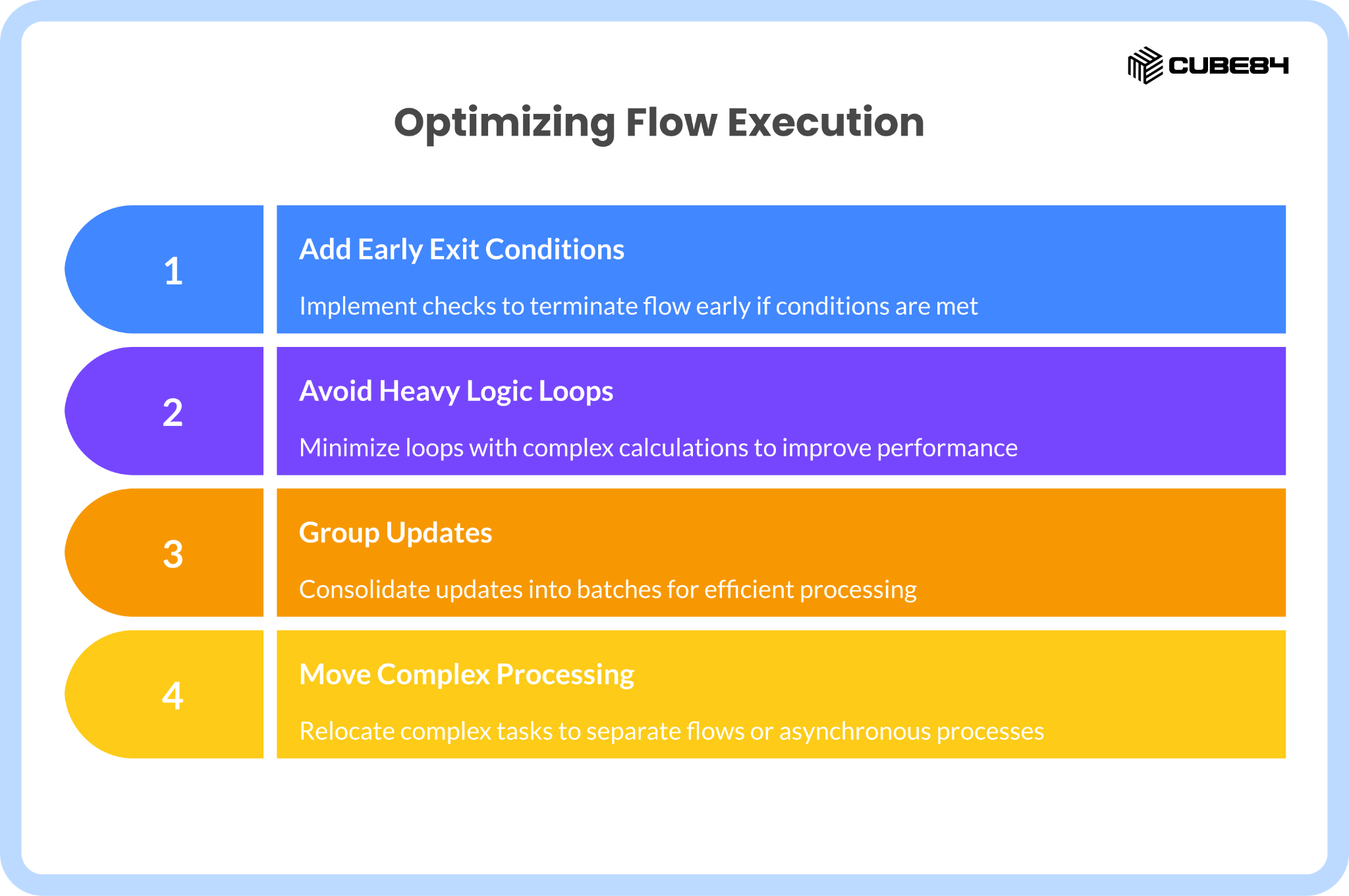
In practice, this usually comes down to a few priorities:
Adding early exit conditions so the flow does not run unnecessarily
Avoiding loops with heavy logic wherever possible
Grouping updates so actions are handled more efficiently
Moving more complex processing to separate flows or asynchronous processes
This way, the initial trigger remains lightweight, while heavier logic is handled more controllably. This keeps your flows responsive without overloading them.
How to Build Guardrails That Protect Both the System and the People Using It
When working with donors, residents, or students, it is not just about system performance; it is also about trust, because repeated or poorly timed actions can affect how people experience your organization.
This is where guardrails come in, such as limiting how often someone can receive a certain type of communication, respecting preferences and opt-outs, and having simple ways to pause or adjust workflows if needed.
It is equally important to have visibility into what your flows are doing, through logging, error tracking, and basic monitoring, so that issues can be spotted and addressed early.
Testing also plays a big role here, especially when working with different data scenarios, because what works for one profile may behave differently at scale.
Why Separating Signals from Actions Makes Everything Easier
One pattern that works well in more complex setups is separating the part of the flow that detects a signal from the part that takes action. You can think of this as separating signal detection from action execution.
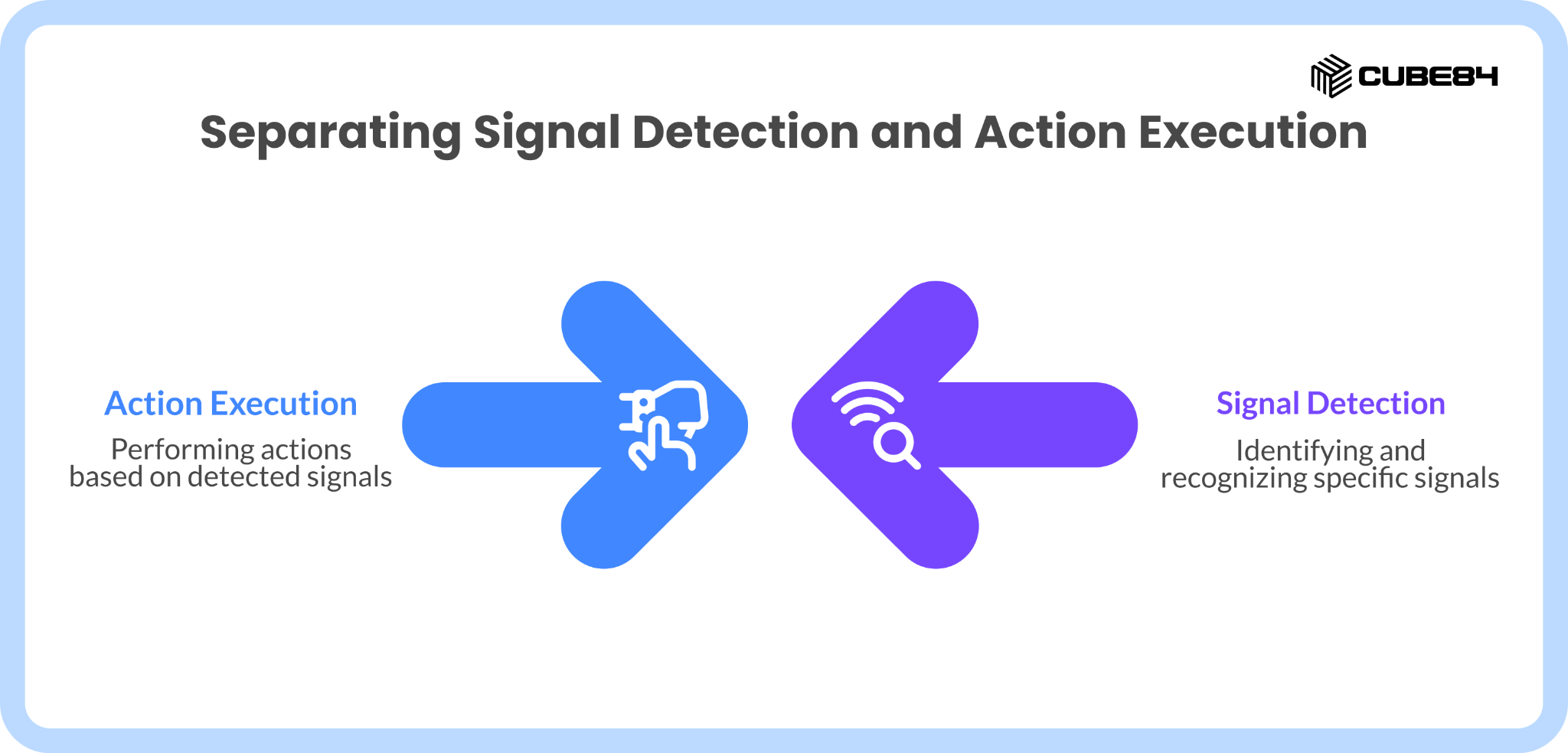
In this approach, the Data Cloud Triggered Flow focuses on identifying meaningful changes and recording them in a simple way, such as updating a field or creating a lightweight record.
From there, other flows or processes handle the actual actions, such as creating tasks, sending communications, or updating related records.
This separation makes it easier to test, monitor, and update each part independently, and reduces the risk of having too much logic tied directly to a single trigger.
It also helps keep the overall setup simpler to manage and makes issues easier to trace when something does not behave as expected.
Practical Patterns That Help You Build More Reliable Flows
There are a few patterns that come up often when teams start working with Data Cloud Triggered Flows at scale.
One approach is to group values into bands, such as low, medium, and high, and trigger actions only when a profile moves from one band to another, instead of reacting to every small change in a score.
Another is to limit actions within a certain time window, so that similar communications or tasks are not repeated too frequently for the same person.
It is also useful to track when someone enters or exits a segment and use that as a starting point for journeys, rather than tying everything directly to the segment logic itself.
Finally, having simple switches that allow you to pause certain workflows without making changes to the flow itself can be very helpful when you need to make quick adjustments.
What This Looks Like in Real Organizations
In a nonprofit setting, this might look like identifying new donors and triggering a structured onboarding process that includes tasks for internal teams and coordinated communication, while making sure that each donor only enters that journey once.
In a housing organization, it could involve identifying residents who may need additional support based on multiple signals and triggering case management workflows that bring the right people in at the right time.
In higher education, it often shows up in application and student success scenarios, where timely nudges and early interventions can make a meaningful difference, as long as they are not repeated unnecessarily or triggered too often.
Across all of these, the common thread is that the flow connects a meaningful change in data to a thoughtful, well-timed action.
Before You Turn This On in Production, Check These Basics
Before enabling a Data Cloud Triggered Flow in a live environment, it helps to take a step back and check a few things.
A quick pre-production check can go a long way:
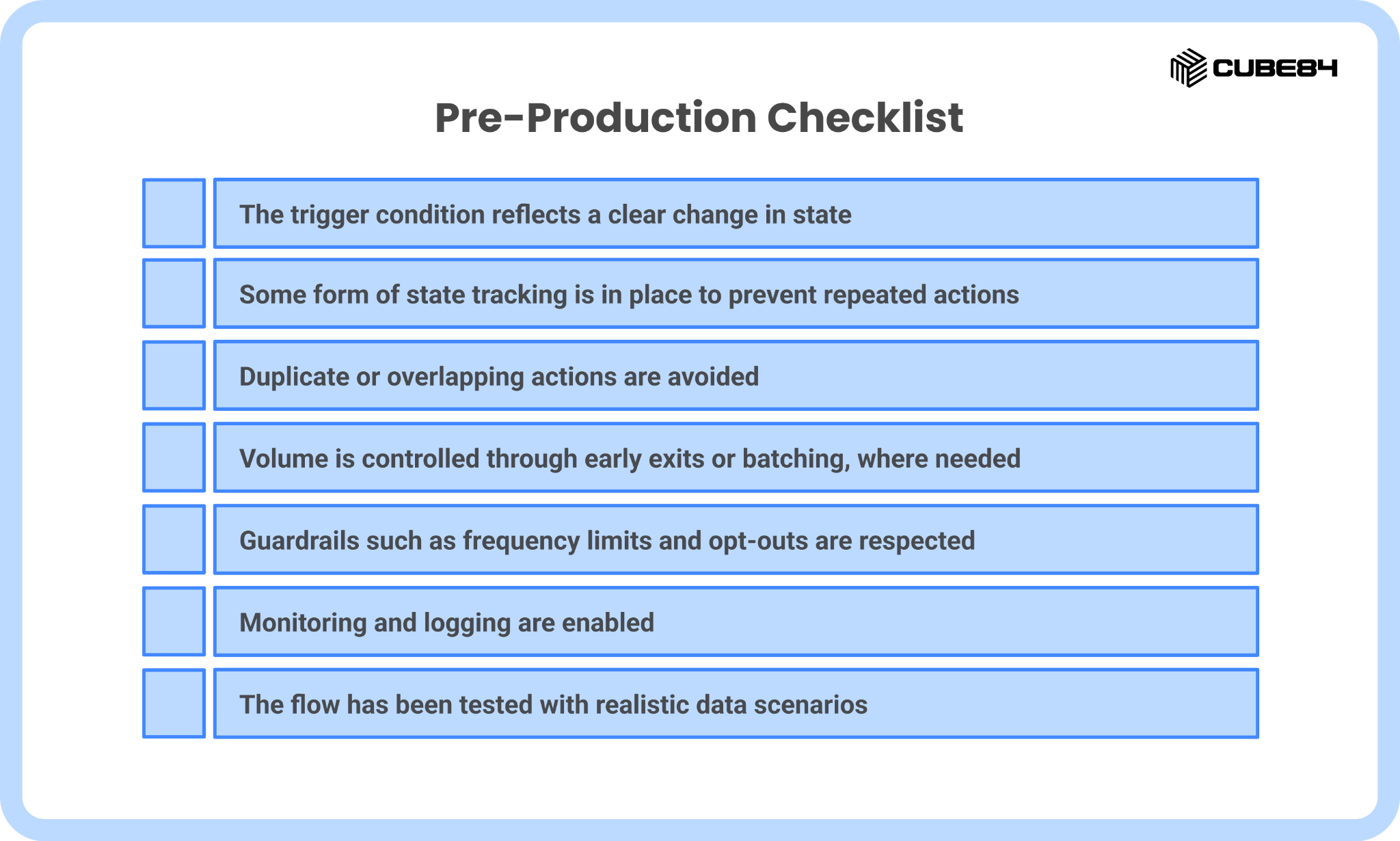
If most of these are in place, you are in a good position to move forward, and if not, it is worth addressing them before turning the flow on.
Conclusion
Data Cloud Triggered Flows can be incredibly useful when they are designed with care, because they allow you to respond to real changes in a person’s context and take action at the right time, which is exactly what many organizations are trying to achieve as they bring more data together.
At the same time, the same flexibility that makes them powerful also makes them easy to get wrong, especially when triggers are too broad, actions repeat too often, or there is not enough visibility into what is happening behind the scenes.
If you are exploring how to use Data Cloud Triggered Flows in your own setup, it helps to start with a clear use case, define what a meaningful signal looks like, and build in a few simple checks so that your flows behave well as your data grows.
When designed with care, these flows can become a precise way to act on the right signals at the right time, instead of adding more unnecessary activity to the system.
And if you would like a second set of eyes on a use case you are planning or want help thinking through how to design it in a way that holds up in production, feel free to reach out to us; we are always happy to talk it through.