
Why pricing for Data Cloud matters
In 2025, Salesforce Data 360 (formerly Salesforce Data Cloud) has become the foundation for how enterprises bring all their customer data together and make it useful for AI, personalization, and live engagement. But while most teams focus on what the platform can do, fewer understand how its pricing actually works.
Unlike traditional Salesforce products, such as Sales Cloud or Service Cloud, that follow a license-based model, Salesforce Data Cloud pricing is based on consumption. You pay only for what you use, much like a utility bill. This approach gives enterprises more flexibility and transparency, but it also means finance and IT teams need to keep a close eye on usage to avoid unexpected costs.
If you’re already managing multiple Salesforce products, it’s also worth reviewing whether you’re using the right licenses. Our blog, Are You Using the Right Salesforce Licenses? A Quick Audit Guide, explains how small licensing misalignments can lead to bigger billing inefficiencies across your ecosystem.
According to Salesforce’s official pricing update, the 2025 model focuses on transparency, predictability, and better value alignment. Ingesting Salesforce data is now free, and a single credit system replaces the multiple credit types used in the past.
In this blog, we’ll break down how Data Cloud pricing works today, what has changed in 2025, what drives costs, and how enterprises can estimate and control their spending.

How Salesforce Data Cloud pricing works
Salesforce Data 360 (formerly Salesforce Data Cloud) pricing works much like a utility bill, where you pay for the resources you use instead of a flat monthly license. This model gives organizations the flexibility to scale up or down based on demand.
Three main components determine what you pay:
1. Credits (the core unit of cost)
Credits are consumed when you ingest external data, run identity resolution, create segments, activate audiences, or use AI agent grounding.
For example, if you import customer data from an external tool like Snowflake or a marketing platform, that activity uses Data Cloud credits.
2. Storage
You’re billed monthly based on how much data you store in Salesforce Data Cloud.
For instance, 1 TB costs around $23 per month. Storing 10 TB would cost about $230 per month.
3. Premium add-ons
Certain advanced capabilities come as add-ons. These include Data Spaces (for governance), Real-Time Profiles (for instant personalization), and Private Connect (for secure connectivity).
Example: A retailer wanting to personalize customer journeys for 100,000 profiles instantly would need Real-Time Profiles, which adds to the monthly cost.
2025 change to note
According to Salesforce’s 2025 pricing update, ingesting data from Salesforce’s own products, such as Sales Cloud, Service Cloud, or Marketing Cloud, is now free.
So, if you sync leads from Sales Cloud into Data Cloud, it no longer consumes credits.
This shift makes Salesforce Data Cloud significantly more affordable for existing Salesforce customers who are expanding their data strategy across clouds. It also encourages enterprises to centralize more of their data within the Salesforce ecosystem, improving both governance and ROI predictability.
Data Cloud pricing in action (2025 baseline)
Now that we’ve covered how it works, let’s look at what Salesforce Data 360 (formerly Salesforce Data Cloud) pricing looks like in practice. Salesforce has outlined clear list rates to help enterprises estimate usage and plan budgets more confidently.
1. Credits
The core unit of usage is Data Service Credits. According to Salesforce’s official pricing page, $500 buys 100,000 credits. Credits are consumed when you ingest data from external sources, perform identity resolution, or activate segments for personalization.
2. Storage
Storage costs are billed monthly as part of Data Cloud storage pricing. The current list price is $23 per terabyte (TB) per month.
For example, storing 10 TB of customer data would cost about $230 per month.
3. Add-ons
Enterprises can choose optional features based on their data and governance needs. Salesforce lists the following published rates:
Data Spaces: $60,000 per year
Real-Time Profiles: $750 per 10,000 profiles
Private Connect: $600 per connection
Ad Audiences: $2,400 per audience per year
All prices reflect publicly available list pricing and may vary based on contract terms or region. It’s best to confirm with your Salesforce account representative before finalizing any estimates.
Use case examples
To visualize what this means in practice:
A nonprofit storing 5 TB of supporter data would spend about $115 per month on storage.
A bank managing 50,000 customer profiles for personalized services might budget around $3,750 per month for Real-Time Profiles.
A retailer segmenting millions of shoppers daily would find credits to be their main cost driver.
These examples show how costs scale with data activity, helping teams budget more precisely.
What changed in 2025 and why it matters
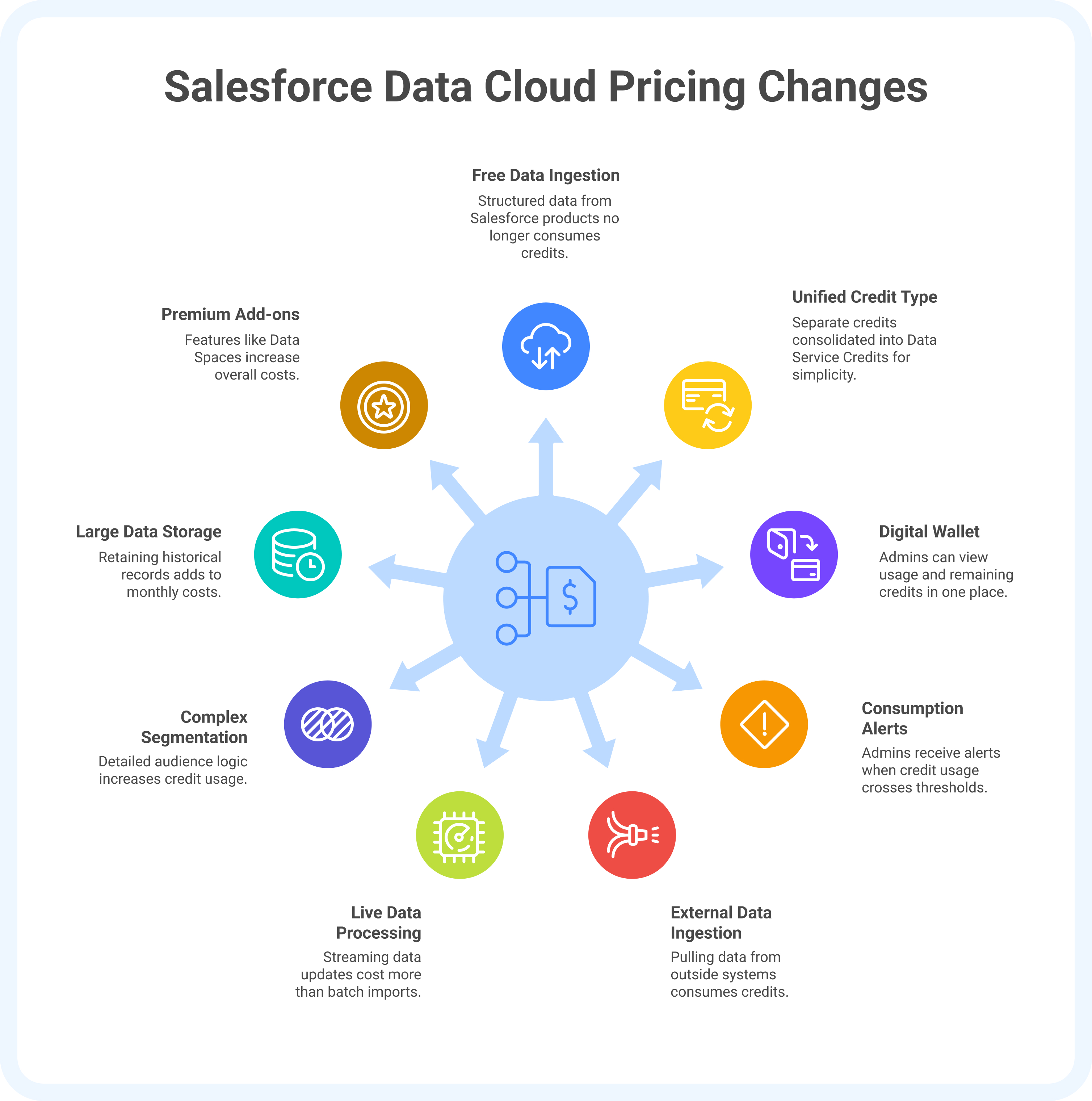
The 2025 pricing model for Salesforce Data 360 (formerly Salesforce Data Cloud) focuses on clarity and control, giving enterprises better ways to track and manage how they spend.
1. Free ingestion for Salesforce data
Structured data from Salesforce products such as Sales Cloud, Service Cloud, or Marketing Cloud no longer consumes credits. For customers already using multiple Salesforce platforms, this can translate to major savings.
2. One unified credit type
Previously, there were separate credits for ingestion, segmentation, and activation. Salesforce has now consolidated these into a single credit type called Data Service Credits, simplifying both forecasting and reporting.
3. The Digital Wallet
A new Digital Wallet lets admins view usage and remaining credits in one place. It provides visibility into how credits, storage, and add-ons are being consumed across teams.
4. Consumption alerts
Admins can now set alerts when credit usage crosses specific thresholds. For example, a marketing team preparing for a high-traffic season like Black Friday can set an alert at 80 percent usage to review or adjust their activities before overspending.
By simplifying cost tracking and removing barriers to data movement, Salesforce has made it easier for enterprises to expand their data strategy without losing financial control.
Cost drivers: what makes pricing go up
Once you understand the basics of Salesforce Data 360 (formerly Salesforce Data Cloud) pricing, it’s easier to see what actually drives costs. Because the model is usage-based, spending can vary widely depending on how your teams use Data Cloud day to day.
1. Ingesting external data
Pulling data from outside systems such as ERP tools, data warehouses, or APIs consumes Data Service Credits. The more sources connected, the faster credits are used.
2. Live data processing
Streaming or near-instant data updates cost more than scheduled batch imports. For example, a retailer running continuous customer activity updates will spend more than one that syncs data nightly.
3. Complex segmentation rules
Every filter, condition, or calculation during segmentation consumes processing resources. If your audience logic is detailed or runs frequently, credit usage increases.
4. Large data storage footprints
Data stored in Salesforce Data Cloud is billed monthly. Retaining historical records or large uncompressed datasets adds up over time.
5. Premium add-ons
Features such as Data Spaces, Private Connect, or Real-Time Profiles can significantly increase overall costs if not monitored. These add-ons are powerful but should be matched carefully to business needs.
Knowing what drives costs is the first step. The next is learning how to plan and estimate usage effectively so Data Cloud delivers value without overspend.
How enterprises should plan and estimate costs
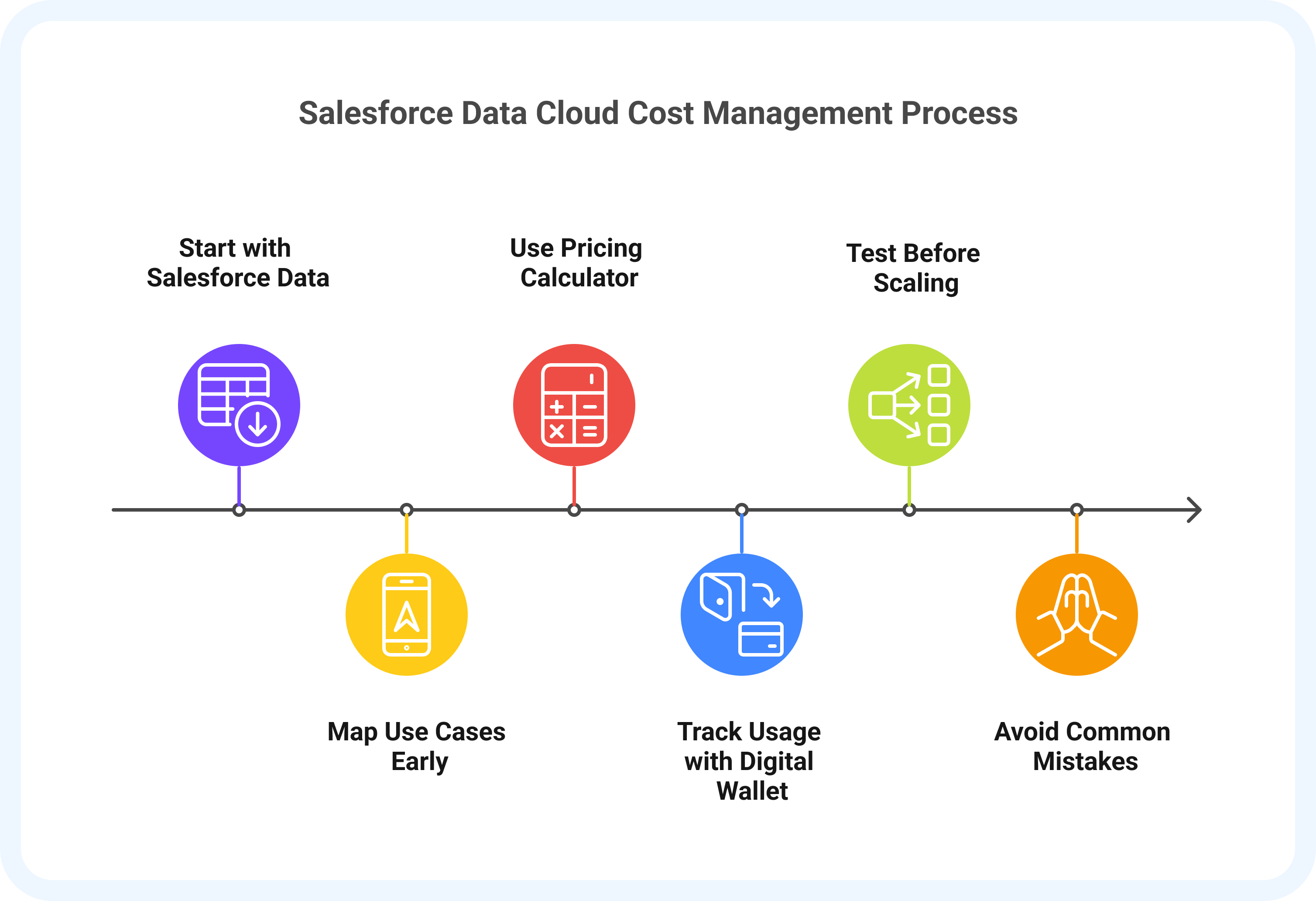
Getting the most out ofSalesforce Data 360 (formerly Salesforce Data Cloud) begins with thoughtful planning. Because pricing is based on usage, a little preparation goes a long way in keeping costs predictable.
1. Start with Salesforce data
Since ingestion from Salesforce products is free, connect your existing Sales Cloud, Service Cloud, or Marketing Cloud data first. This builds a strong foundation while keeping early costs low.
2. Map your use cases early
Define how your teams will use Data Cloud, whether for identity resolution, segmentation, or personalization. Each feature consumes credits differently, so clear priorities help you budget accurately.
3. Use Salesforce’s pricing calculator
The official calculator lets you model monthly and annual costs based on your data volume and activity level. This helps leadership and finance teams set the right expectations.
4. Track usage with the Digital Wallet
The Digital Wallet shows how credits, storage, and add-ons are being used. Checking it regularly helps you spot trends and make adjustments before spending increases.
5. Test before scaling
Start small. A pilot project for one region or campaign can reveal usage patterns before you expand across the organization.
For example, a mid-size nonprofit might connect its Salesforce data, run a few segmentation tests, and stay under $1,000 a month. A global retailer managing millions of customer profiles every day could spend much more, depending on activity and data refresh rates.
When planning is intentional, Salesforce Data Cloud becomes easier to manage and scale. The next step is to understand what pitfalls to avoid and how to keep common misconceptions from affecting your cost strategy.
Common mistakes and myths
Even with clear documentation, many teams still misjudge how Salesforce Data 360 (formerly Salesforce Data Cloud) pricing works. The result is often overspending or confusion about what drives usage. Here are some of the most common mistakes and misconceptions to avoid.
1. Myth: All ingestion costs credits
This was true before, but not anymore. Ingesting Salesforce data is now free. Only external sources, such as ERP tools or marketing platforms, consume credits. Start with Salesforce data before expanding to other systems.
2. Mistake: Ignoring add-ons in budgets
Add-ons such as Data Spaces, Private Connect, and Real-Time Profiles can add up quickly. Even if you do not plan to use them immediately, factor them into your cost projections.
3. Mistake: Assuming credits scale evenly
Not all processes use credits at the same rate. Batch segmentation consumes less, while continuous personalization or AI-based activation can use significantly more. Keep an eye on high-consumption activities through the Digital Wallet.
4. Mistake: Overlooking seasonal spikes
Campaigns, donation drives, and peak shopping periods can cause sharp increases in usage. Set alerts when credit consumption reaches 70 or 80 percent to prevent unexpected costs.
The best way to manage Salesforce Data Cloud pricing is to treat it as an ongoing practice rather than a one-time setup. Regular reviews and small adjustments can help keep costs predictable as your data strategy grows.
Conclusion and quick takeaways
In 2025, Salesforce Data 360 (formerly Salesforce Data Cloud) pricing has become easier to understand and control. The model is built on transparency and choice, giving enterprises the flexibility to pay for what they use while keeping costs predictable.
Free ingestion for Salesforce data, unified credits, and visibility through the Digital Wallet are all designed to make data management simpler and fairer. But getting value from Data Cloud depends on how you use it, not just how you pay for it.
The strongest teams approach pricing as part of their data strategy. They plan their use cases early, keep track of credit-heavy activities, and refine their setup over time. With the right approach, Salesforce Data Cloud can scale seamlessly as your organization grows, turning data into a true business asset rather than a rising cost.
In the end, Salesforce Data Cloud pricing works best when your strategy is clear, your usage is intentional, and every dollar spent connects to measurable value.
If you are planning your next phase of implementation or looking to optimize how your organization uses Data Cloud, talk to CUBE84 about optimizing your Data Cloud spend.