

The Reality in 2026: Why Experience Cloud Projects Still Fail
Is this the exact situation you are trying to deal with right now? You have been tasked with launching a new digital portal for your customers or partners, and you are currently assessing your possibilities. You know exactly what the business wants: a sleek, high-performing site that deflects support tickets or drives channel sales.
But then you open up a forum like Reddit or the Trailblazer Community to do some research, and the horror stories start piling up.
Ops leaders are venting about abysmal user adoption. Admins are losing weeks trying to figure out why a page shows records to one user but completely blocks another. You even see the urgent 2026 security warnings about guest user data leaks, usually caused by someone checking the wrong permission box just to make a public page load faster. It is enough to make you second-guess the whole project.
Here is the reality we see at CUBE84: portals that launch late, bleed budget, or require a total rebuild within a year usually fail due to flawed planning and architecture rather than any limitations of the platform itself.
This guide will help you nail early architecture decisions, like choosing the right portal type and build approach, so you avoid the mistakes that derail projects.
The 5 Phases of a Successful Implementation
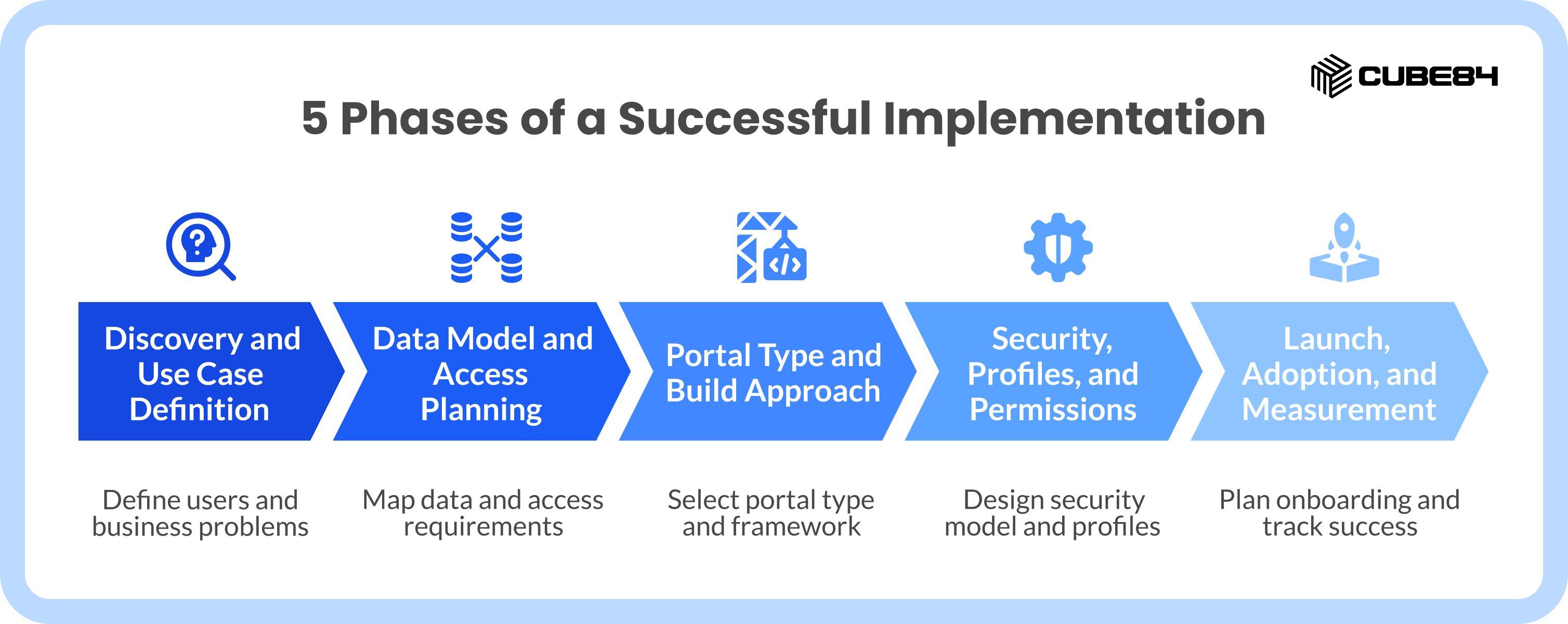
Many teams try to jump straight into building pages and adding logos. Skipping the foundational steps is exactly where projects start to wander off course. A successful rollout requires a structured approach.
Phase 1: Discovery and Use Case Definition
Before touching the technology, you need clarity on the user. You have to define whether you are building this for a customer, a business partner, or an internal employee. You also need to pinpoint the exact business problem the portal is solving. Success looks very different depending on whether your goal is deflecting customer service calls or driving channel sales revenue through partners.
Phase 2: Data Model and Access Planning
This phase is all about the information. You have to decide exactly what data from your Salesforce environment needs to be exposed to the outside world. Mapping out your object access requirements early is important because it directly impacts licensing decisions later.
Phase 3: Portal Type and Build Approach
Once you know your users and your data, you can match them to the right structure. This involves selecting a specific portal type like a Customer Account portal or Partner Central. Separately, you have to decide on the underlying framework, choosing between the modern Lightning Web Runtime or the legacy Aura support.
Phase 4: Security, Profiles, and Permissions
Security cannot be an afterthought. You have to design a robust sharing model that dictates who can see what. This includes setting strict boundaries for guest access, which applies to anyone browsing your site without logging in. You will also map out the role hierarchy and design user profiles to ensure data stays protected.
Phase 5: Launch, Adoption, and Measurement
A portal is a living product. Launching is only the beginning. You need a solid plan for user onboarding to ensure people actually know how to use the new system. Setting up analytics allows you to track behavior and measure success. From there, you build an iteration plan to keep improving the experience based on real user data.
Choosing the Right Portal Type
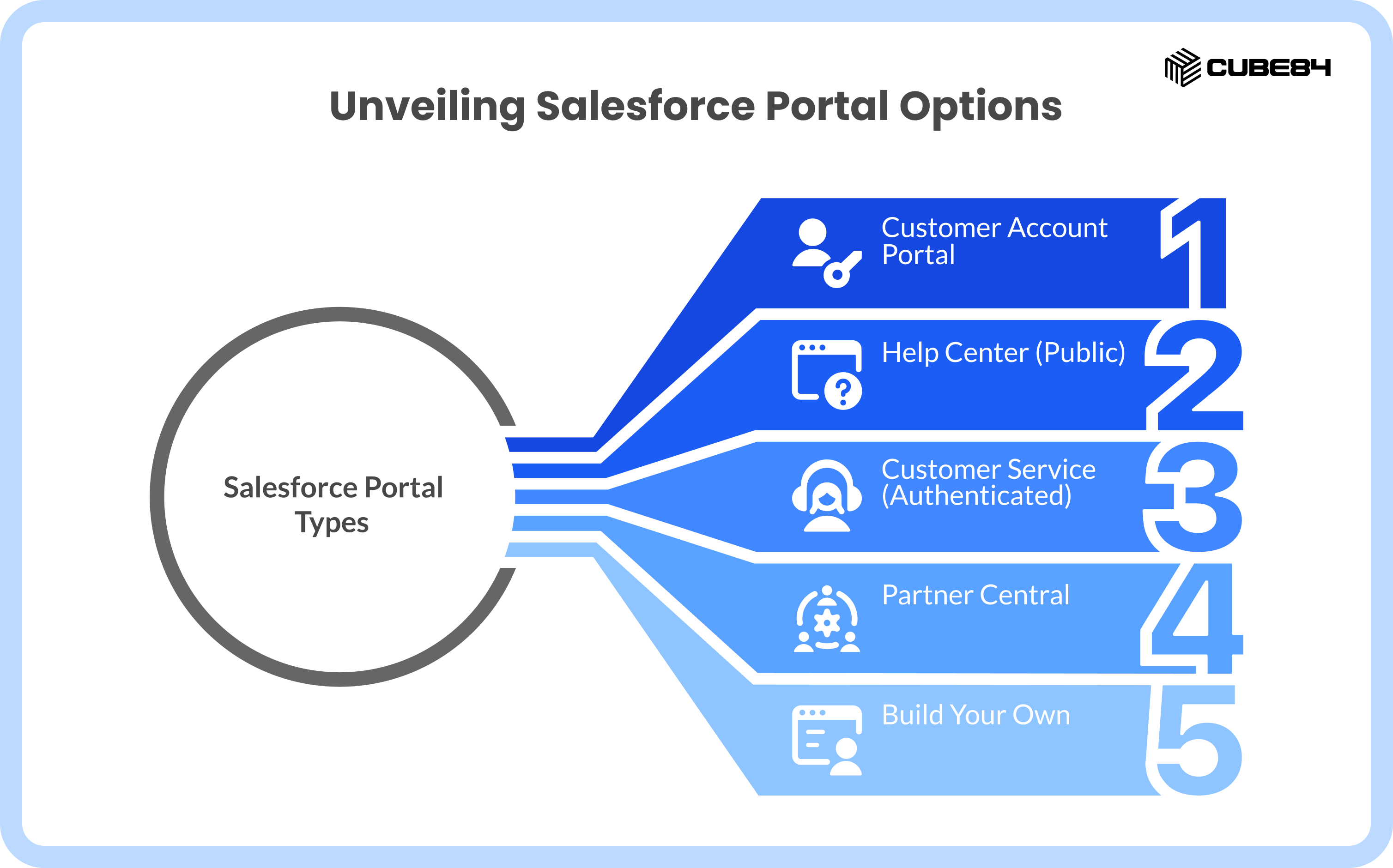
Choosing the wrong portal type might not break your system on day one. It creates friction in the user experience, adds unnecessary permission complexity, and forces your team into heavy rework later on. Salesforce offers specific starting points based on what you need to achieve.
Customer Account Portal
This option is best for direct-to-consumer account access. If your users need to log in to view their past orders, pay invoices, or manage their profile settings through self-service, this is the right path.
Help Center (Public)
The Help Center is designed for public access. It is the best choice when your main goal is creating a public knowledge base. Because the pages are public, search engines can index them. This drives SEO traffic and helps customers find answers via a Google search before they ever submit a support case.
Customer Service (Authenticated)
While the Help Center is public, the Customer Service option requires users to log in. This is best for personalized support, allowing users to track their specific case history, interact with support agents, and participate in community discussions.
Partner Central
This is built specifically for business-to-business relationships. Partner Central is the best fit for channel sales, allowing your external dealers or distributors to register new deals, collaborate on sales pipelines, and access marketing materials.
Build Your Own (BYO)
Sometimes your business processes do not fit into a standard box. The Build Your Own option provides a blank canvas. It is best for highly customized user experiences or very specific industry workflows that require unique navigation and layouts.
Decision Matrix
Framework vs Build Approach: The Decision That Shapes Everything
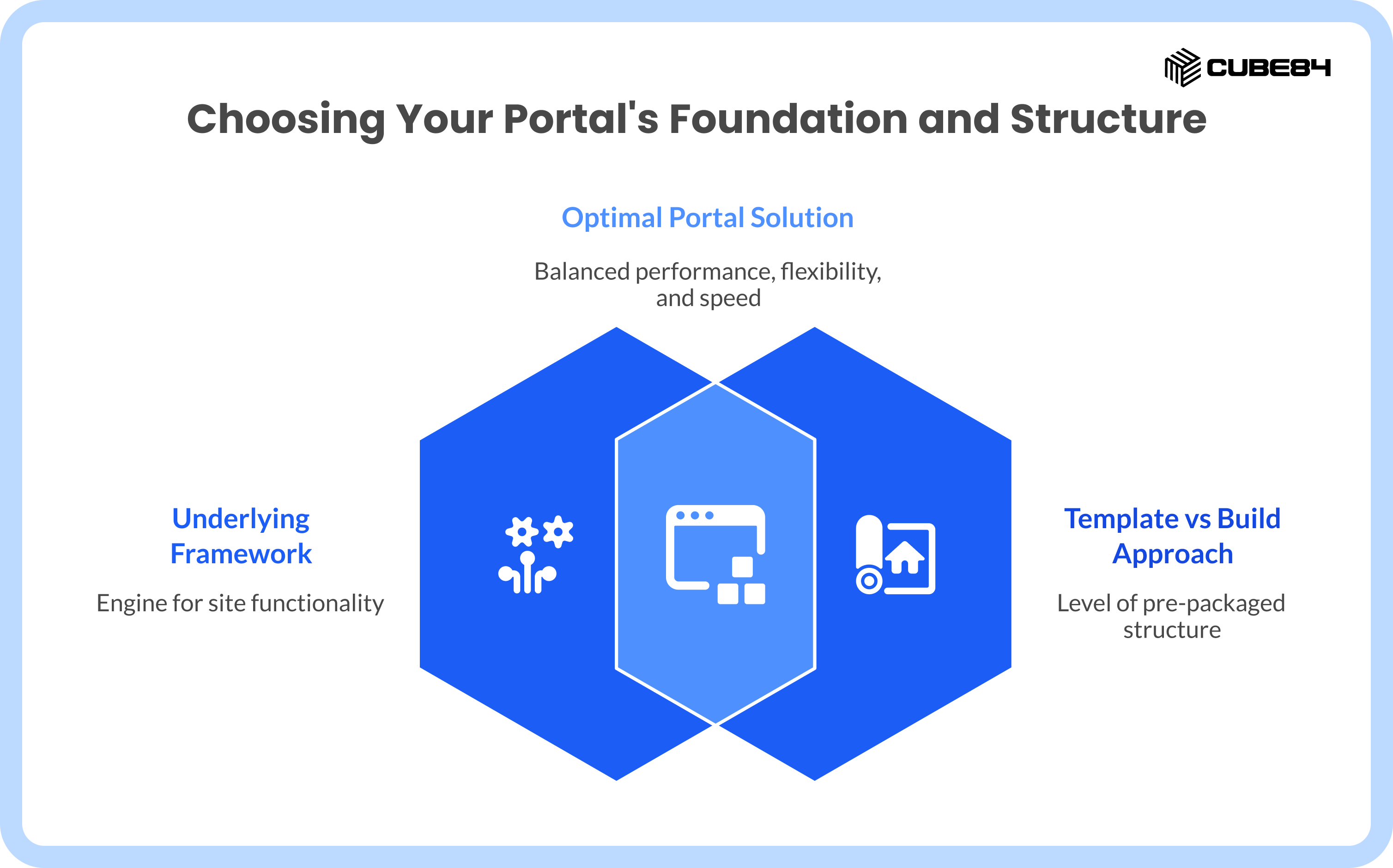
When people talk about building a portal, they often think the only choice is "template versus custom." There are actually two entirely separate technical decisions you have to make.
Decision 1: The Underlying Framework
A framework is the foundational engine that runs your site.
The Aura framework is the older, legacy technology. It is feature-heavy and has a lot of pre-built components, but it is primarily used for existing implementations today. Pages built on Aura tend to load slower.
Lightning Web Runtime (LWR) is the modern standard. It is incredibly fast, lightweight, and represents the future of the platform. LWR gives you excellent performance and strong future readiness. We always recommend using LWR as your default framework unless you have a very specific dependency on an old Aura component.
Decision 2: Template vs Build Your Own
Once you select your framework, you decide how much pre-packaged structure you want to use.
Standard templates come with out-of-the-box page layouts and components. They are fantastic for standard use cases and allow for a faster launch time, usually between 6 to 12 weeks. They are easier to maintain but come with structured limits on how much you can change the look and feel.
A custom build gives you complete control over every pixel. It is ideal for high-performance, highly custom user experiences. Because you are building from scratch, timelines stretch to 12 to 20 weeks. This approach offers excellent scalability but requires dedicated developer ownership to maintain the custom code.
Teams often optimize for what looks easy during a software demo instead of planning for what the business will need long-term. You should use templates when your use case is standard, but lean into a custom build when your user experience or performance demands it. Trying to force a rigid template to do highly custom tricks will cause major headaches.
The 6 Mistakes That Actually Break Projects
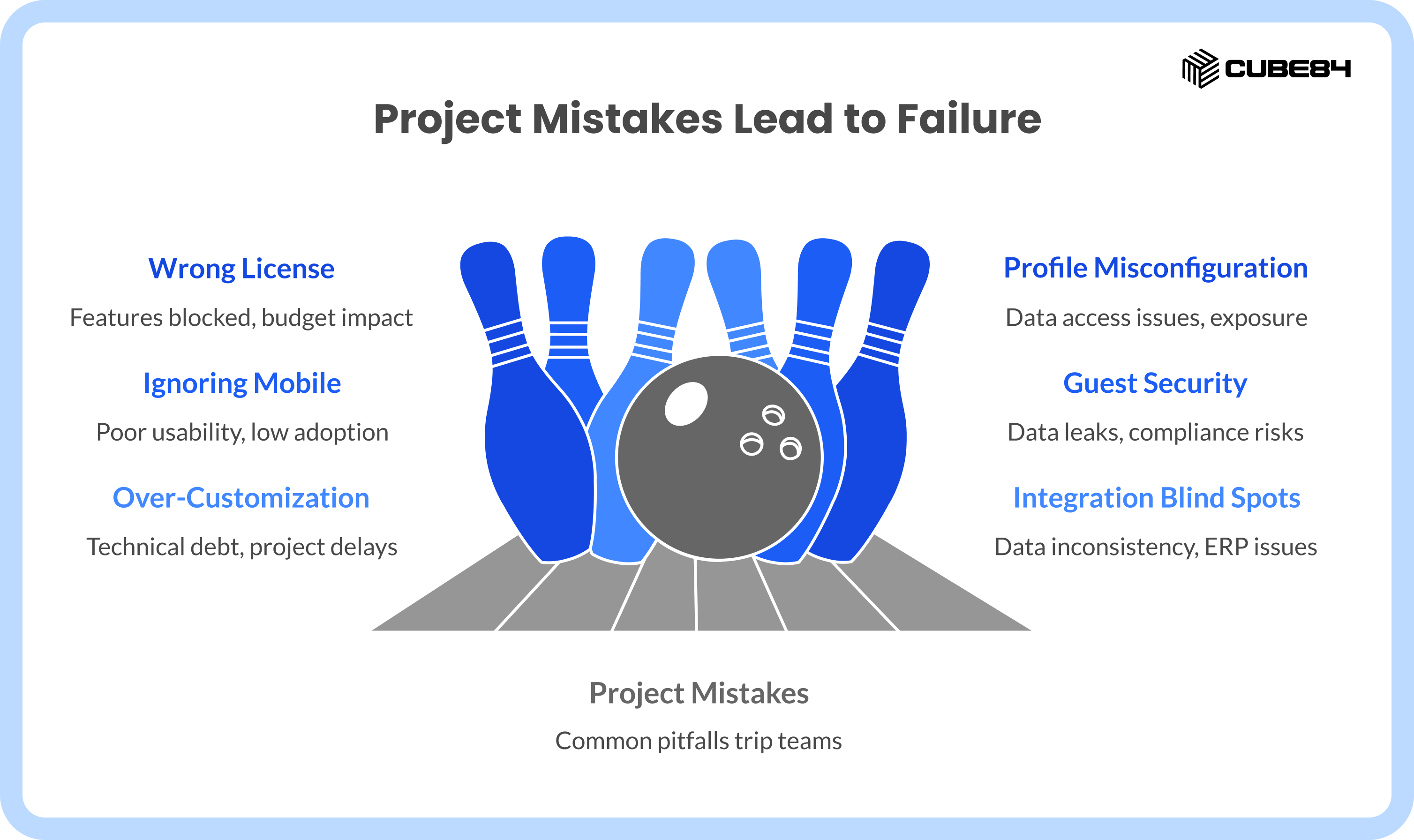
We have guided many organizations through these implementations at CUBE84. Across the field, we see the same common pitfalls tripping up well-intentioned teams.
Mistake 1: Wrong License Type
The root cause here is a lack of alignment between the desired data model and the actual licensing contracts. If you design a portal that requires users to view complex Salesforce objects, but you purchase a basic license, those features will simply be blocked. For example, a standard Customer Community license typically does not allow users to access reports, while a Customer Community Plus license does. Similarly, if your partners need to work on sales opportunities, you must have Partner licenses. Getting this wrong impacts the entire budget and requires a major redesign.
Mistake 2: Profile and Permission Misconfiguration
Security in Salesforce is incredibly granular. When setup is rushed or the team has a poor understanding of the sharing model, problems start to show up. In many cases, this shows up in one of two ways. Either the permissions are too restrictive and users cannot see the data they need to do their jobs, or the permissions are too loose, resulting in accidental data exposure to the wrong people.
Mistake 3: Ignoring Mobile Reality
Many portals are designed and approved by executives looking at large desktop monitors. We usually see this happen when teams design for those desktop demos while ignoring the reality of the end user. Imagine a field service technician wearing work gloves trying to tap a tiny, unoptimized button on a tablet while standing in the sun. If you ignore mobile responsiveness or fail to consider Salesforce Mobile Publisher for a native app experience, you will face poor field usability and terrible adoption rates.
Mistake 4: Guest User Security Gaps
A guest user, anyone who visits your site without logging in, can become a major risk point. Sometimes, administrators over-permission the guest user profile just to make a public page work quickly. The impact of this shortcut is severe. It can lead to massive data leaks and serious compliance risks if internal company records become accessible to the public internet.
Mistake 5: Over-Customization Too Early
This happens when teams skip the discovery phase or try to force a simple template to handle incredibly complex, non-standard use cases. They start writing custom code before understanding the actual business process. This creates immediate technical debt and guarantees project delays.
Mistake 6: Integration Blind Spots
A portal rarely lives in isolation. The root cause of integration issues is treating the portal as a standalone system. If your customers are logging in to see their invoices, that portal needs to talk flawlessly to your accounting software. Failing to plan these connections leads to data inconsistency, where a customer sees one number in the portal but your finance team sees a different number in the ERP.
The Hidden Layers That Decide Success
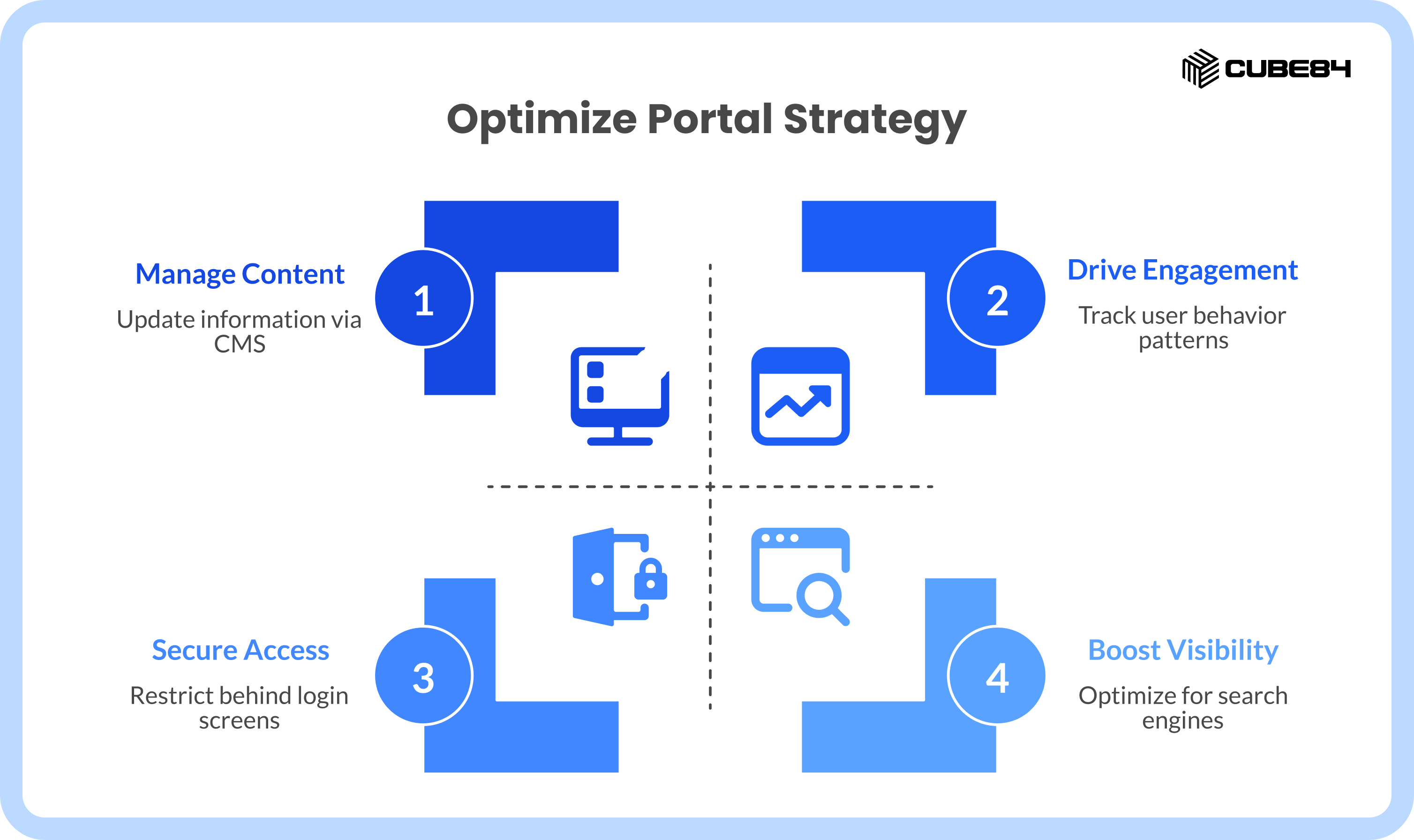
Several critical elements happen behind the scenes. These layers often go unnoticed during the initial planning but make a massive difference in the final product.
Content and Knowledge Strategy
Your portal needs words, images, and helpful articles. You should avoid hardcoding any content directly into the page design. Instead, you can use Salesforce Knowledge for support articles and the Salesforce Content Management System (CMS) for banners and news. A CMS allows your everyday business users to update text and images easily without having to submit a ticket to the IT department.
Public vs Authenticated Experience
You have to intentionally design your SEO angle. You must decide exactly which pages should be indexed by search engines and which pages must stay safely behind a login screen. If your goal is case deflection, your knowledge articles must be public so a frustrated customer can find the solution via a Google search.
Analytics and Adoption
You cannot improve what you do not measure. You need tools to track how often people log in, where they drop off or abandon a process, and what terms they are typing into the search bar. Using native Experience dashboards alongside Google Analytics 4 provides a clear picture of user behavior.
Mobile and App Strategy
You need to know when your users expect to download an actual app from an app store rather than just visiting a website on their phone browser. If an app is necessary, you must design your project with Mobile Publisher in mind from the very beginning to ensure everything translates perfectly to a mobile application format.
What a Real Implementation Timeline Looks Like
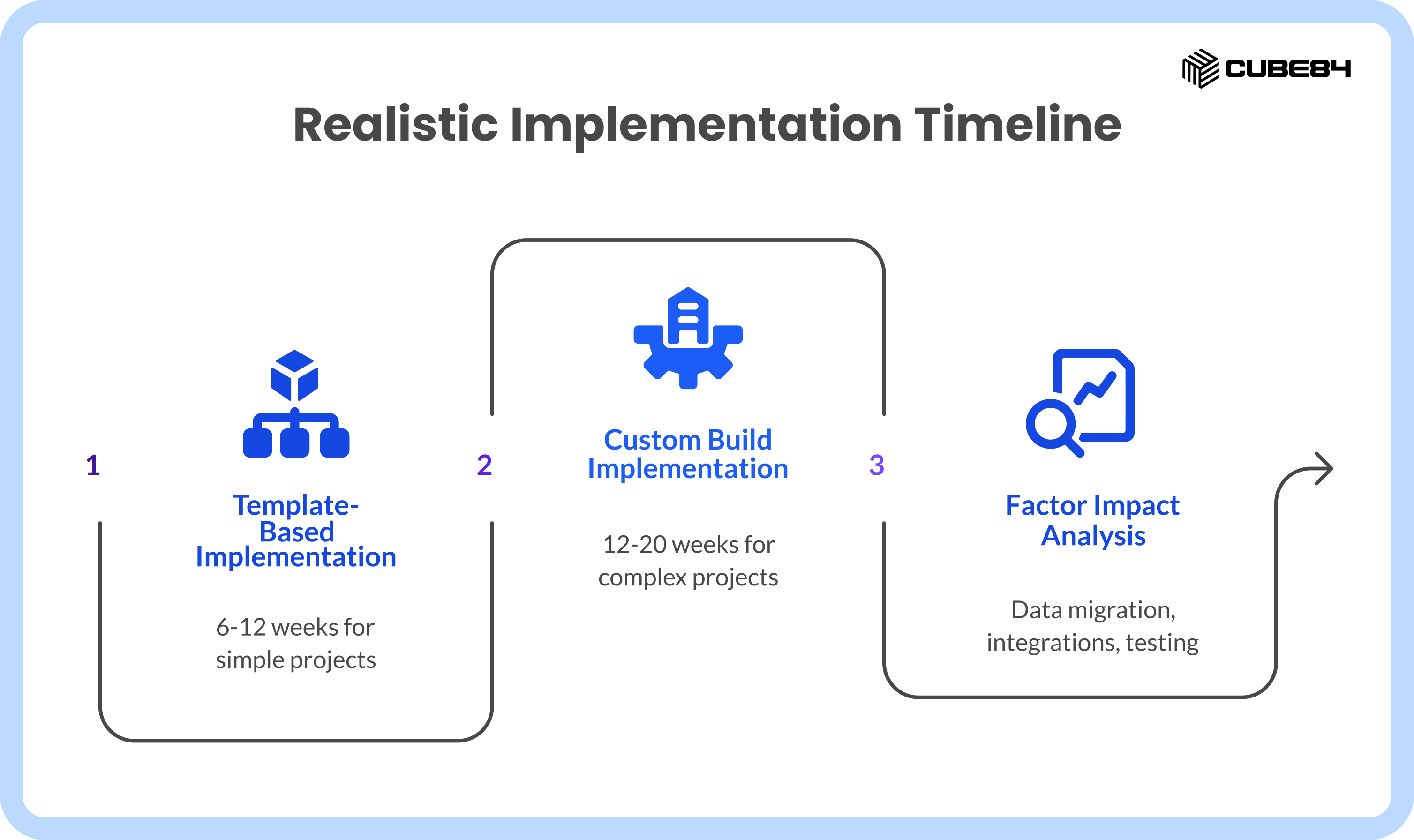
Setting realistic expectations keeps everyone aligned. For a standard implementation using out-of-the-box templates and minimal custom code, most mid-complexity projects fall in the 6 to 12 week range. If your project requires a custom build, complex workflows, and external system integrations, the timeline shifts to 12 to 20 weeks. These are typical ranges for mid-complexity projects.
Actual timelines will always depend on the sheer volume of data you are migrating, the number of integrations required, the depth of custom development, and how rigorous your testing requirements are.
Most delays do not come from the technology itself. They come from changing requirements midway through the build, security decisions made at the last minute, and integration surprises that surface during testing. To get a better sense of how these factors impact your budget, you can review our detailed breakdown on [Salesforce pricing and costs].
A More Practical Way to Approach Implementation
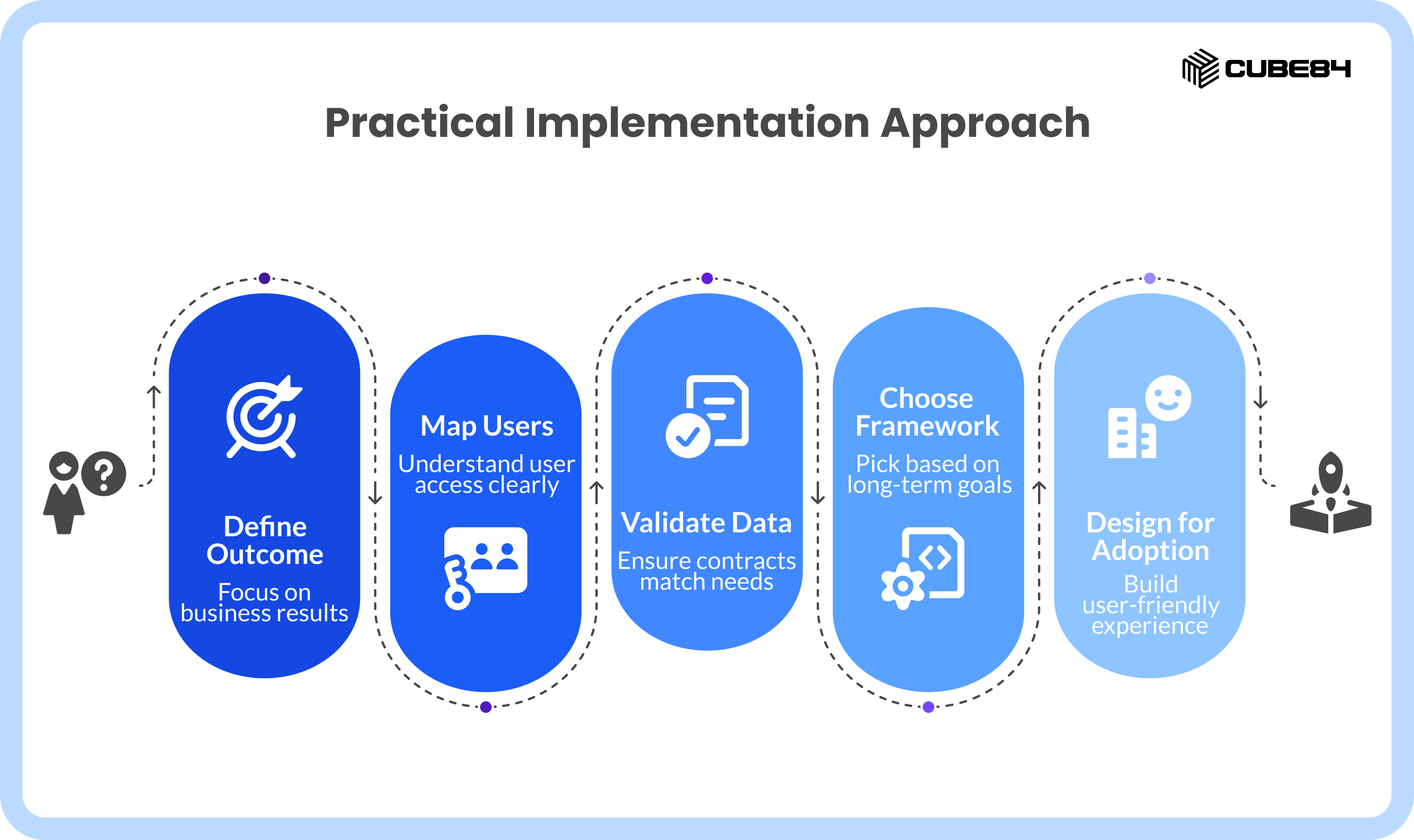
We recommend a grounded, step-by-step approach to keep your project moving smoothly.
Step 1: Define outcome, not features. Focus on the business result you want to achieve before picking widgets.
Step 2: Map users and access clearly. Know exactly who is logging in and what they are allowed to touch.
Step 3: Validate data and licensing early. Ensure your contracts match your technical needs before you start building.
Step 4: Choose template vs build intentionally. Pick your framework based on long-term goals, not short-term convenience.
Step 5: Design for adoption, not just launch. Build an experience people actually want to use.
Step 6: Plan ownership post-launch. Decide who is responsible for updating content and managing users after the site goes live.
Your Next Step: Experience Cloud Readiness Check
Clarity is the most important asset you can have before starting a project. We use an Experience Cloud Implementation Readiness Checklist to help teams find that clarity. Ask your team these questions:
Do we know exactly who our external users are?
Does our use case fit a standard template?
Have we aligned our license type with our data access needs?
Do we know exactly what data public guest users can see?
Do we have a dedicated post-launch owner?
If you are planning a new Experience Cloud implementation or trying to fix one that has drifted off course, starting with honest answers to these questions is the best way to move forward.
Bringing It All Together
A strong Experience Cloud implementation comes down to the decisions you make early, not just how the portal looks at launch. The right portal type, build approach, and foundation can save you months of rework later.
If things already feel more complex than expected, this is something we see often. Most issues trace back to a few key choices made upfront.
If you want to sanity check your approach or talk through what you are seeing, we are always happy to take a look together.
.png&w=3840&q=75)