The Real Problem Behind "Should We Build This?"
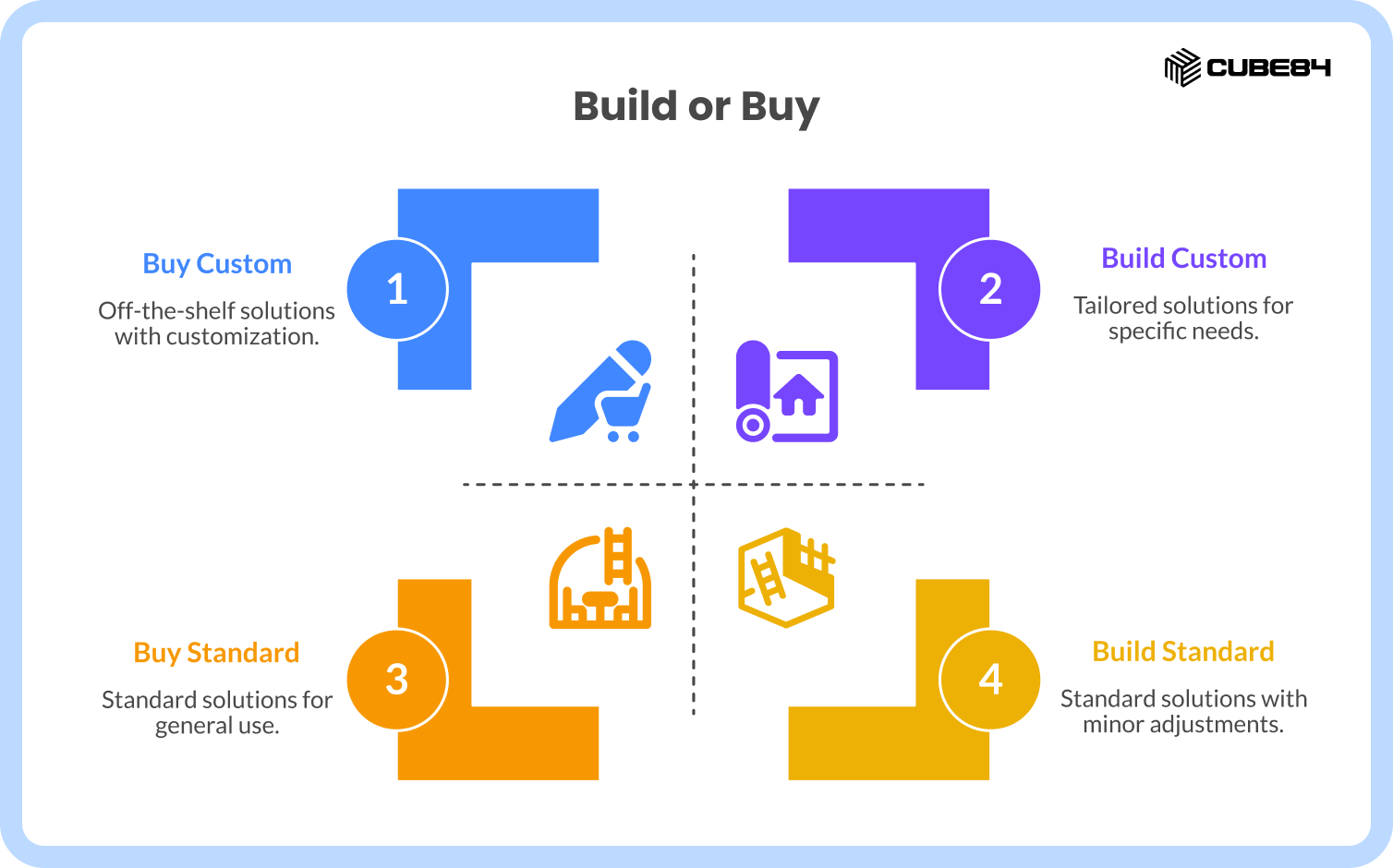
When you start with a basic meal plan, it usually works well enough. It is designed for the average person, covers the basics, and helps you get into a routine. But over time, your needs change. Your schedule shifts, your energy levels vary, and certain foods stop working for you. You begin tweaking meals, adjusting portions, and swapping ingredients. Eventually, it is no longer the original plan at all. It becomes something built entirely around what your body actually needs to perform at its best.
Enterprise software follows the exact same progression. Out of the box, Salesforce gives you a solid foundation. As your business grows, your daily operations become highly specific. You outgrow standard CRM functionality because your internal workflows give you a competitive edge. The technology landscape shifts, your processes evolve, and suddenly, off-the-shelf tools restrict your momentum. You need a platform customized precisely for how your revenue engine actually operates, which brings you directly into custom Salesforce development.
While wanting a perfectly tailored system is natural, rushing to customize without a long-term plan makes your platform fragile. In 2026, the old "build versus buy" debate is obsolete. Today, you must choose between configuring native features, buying packaged apps, coding custom architecture, or using AI to extend your setup. This guide offers a practical decision model and a clear governance system to help you navigate these choices, allowing you to solve immediate business needs without trapping your team in future technical debt.
What "Custom Salesforce Development" Actually Means
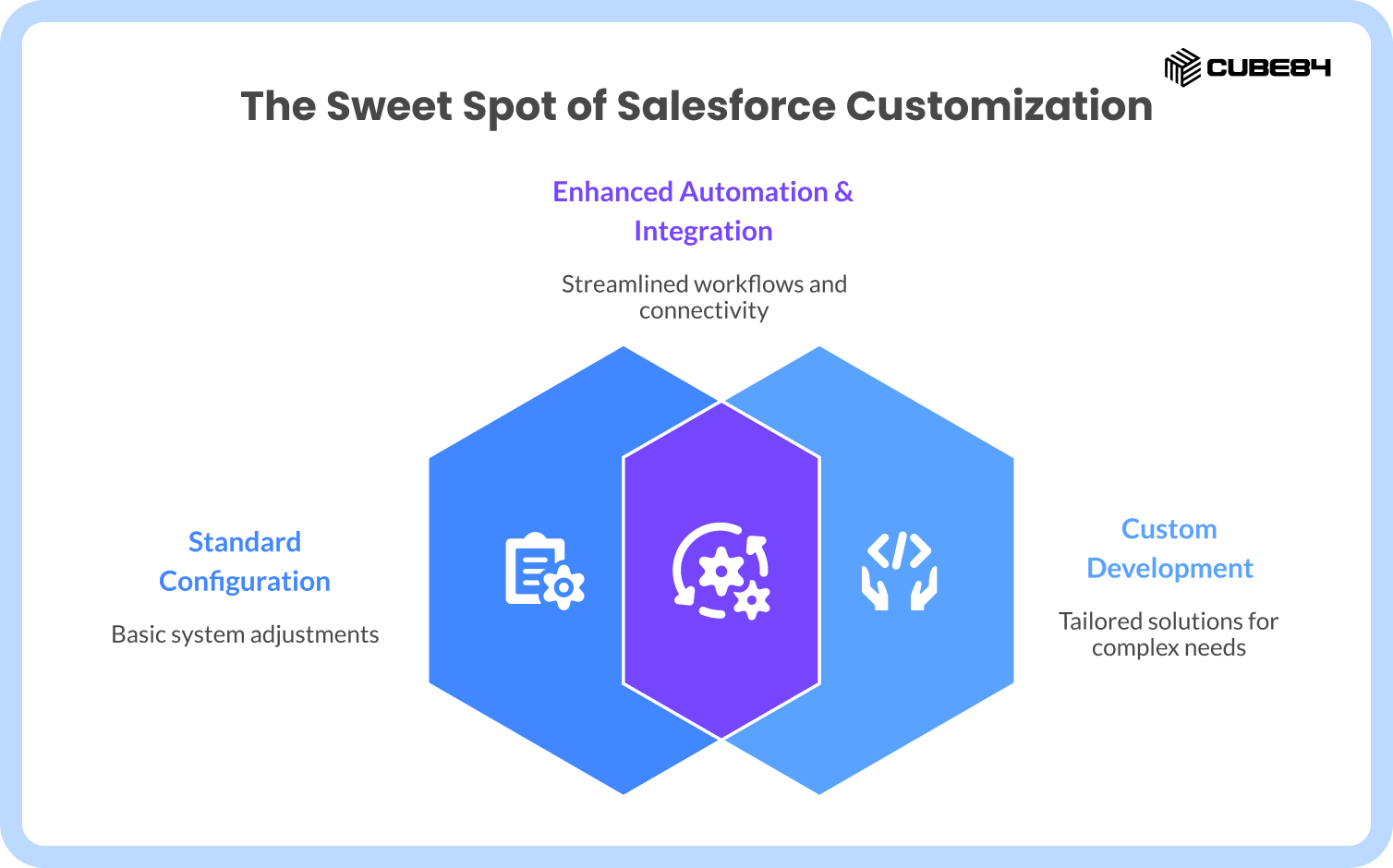
Before you decide how to solve a problem, you have to define the scope clearly. Custom development is often used as a catch-all term, but it has a very specific meaning.
Custom Salesforce development includes:
Apex triggers and classes: This is the proprietary code that runs on Salesforce servers to handle complex business logic.
Lightning Web Components (LWC): These are custom-coded user interface elements designed to create highly specific visual experiences.
Advanced data models: Creating custom objects and relational fields that stretch far beyond standard CRM capabilities.
External API integrations: Connecting Salesforce to outside tools using REST, SOAP, or middleware platforms like MuleSoft.
Complex Flow orchestration: When visual automation tools become so large and intricate that they essentially replace or extend raw code logic.
Platform Events: The messaging layer that allows Salesforce to communicate asynchronously with external systems in real time.
What custom development is NOT:
Standard configuration like adjusting page layouts, creating validation rules, or adding record types.
Basic Flow automation used strictly within safe system limits.
Installing an AppExchange application, assuming you are not heavily modifying its code after installation.
Why Salesforce Teams Struggle Today
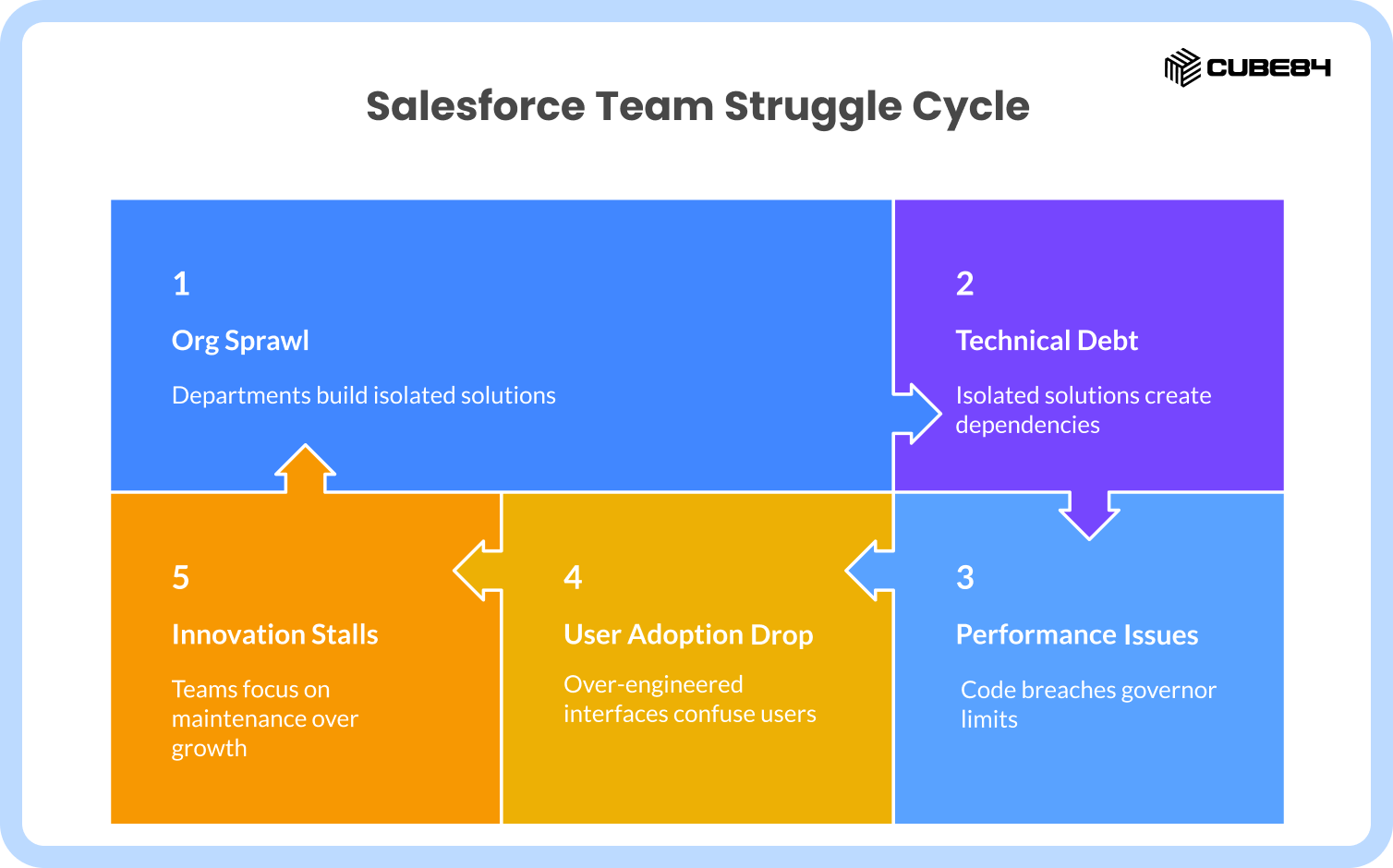
We see many organizations hitting the same exact roadblocks. The most common struggle is org sprawl. This usually happens when different departments try to solve their own specific bottlenecks in total isolation. Marketing builds a custom data pipeline, sales bolts on an intricate forecasting tool, and support writes a custom script to route their cases. Everyone is simply trying to hit their quarterly targets, but none of these isolated solutions are designed to talk to each other cleanly. Over time, this creates a massive web of fragile dependencies across your code and integrations.
When you build a custom house extension directly over your main water line, everything looks beautiful until a pipe bursts and you have to tear up your new living room floor. Technical debt in Salesforce works the exact same way. Short-term builds quickly become a long-term maintenance burden. Eventually, development teams stop looking forward. They start planning their entire release cycles around what might break rather than what the business actually needs to build next. Innovation stalls completely because every sprint is focused on keeping the foundation from cracking.
Performance and scalability take a massive hit as well. Salesforce has strict governor limits to keep the shared server environment running smoothly. Poorly written Apex code breaches these limits and crashes the system. Deep, branching logic in Flows creates a digital Rube Goldberg machine where saving a single lead record kicks off five different automations and grinds the system to a halt.
All of this leads to a massive drop in user adoption. If an over-engineered interface is slow or confusing, user trust vanishes. Business users will simply abandon the platform and go back to tracking their deals in external spreadsheets.
Root Causes Behind These Problems
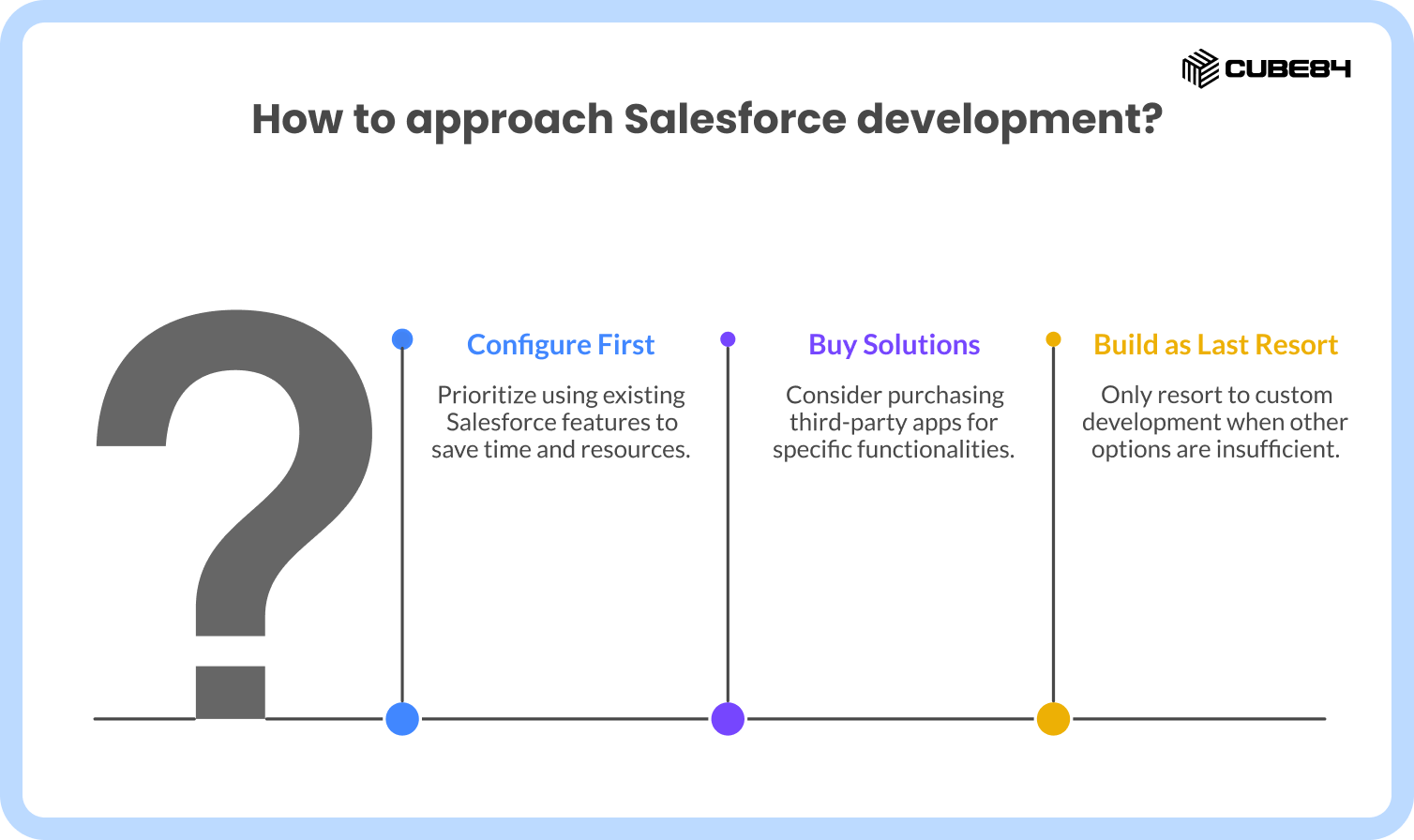
These struggles do not happen because teams are incapable. They happen because there is often no disciplined order of operations. Teams should always attempt to configure first, then buy, and only build as a last resort.
Instead, there is immense pressure for speed over lifecycle thinking. Teams treat every single business requirement as an entirely unique snowflake instead of looking for ways to reuse existing architecture. Architecture reviews are frequently skipped to hit aggressive launch dates.
A major root cause is underestimating the maintenance impact. Building the feature is only the initial down payment. Upgrades, testing, and continuous bug fixes are the ongoing mortgage. When there is no strict "definition of done" that includes heavy documentation and security checks, the org becomes a mystery to anyone who did not write the original code.
The Decision Framework (Configure vs Buy vs Build)
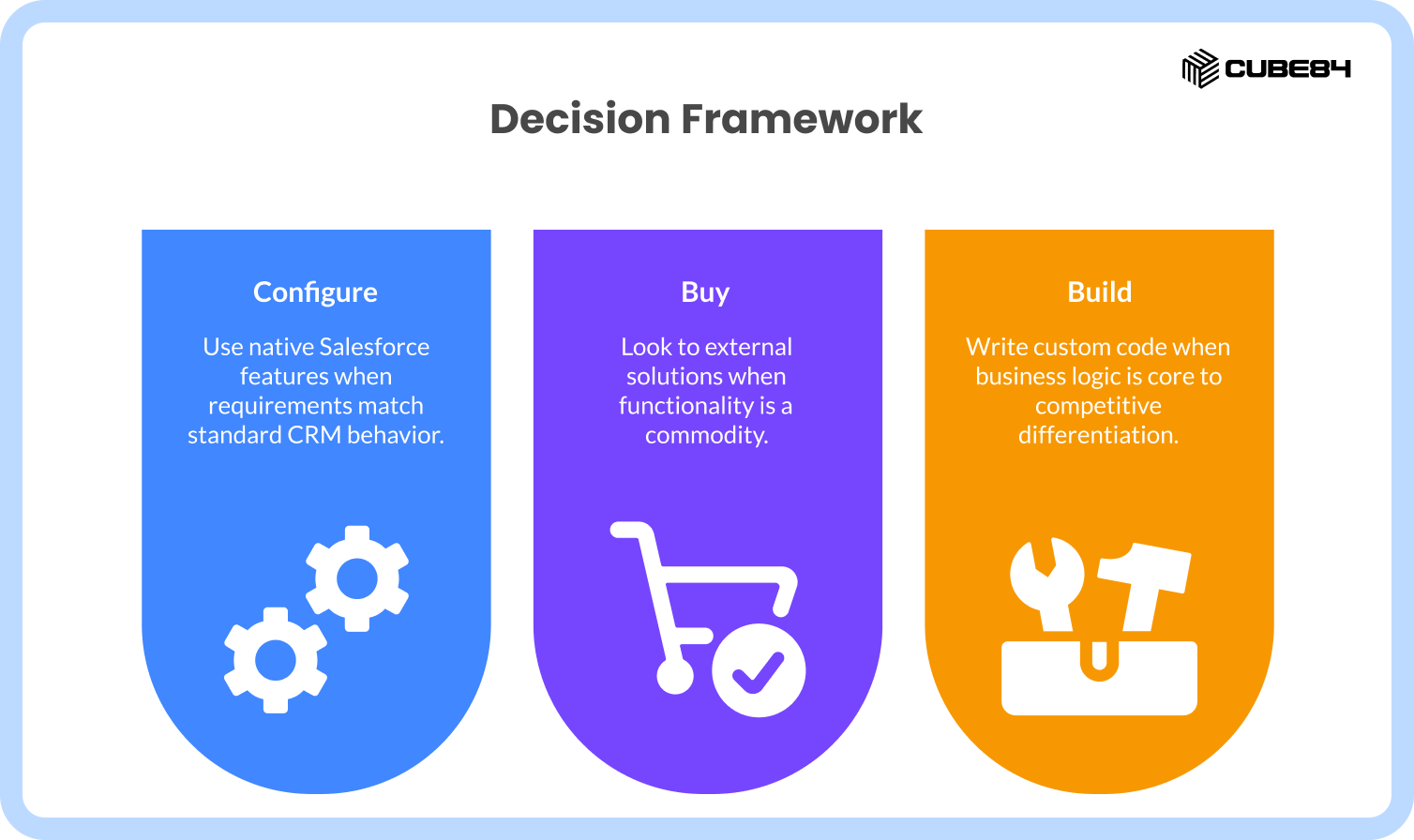
Step 1: Configure (Always try this first)
You should rely on native Salesforce features when the requirement matches standard CRM behavior. If a standard Flow or declarative tool can handle the request safely without hitting system limits, do that. If the feature does not provide a massive competitive advantage for your company, keep it simple and native.
However, here is an unexpected insight that most architecture guides completely miss: just because you can configure it natively does not mean you always should. You might be able to force a massive, high-volume data stream into standard Task records using basic configuration. But doing so will instantly pollute your core reporting and ruin the search experience for your sales team. If forcing a process into native configuration creates a horrible, multi-click nightmare for the end user, or clogs your system with transactional noise, native configuration is actually the wrong choice.
Step 2: Buy (AppExchange or managed packages)
Look to external solutions when the functionality you need is essentially a commodity. Think of things like e-signature tools, complex quoting extensions, or standard telephony integrations. Let an external vendor worry about maintaining updates, security compliance, and server limits. If an app meets 70 to 80 percent of your requirements out of the box and time to value is critical, buying is the right move.
Step 3: Build (Custom development)
You should only write custom code when the business logic is core to your competitive differentiation. If you need deep, high-volume data integrations across multiple legacy systems, standard tools will fail. If no AppExchange solution fits without forcing you to create messy workarounds, building becomes necessary. You also build when you need absolute control over performance and data execution.
Here is a quick breakdown of how these choices compare under a 2026 lens.
The Missing Step Most Teams Skip (Scoping Before Code)
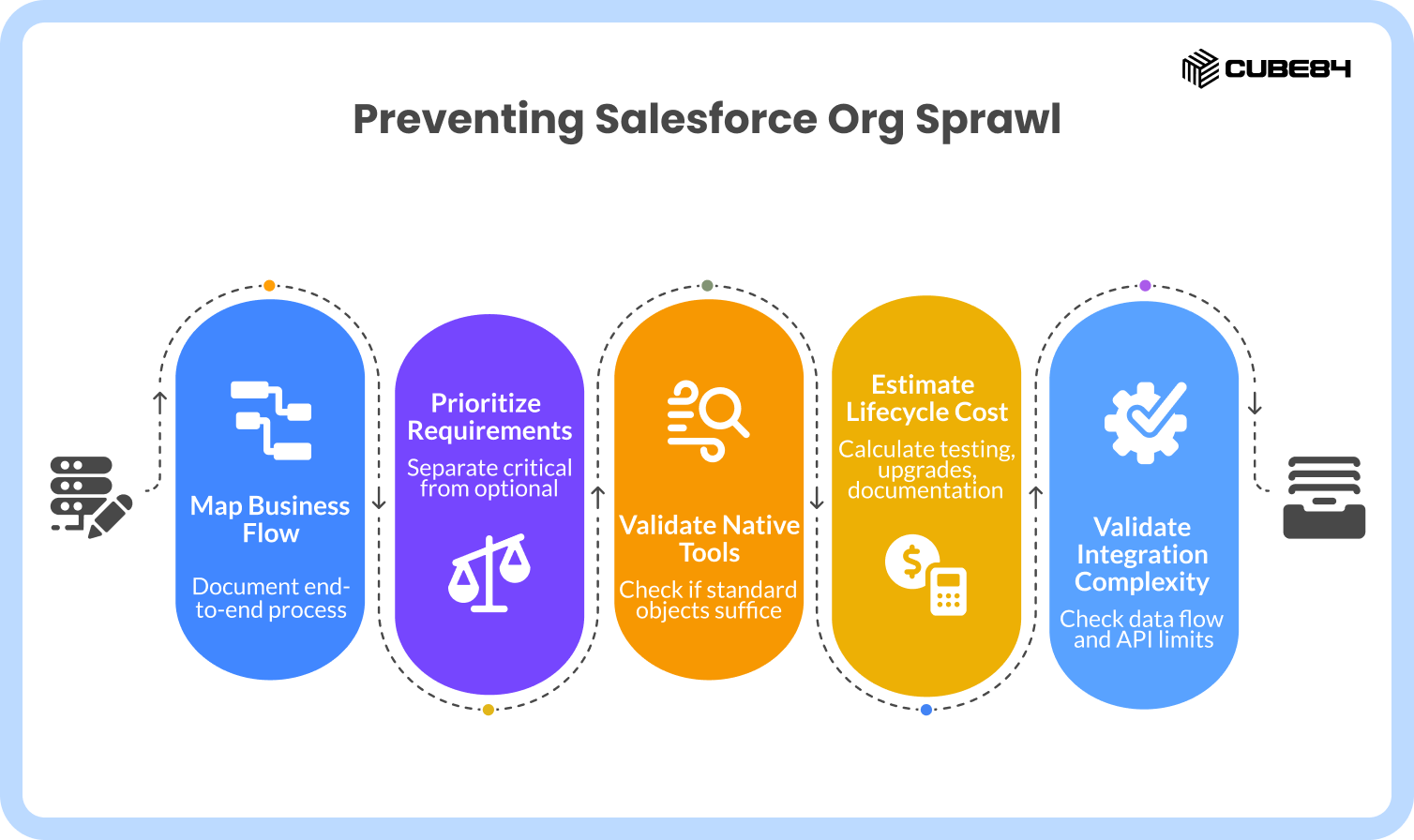
Skipping the scoping phase is the fastest way to ruin a Salesforce org. Before anyone writes a single line of code or builds a complex Flow, you must map the process from end to end.
First, look at the business flow and document every single edge case and exception. Second, separate what absolutely must be solved from what is simply optional. You have to isolate system-critical logic from "nice to have" requests.
Third, validate if Salesforce native tools can do the job. Ask yourself if a simple validation rule or standard object can replace a planned custom build. Fourth, estimate the true lifecycle cost. Calculate the hours required for testing, future upgrades, and documentation.
Finally, validate your integration complexity. Look at how data will flow between external systems and check if you will hit API limits. Doing this single scoping step prevents the vast majority of org sprawl.
Governance System for Custom Development
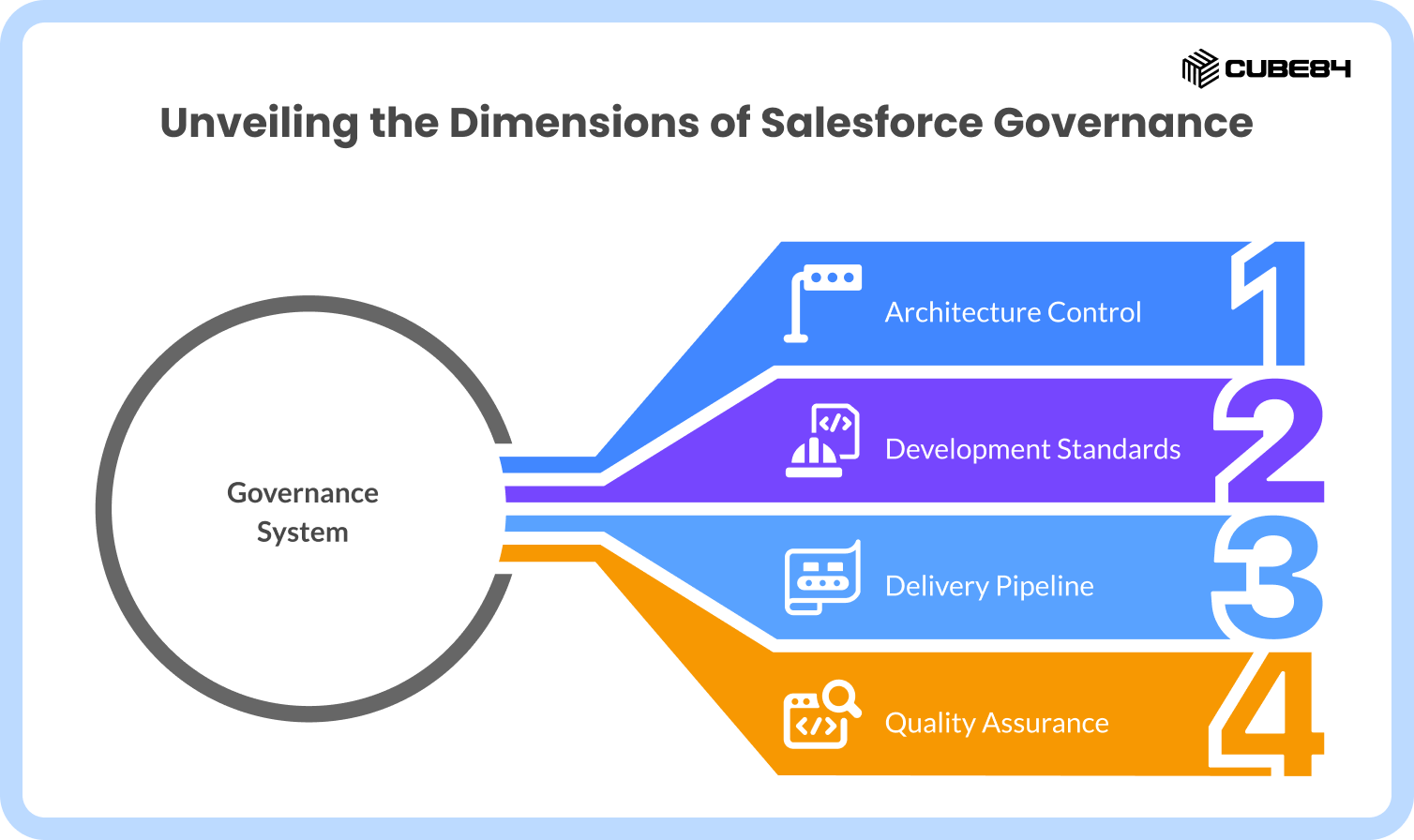
A healthy org requires an architecture control layer. Establish a Center of Excellence for all build approvals. This group acts as traffic control and enforces mandatory design reviews before development even begins.
You must establish strict development standards. Enforce the "one trigger per object" pattern to prevent code from tripping over itself. Ensure all Apex is written to handle bulk data safely. Stop developers from hardcoding values into the logic. Use Custom Metadata Types instead so business rules can be updated later without needing a developer to rewrite the foundation.
Your delivery pipeline needs serious attention. Stop making changes directly in production. Use version control systems like Git to track every change. Implement CI/CD pipelines using tools like DevOps Center, Gearset, or Copado to move changes predictably through your developer, partial, and full sandboxes.
Enforce quality by automating your testing before deployment. Mandate peer code reviews for every release and run performance checks against governor limits. Finally, conduct ongoing technical debt audits during every release cycle to clean up unused objects and outdated integrations.
Security, UX, and AI Reality Check (2026 Lens)
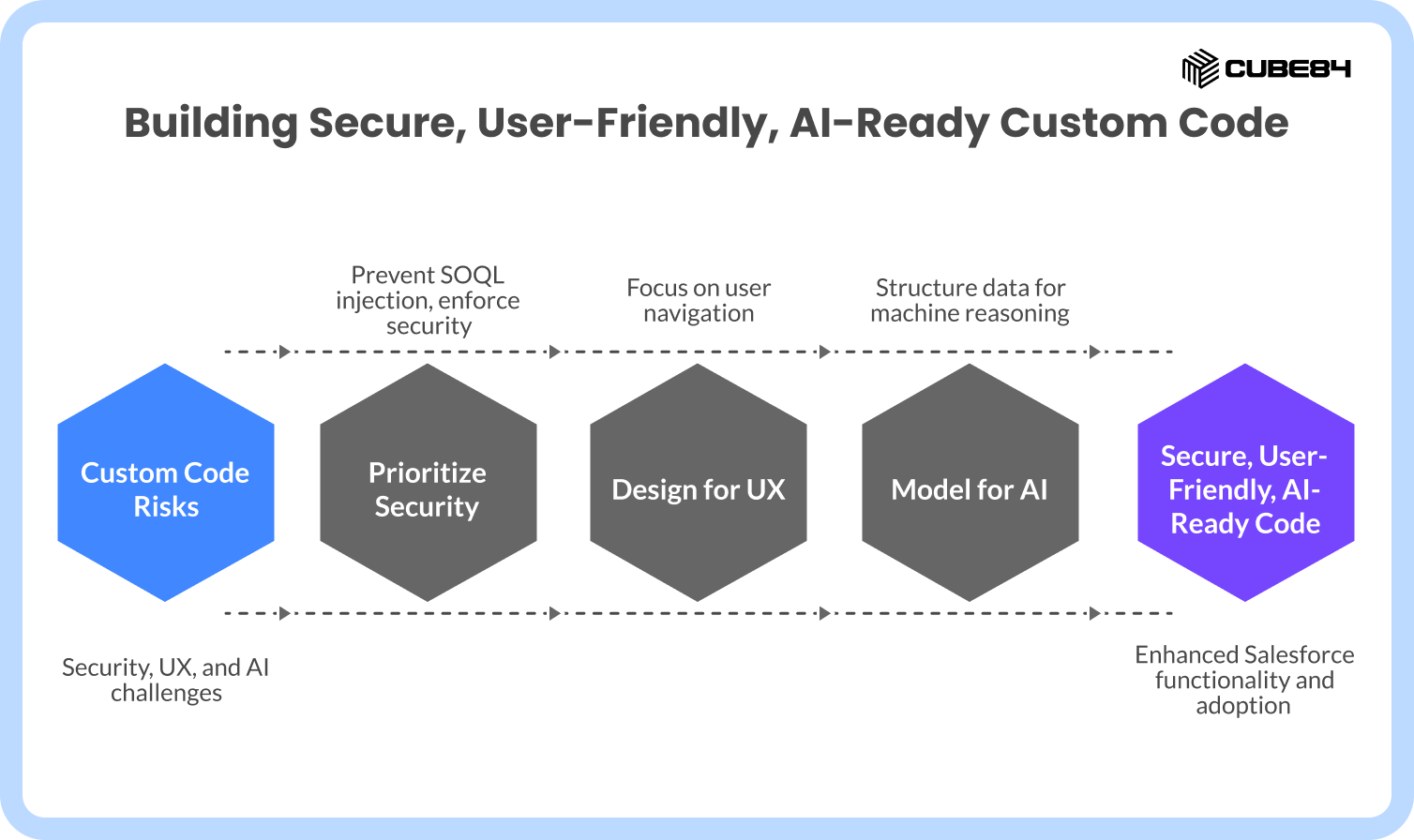
When you write custom code, you inherit massive security responsibilities. Standard Salesforce handles basic security beautifully. Custom code requires you to manually prevent SOQL injection attacks, enforce field-level security, and validate API access.
User experience dictates success. Bad UI design kills adoption much faster than bad logic. If you build Custom Lightning Web Components, you have to design them for how real users actually click and navigate, not just how the system processes data.
The AI and Data Cloud landscape has changed everything. Poor data modeling completely breaks AI readiness. Tools like Agentforce require structured and consistent data to function. You must design your custom objects so that machines can read and reason with the information, rather than just using objects as digital filing cabinets.
Partner Evaluation (What to Actually Ask)
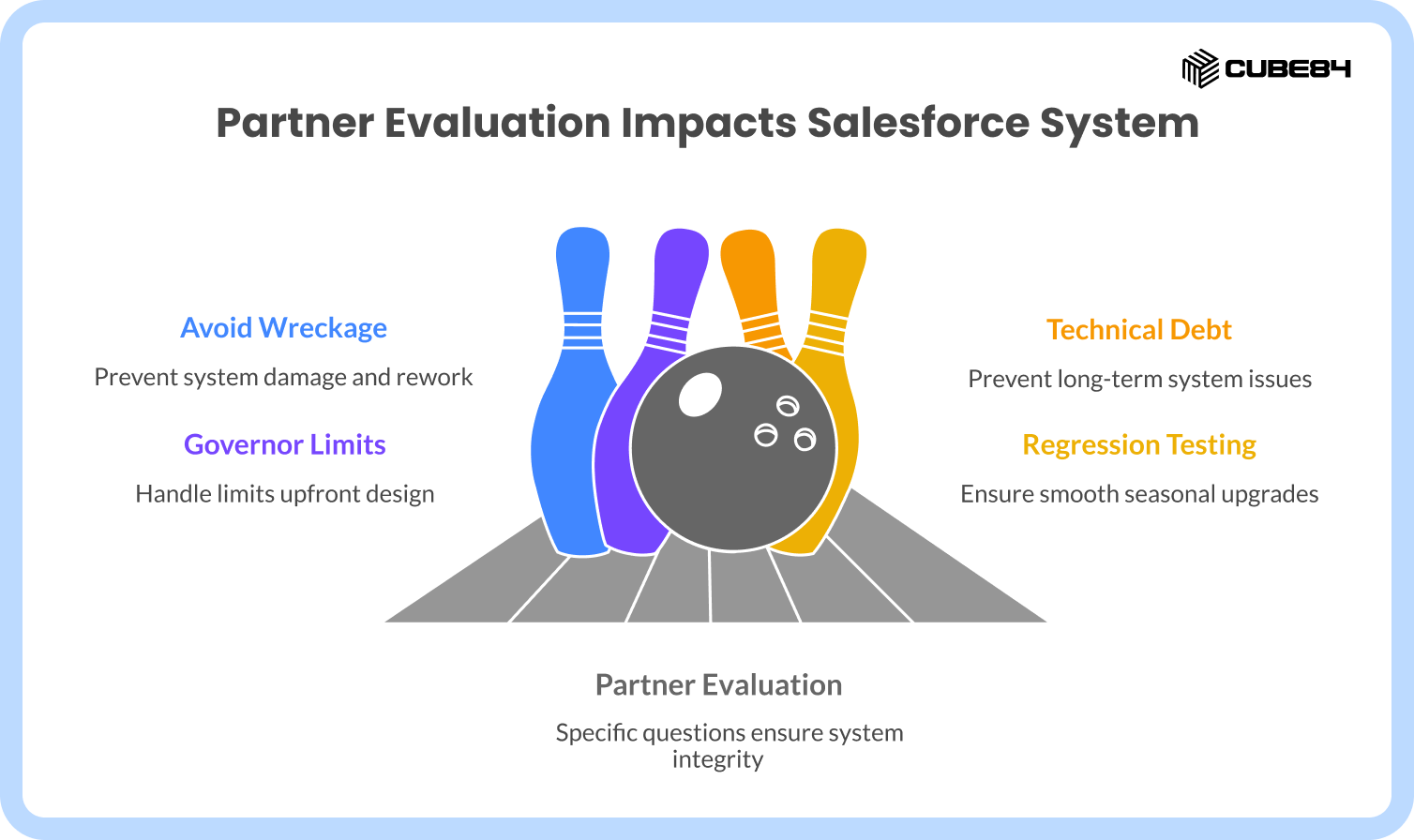
If you decide to bring in a Salesforce development partner, you need to ask highly specific questions to ensure they will not wreck your system.
Ask them how they decide between using a Flow, writing Apex, or recommending an AppExchange app. Their answer will tell you if they default to expensive code automatically. Ask about their exact CI/CD and release process.
You need to know how they prevent technical debt during long-term engagements and how they document their architecture decisions. Ask them how they handle governor limit design upfront before they start building. Finally, ask about their specific approach to regression testing during the major Salesforce seasonal upgrades. If a partner cannot answer these questions clearly, they will create expensive rework for your team later.
How Salesforce Fits into This System
Salesforce is the governed data layer of your business. Its true strength lies in stability, security, and safe extensibility when used correctly.
The platform provides an incredible suite of tools that reduce the need for raw custom builds. You have Flow for visual automation, Platform Events for real-time external integrations, and Custom Metadata to make configuration highly flexible. Your future AI capabilities depend entirely on how clean and well-governed this data model remains.
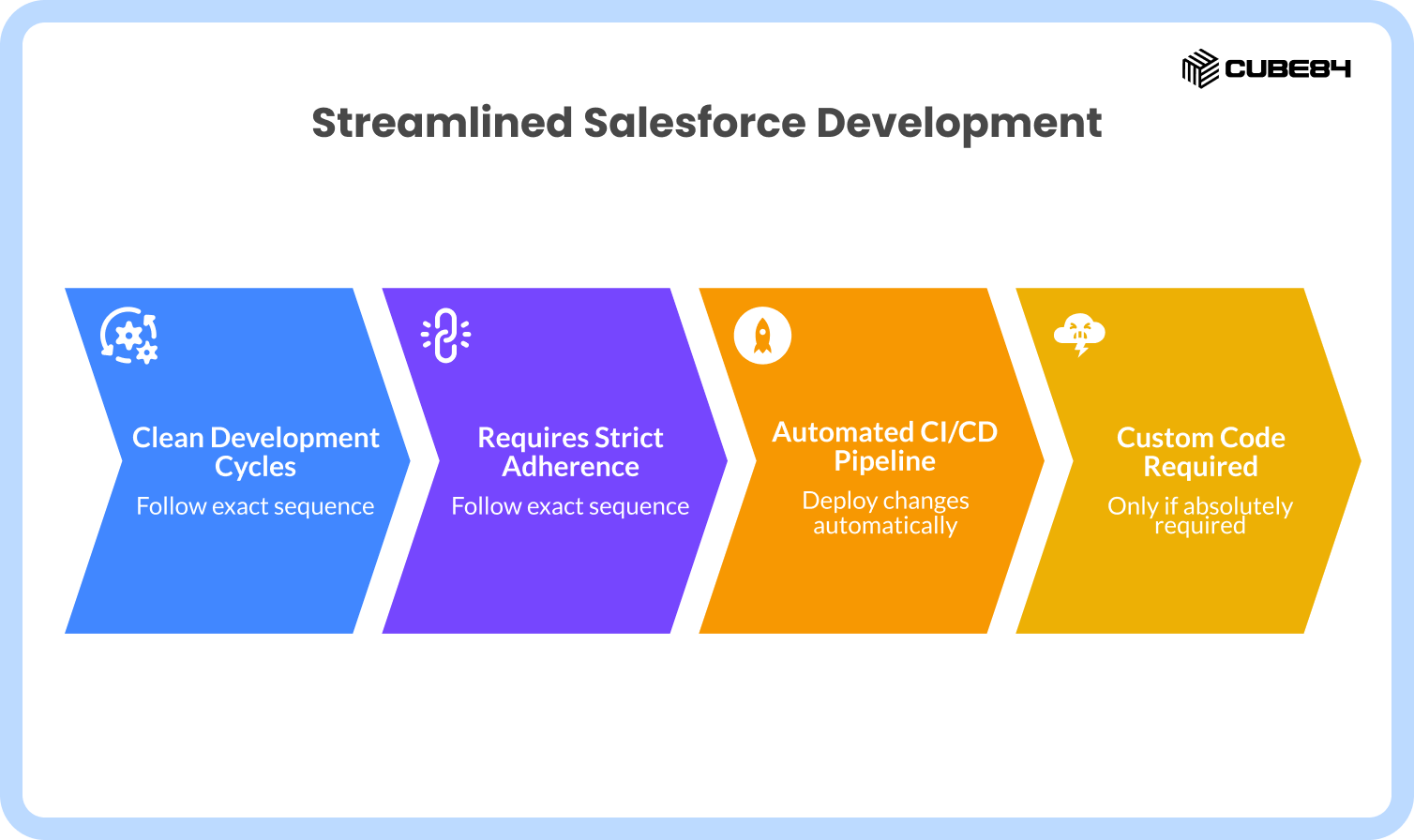
Streamlined Execution Path
To keep your development cycles clean, follow this exact sequence:
Gather business requirements and map all processes thoroughly.
Classify the request as a configure, buy, or build scenario.
Validate the choice using a strict scoping checklist.
Prototype the solution using declarative, native tools first.
Build custom code only if absolutely required, applying full CoE governance.
Test everything rigorously in dedicated sandbox environments.
Deploy changes using an automated CI/CD pipeline.
Monitor system health, audit your metadata, and refactor code regularly.
The Real Takeaway
Most Salesforce organizations do not fail because they build too much software. They fail because they build software without a reliable system.
When your configure, buy, and build decisions are governed by strict scoping, strong architecture, and long-term lifecycle thinking, your org transforms. It stops being a fragile web of code and becomes a truly scalable enterprise engine. If you're planning a custom Salesforce project or want a second opinion before you build, we'd be happy to help.