

We know that if there’s a Salesforce data problem, it does not announce itself. It just shows up during normal work. Nobody plans their quarter around cleaning Salesforce data. It is always something teams mean to get to later.
But in 2026, orgs have understood that Salesforce is not a mere database to store details. Salesforce supports forecasting, revenue operations, compliance reporting, and AI-driven features. All of these depend on structured, consistent data. When that structure weakens, teams compensate with manual checks, exports, and parallel tracking. The system continues to run, but it requires more effort to trust.
At CUBE84, when clients come to us frustrated with forecast accuracy, AI outputs, or rising ETL costs, we know that the problem does not always point to just Salesforce itself. Almost every time, it comes back to data quality and a lack of structure around maintaining it.
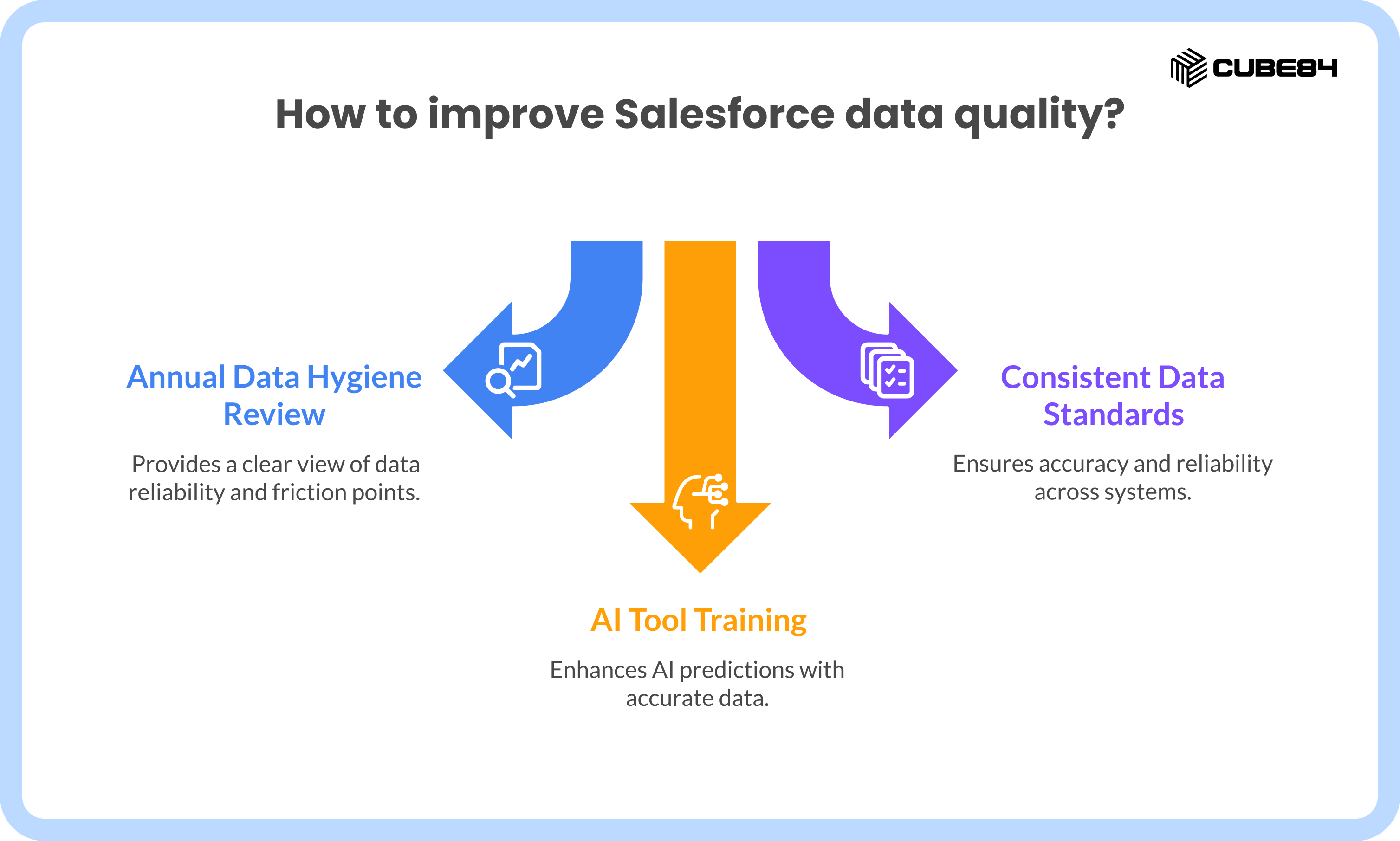
That is why we tell teams to stop thinking about data hygiene as a cleanup task and start treating it as an annual operating requirement, backed by clear ownership and ongoing controls.
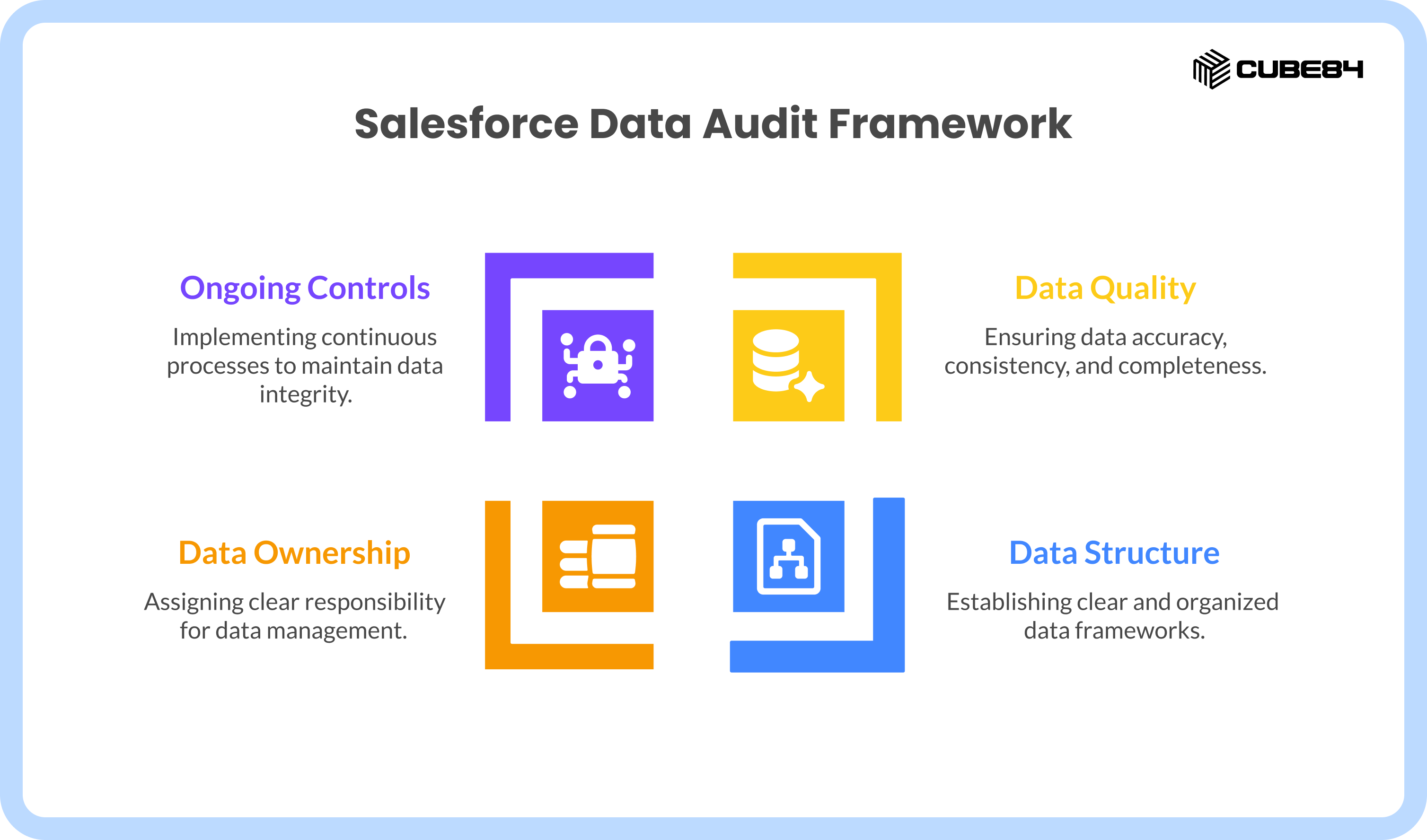
Why Salesforce Data Quality Creates Business Risk (And How to Fix It)
Salesforce and Trailhead are clear about one thing. Reporting accuracy, automation behavior, and AI outputs depend directly on the quality and structure of the underlying data. When fields are inconsistently filled, picklist values multiply, or duplicates accumulate, downstream systems inherit those issues.
Noticeable problems like forecasts requiring manual adjustments before leadership reviews, or reports returning different numbers depending on how they are filtered, begin to show up in day-to-day operations.AI tools like Einstein only know what you tell them. If your fields are half-empty, your AI predictions will be completely off. Compliance teams are unable to clearly show how access and retention are enforced when those controls evolve without review. Admin effort shifts toward correcting data problems rather than maintaining and improving the platform. That’s how business gets into an endless loop of problems eventually putting it at risk.
From what we’ve seen, these problems are not caused by a single bad decision. They come from Salesforce evolving without a regular checkpoint. Everything that Salesforce supports in your business depends on consistent data standards. How do you get this data clean and right?
An annual data hygiene review works like a risk assessment. It gives you a clear view of where Salesforce is reliable and where it is quietly introducing friction.
Pre-Audit Preparation: Set the Foundation First
One of the biggest mistakes we see is teams jumping straight into deleting fields or merging records. Without proper preparation, this almost always backfires. So, before touching any records, we always slow teams down and get the setup right. Skipping this step usually leads to duplicated effort later.
Giving time to understand the needs of the business and then acting based on a strategy always helps. This is why we strongly recommend starting with a clear CRM strategy.
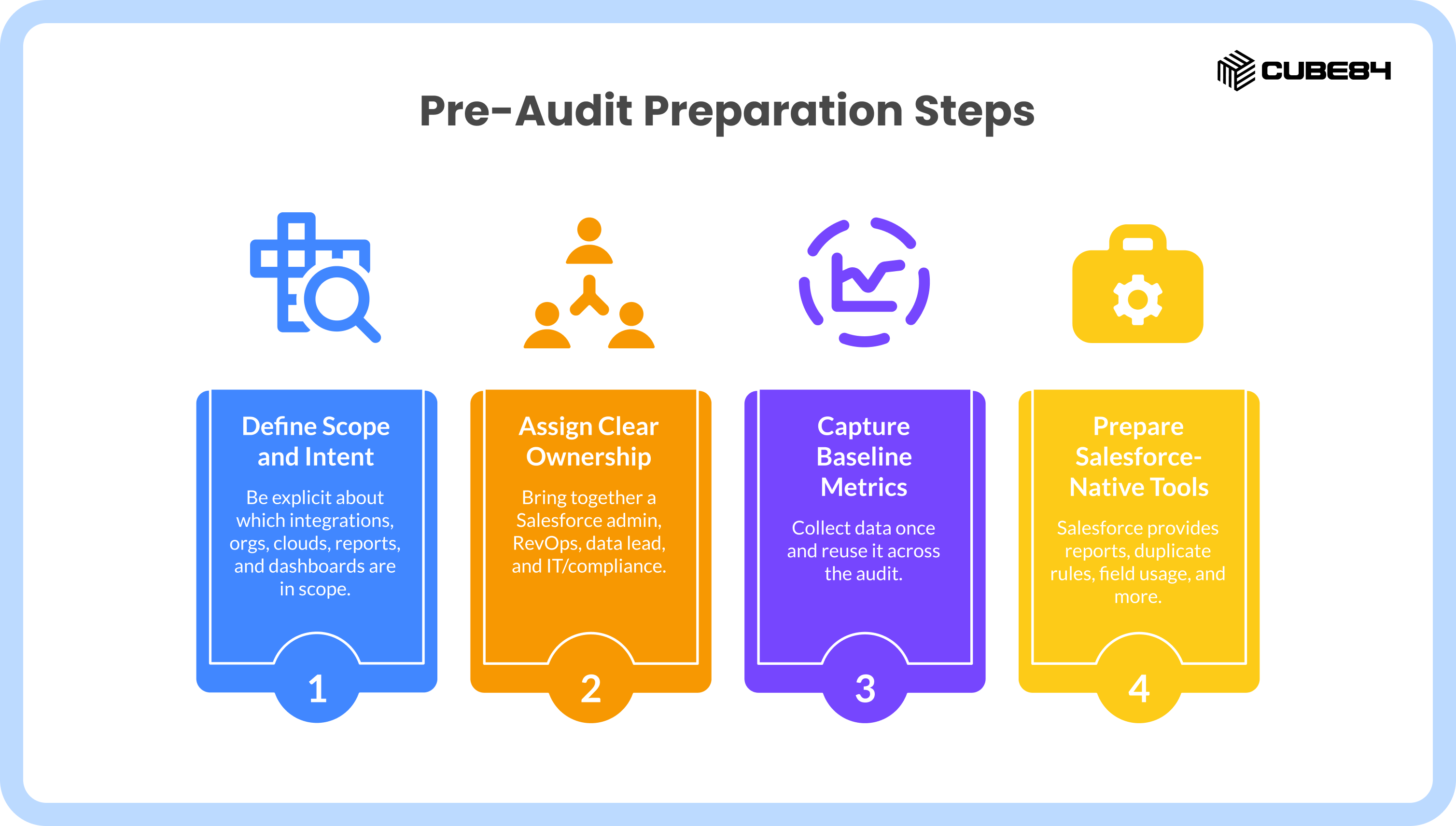
Define scope and intent
Start by being explicit about scope :
Which integrations materially affect data quality
Which Salesforce orgs and clouds are in scope
Which reports and dashboards leadership actually relies on
Not everything needs to be audited every year, but anything feeding executive dashboards or automated decisions should be in scope.
Ownership matters just as much. Data hygiene fails when it belongs to everyone.
Assign clear ownership
In every successful audit we have run, ownership is explicit.
We usually suggest bringing together:
A Salesforce admin or platform owner
Someone from RevOps or Business Systems
A data or analytics lead
IT or compliance where required
Each person owns a sign-off for their domain. Without this, findings do not translate into action.
Capture baseline metrics once
Collect this data once and reuse it across the audit. Use prior-year data when available to show the direction you're heading.
You want to look at:
Duplicate trends by object
Field usage and fill rates
Picklist variance
Automation volume and failures
Storage growth and orphaned data
Integration sync errors
Prepare Salesforce-native tools
Salesforce already provides most of the tools needed to do this work :
Reports and dashboards
Duplicate Rules and Jobs
Field Usage and Field History
Flow Debugger
Permission Set Groups
Field Accessibility
Storage Usage Reports
Einstein trust and data controls
Third-party tools can help at scale, but they are not required to run a solid audit.
From working with different teams, we have found that data hygiene problems usually fall into the same four areas. Organizing the review around these pillars helps teams move step by step, without trying to fix everything at once.
How to Run a Salesforce Data Hygiene Audit: The 4-Pillar Checklist
A data hygiene audit does not need to be overwhelming. From what we have seen, most issues fall into a few consistent areas. Breaking the audit into four pillars helps teams stay focused and work through problems step by step.
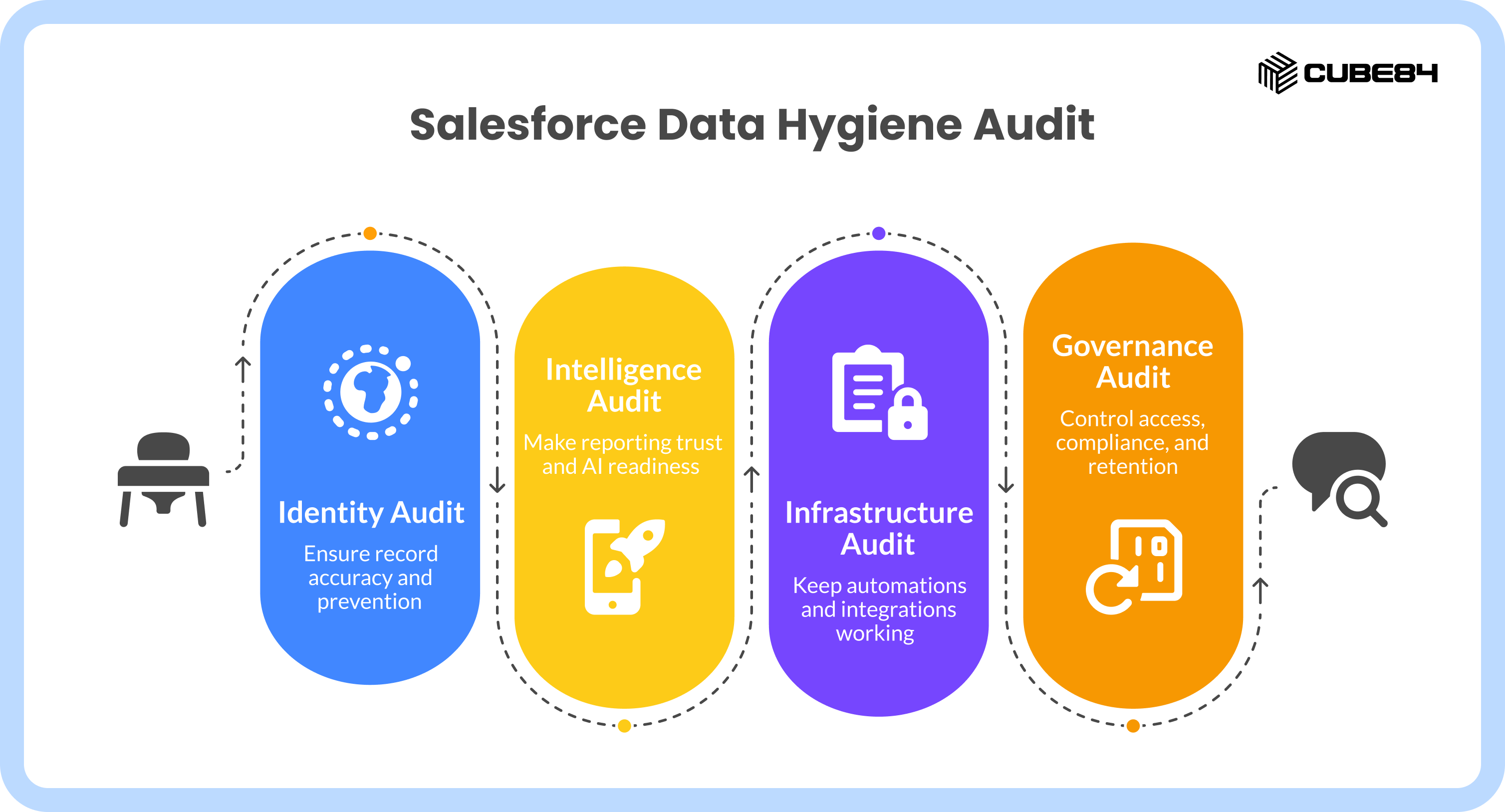
The four pillars are:
Identity – Record accuracy and prevention
Ensures your records are complete, consistent, and free from duplicates.
Intelligence – Reporting trust and AI readiness
Makes sure your reports and AI outputs are based on reliable, well-understood data.
Infrastructure – Automations, integrations, and system load
Keeps your automations and integrations working without conflicts or unnecessary load.
Governance – Access, compliance, and retention
Controls who can access data and how long it is retained to reduce risk.
Pillar 1: Identity | Record Accuracy and Prevention
The Risk: Broken reporting, weak segmentation, and AI working off unclear signals.
Identity is the foundation of Salesforce data. This pillar is about whether records actually represent real people, accounts, and activity. When identity breaks down, everything that depends on it becomes harder to trust, from reports to automation to AI.
From what we see most often, issues in this area fall into three patterns: unused fields, inconsistent values, and duplicate records. These problems rarely appear all at once. They build up as the org grows and changes.
Field Usage:
We usually start by reviewing how fields are actually used. Fields with consistently low fill rates create confusion for users and add noise to reporting and AI inputs. In most orgs, the goal is not to keep adding fields but to reduce the ones that no longer serve a purpose. Fields that are no longer needed should be archived or formally deprecated instead of being left in place.
Duplicates:
Duplicates are the next major issue. Salesforce’s duplicate rules and matching logic are effective when they are actually maintained. From what we see, duplicate problems persist because prevention is weak, not because merge tools are missing. Validation rules, proper matching criteria, and controlled integration behavior stop duplicates at the source.
Standardization:
Standardization ties this together. Free-text fields create downstream problems for segmentation, automation, and reporting. Converting free text into controlled picklists and shared value sets brings consistency back quickly. This is one of the simplest ways to stabilize downstream behavior.
Upstream Prevention:
When clients come to us with ongoing identity issues, the fix almost always starts at the source. Entry points like forms, integrations, and imports need clear rules. Prevention does more for data health than cleanup ever will.
Data Cloud Alignment:
For orgs using Salesforce Data Cloud, identity hygiene goes further. Salesforce record IDs need to map cleanly to Data Model Objects, and identity resolution rules need to be clearly understood. If CRM identity is unclear, AI and Data Cloud outputs will reflect that confusion.
The goal of this pillar is not perfection. It is reducing ambiguity so Salesforce data can be trusted again.
Pillar 2: Intelligence | Reporting Trust and AI Readiness
The Risk: Leadership losing confidence in numbers, slow decision making, and AI producing unreliable outputs.
In this pillar, we focus on whether reported numbers can be explained and defended. Every executive report should be traceable back to owned, well-understood fields. If your leadership team is doubting the numbers they see, you likely have an underlying data problem. Dashboards only reflect what you feed them, so messy records will always ruin the final report
Report Traceability:
Every number on an executive report needs a clear source and a dedicated owner. Reports lose credibility fast when they rely on fields that no one really understands. We find that teams trust their dashboards much more when they know exactly how they were calculated and who is managing the inputs.
Dashboard Cleanup:
Dashboards tend to pile up over time. Some break without being noticed, others stop being used, but they continue to exist and suggest visibility that is not real. We find that cleaning out this clutter improves clarity much faster than building new charts. Having a few dashboards that everyone understands drives better decisions than keeping dozens that people ignore.
AI Data Readiness:
Salesforce AI needs clean data to function properly. Tools like Einstein and Agentforce reflect whatever gaps or inconsistencies exist in the underlying fields. You need to review the specific fields feeding your AI to make sure they are complete and accurate. We constantly see teams struggling with AI problems that are actually just basic data hygiene issues.
Pillar 3: Infrastructure | Automations, Integrations, and System Load
The Risk: Conflicting logic, admin burnout, delayed processing, and surprise storage costs.
This pillar answers whether Salesforce works with itself, or against itself. Over time, technical debt slows systems down as automations accumulate and begin to clash. When teams complain about slow processing or admin burnout, we usually find the root cause hiding in the infrastructure layer.
Flow inventory and legacy retirement :
Overlapping flows and outdated logic often lead to failed updates and unpredictable. system behavior and Salesforce strongly encourages moving completely away from older automation tools. We consistently advise teams to finally retire any old Process Builders still running and take the actions and rules those Process Builders were doing and rebuild them in Flow instead.
Integration review :
External systems pushing data into Salesforce are a common source of silent data problems. Poorly governed connections frequently leave behind orphaned records, failed syncs, and fresh duplicates. From what we’ve seen in practice, simply reviewing the rules for how your integrations write data into the CRM almost always surfaces a few impactful wins.
Storage optimization :
Rising storage pressure is often a symptom of messy data rather than actual business growth. When we run native Salesforce storage reports for organizations, they frequently reveal high volumes of unused files and duplicate records. Addressing this root cause keeps storage thresholds manageable and prevents surprise overage costs.
Pillar 4: Governance | Access, Compliance, and Retention
The Risk: Uncontrolled access, audit gaps, and avoidable compliance issues.
Clean data alone does not reduce your business risk if access and retention go unchecked. This pillar focuses on locking down your system to protect your data and maintain strict compliance.
Access Review:
Over time users naturally accumulate permissions over time that no longer match their actual roles. We consistently see organizations with overly broad access levels that create quiet vulnerabilities. We usually recommend moving toward Permission Set Groups to assign access based strictly on what a person needs to do their daily job.
Field-level security:
Not every field should be visible to every user. Sensitive data needs regular review to confirm it is only exposed where policy and regulations allow. We suggest auditing your Field-Level Security settings to ensure restricted data is properly locked down. This keeps your organization fully aligned with internal policies and external privacy laws.
Data retention rules:
Holding onto records longer than legally allowed is a frequent compliance trap. From our experience, the best fix is to clearly document your retention rules and automate the deletion or archiving process. Maintaining clean audit logs makes compliance reviews a predictable, smooth routine for your team.
What Changes After an Annual Data Hygiene Review
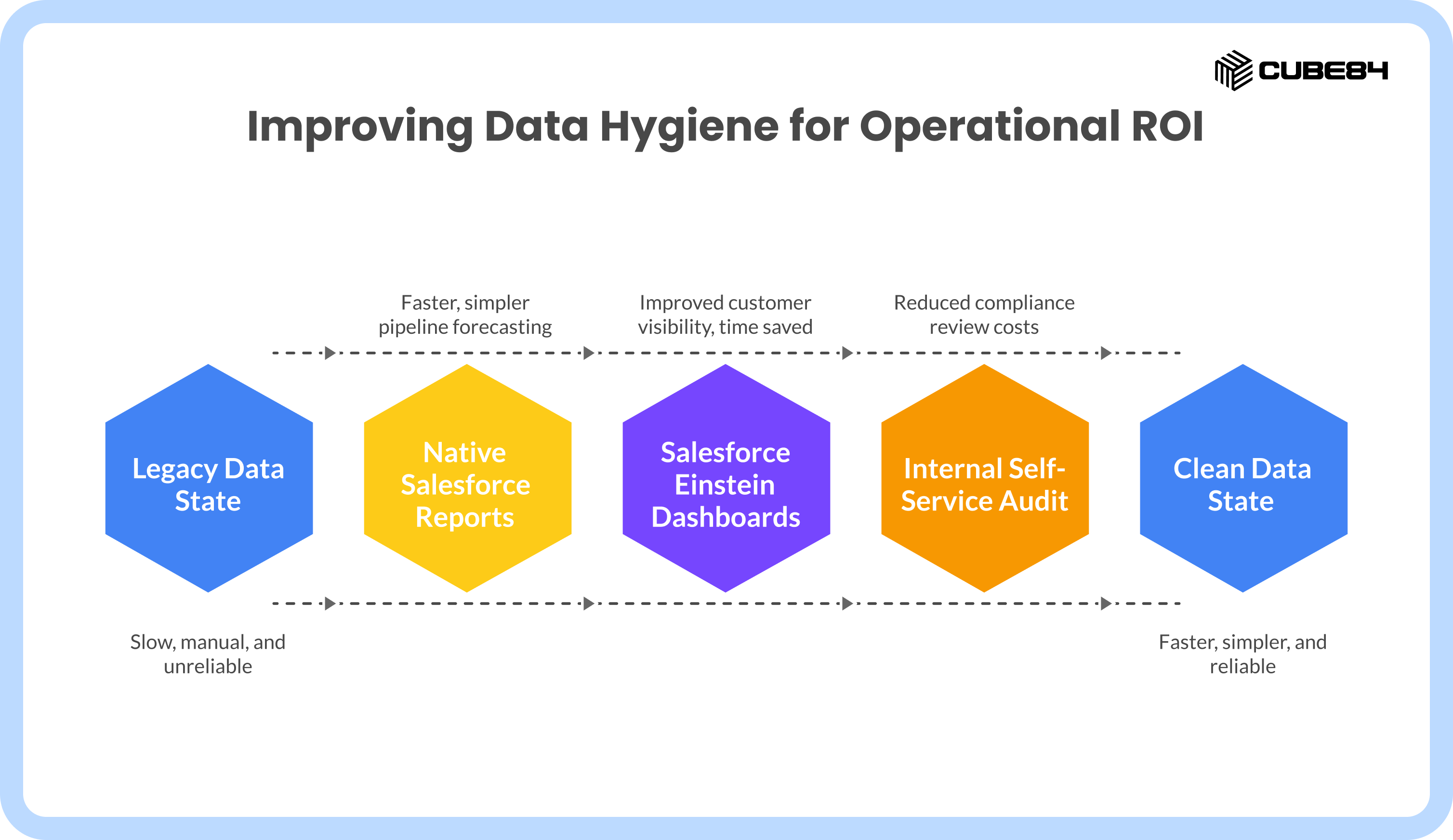
We do not want to promise exact numbers here, because every org is different. What we consistently see are patterns. While results vary by org complexity, here are the directional patterns and operational ROI we typically see when an organization moves from a legacy state to a native, clean state:
You will notice that reporting becomes faster and simpler, and that your teams rely less on manual exports and ETL-heavy processes. Customer views improve because records are cleaner and better structured. Compliance reviews take less time because controls and documentation already exist. AI outputs require fewer manual corrections because input data is more reliable.
These improvements compound over time when audits are repeated annually and supported by quarterly spot checks.
Implementation and Cadence
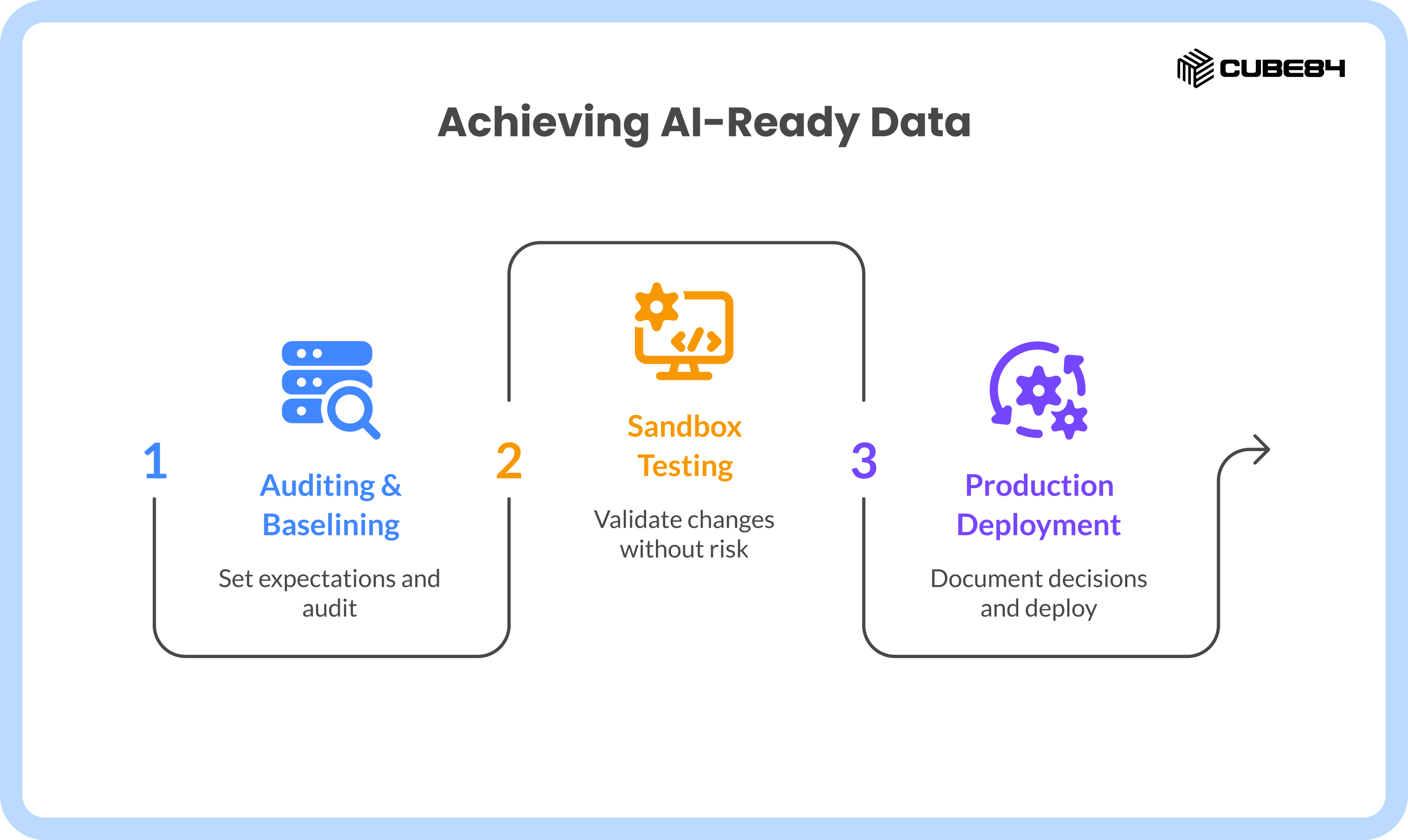
We typically recommend a three-phase approach to keep risk low.
Phase 1 focuses on auditing and baselining. This takes about a week and sets expectations.
Phase 2 happens in a sandbox. Changes are tested, validated, and reviewed without risk.
Phase 3 moves approved changes into production and documents decisions.
From there, cadence matters. An annual audit sets direction. Quarterly spot checks and continuous prevention keep things from slipping back.
A Simple Maturity Path
Most teams move through the same stages over time.
First comes structural cleanup and basic consistency.
Next is governance and compliance discipline.
Only then does AI-ready data start to deliver results leaders trust.
Skipping steps usually backfires. Teams that slow down and get the basics right early spend far less time fixing issues later.
Final Thought
Clean Salesforce data is no longer optional. It is the foundation for trustworthy reports, reliable automation, and meaningful AI insights. Without it, forecasts drift, dashboards raise questions, and AI tools return results that need double-checking. Making data hygiene part of a yearly audit cycle helps prevent that slow breakdown.
The four pillars we covered show you exactly where to look for the mess, and the three phases give you a safe way to clean it up. Setting up this annual routine makes your CRM a reliable system that actually supports your business goals. If you face any challenges checking your Salesforce setup,or if you simply want an expert's perspective, we are here to help.