Introduction: The 2026 "State of the Union"
2025 saw a surge in AI, smarter automation, predictive insights, and early Agentforce pilots. It also saw a rise in cybersecurity attacks and social engineering targeting Salesforce users.
Does that mean we stop using AI and automation? Of course not. Agents are already making work easier for us. Now it is on us to make it easy for them. The data and structure they rely on must be clear, consistent, and trustworthy.
This becomes foundational in the era of Agentforce and autonomous agents.
We have all seen one too many AI hallucination stories over the past year. In a traditional CRM world, technical debt slowed admins down. In an AI-driven Salesforce, technical debt changes outcomes.
A duplicate account becomes a conflicting context for an agent and not a simple reporting issue as earlier.
An old automation you thought harmless can override a modern process.
That is why an organization audit in 2026 is critical and cannot be treated as a one-time exercise.
The shift is from maintenance mode, fixing what is broken, to AI-readiness, optimizing for the machine.
The question you should be asking is: Can this organization safely support systems that act without human review?
Everything in this guide is built around that shift.
The Security Paradigm: Finalizing the Transition
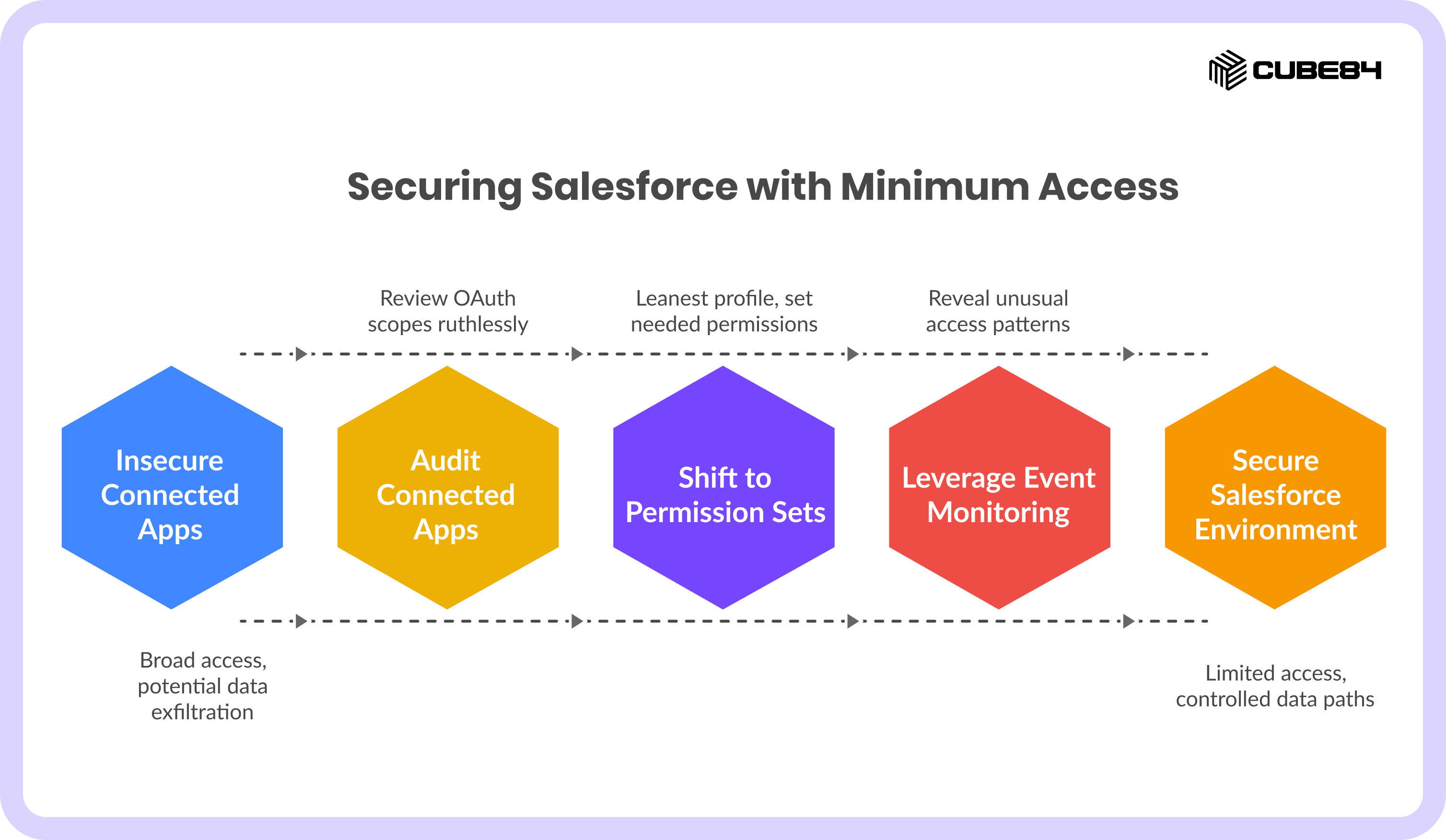
In 2025, Salesforce hardened Connected Apps after social engineering attacks, where users were tricked into authorizing fake ‘Data Loader’ tools, giving attackers OAuth-based access to production data. The shift was a direct response to real data exfiltration in live orgs.
Does that mean ripping out every third-party app? No. It means auditing them ruthlessly.
Every connected app represents a potential data path. OAuth scopes define exactly what that path can access. If those scopes were granted years ago and never revisited, they may no longer reflect how the business operates or how much data an external system should see.
Profiles are rigid, which makes managing permissions complicated. That is why we need to shift to the “Minimum Access” strategy. It starts users with the leanest profile possible and lets you set the Permission Sets they actually need, such as Marketing Cloud access or API rights. Auditing today focuses on reviewing existing profiles, removing bloat, and migrating to this layered least-privilege model so that every user, integration, or agent has only the access they require.
Users start with nothing and earn access in layers. It becomes possible to answer a basic security question again: why does this person or system have this permission?
External security follows the same logic. Connected apps and integration users often run with far broader access than any human ever would. OAuth scopes granted five years ago can become a backdoor today.
Event Monitoring and Shield reveal what traditional audits miss. Bulk exports, unusual access patterns, and internal over-sharing are exposed, exactly the kinds of activity that can trigger CCPA, CPRA, or PIPEDA fines.
Security in 2026 is about shaping the boundaries your systems think within.
As AI systems begin to act on your behalf, they inherit these boundaries. They see what your permissions allow. They move data through the paths your integrations expose.
The question you should be asking is : Can this organization safely support systems that act without human review?
Misconfigured access not only exposes data but also trains your agents on incorrect context.
Data Hygiene: Grounding the Intelligence Engine
In 2025, there were data issues that continued to trip up Salesforce teams trying to roll out smarter automation and early Agentforce pilots. There was a lot of misalignment and AI recommendation misfires owing to duplicate accounts, inconsistent fields, and scattered picklists. Data Cloud just made messy source data spread faster to every system downstream.
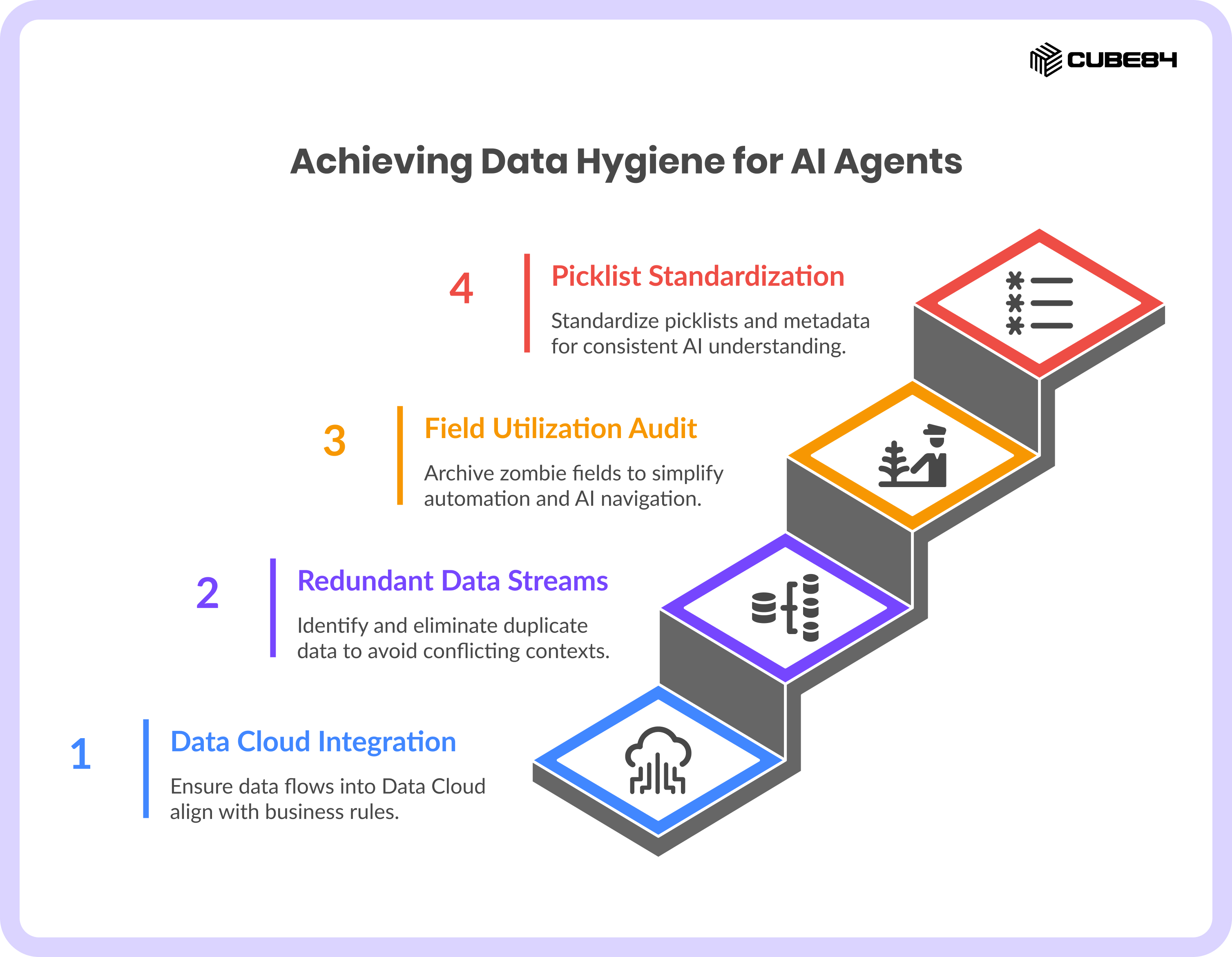
Data Cloud Integration
Auditing how data flows into Data Cloud is critical because agents do not question the model. They trust it. You have to audit the bronze, silver, and gold layers to ensure they align with current business rules and identity resolution logic. If there are mismatches in any of these layers, the agent may start making predictions and taking actions based on a version of reality that no longer matches how your business works. And yes, you may not even get a warning.
Auditing here helps you decide what reality your agents will operate in.
Redundant Data Streams
Duplicates do not stop at giving reporting headaches to admins. They create conflicting contexts for autonomous agents. Humans notice inconsistencies and correct course. Agents do not. When presented with conflicting records, an agent treats them as equally valid and proceeds anyway. This turns what was once a reporting issue into a decision-making risk.
Field Utilization Audit
There is a strong chance your org has zombie fields. These are custom fields that exist but serve no real purpose anymore. They have little to no data, no clear owner, and no one remembers why they are there. More often than not, humans work around them and new admins inherit them. Nothing ever deletes them. That abandonment is what makes them dangerous. They look valid, and the system cannot tell that they died years ago. It only sees another input that might matter. Your agents now have to choose between fields that mean the same thing, or worse, fields that mean nothing anymore.
This is why it is ideal to use Optimizer to identify and archive them, reduce clutter, simplify automation, and make the org easier for AI agents to navigate.
Salesforce’s data quality guidance emphasizes validation rules, duplicate management, and automated cleanup, reinforcing that clean data is foundational to every intelligent system.
Picklist & Metadata Standardization
It is common for humans to use synonyms interchangeably. We might use “active” and “current” to mean the same thing, and others can infer what we meant. Machines cannot. To an agent, these are two different realities.
The same happens with metadata. Fields created by different teams, at different times, with different habits, slowly drift apart. Two fields mean the same thing but look unrelated. One field changes meaning, but its name never does.
Global picklists and standardized metadata give the system one vocabulary. When every cloud uses the same values and the same language, Flows behave predictably and reports line up. You also save your agents from hallucination and guessing.
By giving your AI agents clean, consistent, and well-structured data, you give these autonomous systems a single version of truth to operate on, reducing the risk of actions based on misunderstood context.
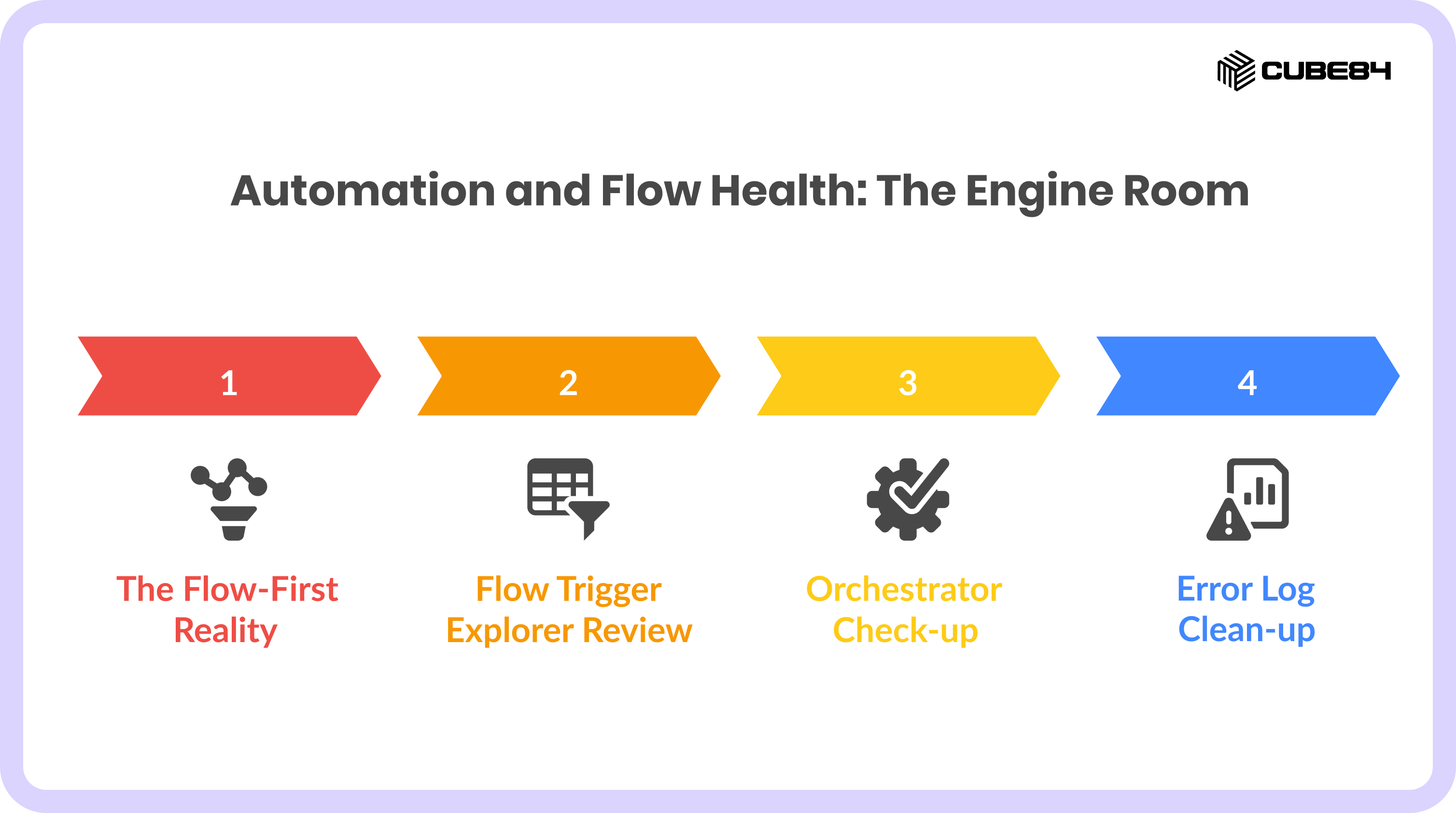
Automation and Flow Health: The Engine Room
The last few years saw a shift from Apex to Flows and admins using Flows for everything Apex used to do. But the old Apex did not disappear. It stayed in orgs, still firing on record changes, still mutating data, still running first or last depending on trigger order. Because of this Orgs now had a modern Flow that updates a field and an old Apex trigger that also updates it and then an agent acting on the final state. Do we entirely move to Flows or stick to Apex, or find a balance in between?
The Flow-First Reality
Flows are now the primary automation engine. Many orgs still carry Apex and legacy tools that no longer need to exist. Flows now handle work better and faster, and while they are more efficient, they must still be designed to respect governor limits to avoid bulk processing failures. And the problem here is that those old Apex classes still fire first and overwrite clean Flow logic. Agentforce starts an autonomous action expecting Flow results, gets Apex stomping all over it.
In this case it is ideal to audit by reviewing your old Apex code to spot what's now obsolete. Without this audit, your agents inherit inconsistent data and make wrong decisions.
Flow Trigger Explorer Review
Multiple Flows trigger on the same record update but nobody knows the execution order. Flow Trigger Explorer shows you the actual order in which automation runs. This helps to spot all those mysterious behaviors, such as two Flows updating the same field. A before-save Flow undoing what an after-save Flow just did. When agents begin to act on records, execution order matters.
Agents amplify automation behavior, and if the system itself is racing, the agent inherits that instability.
By using Flow Trigger Explorer to map every automation touching the object you can remove overlaps where multiple Flows act on the same fields. It also helps to consolidate logic into a single, predictable path so both humans and agents can trust what runs first and what runs last.
Orchestrator Check-up
We've seen many orgs run on invisible process paths.
What looks like a simple action often moves through a chain of steps behind the scenes.
Orchestrator turns business processes into multi-step journeys, with waits, approvals, and integrations moving work across teams. Over time, these journeys age. A step points to a team that no longer exists. A condition never resolves. An approval has no owner.
Humans learn to work around this, and the business keeps moving, but an agent will not.
When an agent hands work into Orchestrator, it assumes the path is valid. If an item gets stuck, it simply stops. What used to be a small inefficiency becomes a dead end for autonomous work.
An Orchestrator check-up helps you walk every active journey as it exists today and fix what no longer matches reality, so agents are not handing work to processes the business no longer follows.
Error Log Clean-up
Most orgs face failures, like Flows that error once a week or Orchestrations that stall for a specific edge case. When this happens, the API calls time out and retry. Many of these issues never make it to a dashboard. Someone fixes the record and moves on.
When an agent triggers a Flow and it fails, it does not instinctively try something else. It simply stops working. This now becomes a broken chain of action.
Reviewing Flow Orchestration Objects and standard error logs shows you where the system already fails, the recurring faults, patterns tied to specific objects, and steps that break under load. Do not think of these as theoretical risks. They are known weak points your org has learned to live with.
Cleaning them up turns hidden failure into predictable behavior. It gives agents a system that either completes the work or fails in a way you can design for. Without this, you are asking autonomous systems to operate on top of faults that even humans barely notice.
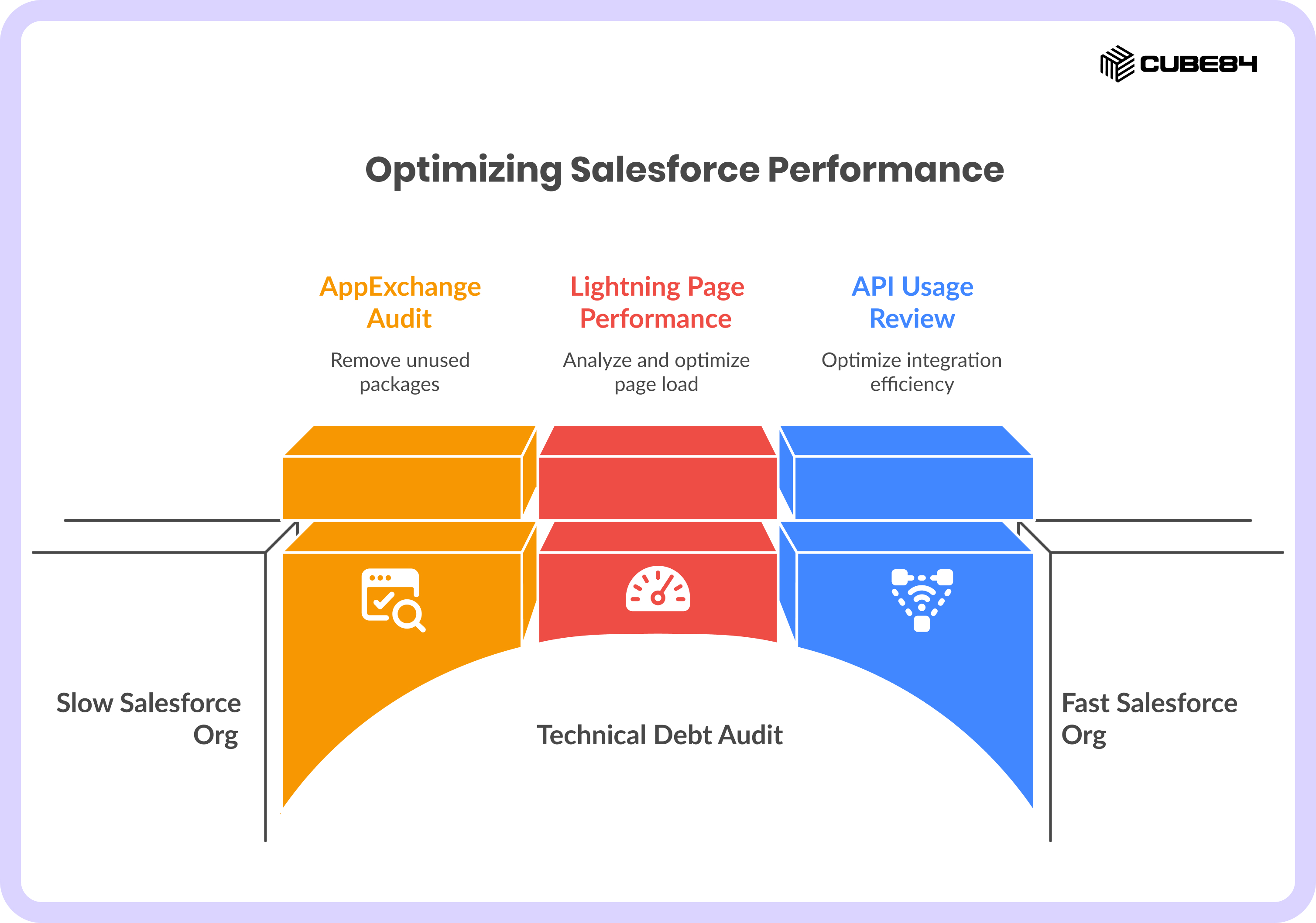
Technical Debt & Performance Optimization
Most orgs collect AppExchange packages the way people collect old clothes in a closet. Something was installed for a project that ended. Pages kept growing, integrations kept expanding and none of it felt dangerous. It only made the org a little slower. That slowness now shows up in new ways. Agents depend on response time. Users depend on pages loading when they need them. Integrations depend on limits that are no longer infinite.
AppExchange Audit
We’ve seen orgs with packages that were added for a pilot, a region, or a team that no longer exists. They still run jobs, add metadata, and some still sync data in the background.
An AppExchange audit asks a simple question. Is this package still being used?
Removing shelfware reduces hidden load on the system. It also removes behavior you no longer remember agreeing to. Every unused package is another moving part an agent has to live with.
Lightning Page Performance
Record pages slowly turn into dashboards, with more components, more dynamic forms and more conditional logic. Each one adds a little more load time.
Salesforce now shows you this directly. The Analyze button on a Lightning Record Page tells you what is slowing things down.
Fast pages translate to agents responding instantly instead of timing out on heavy layouts.
API Usage & Limits
Integrations are rarely revisited. A sync built years ago still runs the same way, even after the business has changed. Background systems keep checking for updates more often than needed. Processes keep running even when there is nothing new to act on.
Reviewing 24-hour API usage shows where your limits are being consumed and by whom. It tells you whether MuleSoft, Zapier, or custom integrations are efficient or wasteful.
This is key because agents add more activity, and if your org already runs close to its limits, autonomous actions will push it over.
Auditing technical debt makes sure your org can move at machine speed without tripping over its own weight. It frees capacity for AI to actually work.
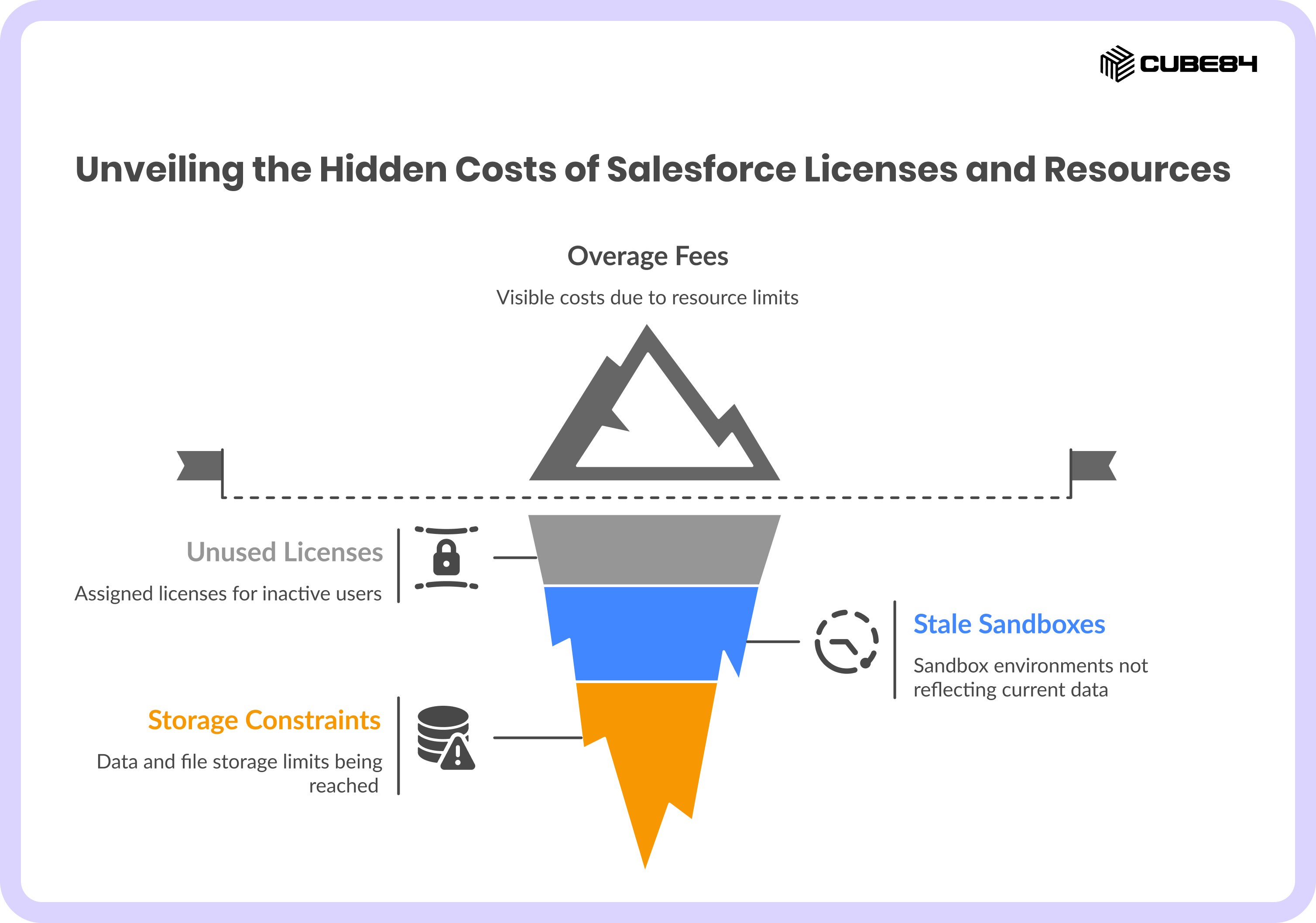
The License and Resource Audit
We’ve seen a pattern in a few orgs where the licenses, sandboxes, and storage tend to grow in the background. Users leave, roles change, but licenses stay assigned. Sandbox routines are followed because orgs feel that’s how it’s always been done. Data and files keep piling up until one day you hit a wall.
User License Reclamation
A license audit shows you who is actually using the system and who never logged in. Salesforce license still charges monthly even when the person's long gone. Reclaiming these, cuts real spend and gives you room to onboard new users or agents without buying more licenses.
Sandbox Strategy
Sandbox refresh cycles often reflect habits from years ago, not how teams work today. Some environments stay stale for too long. Others get wiped so often that they lose credibility as a place to build or test. Reviewing this brings Dev and Ops back into alignment, so people are not building or testing on data that no longer reflects reality.
Storage Limits
We know that Data Storage and File Storage are two different limits, and they grow in very different ways.When one of them fills up faster than expected, it starts constraining the org and slows everything down.
Most teams only notice this when limits are hit and overage fees show up. An early storage audit lets you clean up, archive, and plan ahead, before it turns into an emergency.
Conclusion & 2026 Outlook
We hope this blog helps you understand the importance of audits and that it goes beyond cleaning up to making your org AI-ready. Your data, security model, and automation layer now shape how your agents think and act, so the work needs to move toward a steady cadence of small, meaningful health checks that reflect how your org actually operates today. As you head into 2026, focus on three priorities: security, data quality, and automation efficiency, because when these are solid, every AI capability you roll out has a foundation it can trust.
If you want help auditing your Salesforce org for AI readiness, reducing agent hallucinations, preventing silent automation failures, and making autonomous actions predictable, reach out to us.