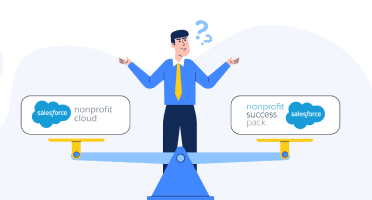

Choosing the wrong Salesforce nonprofit implementation partner is one of the most expensive mistakes a nonprofit can make. It doesn't just drain your budget — it derails your program management workflows, corrupts your donor data, and sets your team back by 12 to 18 months. And yet, most nonprofits make this choice without a structured framework.
This guide will walk you through every stage of the partner selection process: what to look for, how the Salesforce partner ecosystem is structured, which certifications actually matter, what questions to ask in discovery calls, red flags to avoid, and how CUBE84 approaches nonprofit implementations differently.
Part 1: Understanding The Salesforce Nonprofit Partner Ecosystem
1.1 Why 'Any Salesforce Partner' Is Not Enough
Salesforce has over 10,000 registered consulting partners globally. Of those, only a fraction have meaningful experience with nonprofits. The Salesforce platform used by nonprofits — Nonprofit Cloud (NPC), which replaced the legacy Nonprofit Success Pack (NPSP) — runs on a completely different data architecture than the commercial Sales Cloud or Service Cloud most partners know.
If you hire a partner whose core competency is commercial CRM implementations, you will spend your budget teaching them about donor lifecycle management, grant tracking, program beneficiary records, and outcome reporting — concepts that are second nature to a specialist.
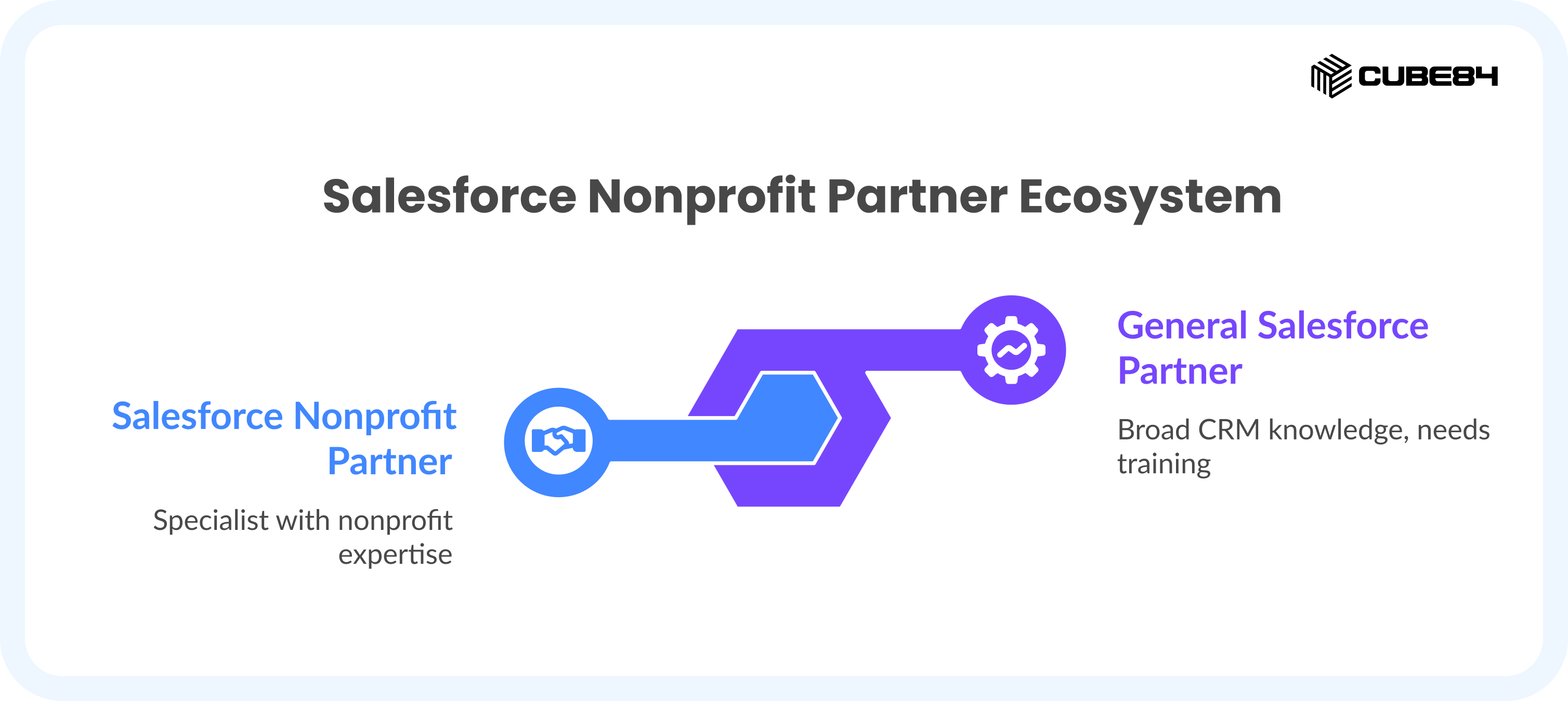
The Cost of Mismatched Expertise A nonprofit that hires a generalist Salesforce partner for a Nonprofit Cloud implementation typically spends 40-60% more than budgeted, because the partner underestimates the complexity of the nonprofit data model and bills additional hours to course-correct. Specialist partners price accurately upfront because they've built this before. |
1.2 The Three Types of Salesforce Partners in the Nonprofit Space
Partner Type | Typical Rate | Best For |
Large Global Consulting Firms(e.g., Accenture, Deloitte) | $200–$350/hr | Complex multi-country NGOs, enterprise integrations |
Boutique Nonprofit Specialists(e.g., CUBE84) | $100–$175/hr | Most nonprofits; deep domain expertise |
Freelance Consultants / Independents | $40–$120/hr | Very small fixes, limited scope |
For the majority of nonprofits — organizations with 5 to 200 staff, running fundraising, program management, and grants — boutique specialist partners deliver the best combination of expertise, responsiveness, and value.
1.3 Nonprofit Cloud vs. Nonprofit Success Pack — Know the Difference Before You Hire
This distinction will immediately reveal whether a prospective partner is current or out-of-date.
Feature | Nonprofit Success Pack (NPSP) | Nonprofit Cloud (NPC) |
Architecture | Built on top of Sales Cloud with custom objects | Native industry data model (Person Accounts, Party Model) |
Data model | Contacts & Accounts with NPSP overlays | Purpose-built nonprofit objects |
Fundraising | Opportunities-based donations | Purpose-built Fundraising module |
Program Management | Third-party add-on (PMM) | Native Program Management & Outcome Tracking |
Grantmaking | Custom configuration required | Native Grantmaking module |
Salesforce's Direction | Legacy — no new investment | Active development — the future |
Partner Experience Pool | Large (many partners know NPSP) | Smaller (fewer partners certified in NPC) |
Critical Question to Ask Any Prospective Partner "How many Nonprofit Cloud (not NPSP) implementations have you completed in the last 18 months, and can you share a client reference?" If they pause or pivot to NPSP experience, they are learning on your project. |
Part 2: The Partner Tier And Certification Framework
2.1 The Salesforce Partner Tier System: Summit, Crest, Ridge, and Navigator
Salesforce ranks its consulting partners in a tiered system. Understanding this hierarchy helps you filter efficiently on AppExchange — but it also comes with important caveats you need to know.
The Official Consulting Partner Tiers
Tier | What It Signals | Typical Firm Size | Nonprofit Relevance |
Summit Partner | Highest tier — large volume, many certifications, strong Salesforce relationship | Large / Enterprise firms | Often overkill; you may not get senior attention |
Crest Partner | Strong mid-tier; proven track record across multiple products | Mid-size consultancies | Good if nonprofit-focused |
Ridge Partner | Growing firms with solid delivery track record | Small-to-mid boutiques | Often the sweet spot for nonprofits |
Navigator (Product Expertise) | Specific product specialization — separate from tier | Any size | Most important badge for nonprofits (explained below) |
The Counterintuitive Truth About Partner Tiers A Ridge-tier boutique firm with a Nonprofit Cloud Navigator designation and 40 nonprofit implementations will outperform a Summit-tier firm that has 2 nonprofit projects and 200 commercial ones. Tier reflects firm size and Salesforce revenue — not nonprofit expertise. Always weight specialization over tier. |
2.2 The Navigator Program — The Badge That Actually Matters for Nonprofits
The Navigator program is Salesforce's product expertise designation. Unlike the general partner tier (which reflects overall business volume), a Navigator badge is earned by demonstrating proven delivery capability in a specific product area.
For nonprofits, the badge you want to see is the Nonprofit Cloud Navigator or Nonprofit Solutions Navigator.
Navigator Levels Explained
Navigator Level | What It Means | Minimum Requirements (Approximate) |
Specialist | Entry-level product expertise, basic implementation experience | Certifications + a few project references |
Accredited | Proven delivery track record, customer success validation | Multiple completed implementations + customer reviews |
Expert / Master | Deep specialization, high volume of successful projects, strong CSAT | Significant implementation history + Salesforce review |
When evaluating partners on AppExchange, filter by: Product Expertise → Nonprofit Solutions → Navigator Level.
This single filter eliminates the majority of partners who claim nonprofit experience but cannot substantiate it.
2.3 The Certifications That Signal Real Nonprofit Depth
Not all Salesforce certifications are created equal. Here is how to read a partner's certification list as a nonprofit buyer.
Certification | Why It Matters for Nonprofits | Priority |
Salesforce Nonprofit Cloud Consultant | Directly validates NPC data model knowledge, fundraising, program mgmt | CRITICAL |
Salesforce Certified Administrator | Core system management capability — every team member should have this | ESSENTIAL |
Salesforce Advanced Administrator | Signals ability to handle complex configurations without custom code | HIGH |
Salesforce Platform App Builder | Custom automation, donor journeys, complex workflow builds | HIGH |
Salesforce Data Cloud Consultant | Required if you need advanced data unification across sources | SITUATIONAL |
Salesforce Marketing Cloud Consultant | Only relevant if running large-scale donor email automation | SITUATIONAL |
Salesforce Sales Cloud Consultant | Minimal relevance for nonprofits; commercial sales focus | LOW |
The Experience-Over-Certifications Rule A partner with 6 certifications and 50 nonprofit implementations will serve you better than a partner with 30 certifications and 3 nonprofit projects. When reviewing proposals, always ask: 'Of your certified consultants, how many have personally worked on nonprofit implementations?' Certifications on paper don't transfer to your project — people do. |
Part 3: How To Structure Your Partner Selection Process
3.1 The Nonprofit Partner Selection Framework (5 Stages)
Most nonprofits make the mistake of jumping straight to vendor demos or accepting the first referral they receive. A structured process takes 3 to 4 weeks and saves you months of pain.
Stage | Activity | Time Investment | Output |
1. Define | Document your processes, data, integrations needed, and success metrics before talking to any partner | 3–5 days | Requirements brief |
2. Identify | Build a shortlist of 3–5 partners using AppExchange filters + Navigator badges + nonprofit case studies | 2–3 days | Shortlist of candidates |
3. Screen | 30-minute discovery calls using the 7 screening questions (see Part 4) | 1 week | Top 2–3 finalists |
4. Evaluate | Request proposals; analyze rate cards, hours breakdown, deliverables, phasing | 1 week | Comparative scoring |
5. Validate | Reference calls with 2 nonprofit clients; ask specifically about post-go-live support | 2–3 days | Final selection |
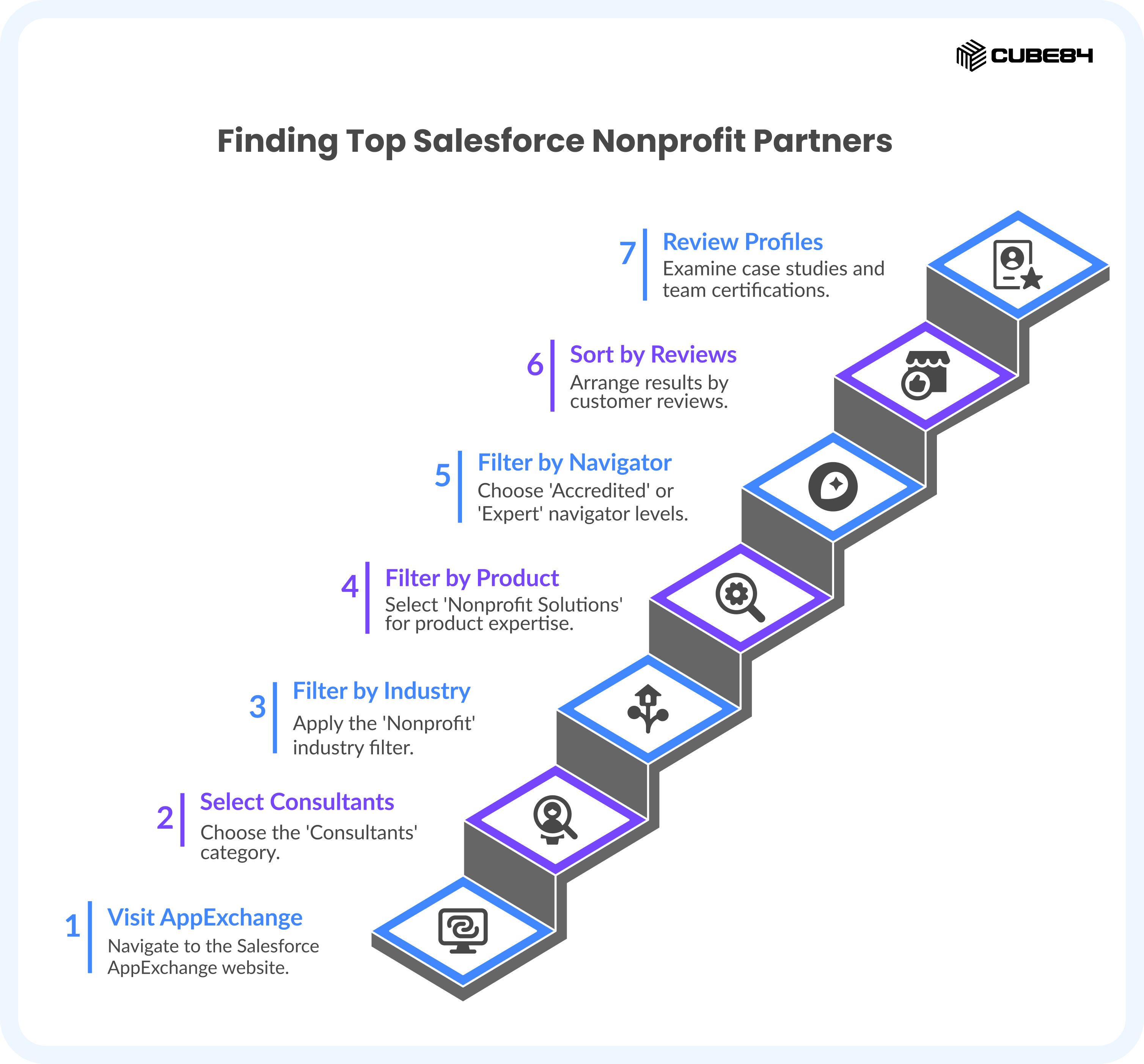
3.2 The AppExchange Filter Strategy — How to Find the Top 10% in 15 Minutes
Most people search AppExchange by keyword and get overwhelmed. Here is the exact filter sequence that surfaces genuine nonprofit specialists.
Go to appexchange.salesforce.com and click 'Consultants'
Under 'Industry', select: Nonprofit
Under 'Product Expertise', select: Nonprofit Solutions
Under 'Navigator', select: Accredited or Expert level (do not stop at Specialist)
Sort by: Customer Reviews (not by alphabetical or featured)
Open each partner's profile — look for: case studies from nonprofits similar to yours in size and mission area
Check the 'Team' section: count how many staff hold the Nonprofit Cloud Consultant certification specifically
This 7-step filter typically reduces 500+ results to a shortlist of 8 to 12 genuinely qualified partners. From there, your screening calls determine final fit.
Part 4: The Questions To Ask Prospective Partners
4.1 The 7 Diagnostic Questions That Separate Experts from Generalists
Use these questions in your initial discovery calls. You're not looking for perfect answers — you're looking for specificity, honesty, and depth. Vague answers are your signal to move on.
Question 1: How many Nonprofit Cloud (not NPSP) implementations have you completed?
What you're evaluating: Current NPC platform experience specifically. Many partners will answer with total 'nonprofit' experience, which likely includes NPSP work. Push for NPC specifically.
Green flag: Clear number, types of organizations, specific use cases.
Red flag: "We've done many nonprofit projects" — this almost always means NPSP experience only.
Question 2: Walk me through how you handle the donor lifecycle in Nonprofit Cloud.
What you're evaluating: Whether they understand nonprofit-specific data architecture, not just CRM configuration. They should reference Person Accounts, household relationships, donor stages, recurring giving, and acknowledgment workflows.
Green flag: They describe the NPC Fundraising module, commitment records, and how they map your existing donor journey.
Red flag: They start talking about Opportunity stages as if this were a commercial sales CRM.
Question 3: What does your Phase 1 implementation look like for an org our size?
What you're evaluating: Whether they default to phased delivery (good) or propose building everything at once (expensive and risky).
Green flag: Contacts and households, donation tracking, basic reports, data migration, training — then expanding.
Red flag: Phase 1 already includes automation, integrations, custom development, and grantmaking. That is a scope-expansion pitch.
Question 4: How do you handle data migration from our current system?
What you're evaluating: Their data migration methodology. This is where most implementations fail silently.
Green flag: They describe data mapping, deduplication strategy, test migration runs, and validation before go-live.
Red flag: "We'll import your spreadsheet into the system" — that is not a migration strategy.
Question 5: What nonprofit-specific integrations have you implemented?
What you're evaluating: Whether they have experience with the tools nonprofits actually use — not just Salesforce-to-Salesforce connections.
Look for experience with:
Donation platforms: Classy, Funraise, DonorPerfect
Accounting: QuickBooks, Sage Intacct, Blackbaud Financial Edge
Grant management: Fluxx, Submittable, SmartSimple
Email/marketing: Mailchimp, Pardot, Constant Contact
Question 6: What does your post-go-live support model look like?
What you're evaluating: Whether they disappear after implementation or offer a real managed services structure for ongoing administration, user adoption, and system improvements.
Green flag: Defined support packages (hours per month), documented SLAs, a named admin contact.
Red flag: "We'll be available if anything comes up" — this is not a support model.
Question 7: What risks do you foresee in our implementation?
This question is gold. It is the single most revealing question you can ask.
Green flag: They identify real risks: messy legacy data, unclear internal processes, integration complexity with specific tools, staff change management challenges.
Red flag: "We don't anticipate any major risks." No implementation is risk-free. This answer means they haven't done this enough to know what goes wrong.
Part 5: Decoding Proposals And Pricing
5.1 How Salesforce Partners Price Nonprofit Implementations
Salesforce partners do not have a published price list. They price based on estimated hours multiplied by role-based rates. Understanding this mechanism lets you evaluate any proposal critically.
The Three Pricing Models You Will Encounter
Model | How It Works | Best For | Nonprofit Risk |
Fixed Project Price | Partner estimates total hours → multiplies by blended rate → quotes a fixed number | Phase 1 implementations with clear scope | LOW — predictable budget |
Time & Materials (Hourly) | You pay per hour as consumed; final cost varies | Ongoing admin, support, enhancements | MEDIUM — needs monitoring |
Managed Services (Monthly) | Retainer for defined monthly support hours | Post-go-live administration | LOW — predictable if SLA is clear |
5.2 Partner Rate Cards — What You're Actually Paying For
Consultant Role | Typical US Rate | India-Based Rate | When You Need Them |
Junior Admin / Associate Consultant | $100–$140/hr | $50–$80/hr | Standard configuration, data entry, basic reports |
Senior Consultant | $140–$180/hr | $80–$120/hr | Core implementation, data migration, NPC configuration |
Solution Architect | $180–$250/hr | $120–$160/hr | Complex system design, multi-module integrations |
Technical Architect | $250–$400/hr | $150–$220/hr | Custom Apex code, complex APIs, enterprise integrations |
Project Manager | $130–$170/hr | $70–$100/hr | Larger projects needing dedicated coordination |
5.3 The Typical Hours Breakdown for a Small Nonprofit NPC Implementation
For an organization with 3 to 10 users implementing core Nonprofit Cloud functionality (fundraising, basic program management, reports), here is what a realistic project looks like:
Project Phase | Typical Hours | What Happens |
Discovery & Requirements | 15–25 hrs | Workshops, process documentation, data audit, requirements sign-off |
System Design | 8–15 hrs | Data model design, object mapping, integration architecture |
Configuration & Build | 35–55 hrs | NPC setup, custom objects, workflow automation, reports & dashboards |
Data Migration | 15–25 hrs | Mapping, cleansing, test imports, validation, final migration |
Testing & QA | 10–15 hrs | UAT facilitation, bug fixes, acceptance sign-off |
Training & Enablement | 8–12 hrs | Admin training, user training, documentation |
Project Management | 10–15 hrs | Meeting facilitation, status reporting, risk management |
TOTAL | 101–162 hrs | Blended at $140/hr = $14,140 – $22,680 |
Budget Reality Check for Your Organization Based on 3 active users, implementing fundraising + program management + basic grants, you should expect: Implementation: $14,000–$28,000 | Salesforce Licenses: $0 (Power of Us — first 10 licenses free) | Post-launch support: $500–$1,500/month | Year 1 total: $14,000–$40,000 | Any proposal above $45,000 for Phase 1 requires a detailed line-item justification. |
5.4 The 5 Red Flags in a Salesforce Partner Proposal
Most nonprofits sign contracts before spotting these. Once you know what to look for, they're impossible to miss.
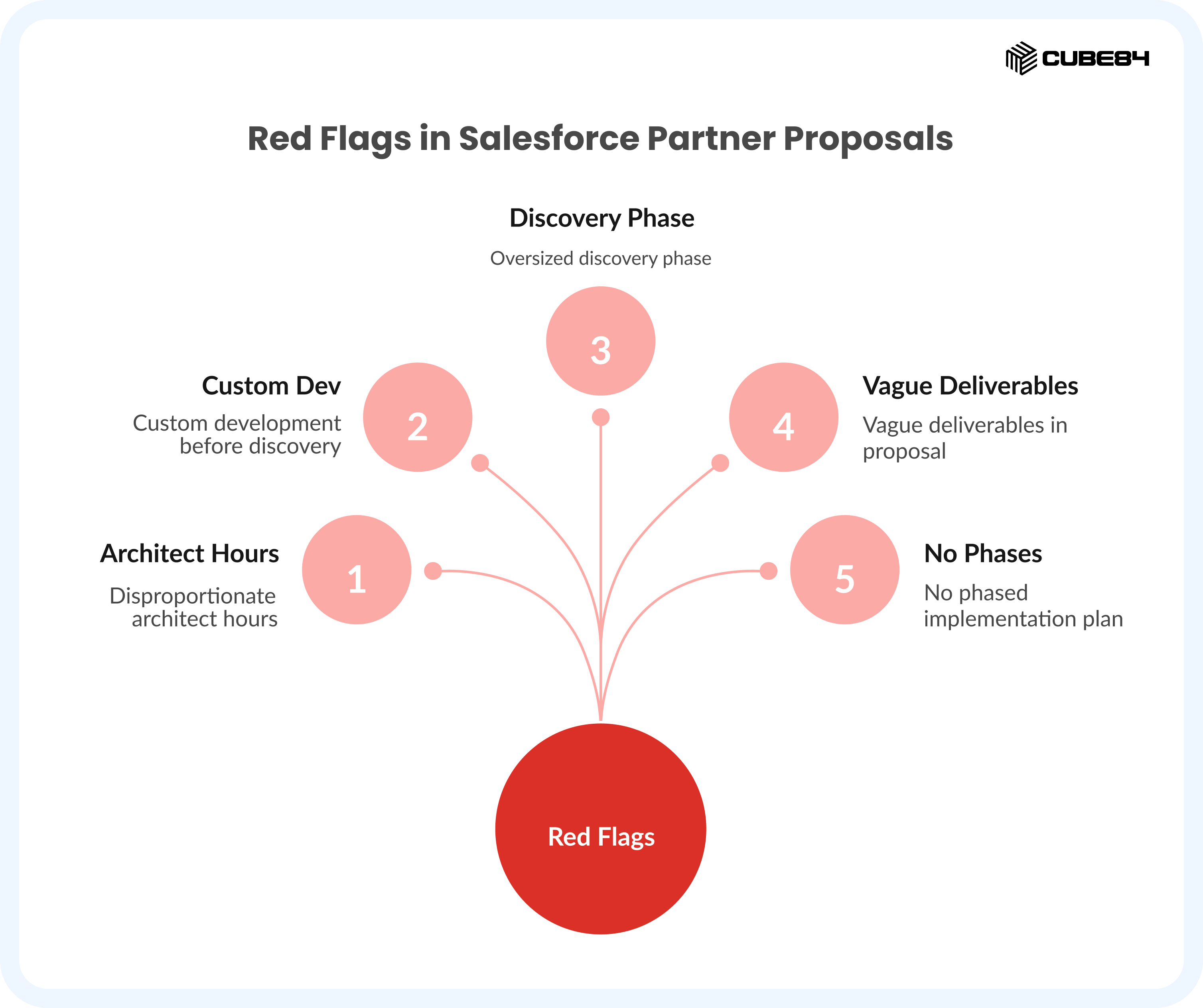
Red Flag 1: Disproportionate Architect Hours
Architect roles are needed for complex enterprise integrations or highly custom system designs. They should not dominate a small nonprofit project. If you see a Solution Architect allocated 40+ hours and a Technical Architect allocated 30+ hours on a basic NPC setup, you're paying enterprise rates for a nonprofit-sized problem.
Rule of Thumb For a 3–20 user nonprofit Phase 1: architect hours should represent less than 20% of total project hours. If they exceed 30%, ask for justification. |
Red Flag 2: Custom Development Before Discovery Is Complete
Legitimate nonprofit partners configure Salesforce before they customize it. Nonprofit Cloud has native functionality for fundraising, program management, and grantmaking. If a proposal includes Apex code, Lightning Web Components, or custom objects before the discovery phase is even done, the partner either doesn't know the platform well or is padding the project with billable development work.
Red Flag 3: An Oversized Discovery Phase
Discovery is valuable. But for a small nonprofit, it should not become a months-long consulting engagement of its own. A discovery phase exceeding 40 hours for a standard NPC implementation is a signal that the partner is either over-engineering the requirements or hasn't done this enough to move efficiently.
Red Flag 4: Vague Deliverables
A proposal that says "Salesforce configuration services" is a blank check. Every deliverable should be specific and measurable.
Legitimate deliverables look like: donor lifecycle configuration with defined stages, 3 standard fundraising reports, migrated contact records with deduplication, 2 program tracking dashboards, admin training session (2 hours), training documentation.
Red Flag 5: No Phased Implementation Plan
Any partner proposing to deliver everything — fundraising, grants, program management, volunteer tracking, advanced automation, and integrations — in a single implementation phase is either inexperienced or prioritizing their invoice over your outcomes. Phased delivery protects your budget, allows user adoption to catch up, and lets you validate before expanding.
The $30,000 Question That Exposes Everything Ask your shortlisted partners: "What would you remove from this proposal to reduce the cost by 30%?" An experienced specialist can answer in under two minutes and will immediately identify lower-priority items. A partner who cannot answer fluently has likely never been asked — which means they haven't done enough implementations to have strong opinions about what's essential vs. optional. |
Part 6: The NPC Implementation Blueprint
6.1 What Nonprofit Cloud Is — Module by Module
Nonprofit Cloud is not a single product. It is a collection of purpose-built modules on Salesforce's industry architecture. Your implementation partner should ask which modules you need before scoping the project. If they don't, that's a yellow flag.
NPC Module | What It Covers | Who Needs It | Implementation Complexity |
Fundraising | Donor records, gift processing, recurring giving, acknowledgments, campaigns | All fundraising nonprofits | Medium |
Program Management | Programs, services, participant enrollment, case management | Service-delivery orgs | Medium-High |
Grantmaking | Grant applications, reviews, award tracking, compliance reporting | Foundations and grant-makers | High |
Outcome Management | Goals, indicators, results tracking, impact measurement | Impact-focused orgs | High |
Marketing & Engagement | Donor communications, segmentation, engagement scoring | Large development teams | High |
Volunteer Management | Volunteer recruitment, hours tracking, scheduling | Volunteer-driven orgs | Medium |
For most nonprofits starting fresh, a sensible Phase 1 covers Fundraising and Program Management. Grantmaking and Outcomes can follow in Phase 2.
6.2 The NPC Implementation Roadmap
A well-run nonprofit Salesforce implementation follows a predictable sequence. Here is the six-stage blueprint:
Stage | Timeline | Key Activities | Your Role as Buyer |
1. Discovery | Weeks 1–2 | Process mapping, stakeholder interviews, data audit, requirements doc | Attend workshops; share existing documentation |
2. Design | Weeks 2–3 | Data model decisions, integration architecture, user story sign-off | Approve design decisions; identify edge cases |
3. Build | Weeks 3–7 | NPC configuration, custom automation, report builds, integration setup | Review prototypes; provide feedback on demos |
4. Data Migration | Weeks 5–7 | Data mapping, test imports, deduplication, validation runs | Validate sample records; approve final migration |
5. Testing & Training | Weeks 7–8 | User acceptance testing, admin training, user training sessions | Active participation; document feedback |
6. Go-Live & Support | Week 9+ | Deployment, hypercare period, bug resolution, transition to support | Communicate to staff; track adoption |
Part 7: How Cube84 Works With Nonprofits
7.1 CUBE84's Approach to Nonprofit Salesforce Implementation
CUBE84 is a Salesforce consulting company specializing in nonprofit and social impact organizations. Our work is built around a single premise: nonprofits deserve implementation partners who understand their mission, not just their CRM.
Here is how our approach differs from generalist partners.
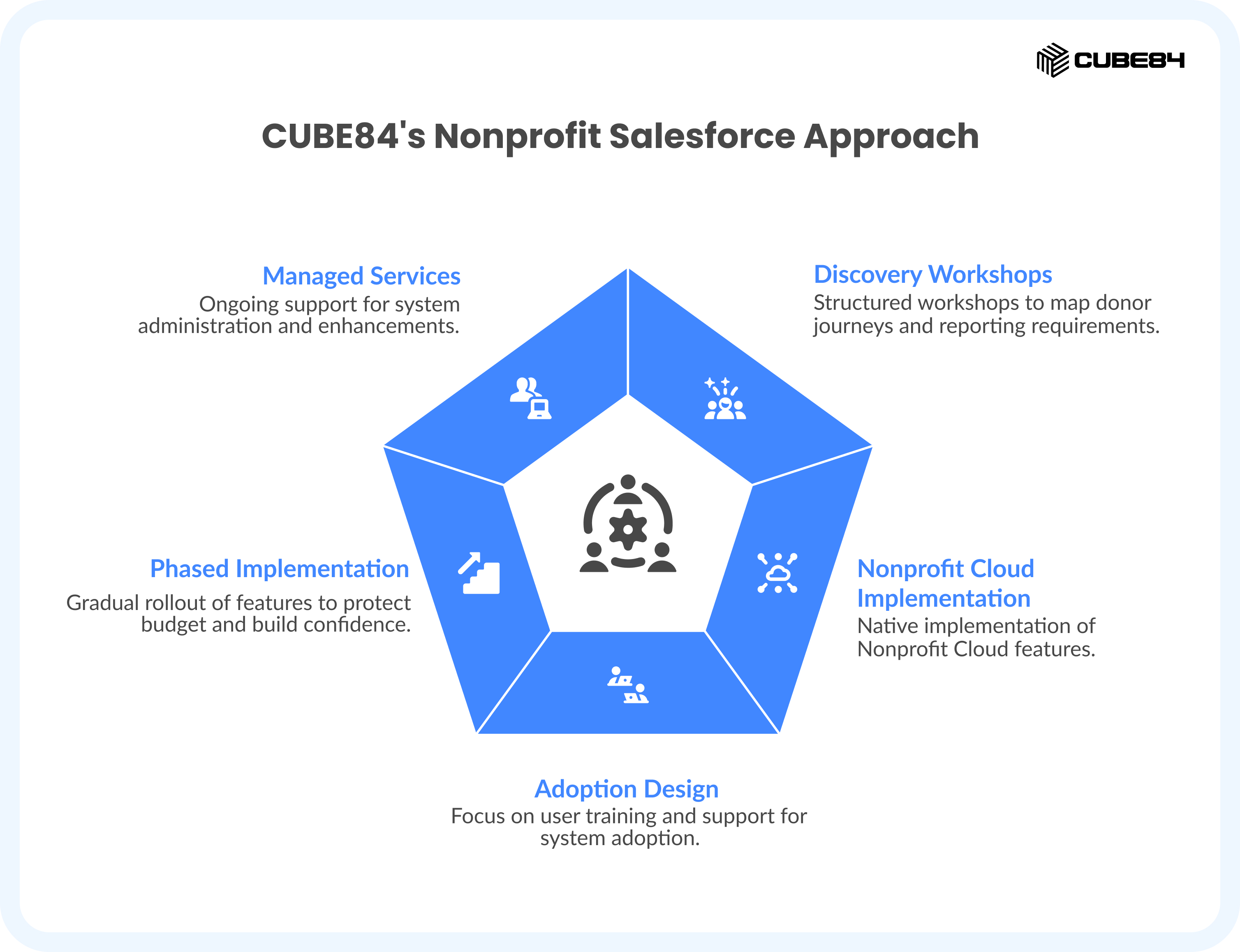
We Lead with Discovery, Not Configuration
Before any Salesforce work begins, we run structured discovery workshops to map your donor journeys, program delivery workflows, and reporting requirements. We document these as user stories before any technical scoping begins. This means your implementation reflects how your organization actually works — not how a template assumes you work.
We Implement Nonprofit Cloud Natively
Our consultants are certified in Nonprofit Cloud and have hands-on experience with the NPC data model — including the Party Model, Person Accounts, the Fundraising module, and Program Management objects. We do not retrofit commercial Salesforce patterns onto nonprofit use cases.
We Design for Adoption, Not Just Configuration
The most technically perfect Salesforce implementation fails if your team doesn't use it. Every CUBE84 engagement includes admin training, user documentation, and a 90-day post-go-live support window. We measure success by how effectively your staff is using the system three months after launch — not just whether it went live on schedule.
We Implement in Phases
We recommend phased implementations for every nonprofit client. This protects your budget, builds organizational confidence in the system before expanding it, and ensures your team is ready for each new capability before it's deployed.
Phase | Scope | Typical Timeline | Investment Range |
Phase 1 | Contacts, households, donor management, basic reports, data migration, training | 8–10 weeks | $14,000–$28,000 |
Phase 2 | Program management, grantmaking, outcome tracking, integrations | 8–12 weeks | $18,000–$40,000 |
Phase 3 | Advanced automation, marketing engagement, volunteer management, analytics | 6–10 weeks | $12,000–$30,000 |
Our Managed Services Model
After go-live, many nonprofits need ongoing Salesforce administration without the cost of a full-time internal admin. CUBE84 offers tiered managed services for:
Monthly system administration and data maintenance
Automation enhancements and new report builds
User onboarding for new staff
Salesforce release management (3 releases per year require review)
Strategic advisory for new module rollouts
Support Tier | Monthly Hours | Best For | Monthly Investment |
Essentials | 5–8 hours | Small nonprofits with stable systems | $600–$1,000 |
Standard | 12–20 hours | Growing orgs with regular enhancement needs | $1,500–$2,800 |
Growth | 25–40 hours | Mid-size nonprofits with active Salesforce roadmaps | $3,200–$5,500 |
Part 8: Your Decision-Making Toolkit
8.1 The Partner Scorecard — Use This to Compare Finalists
When you have 2 to 3 finalists, use this scorecard to structure your comparison objectively.
Evaluation Criteria | Weight | Partner A Score (1–5) | Partner B Score (1–5) | Partner C Score (1–5) |
NPC-specific implementations (past 18 months) | 25% | |||
Nonprofit Cloud Consultant certifications on team | 15% | |||
Navigator badge level (Nonprofit Solutions) | 10% | |||
Clarity of discovery methodology | 10% | |||
Quality of proposal (deliverables specificity) | 10% | |||
Phased implementation plan | 10% | |||
Post-go-live support model | 10% | |||
Reference quality from nonprofit clients | 10% | |||
WEIGHTED TOTAL | 100% | ___/5 | ___/5 | ___/5 |
8.2 The Total Cost of Ownership Calculator
Before signing, calculate your full 3-year cost — not just the implementation invoice.
Cost Category | Year 1 | Year 2 | Year 3 | 3-Year Total |
Salesforce Licenses (Power of Us — up to 10 users) | $0 | $0 | $0 | $0 |
Additional licenses if needed (est.) | $0–$4,000 | $0–$4,000 | $0–$4,000 | $0–$12,000 |
Implementation Partner | $14,000–$28,000 | $0 (Phase 2: $18,000–$40,000) | $0 (Phase 3: optional) | Varies |
Managed Services / Support | $6,000–$18,000 | $7,200–$18,000 | $7,200–$18,000 | $20,400–$54,000 |
Third-party app integrations | $1,200–$6,000 | $1,200–$6,000 | $1,200–$6,000 | $3,600–$18,000 |
Staff time (internal admin) | 20–40 hrs/year | 20–40 hrs/year | 20–40 hrs/year | 60–120 hrs |
ESTIMATED TOTALS | $21,200–$56,000 | $26,400–$68,000 | $8,400–$28,000 | $56,000–$152,000 |
The Smart Investment Principle Organizations that invest in the right specialist partner upfront — and implement in phases — typically spend 30–40% less over three years than those who choose the cheapest option initially and then spend budget on remediation, re-implementation, and consultant cleanup. The question isn't 'how do I spend the least?' It's 'how do I invest wisely?' |
8.3 The 30-Day Action Plan
If you're starting your partner search today, here is your concrete next 30 days:
Week | Action | Time Required | Output |
Week 1 | Document your current processes: donor management, program delivery, grant tracking. Identify what data exists and where. | 4–6 hours | Requirements brief (2–4 pages) |
Week 1–2 | Build your AppExchange shortlist using the 7-step filter sequence from Part 3.2. Target 4–6 partners. | 2–3 hours | Shortlist with Navigator badges verified |
Week 2 | Run 30-minute discovery calls with each shortlisted partner. Use the 7 diagnostic questions from Part 4. | 3–4 hours total | Notes on each partner; eliminate 2–3 |
Week 3 | Request formal proposals from top 2–3 finalists. Ask for: rate card + estimated hours breakdown + phased roadmap. | Passive (reviewing) | 3 comparable proposals |
Week 3–4 | Score proposals using the Partner Scorecard in Part 8.1. Call 1–2 nonprofit references for each finalist. | 4–5 hours | Scored comparison + reference notes |
Week 4 | Make your selection. Negotiate on scope, not just price. Agree on Phase 1 deliverables in writing before signing. | 2–3 hours | Signed statement of work |