

Introduction
Every Salesforce data migration checklist on the internet will tell you the same ten things in roughly the same order. Audit your data. Map your fields. Test in sandbox. Go live. Done.
What those checklists rarely tell you is where migrations actually fall apart in practice — and it is almost never at the technical layer.
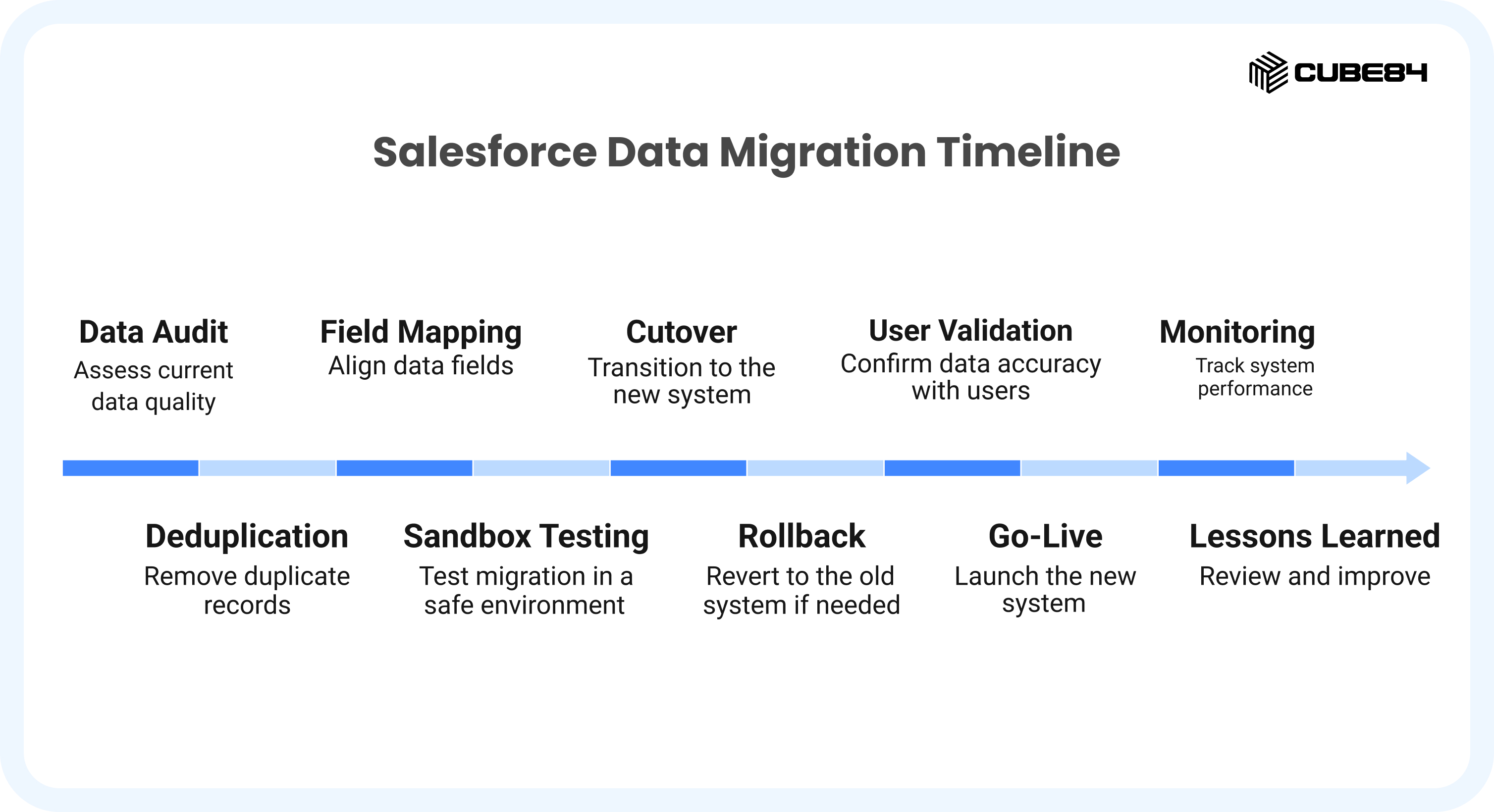
After working across dozens of Salesforce data migrations — from Sales Cloud rollouts to full Nonprofit Cloud re-architectures to CPQ environments with thousands of product records — the failure point we see most consistently is field mapping. Not because the mapping is technically difficult. Because the team doing the mapping does not have a shared, verified understanding of how their own business operates inside the source system.
Titles match, logic does not. A field called 'Account Type' in the old CRM carries a completely different business meaning than 'Account Type' in Salesforce. A 'Status' field that seven people use seven different ways. A custom field that someone built four years ago that nobody can explain, but sales still relies on. These are not data problems. They are process problems disguised as data problems.
This checklist is built around that reality. Each step is designed to surface the process questions before they become migration problems — and to give your cross-functional team a shared framework for making decisions instead of assumptions.
We also cover the technical execution thoroughly, because depth is what separates a successful migration from a deferred re-implementation. If you want to understand the most common ways migration projects go wrong, our related guide covers the
7 common Salesforce data migration mistakes in detail — read it alongside this checklist for the complete picture.
Who this checklist is for
IT leads and Salesforce admins managing technical execution. Operations and RevOps managers who own the business logic in the source system. Finance and executive sponsors who need budget certainty and risk visibility. If all three of these functions are not actively represented in your migration, this checklist will help you understand why that is a risk.
Step 1: Conduct a Full Source Data Audit
Before a single migration script is written, before a sandbox is configured, before a field mapping document is opened — you need to know exactly what you are dealing with in your source system.
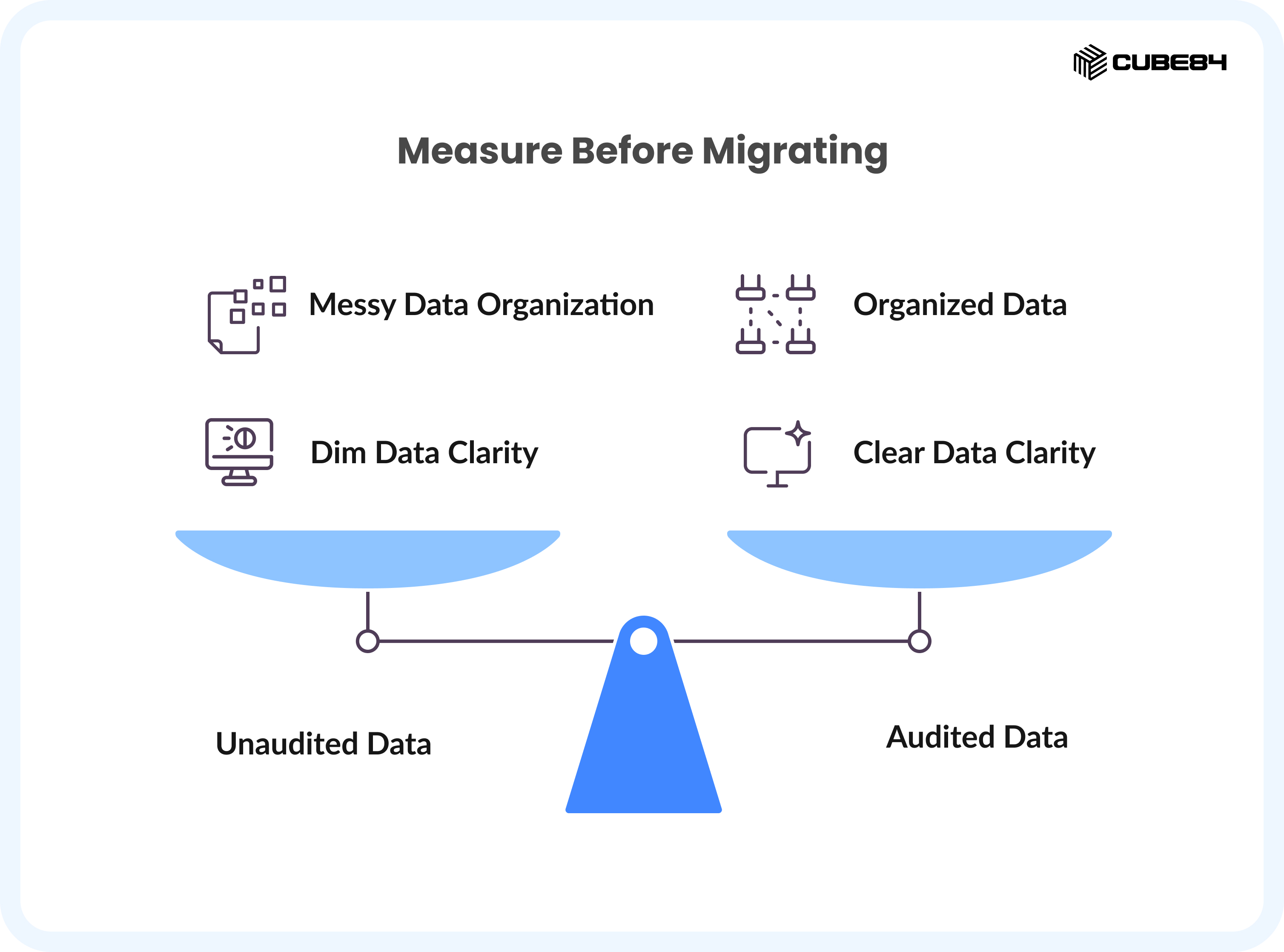
Most teams skip or rush this step because it feels administrative. That is a mistake that costs weeks later. A proper data audit is the single most effective risk-reduction action in the entire migration.
What a data audit actually involves
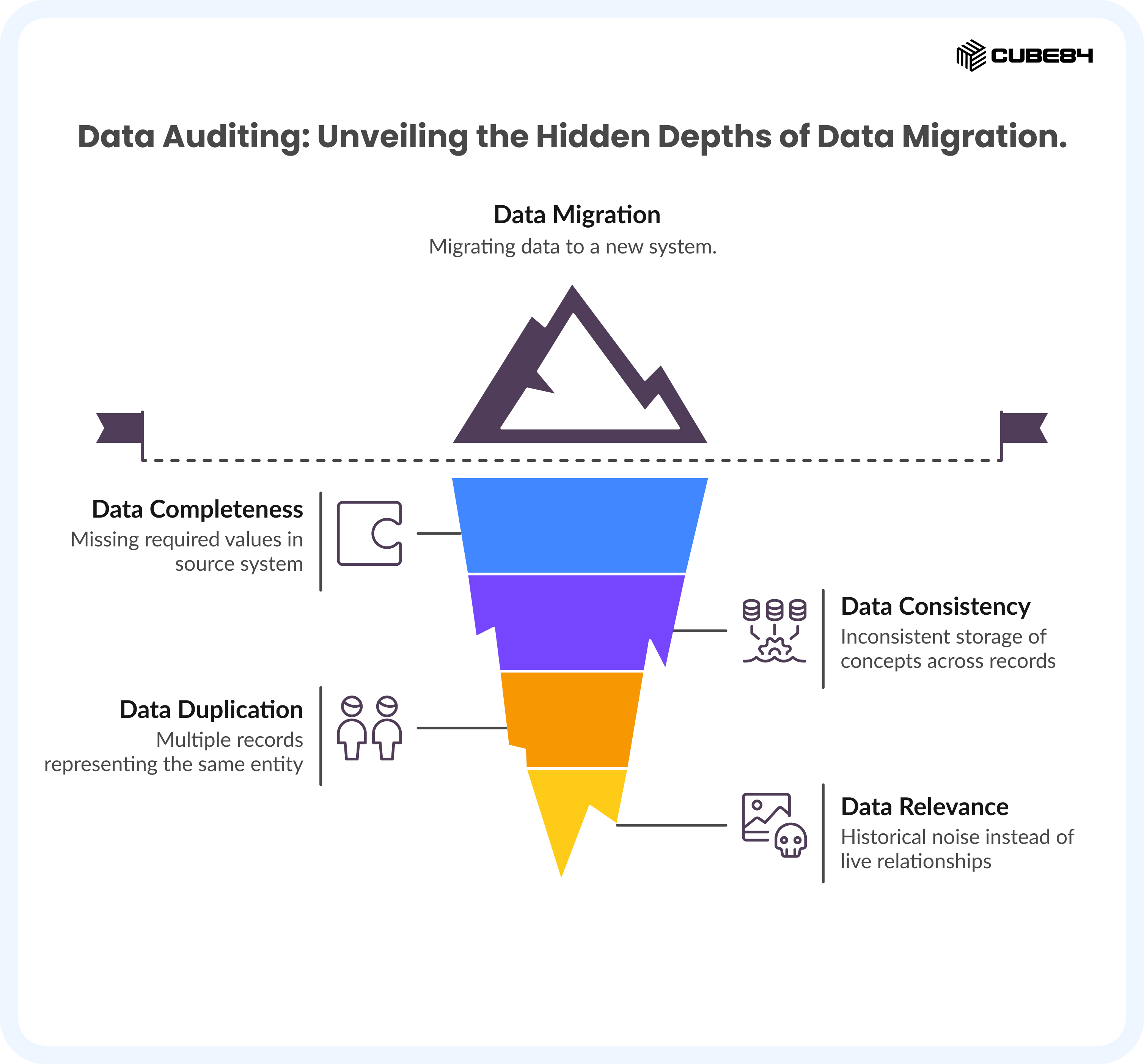
Profile every key object in your source system for four dimensions: completeness (how many records are missing required values?), consistency (are the same concepts stored in the same way across records?), duplication (how many records represent the same real-world entity?), and relevance (does this record still reflect a live relationship, or is it historical noise?).
For most mid-market migrations, the objects that require the deepest audit are Accounts, Contacts, Leads, Opportunities, and any custom objects that carry business-critical logic.
The practitioner's reality on data audits
In our experience, a proper data audit reduces migration scope by 20 to 30 percent — consistently. Records that should be archived, not migrated. Fields that were repurposed over time. Objects that two departments use differently. None of these surfaces unless you look.
The audit is also where you discover the process questions that the rest of this checklist depends on. You cannot answer 'how should this field map to Salesforce' until you understand what business process that field actually serves today.
Table 1 — Source Data Audit Framework: What to Examine and What to Document
Object | Completeness Check | Consistency Check | Decision Required |
Accounts | % with no primary contact | 'Customer' vs 'Client' vs 'Prospect' | Migrate all or active only? |
Contacts | % with no email or phone | Duplicate individuals across accounts | One-to-one or one-to-many? |
Leads | % never contacted | Leads that should be Contacts | Convert before migration? |
Opportunities | % missing close date or stage | Stage names vs. actual pipeline logic | Historical + active or active only? |
Custom Objects | % of records with null key fields | Field meaning consistent across teams? | Requires stakeholder interview |
OUTPUT | Data Audit Report A documented profile of every key object: record counts by status, completeness scores by field, identified duplicates, and a preliminary scope decision (migrate / archive/discard). Signed off by IT and Operations before Step 2 begins. |
Step 2: Deduplicate Before You Migrate — Not After
Duplicates are the most expensive migration problem to fix post-go-live. Once duplicate records exist in Salesforce and users start creating activities, tasks, opportunities, and emails against them, the records become entangled. Merging them later means choosing which activities survive, which do not, and manually reconciling data across potentially thousands of records.
Run your deduplication pass in the source system, before migration. This is not optional.
How to approach deduplication systematically
Establish your matching rules first — what combination of fields constitutes a unique record for each object. For Contacts, the standard combination is email address plus company name. For Accounts, it is the company name plus primary domain. For Leads, email addresses alone are often sufficient.
Not every merge decision is automated. Ambiguous cases — two contacts with the same name but different emails, companies listed under a parent and a subsidiary — require a human decision-maker. Define who that person is before you start, or deduplication stalls at exactly the point where decisions are hardest.
Tools that are commonly used for Salesforce deduplication include DemandTools and RingLead on the AppExchange side, or native Salesforce Duplicate Management rules for ongoing governance post-migration. The choice depends on your data volume and how complex your matching logic needs to be.
For a deeper examination of why duplicate data is one of the most damaging migration mistakes — and exactly how it compounds over time — see our guide to 7 Salesforce data migration mistakes.
The rule that saves the most time Define a 'unique record' for your business before touching deduplication tools. This is not a technical definition. It is a business decision. If two contacts have the same email but represent two different client relationships, they are not duplicates. If they represent the same individual entered twice, they are. Your data team cannot make this call alone — it requires a business process owner in the room. |
OUTPUT | Deduplication Log A record of matching rules applied, merge decisions made, records merged, and records deferred to manual review. Approved by the business process owner for each major object before migration proceeds. |
Step 3: Field Mapping — The Step Where Most Migrations Actually Fail
Here is the thing about field mapping that most checklists miss: the technical work is the easy part. Connecting a source field to a target Salesforce field takes minutes. Understanding what that source field actually means — what business process it supports, how different people use it, and whether the business logic it carries has a genuine equivalent in Salesforce — that is where projects stall.
We have seen field mapping sessions that should take two hours stretch to two weeks — not because the data is complex, but because nobody in the room could answer the question: 'What does this field actually mean to the person who enters data into it?'
The practitioner's approach to field mapping
Before opening a mapping spreadsheet, we run a structured discovery process. For each key object, we ask a specific set of questions designed to surface the business logic behind the data — not just what the field is called, but what decision it informs, who relies on it, and whether any automation fires from it.
The questions vary by product and by goal. A field mapping session for a Sales Cloud migration looks different from one for a CPQ migration. The Salesforce objects are different, the business logic is different, and the consequences of mapping errors are different. The framework is consistent — the specific questions adapt.
The Field Mapping Discovery Framework
For each field in the source system, work through these questions before assigning a Salesforce target:
Question | Why It Matters | If You Cannot Answer It |
What business decision does this field inform? | Determines whether it needs to exist in Salesforce at all | Escalate to the process owner before mapping |
Who enters data into this field, and how often? | Frequency and ownership inform validation rules and required/non-required status | Interview the primary user — do not assume |
Does any automation in the source system trigger from this field? | Automation dependencies must be rebuilt in Salesforce, or they break silently | Review automation logs in the source system |
Does this field appear in any reports that stakeholders use? | Report dependencies mean the field must exist and be populated post-migration correctly | Pull the report list before finalizing mapping |
Is the same concept stored in multiple source fields? | Consolidation decisions must be made before migration — not discovered after | Map all variants to a single target with transformation logic |
Does this field have a genuine Salesforce equivalent, or does it require a custom field? | Overusing custom fields creates technical debt; overusing standard fields misrepresents data | Salesforce admin must validate before mapping is confirmed |
The Field Mapping Document: What It Must Contain
A field mapping document is not just a spreadsheet with two columns. Every row must capture: source field name, source field type, source field owner, Salesforce target field, Salesforce target type, transformation logic (if any), default value when empty, and whether the field has automation dependencies in either system.
Any row where the 'transformation logic' column contains the word 'TBD' is a risk. Every TBD in your mapping document is a potential failure point on migration day. Resolve them before you proceed to sandbox testing.
Field mapping challenges are also central to CPQ migrations, where product, pricing, and approval logic carries additional complexity. Our guide to Salesforce CPQ data migration best practices covers the CPQ-specific mapping considerations in detail.
OUTPUT | Completed Field Mapping Document A row-per-field mapping document covering all key objects — with transformation logic, data types, default values, and automation dependencies documented for every field. Zero TBDs. Reviewed by the Salesforce admin and signed off by the relevant business process owner per object. |
Step 4: Sandbox Testing — The Step Most Teams Rush
Sandbox testing is not a box to tick. It is the mechanism by which you discover the gap between what your migration scripts do and what your business actually needs. Every team that has ever arrived at go-live with surprises skipped proper sandbox testing.
What proper sandbox testing looks like
Run a subset migration first — not a sample of clean records, but a representative sample that includes your messiest data. The edge cases. The records with missing fields. The accounts with non-standard structures. If your test dataset is curated to be clean, it will pass. Your production dataset will not be curated.
Validate against business outcomes, not just technical success. A record that loaded without errors but landed in the wrong stage, with the wrong owner, triggering the wrong automation — that is a failed migration, even though the tool reported success.
Sandbox Testing Checklist
Test Item | Who Validates | Pass/Fail |
Records load without errors for all key objects | IT/Admin | ☐ |
Field values match expected business meaning (not just technical type) | Process Owner | ☐ |
Parent-child relationships preserved (Account → Contact → Opportunity) | IT/Admin | ☐ |
Automation fires correctly (or is confirmed as intentionally disabled) | IT/Admin | ☐ |
Reports and dashboards reflect accurate post-migration data | RevOps/Ops | ☐ |
Record ownership assigned correctly per assignment rules | Ops/Admin | ☐ |
External IDs present and correctly populated for upsert operations | IT/Admin | ☐ |
Edge case records (nulls, special characters, legacy formats) handled | IT/Admin | ☐ |
Business users can log in and navigate data as expected | End Users | ☐ |
OUTPUT | Sandbox Test Sign-Off A completed test checklist with pass/fail results per item, failure notes documented, and resolutions confirmed. Both IT and at least one business process owner must sign off before the cutover plan is finalised. |
Step 5: Build Your Cutover Plan Before You Need It
The cutover plan is the document that governs migration day. It specifies exactly what happens, in what sequence, by whom, and at what time — from the moment you freeze the source system to the moment you declare Salesforce live.
The teams that arrive at migration day without a cutover plan turn a controlled process into an improvised one. Every decision made under time pressure on go-live day is a decision that should have been made in advance.
What a cutover plan must specify
Phase | What It Covers | Owner |
T-48 hours | Final source data freeze window confirmed. Last full export taken and stored. | IT Lead |
T-24 hours | Automation is disabled in the source system. Salesforce automation is disabled for the migration user. Rollback environment confirmed. | IT Lead + Admin |
Migration Start | Load sequence confirmed: parent objects before children. Each object is loaded in a defined order. | Migration Engineer |
Validation Window | Business users validate key records. Reports spot-checked against expected values. | Ops + IT |
Go/No-Go Checkpoint | Defined criteria: if X records fail validation, the decision to proceed or roll back is made here. | Executive Sponsor |
Go-Live | Automation re-enabled in sequence. Users are notified. Source system access restricted. | IT Lead |
The most common cutover failure Teams underestimate how long the validation window takes. Business users, when given access to a sandbox full of real data for the first time, discover things the IT team did not. Budget at least 50% more validation time than your estimate. The cost of a delayed go-live is far lower than the cost of going live with unvalidated data. |
OUTPUT | Cutover Plan Document A time-stamped, owner-assigned sequence of every action on migration day — from source freeze to go-live declaration. Includes the go/no-go decision criteria and the rollback trigger threshold. Shared with all stakeholders at least one week before go-live. |
Step 6: Define Your Rollback Plan — Before You Are Confident You Will Need It
The rollback plan is the document almost every migration team skips. Not because they think it is unimportant, but because building it feels like planning for failure. It is not. It is planning for control.
A migration that goes wrong without a rollback plan is a business continuity crisis. A migration that goes wrong with a tested rollback plan is a managed incident. The difference between the two is the rollback document — and whether it has been rehearsed.
What a rollback plan must include
Before migration day: a verified, timestamped full export of the current Salesforce org and the source system, stored in a location accessible to IT leadership independent of the migration infrastructure. This export is your single most important insurance policy.
During migration: a defined rollback trigger threshold. Not 'if things go wrong, we will roll back' — that is too vague to act on under pressure. Define it numerically: if more than X percent of records fail validation, or if the go/no-go checkpoint is not cleared by a specific time, the rollback decision is made without debate.
Post-rollback procedure: a documented, step-by-step process for reverting Salesforce to its pre-migration state and restoring source system access. This procedure must be tested in a sandbox before migration day. A rollback plan that has never been rehearsed is not a rollback plan — it is a wishlist.
Rollback Component | What It Requires | When It Is Used |
Pre-migration backup | Full org export + source system snapshot before go-live | Any scenario where reverting is required |
Go/no-go criteria | Numeric thresholds: % records failed, time exceeded, validation errors exceeded | At the defined checkpoint during migration |
Rollback procedure | Step-by-step reversal process, owner-assigned, tested in sandbox | When go/no-go criteria are not met |
Communication plan | Who is notified, when, and what message — for both go-live and rollback scenarios | Immediately after go/no-go decision |
OUTPUT | Tested Rollback Plan A documented, rehearsed rollback procedure with defined trigger criteria, stored independently of the migration team. Confirmed as tested by IT lead before go-live is scheduled. |
Step 7: User Validation — Bring Business Users In Before Go-Live
User validation is the step where the gap between 'technically correct' and 'actually right' becomes visible. Your IT team can confirm that records are loaded without errors. Only your business users can confirm that the data makes sense to the people who will use it every day.
The mistake teams make is treating user validation as a post-go-live activity. By the time users encounter surprises in production, the migration is complete, the team has moved on, and fixing issues means working in a live environment where every change affects real operations.
How to structure user validation
Select a representative group of users from each team that relies on Salesforce. Sales, marketing, operations, finance — whichever functions generate or consume data in the system. Give them access to the migration sandbox with their own login. Assign them a structured validation task per object they own.
The validation task is not 'log in and tell us what you think.' It is specific: find the account for [named client]. Confirm the contact list is complete. Check that the opportunity stage reflects the current deal status. Pull the pipeline report for your territory and confirm the numbers match what you see in the source system.
User Group | Validation Focus | Escalation Path |
Sales Team | Opportunity stages, account history, contact completeness, activity logs | RevOps → IT for field mapping issues |
Marketing Ops | Lead source values, campaign attribution, contact lists, email opt-out status | Marketing Ops → IT for picklist/data type issues |
Operations | Workflow triggers, automation outputs, case routing (if Service Cloud) | Ops → IT for automation issues |
Finance | Revenue figures, contract values, forecast data, ownership and territory assignment | Finance → RevOps for logic issues, IT for data type issues |
Leadership / RevOps | Executive dashboards, pipeline reports, forecast accuracy, KPI metrics | RevOps → IT for report field issues |
OUTPUT | User Validation Sign-Off A completed validation log from each business function, documenting what was checked, what issues were raised, and how each issue was resolved. All critical issues resolved and confirmed by IT before the cutover plan is finalised. |
Step 8: Execute Go-Live — With a Command Structure, Not a Group Chat
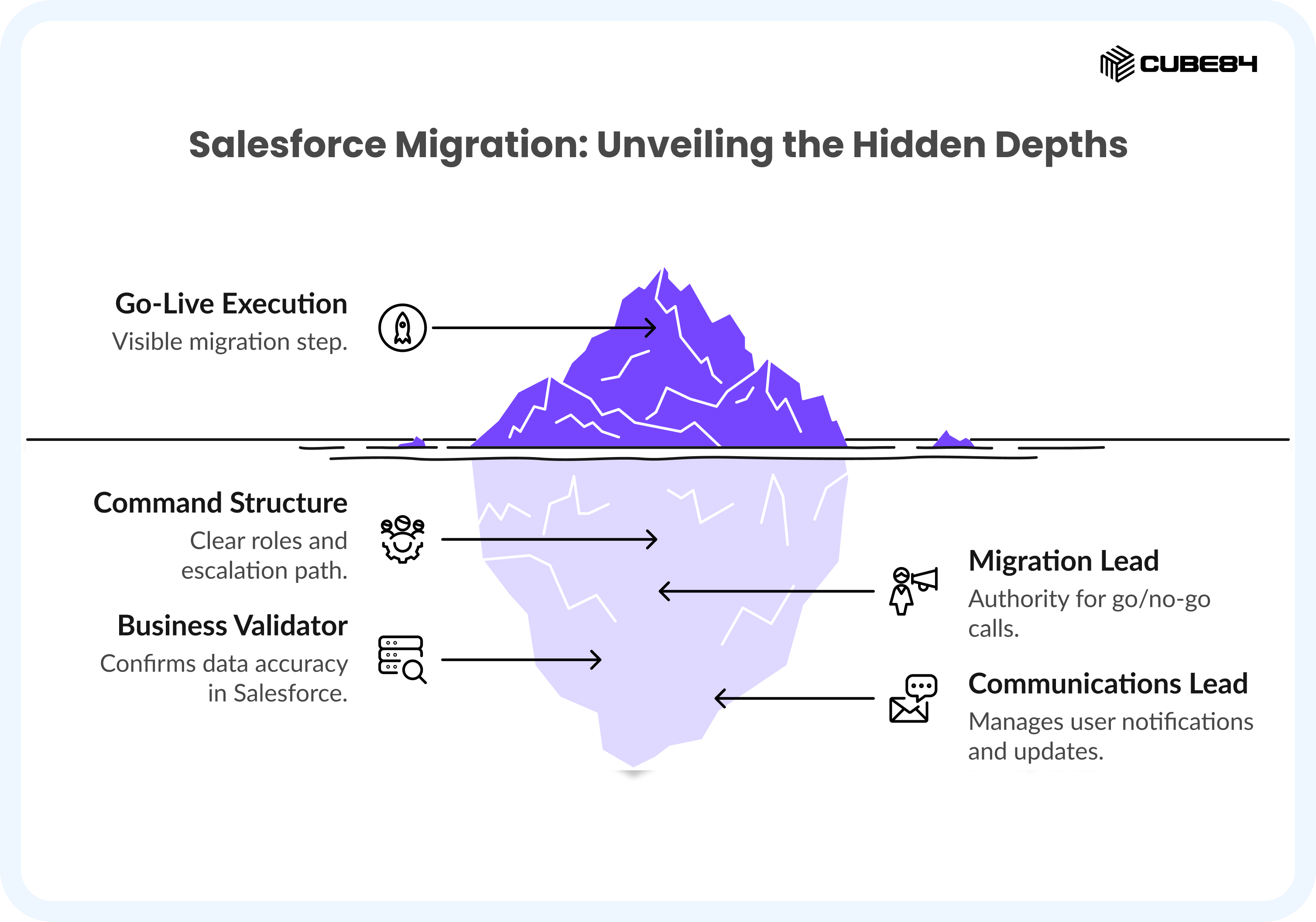
Go-live is the most visible step in the migration. It is also the step where, in our experience, command structure matters more than technical skill. A technically competent team with unclear decision authority will make slower, worse decisions under pressure than a slightly less experienced team with clear roles and a defined escalation path.
The go-live command structure
Assign a single migration lead with authority to make go/no-go calls in real time. This person is not the most senior person in the room — they are the person who has the deepest knowledge of the migration plan and the authority to act on it without requiring committee approval.
Assign a business validator to each major object or function. Their job during go-live is not technical — it is to confirm, on a rolling basis, that the data landing in Salesforce is the data the business expects to see.
Assign a communications lead. This person handles user notifications, stakeholder updates, and — if a rollback is triggered — the internal communication. The migration lead should not also be managing communications while making technical decisions.
The Go-Live Execution Sequence
Source system frozen and access restricted to read-only. Timestamp recorded.
Final export taken from source system. Stored and verified.
Salesforce automation disabled for migration user profile.
Migration loads begin: parent objects first, children after parent confirmation.
Each object load is verified by IT before the next object begins.
Business validation window opens: users confirm records per their assigned checklist.
Reports and dashboards validated by RevOps against expected values.
Go/no-go criteria evaluated against defined thresholds.
If go: automation re-enabled in sequence. Go-live announced.
If no-go: rollback procedure initiated, rollback plan executed, stakeholders notified.
OUTPUT | Go-Live Execution Log A timestamped record of every action taken during go-live execution — what ran, when, by whom, and what the outcome was. This becomes the reference document for the post-migration review. |
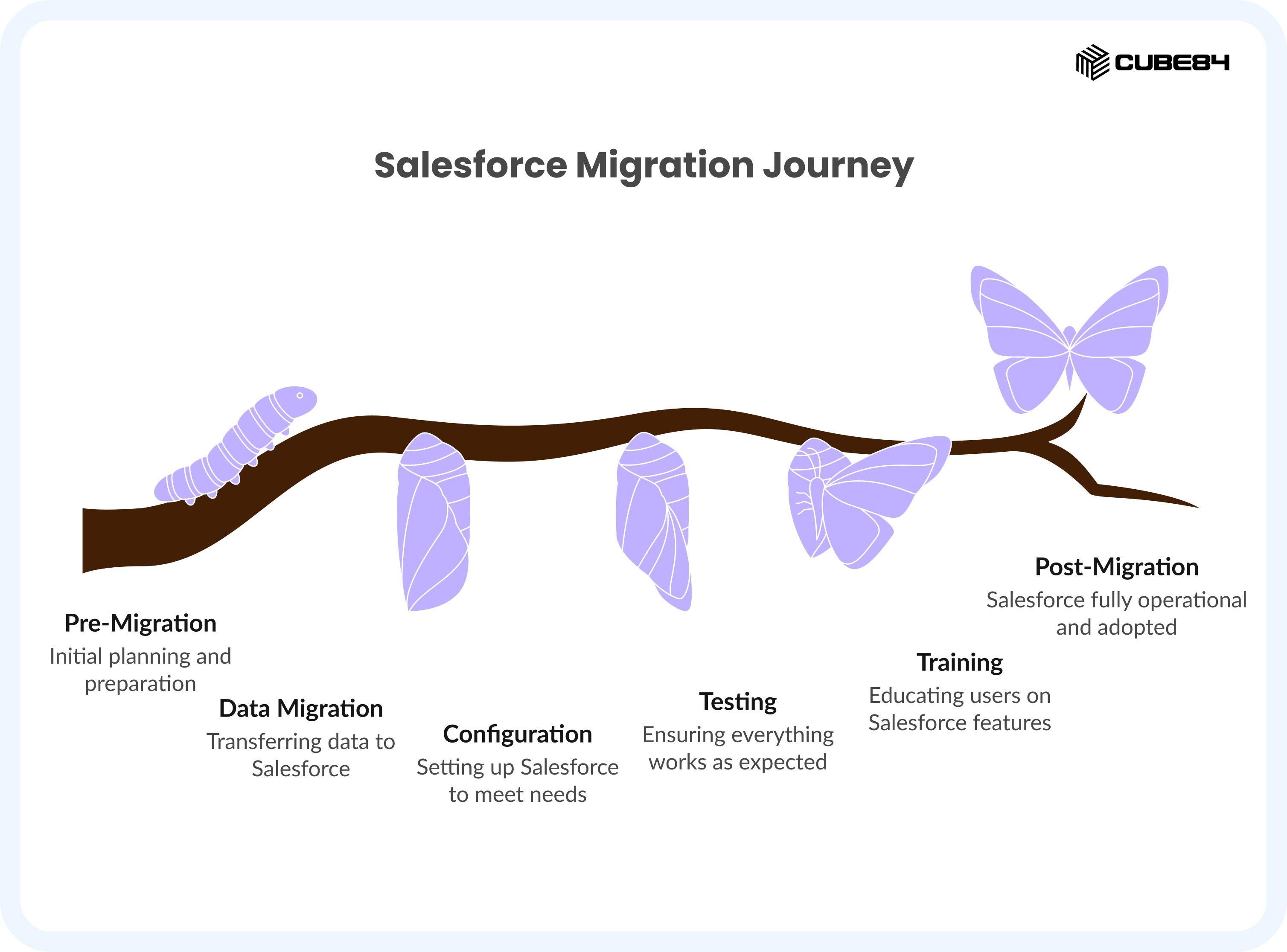
Step 9: Post-Migration Monitoring — The Window That Determines Long-Term Quality
The week after go-live is the highest-risk period in the entire migration lifecycle. Users are learning new navigation patterns. Automation is running on real data for the first time. Reports that looked right in the sandbox are now being interrogated by stakeholders who know exactly what the numbers should say.
Post-migration monitoring is not passive. It requires an active, structured effort during a defined window — typically 30 days — to catch and resolve issues before they become embedded in how the system operates.
The three-phase monitoring approach
Week 1 is hypercare: daily check-ins between IT and the business process owners from each function that were validated in Step 7. The agenda is simple — what broke overnight, what is not behaving as expected, and what do users need help with? Issues are triaged: data errors go to IT, process questions go to the internal Salesforce champion.
Weeks 2 and 3 are stabilization: the daily cadence shifts to every other day. The focus moves from 'is it working' to 'is it working correctly.' Report outputs are compared against expected values. Automation is reviewed for unintended consequences. Any remaining data issues from the validation phase are closed.
Week 4 is a performance review: pull the data quality metrics from the audit framework in Step 1 and compare them against the current state. Completeness scores per field. Duplication rates. Automation success rates. This is the baseline that the next review cycle will compare against.
Window | Focus | Cadence | Owner |
Week 1 | Hypercare: errors, failures, urgent fixes | Daily check-in (IT + business leads) | Migration Lead |
Weeks 2–3 | Stabilisation: report accuracy, automation review | Every other day | IT + RevOps |
Week 4 | Performance review: data quality vs. pre-migration baseline | One structured review session | IT + Operations + Finance |
Day 30+ | Handoff to ongoing governance: ownership transferred to internal Salesforce admin or managed services | Monthly data quality review | Salesforce Admin / Managed Services |
The AI-assisted migration tools increasingly available today can support this monitoring phase — flagging data anomalies, identifying records that did not meet validation criteria, and surfacing patterns in post-migration errors.
For context on how AI is changing the migration landscape more broadly, our guide to Salesforce data migration challenges and solutions with AI covers the current state of AI-assisted migration in detail.
OUTPUT | 30-Day Monitoring Report A documented summary of issues raised, resolved, and outstanding during the 30-day post-migration window. Data quality scores compared to pre-migration baseline. Governance ownership transferred to the ongoing Salesforce admin or managed services partner. |
Step 10: Lessons Learned — The Step That Makes Your Next Migration Better
Every migration produces institutional knowledge that is worth capturing — and almost nobody captures it. The project closes, the team disperses, and the decisions that were made, the problems that were encountered, and the solutions that worked exist only in the memories of the people who were there.
The lessons learned session is not a retrospective for its own sake. It is the investment that reduces the cost and risk of every future migration, integration, and major Salesforce project your organization undertakes.
What to document in a lessons learned session
Run the session within two weeks of go-live, while the experience is still fresh. Involve every function that participated: IT, Operations, RevOps, Finance, and the business process owners who validated data in Step 7.
Category | Questions to Ask | What to Document |
Planning | Which steps took longer than planned and why? | Revised time estimates per step for future reference |
Field Mapping | Which objects caused the most mapping debate? Why? | Process questions that must be answered before mapping begins next time |
Data Quality | Which data quality issues were discovered late? | Additions to the audit framework checklist for future use |
Go-Live Execution | Which steps in the cutover plan needed real-time adjustment? | Revised cutover plan template for next project |
Post-Migration | What issues emerged post-go-live that could have been caught earlier? | Additions to the sandbox testing checklist in Step 4 |
Team & Process | Where were decision bottlenecks? Who needed to be involved earlier? | Updated RACI for future migration projects |
OUTPUT | Lessons Learned Document A structured document capturing planning, mapping, execution, and monitoring learnings — with concrete updates to the frameworks used in this checklist. Filed alongside the migration project documentation and shared with the Salesforce admin for reference on future projects. |
The Complete Migration Readiness Matrix
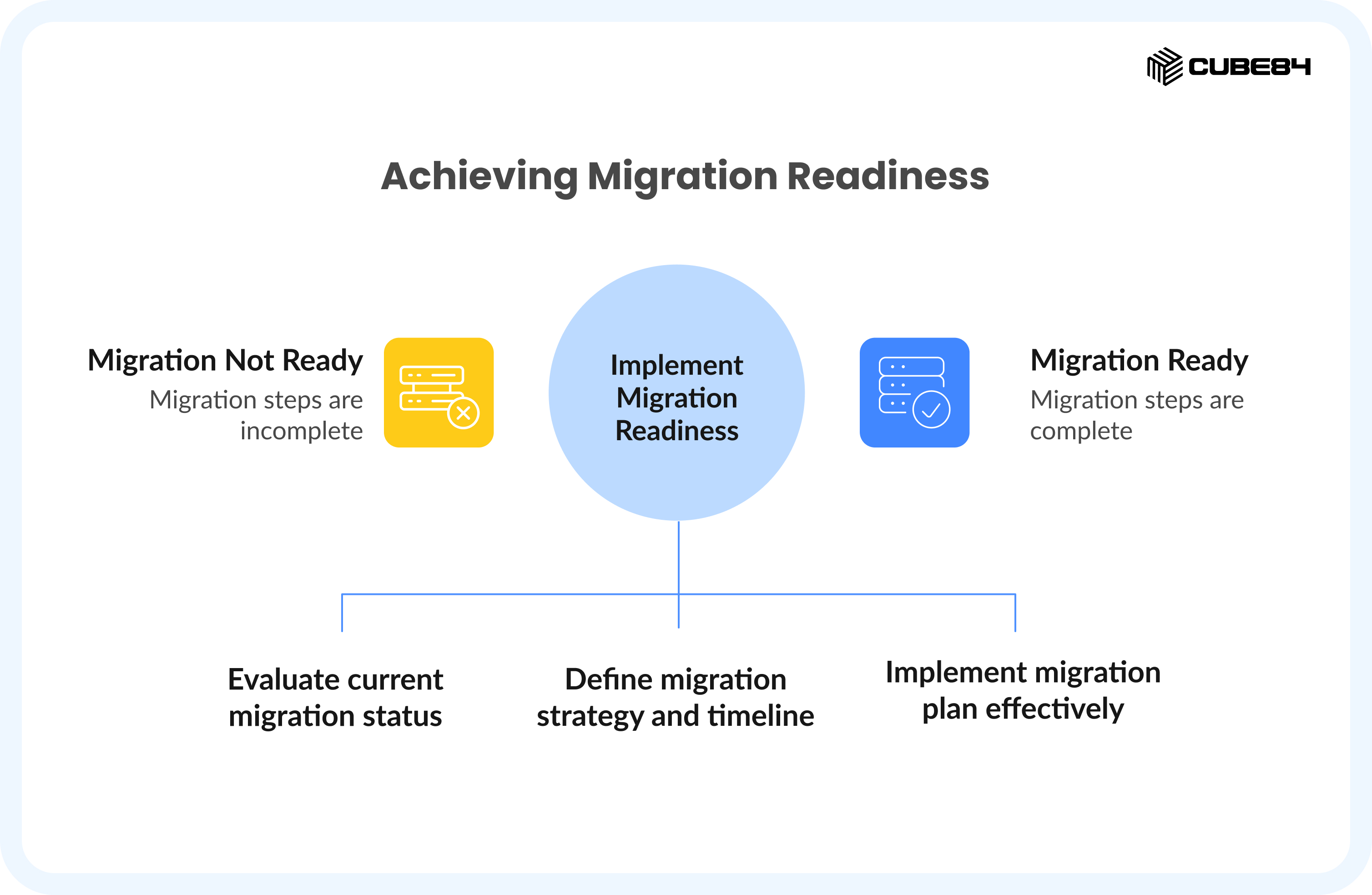
Before you commit to a go-live date, run this readiness check across all ten steps. Every row should show GREEN before migration day is confirmed. Any AMBER requires a documented risk acceptance. Any RED means the step is incomplete — migration should not proceed.
# | Checklist Step | Completion Signal | Owner | Status |
1 | Data Audit | Audit report signed off, scope defined | IT + Ops | |
2 | Deduplication | Dedup log approved, merge decisions made | IT + Process Owner | |
3 | Field Mapping | Zero TBDs in mapping doc, admin sign-off | IT + Ops + Admin | |
4 | Sandbox Testing | Full test checklist passed, business sign-off | IT + Business Users | |
5 | Cutover Plan | Owner-assigned, time-stamped plan shared with all stakeholders | Migration Lead | |
6 | Rollback Plan | Procedure tested in sandbox, trigger criteria defined | IT Lead | |
7 | User Validation | All business functions signed off in sandbox | Ops + RevOps + Finance | |
8 | Go-Live Execution | Command structure assigned, sequence confirmed | Migration Lead | |
9 | Post-Migration Monitoring | 30-day plan confirmed, hypercare team assigned | IT + Operations | |
10 | Lessons Learned | Session scheduled within 2 weeks of go-live | Migration Lead + All Functions |
Conclusion: The Checklist Is a Tool. The Questions Are the Work.
A Salesforce data migration checklist tells you what to do. What it cannot do is answer the business process questions that determine whether each step is actually complete — or just checked off.
The teams that execute migrations well are not the ones with the most technical resources. They are the ones with the clearest answers to the process questions that sit behind every step on this list: What does this field actually mean? Who owns this data? What breaks if this relationship does not survive the migration?
Those questions do not have technical answers. They require people from IT, Operations, RevOps, and Finance sitting in the same room — or in the same conversation — until the answer is unambiguous.
That is what this checklist is designed to facilitate. Not just a sequence of tasks, but a structured path to the decisions that migrations live or die on.
If you are planning a Salesforce data migration and want a practitioner's eye on your current state before you begin, our Salesforce data migration services team is available for a consultation. We will ask you the questions that the checklist cannot ask itself — and help you understand exactly where your migration risk lives before a single record moves.
Quick-Reference Glossary
Term | Definition |
Data Audit | A systematic examination of source data for completeness, consistency, duplication, and business relevance before migration begins. |
Deduplication | The process of identifying and merging records that represent the same real-world entity across a dataset. |
External ID | A field in Salesforce that stores the unique identifier from the source system, enabling upsert operations and post-migration reconciliation. |
Field Mapping | The document and process that connects each source system field to its corresponding Salesforce target field, including transformation logic and default values. |
Go/No-Go Criteria | Pre-defined numerical thresholds that determine whether a migration proceeds or rolls back at the validation checkpoint. |
Hypercare | The intensive post-go-live monitoring period (typically Week 1) during which daily check-ins between IT and business users catch and resolve issues rapidly. |
Rollback Plan | A documented, tested procedure for reverting Salesforce to its pre-migration state if go/no-go criteria are not met. |
Sandbox | A full or partial copy of a Salesforce org used for development, testing, and migration rehearsal before production changes are made. |
Upsert | A data operation that inserts a new record if it does not exist, or updates an existing record if it does — identified by External ID. |
Validation Rules | Logic in Salesforce that prevents records from being saved unless specific field conditions are met — can cause migration failures if not disabled during data load. |