Shelter360

Emergency shelters and transitional housing programs handle dozens of enrollments, bed assignments, referrals, and operational decisions every day. When all of that happens on whiteboards, shared spreadsheets, and paper logs, nothing connects. Shift handoffs are incomplete. Leadership has no visibility. And the same information gets entered twice: once in the daily ops tool and again in HMIS.

Shelter360 is CUBE84's shelter operations solution, built on Salesforce. It manages daily enrollments, waitlists, bed assignments, referrals, operational notes, and AI-powered alerts in one connected system.

Running a shelter on spreadsheets and paper is not a system.

It is a workaround that costs your team time every single day.

200+

Nonprofit implementations

FULL

Continuum expertise

HUDCompliant

CoC, ESG, HOPWA, HUD-VASH

Powered by

brand logo

Live with Roots Young Adult Shelter.

Shelter360 is in production today at Roots Young Adult Shelter. The product was built around real shelter operations, not theoretical workflows.

Quote icon accent
Who Shelter360 is for

Who Shelter360 is for

Shelter360 is a standalone product for emergency shelters and transitional housing programs that need a structured daily operations system. You do not need to replace your CoC-mandated HMIS to use it. Shelter360 works alongside your existing HMIS and routes enrollment, check-in, and exit data to it at the right points in the client journey. For CoC customers, Shelter360 is included in Housing360 at no additional cost.

What your shelter operations look like after Shelter360.

Your team enters the same information twice

"We track everything in a spreadsheet for daily operations and then enter it again into HMIS. It takes twice as long."

Paper logs and spreadsheets capture daily operations. HMIS captures compliance data. Nothing connects. Staff do double data entry and mistakes happen in both directions.

Shift handoffs are incomplete and inconsistent

"The morning staff has no idea what happened overnight unless someone left a note. And notes get lost."

When operational information lives in informal systems, the shift handoff is whatever the departing staff member chooses to communicate. Beds that were held, clients at risk, pending referrals: none of it transfers reliably.

Leadership has no view of what is happening right now

"If you ask me what our current occupancy is right now, I have to call the front desk."

Program directors and shelter directors piece together an operational picture from emails, phone calls, and status updates. When something goes wrong, they find out after the fact.

A structured operations system built for how shelters actually run.

Six layers, one connected product. Core operations handle every shift. Five additional layers do what most shelter management tools cannot.

feature
Structured guest intake with eligibility checks and duplicate detection
feature
Real-time bed assignment and waitlist management across all programs
feature
Leaves management with guest flags and automatic check-in alerts
feature
Referral receiving and acceptance with automatic confirmation back to referring organizations
feature
Shift handoffs with operational notes, risk flags, and bed holds visible to incoming staff
feature
Digital forms, incident reporting, assessments, and agreements stored against the guest record
feature
Daily shelter night reports capturing occupancy, incidents, notes, and guest activity
Most shelter management tools focus on a single workflow. Shelter360 covers every part of the daily cycle in one place.
feature
Automated occupancy alerts when bed availability crosses thresholds
feature
AI risk flags for guests at elevated risk of return to homelessness or extended stay
feature
Smart discharge planning that auto-generates tasks when a guest approaches their stay limit
feature
Voice notes for shift staff: dictate notes, AI converts to structured records
feature
AI case summaries auto-draft notes from intake conversations
feature
Powered by Salesforce Agentforce. Your data never leaves the platform. No third-party AI vendors.
Most shelter management tools have no native AI. The ones that do bolt on third-party services that send your guest data outside the platform. We don't.
feature
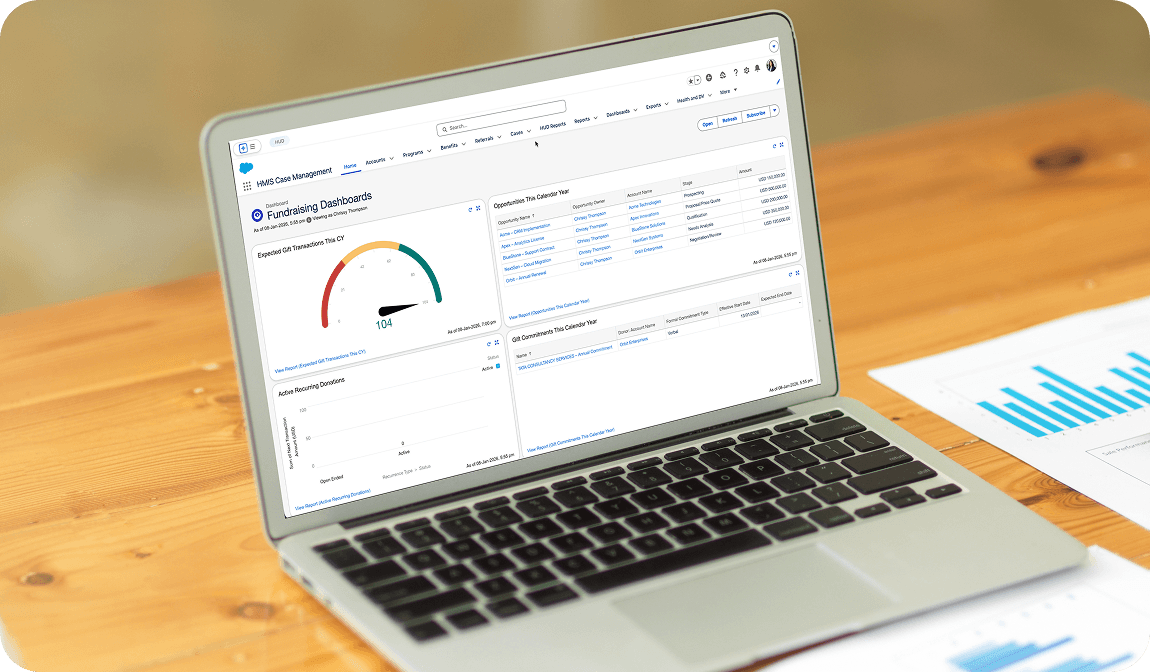
Leadership dashboard showing real-time occupancy, waitlist status, and incident alerts
feature
Shift summary dashboards at the start of every shift
feature
Risk flags and care notes visible to incoming staff immediately
feature
Trend dashboards for occupancy patterns, length of stay, and exit destinations
feature
No more calling the front desk to ask what is happening
Most shelter directors get their operational picture from a phone call. Yours updates in real time.
feature
Open API connects Shelter360 to your CoC-mandated HMIS
feature
Data structured to flow to your HMIS at enrollment, check-in, and exit
feature
Pre-built connectors for common nonprofit infrastructure
feature
Data flows in and out without manual exports or vendor-locked file formats
You do not need to replace your HMIS. Shelter360 works alongside it and routes data where it needs to go.
feature
Front-facing interface designed as a guided workflow, not a complex database
feature
Required fields prompt automatically; bed assignment is one action from the guest record
feature
Add a new form, agreement, or shift workflow in days, not months
feature
Configure dashboards through Salesforce admin tools without writing code
Most shelter management tools require professional services hours for every configuration change. Yours configures with admin tools.
feature
SOC 2, ISO 27001, and HIPAA-eligible configurations standard
feature
Role-based access control configurable by program and individual user
feature
HUD data standards built into the architecture, not bolted on
feature
Audit trails on every record, every change
feature
Multi-tenancy with full data segregation if you run multiple shelter sites
Compliance is a foundation, not a feature. Built in from day one.

How Shelter360 data connects to your HMIS

Your CoC requires HMIS-compliant data for HUD reporting. Shelter operations data collected in Salesforce is structured to flow into your HMIS at the right points in the client journey, whether that is at enrollment, at exit, or on a scheduled basis. Staff enter information once. It does not need to be re-entered into HMIS manually.

Quote icon accent

What your shelter operations look like after Shelter360.

One system for daily operations

One system for daily operations

Enrollments, bed assignments, referrals, waitlists, and operational notes in one place. Staff stop maintaining parallel systems.

Shift handoffs are complete

Shift handoffs are complete

Every incoming shift starts with a full operational picture. Risk flags, pending referrals, and bed holds are visible from the first moment.

Leadership sees it in real time

Leadership sees it in real time

Shelter directors check a dashboard instead of calling the front desk. Occupancy, waitlist, and alerts are always current.

Data enters HMIS once

Data enters HMIS once

Shelter operations data flows to HMIS at the right points. Staff enter it once. The system handles the rest.

How we deliver Shelter360.

We use the same phased delivery approach across every engagement. Your team builds confidence at every step. By go-live, adoption is already happening.
Phase 1 · Crawl

Discovery and Foundation

Weeks 1 to 2

  • Structured discovery with your shelter director and operations team
  • Daily workflow mapping: intake, bed assignment, shift handoffs, referrals
  • HMIS data flow requirements identified
  • Fixed fee confirmed before work begins
Phase 2 · Walk

Build and Go-Live

Weeks 2 to 6

  • Intake forms, bed management, and waitlist configured
  • Shift handoff workflows and leadership dashboard built
  • HMIS data export pathways set up and tested
  • Front desk and shift staff training delivered
  • First live shift running in the system
Phase 3 · Run

Full Adoption and Optimization

Weeks 6 to 9

  • All staff working in the system across every shift
  • Leadership dashboard reviewed and refined
  • AI features activated for organizations ready to go further
  • Hypercare support ensures your team is confident

Why housing organizations choose CUBE84.

There is no shortage of Salesforce consultants. What most cannot tell you is that they understand the full homelessness response system, speak HUD fluently, and have seen what happens when a system gets built without that knowledge.

200+ nonprofit implementations

Scale and pedigree.

More than 200 implementations across housing, social services, behavioral health, and community organizations. Built on Salesforce, the platform 150,000+ nonprofits trust globally.

We know this space from the inside

Domain depth.

We speak HMIS, coordinated entry, APR, CAPER, and HUD data standards. We know how CoCs are structured, how member agencies are funded, and what a case manager's day looks like.

Quantified outcomes

Numbers that justify the investment.

Report360: 85-90% reduction in APR/CAPER prep time, up to 150 hours saved annually. Shelter360: 50-60% reduction in shelter staff time. Housing360: APR and CAPER generated with one click.

Fixed fee. Per organization. No scope creep.

Risk reduction.

We quote fixed fees before any work starts. Per organization, not per user. Structured discovery with read-back before any build. 3-week Hypercare on every engagement.

Ready to discuss your specific CoC?

Speak with someone who has worked with CoCs across the country. No generic walkthrough. Just a real conversation about your CoC.

Ready to discuss your specific CoC?

Explore our standalone products

Each product works alongside your existing HMIS. Start with one. Add others when you are ready.

Housing360 icon

Housing360

The full HMIS platform for CoCs. Report360 is included.

Care360 icon

Care360

Case management and coordinated entry in one connected system.

Report360 icon

Report360

Stop spending days on APR and CAPER reports.

FAQs

Yes. Most of the organizations we build Shelter360 for are starting without Salesforce. We implement Salesforce as part of the same engagement, configured specifically for shelter operations from day one. You get a shelter operations system with the workflows your staff actually use already in place when you go live.
Three big differences. One, we are built on Salesforce, which means the same platform extends into fundraising, donors, volunteers, and AI without you needing another vendor. Two, AI is built in via Salesforce Agentforce, not bolted on through third-party services that expose your guest data. Three, we use a fixed-fee delivery model with per-organization annual subscription, not per-user pricing with annual escalators.
That is the core of what Shelter360 solves. The Salesforce environment is structured so that enrollment, intake, and exit data your staff enters for daily operations is also the data that flows to your HMIS at the right moments. Staff enter it once. The system routes it to HMIS at enrollment, at exit, or on a scheduled basis depending on your CoC's requirements.
We design the front-facing interface for exactly this scenario. Intake coordinators and front desk staff work through a guided workflow, not a complex database. Required fields prompt automatically. Bed assignment is one action from the client record. We build training into the implementation and stay through the first weeks of live operation.
Yes. Shelter360 is sized by the number of beds and daily intake volume, not by the size of your organization. We have a Core tier designed for shelters with up to 25 beds and 25 intakes per day. Many of our shelter customers are single-site programs with small teams. The product is built to be operated by a front desk coordinator, not an IT department.
Yes. Many shelter organizations start with Shelter360 for daily operations and add Care360 for structured case management once the operations problem is solved. Others add Report360 to handle HUD reporting. Each product is a defined starting point.