

Hire Remote Salesforce Developers: A Planning Guide
For CRM and RevOps leads who own the Salesforce org and have been asked to bring in a developer.
The request arrives as a headcount. The backlog is growing, the admin is stretched, and someone in leadership says the team needs a Salesforce developer. So the search starts in the familiar place: a job description, a list of skills and a stack of profiles.
The assumption underneath is that the hard part is finding the right person. Certifications get checked. Apex gets tested. Rates get compared. A few months in, the work moves slower than planned, and the developer who looked strong on paper spends much of the week waiting for answers.
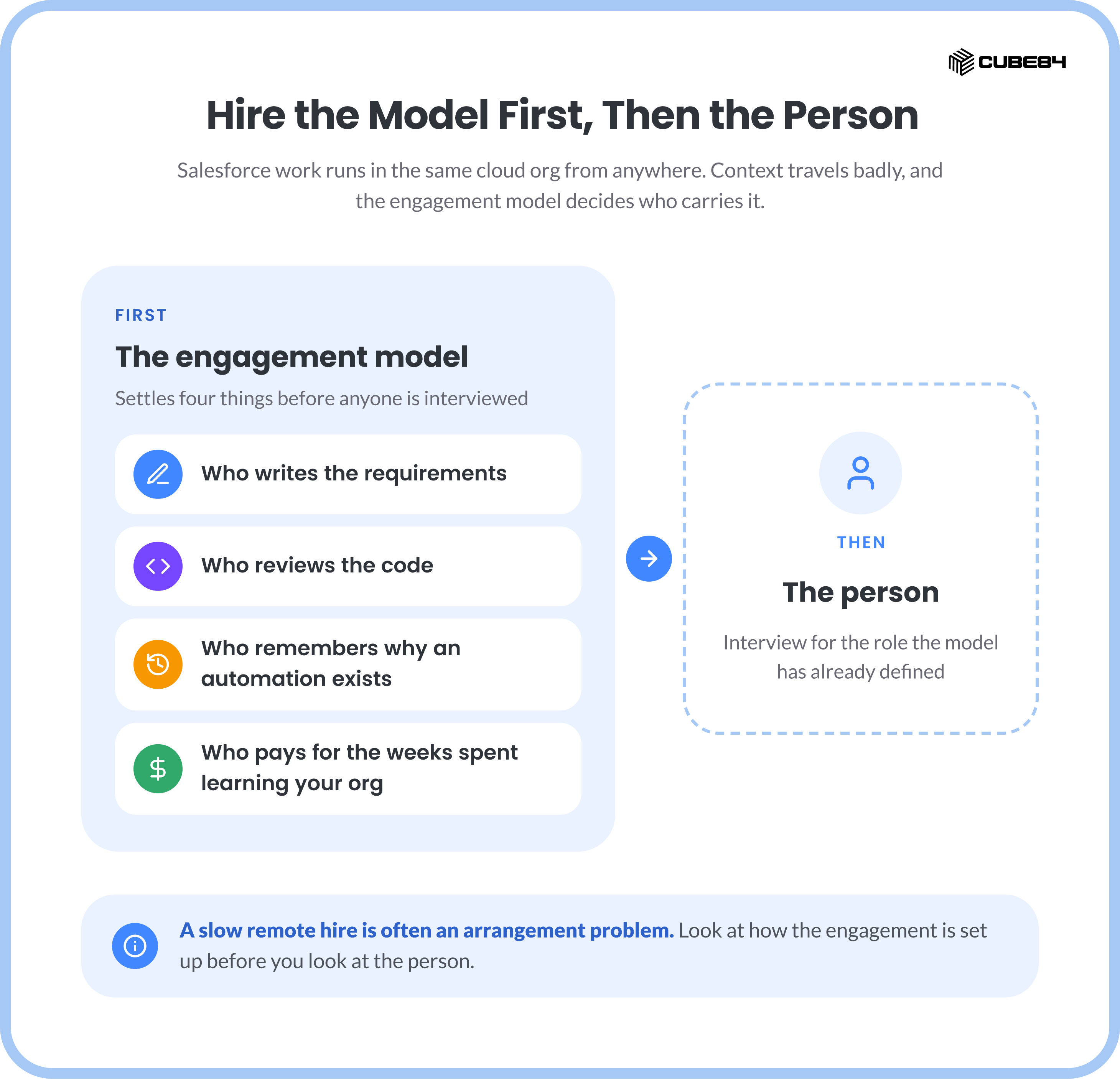
When that happens, look at the arrangement before you look at the person. Who writes the requirements, who reviews the code, who remembers why an automation exists and who pays for the weeks spent learning your org are all settled by how the engagement is set up, before anyone is interviewed.
It is the model that shapes whether a remote hire works.
Salesforce development happens inside a cloud org. A developer three time zones away works in the same sandbox, with the same metadata, as someone down the hall. What travels badly is context, and the engagement model decides who carries it. Hire the model first. Then hire the person.
What Standard Hiring Advice Gets Right
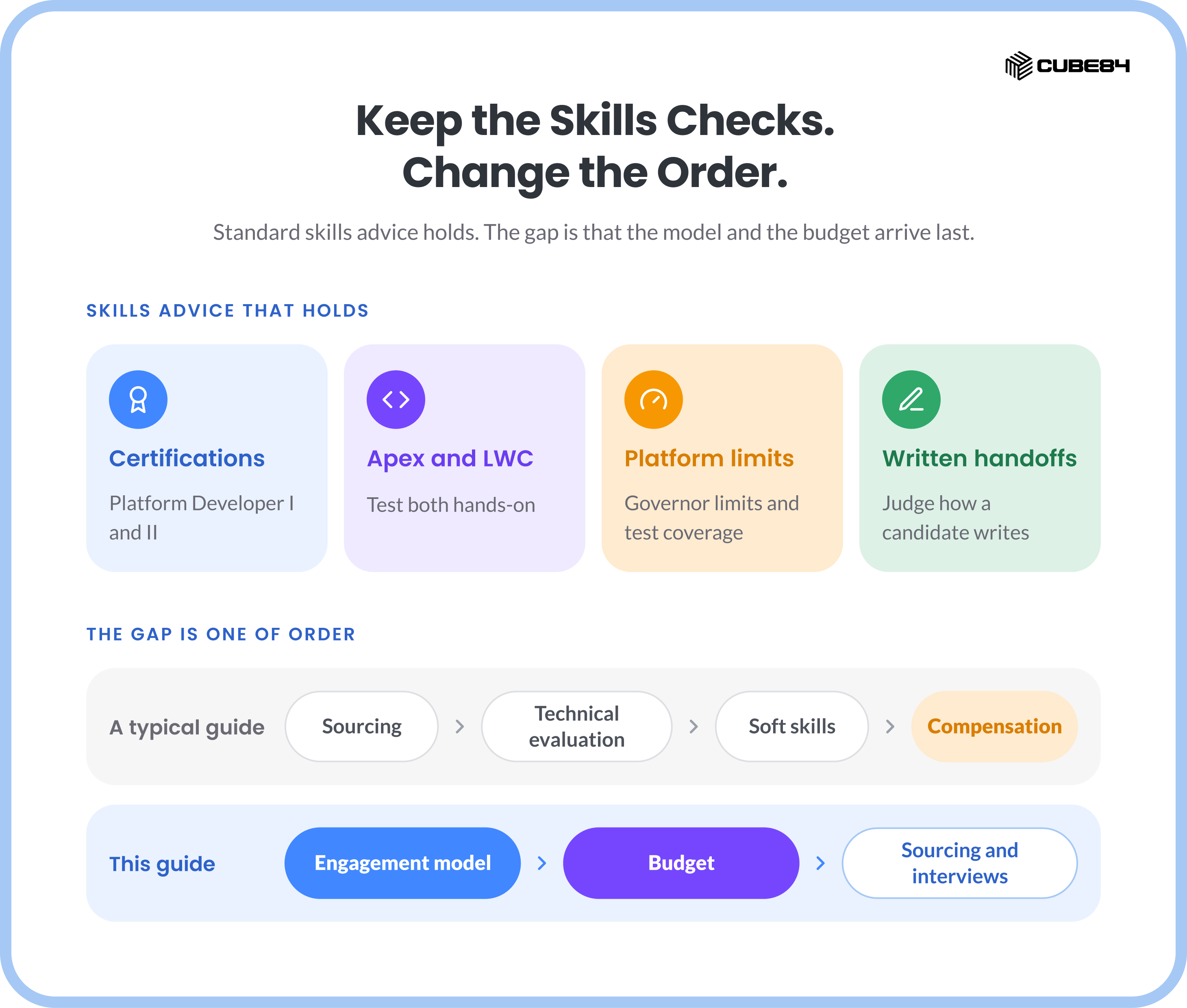
The guides that rank for this search are useful, and their skills advice holds. Check for Platform Developer I and II. Test Apex and Lightning Web Components. Ask about governor limits and test coverage. Judge how a candidate writes, because remote work runs on written handoffs.
The gap is one of order. Of the three ranking hiring guides read for this piece, none asks you to choose an engagement model before interviews begin, and one reaches compensation only after sourcing, technical evaluation and a soft-skills assessment. This guide moves the model, and the budget behind it, to the front.
Four Ways to Hire Remote Salesforce Developers
A freelance developer is an independent contractor hired for a task, usually through a talent marketplace. You write the requirements, review the code, coordinate testing and deploy. Context leaves when the task closes. The model suits a single, well-scoped change in a simple org.
A staffing agency contractor is sourced and screened by an agency and then joins your team under your direction. Sourcing leaves your desk, and management stays on it. Ask for the agency's markup over the developer's pay in writing. The model suits a backfill or a defined gap in a team that already runs sprints.
A marketplace project packages the work with milestones and escrow. Cost is known up front and scope is fixed, which helps until requirements change mid-build. The model suits a bounded piece of work, such as one integration or a migration script.
A Salesforce partner supplies the developer and owns QA, documentation and continuity. Dedicated means one developer embedded in your sprints, and on-demand means tasks drawn from the partner's pool. You commit to monthly capacity and an onboarding period. The model suits a continuous backlog, an integrated org or a multi-year roadmap.
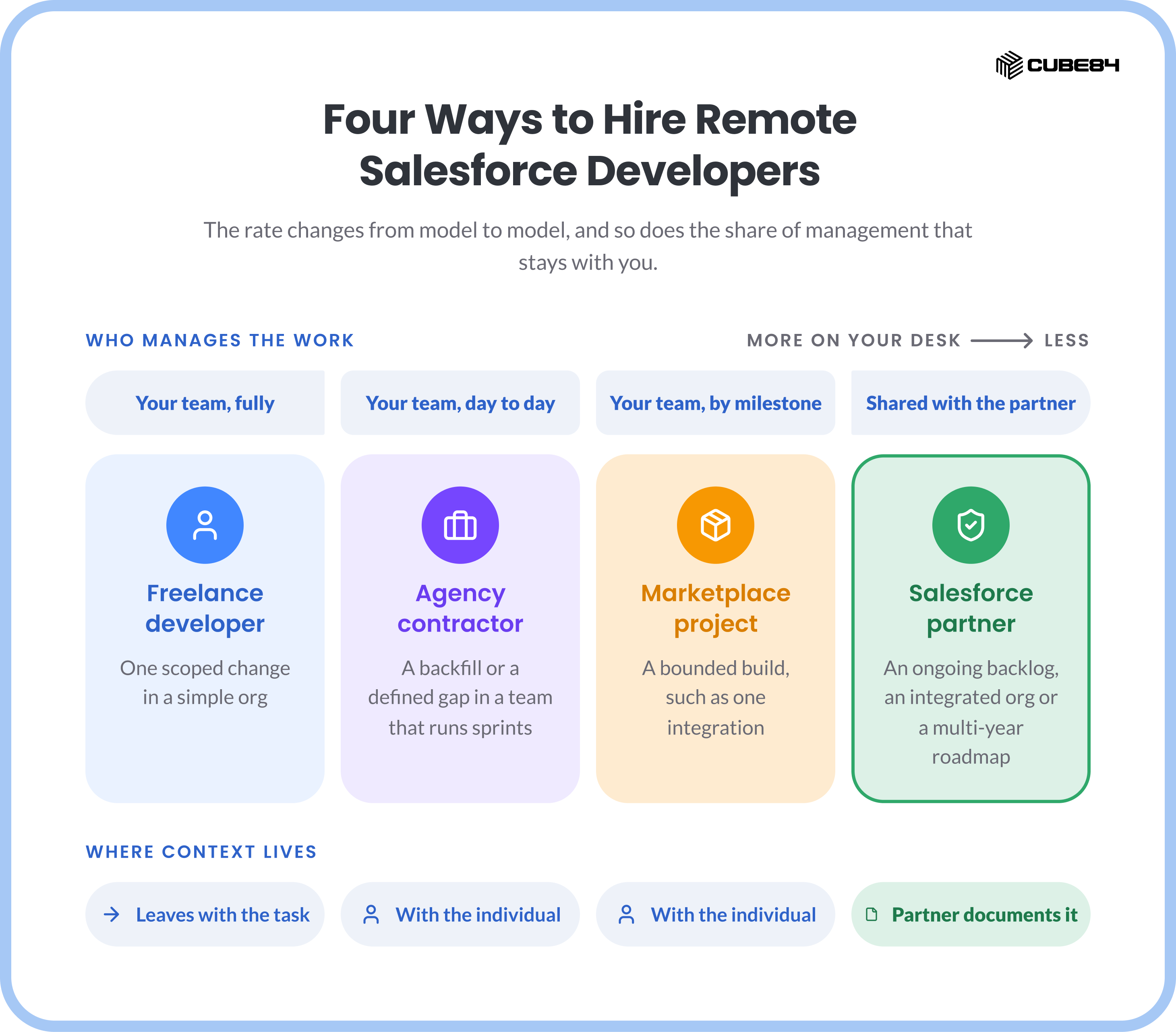
Read down the second column. The rate differs from model to model, and so does the share of management work that stays with you.
Plan the Hire Before the Interview
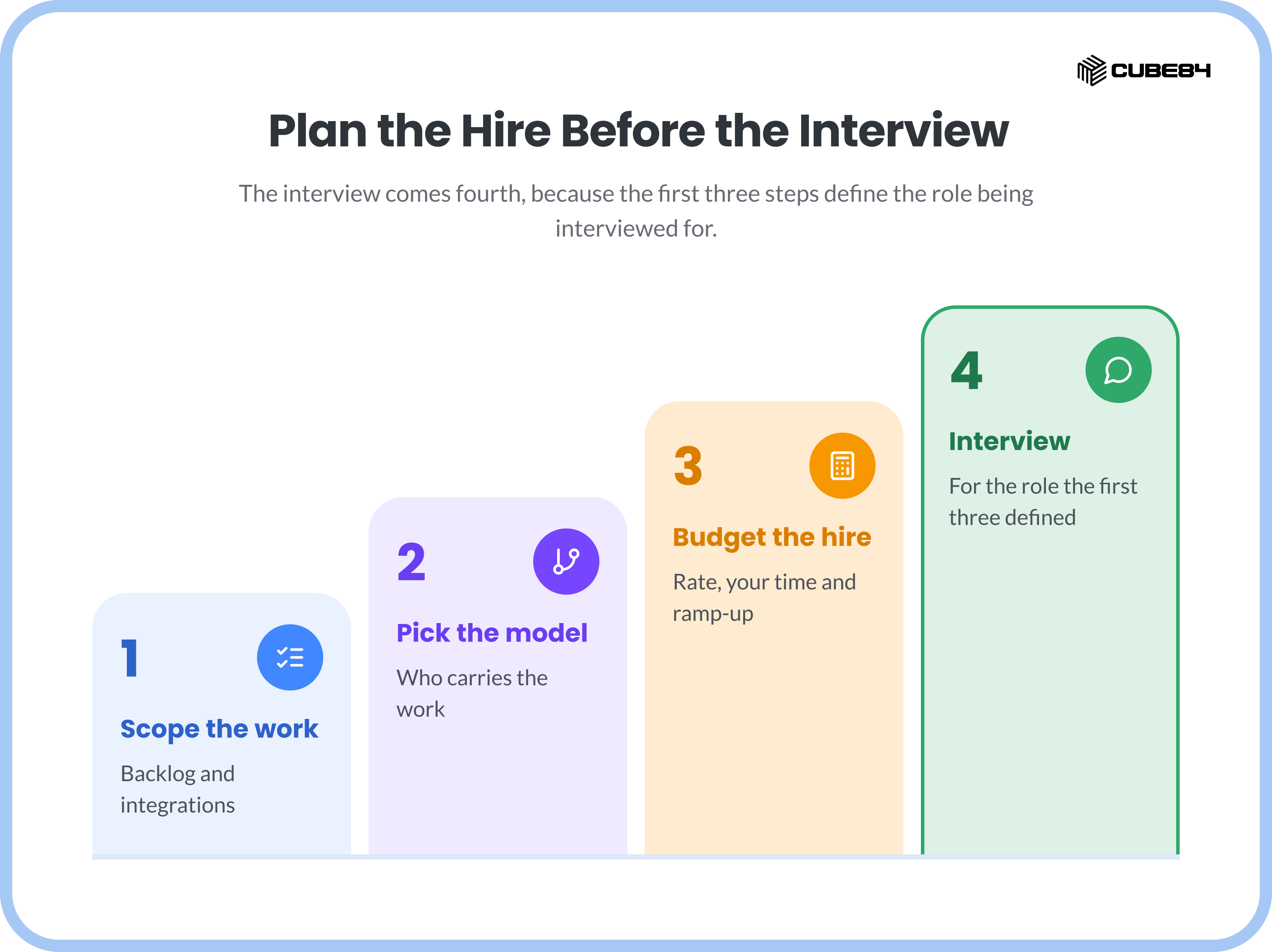
The interview comes fourth, because the first three steps define the role being interviewed for. The preview renders this table as a diagram.
Step 1: Scope the Work You Actually Have
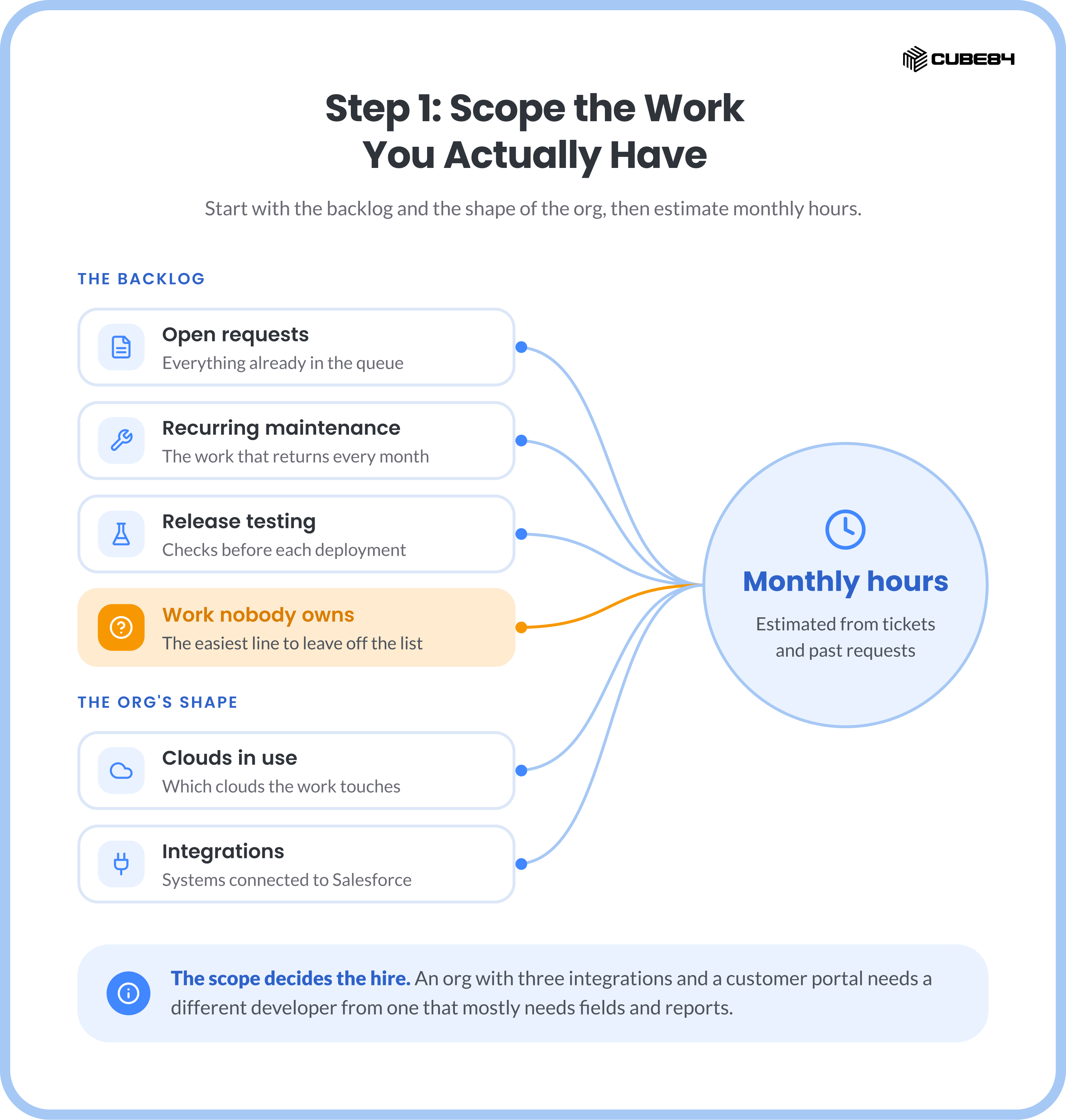
Start with the backlog. List open requests, recurring maintenance, release testing and the work nobody owns. Note which clouds are in use and which systems integrate with Salesforce. Estimate monthly hours from tickets and past requests. An org with three integrations and a customer portal needs a different hire from an org that mostly needs fields and reports.
Step 2: Pick the Model That Fits
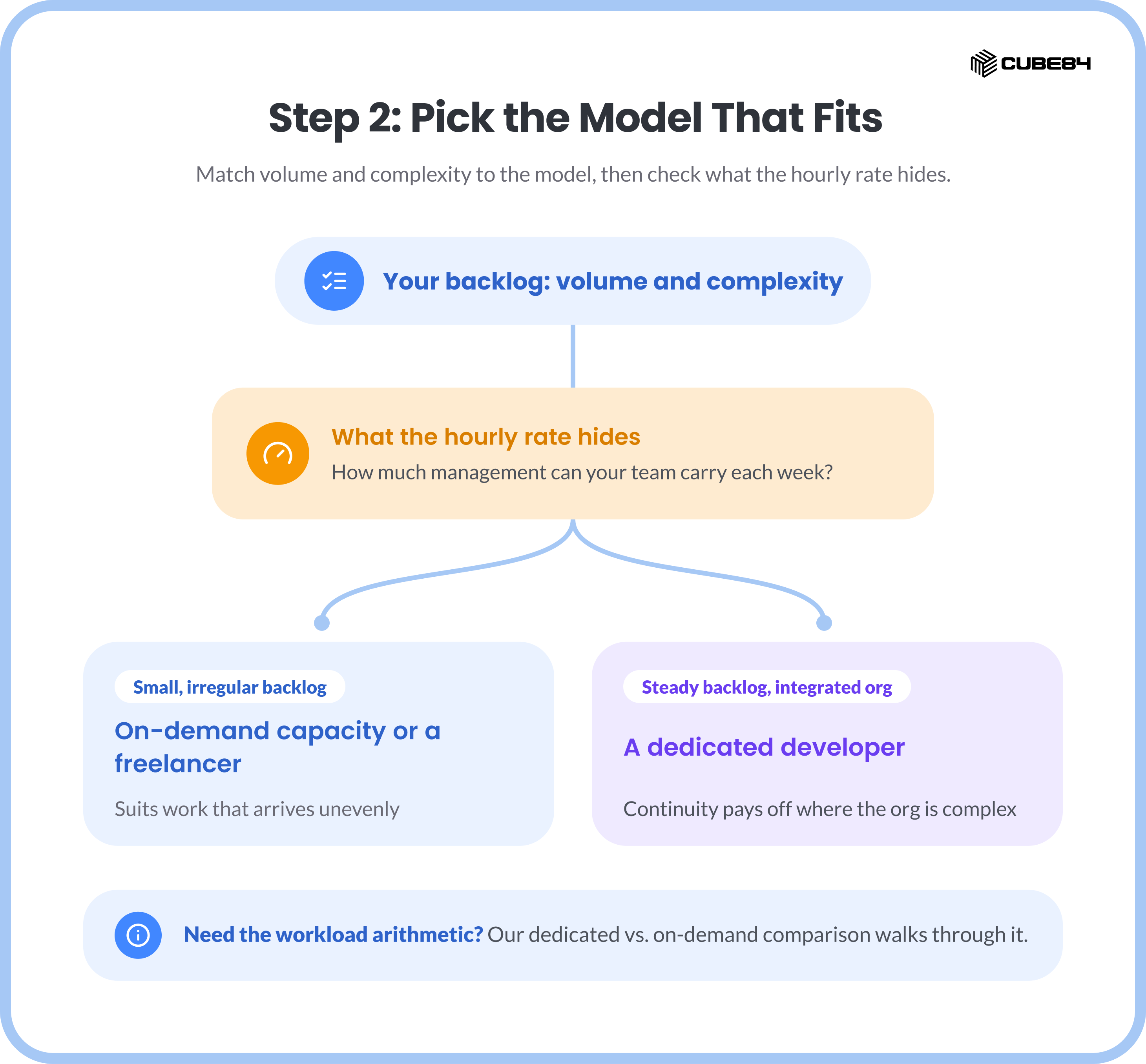
Match volume and complexity to the four models, then check what an hourly rate hides: how much management your team can carry each week. A small, irregular backlog suits on-demand capacity or a freelancer. A steady backlog in an integrated org rewards continuity, and our comparison of dedicated and on-demand Salesforce developers walks through the workload arithmetic.
Step 3: Budget More Than the Hourly Rate
The obvious budget for a remote developer is one line: monthly hours × rate. That line is real, and it leaves out two costs.
The first is your own time. Somebody writes the briefs, reviews the code and coordinates each deployment, and in a freelance or agency model that somebody is on your payroll. The second is ramp-up, the hours a developer spends learning your data model, automations and integrations before working at full pace. Every model carries some ramp-up, and it starts again each time the developer changes.
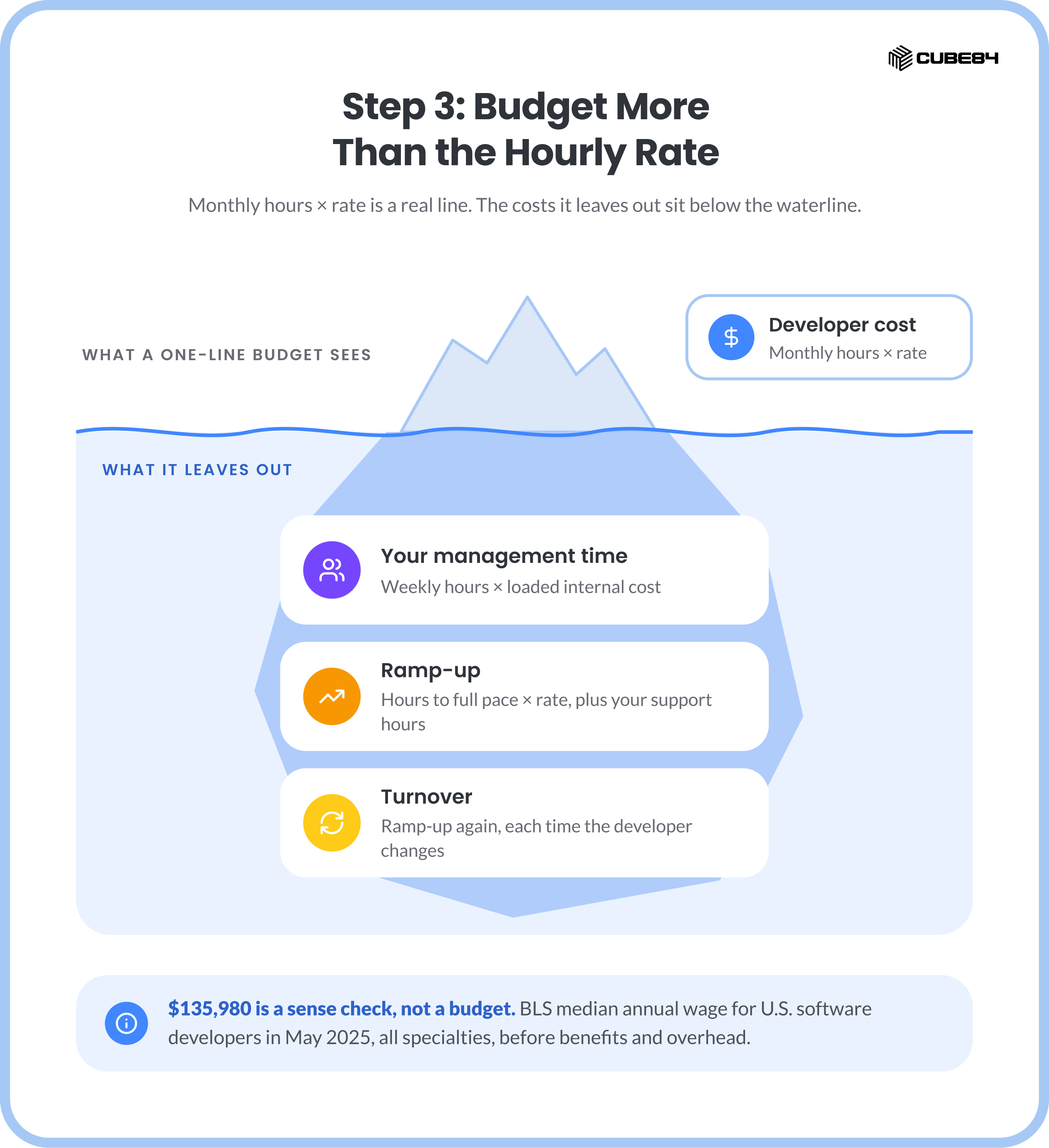
If you are weighing a remote engagement against a full-time hire, the U.S. Bureau of Labor Statistics reports a median annual wage of $135,980 for software developers in May 2025. That figure covers software developers in every specialty, and it is a wage before benefits and overhead, so use it only as a sense check on salary conversations. For converting effort into cost across internal staff, contractors and managed services, the Salesforce TCO guide sets out the full method.
Onboarding Runs on Written Context
A remote developer gets fewer ambient signals than someone in the office. Nothing is overheard. Nobody explains a workaround over coffee. Every piece of context has to be handed over on purpose.
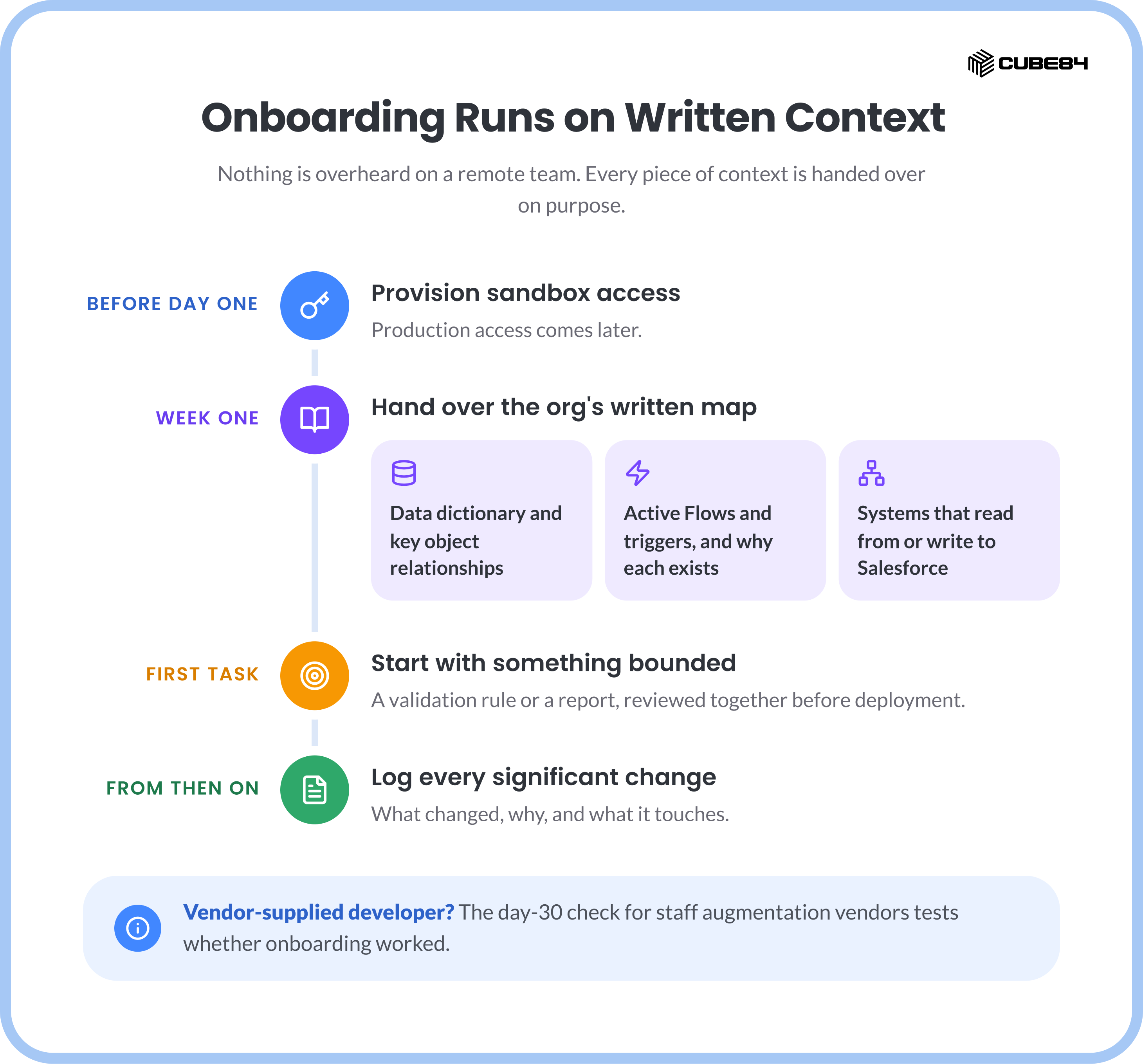
Before day one, provision sandbox access. Production comes later.
In week one, share the data dictionary and key object relationships, walk through active Flows and triggers and why each exists, and map the systems that read from or write to Salesforce.
For the first task, choose something bounded, such as a validation rule or a report, and review it together before deployment.
From then on, require a change-log entry for every significant change: what changed, why, and what it touches.
If a vendor supplies the developer, the day-30 check for Salesforce staff augmentation vendors is a good test of whether onboarding worked.
Run Remote Work in Two-Week Sprints
A two-week sprint gives remote work a predictable checkpoint, long enough to finish real changes and short enough to catch a misunderstanding before production. Status belongs in writing. Calls are for ambiguity and architecture.
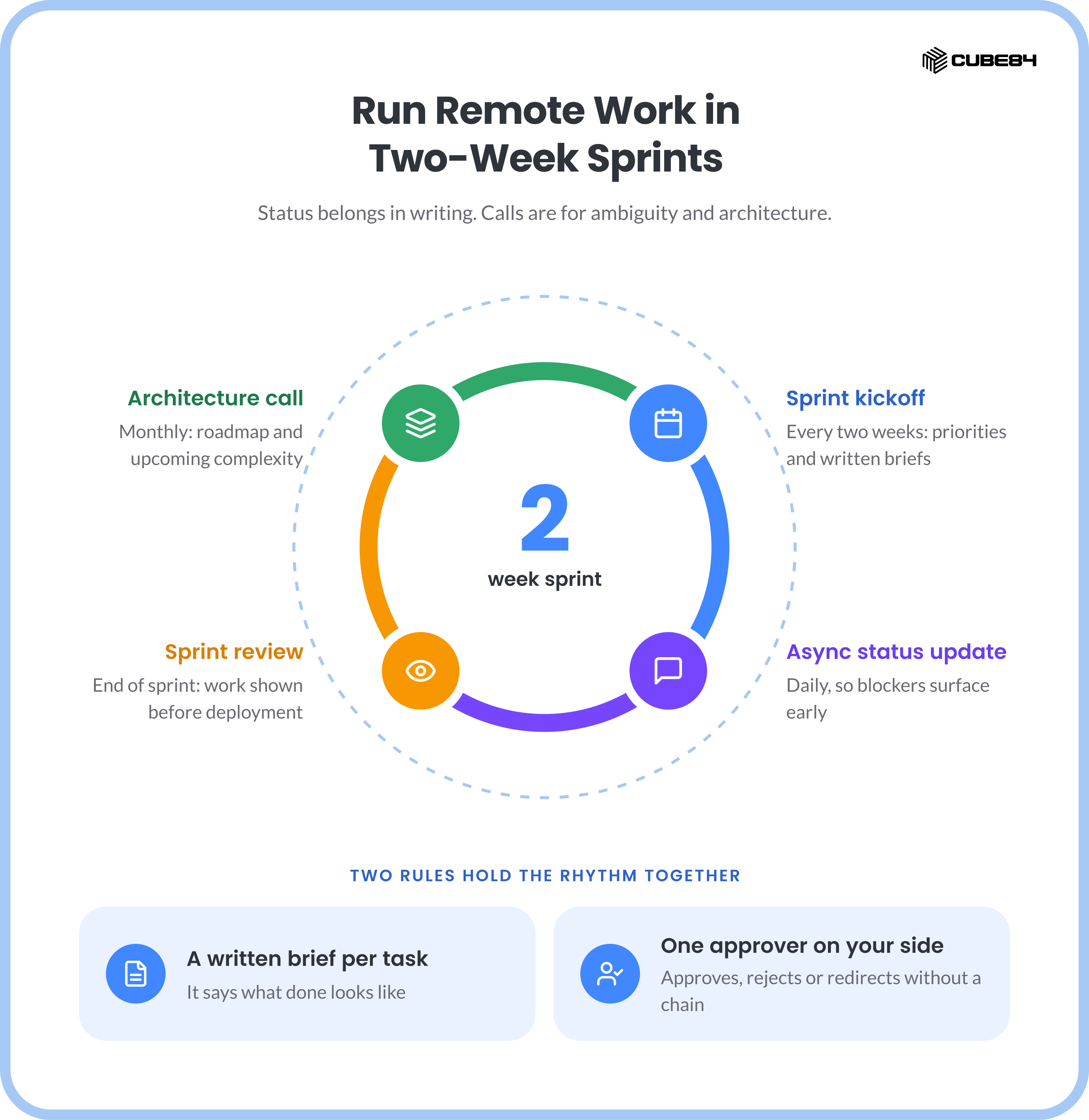
Two rules hold the rhythm together. Every task enters the sprint with a written brief that says what done looks like. And one person on your side can approve, reject or redirect work without an internal approval chain.
Five Questions Before the First Interview
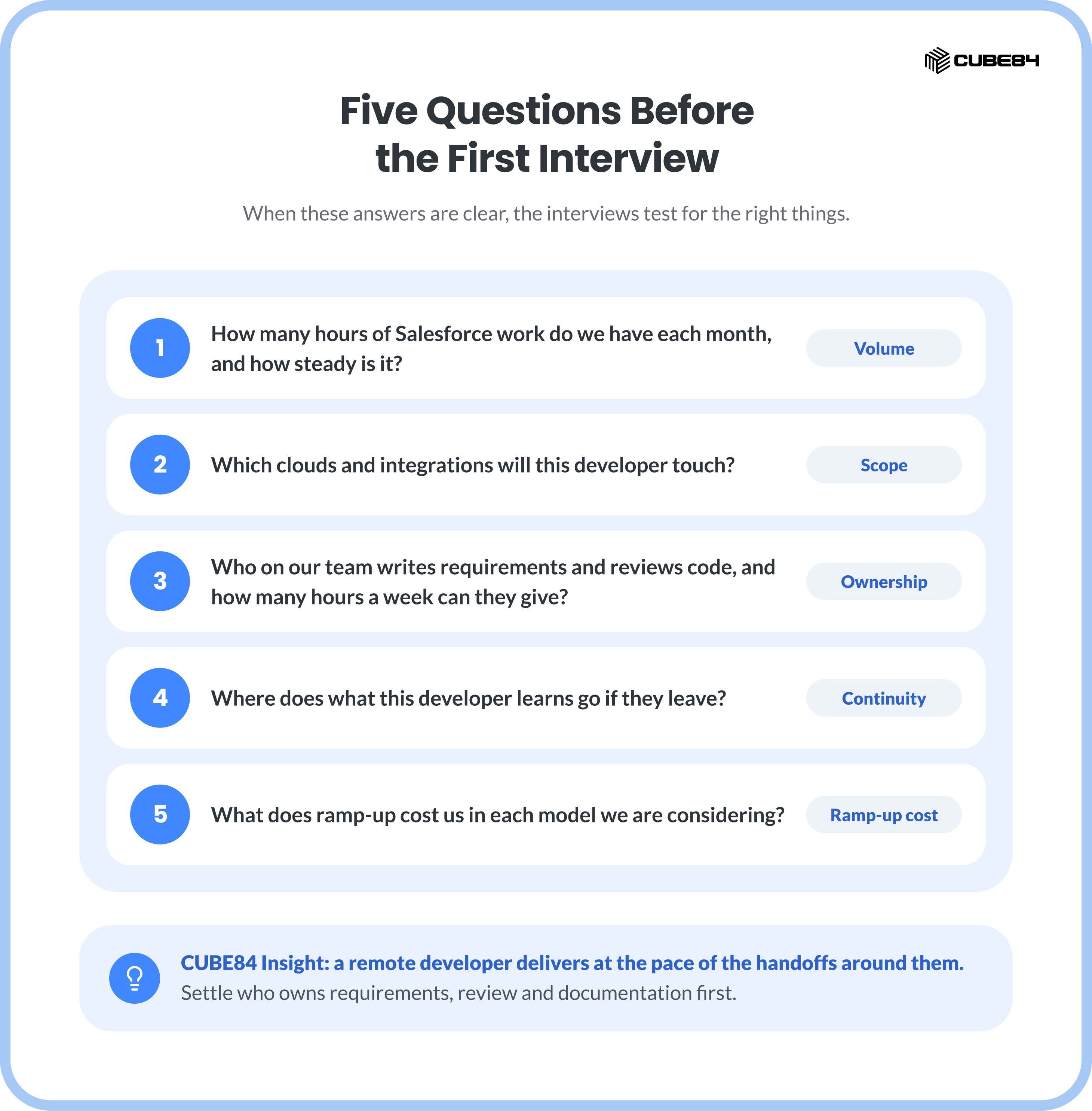
When those answers are clear, the interviews test for the right things. When they are not, a stronger candidate inherits the same gaps.
CUBE84 Insight: A remote developer delivers at the pace of the handoffs around them. Settle who owns requirements, review and documentation first, and the person you hire has room to do the work.
If you are deciding between a dedicated developer and on-demand capacity, see how CUBE84's dedicated and on-demand Salesforce talent is structured, or bring your backlog estimate and test the model against it with us.
Outbound Links
The following external sources were referenced in or are relevant to this blog. These links are available for outreach.
U.S. Bureau of Labor Statistics, Occupational Outlook Handbook: Software Developers — Median annual wage of $135,980 for software developers, May 2025, covering all software developers rather than Salesforce specialists; used as a salary sense check in the budgeting step.