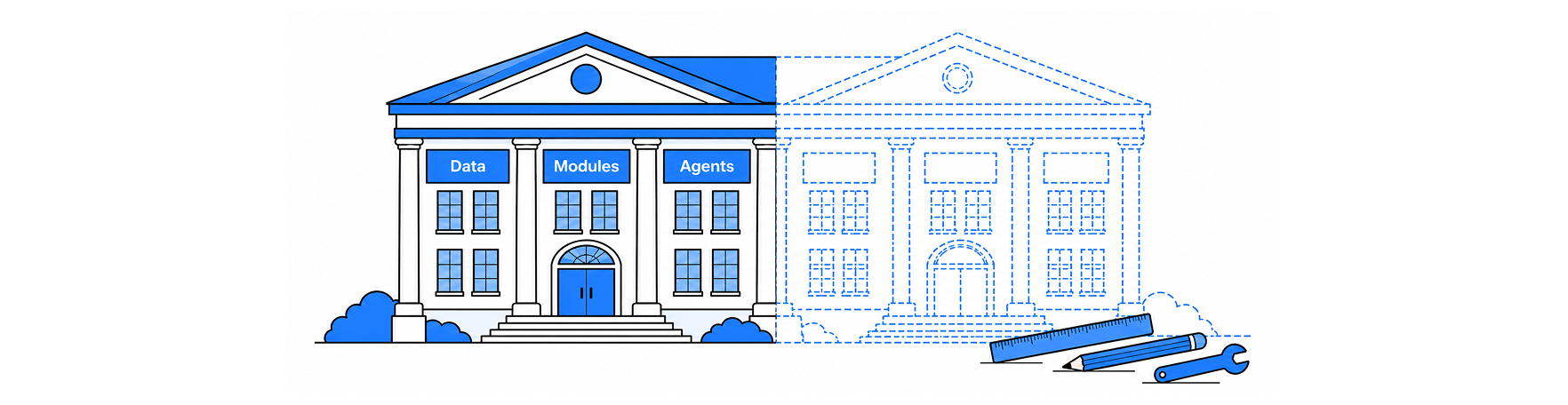

Salesforce Education Cloud gives an institution a head start, not a finished system. It ships with an education data model, modules for the student lifecycle, and shared tools that any department can reuse. What it cannot ship is your admissions rules, your system-of-record decisions, or your definition of an at-risk student.
Those still have to be designed, agreed, and built. This post separates the two, process by process, so you can scope an Education Cloud implementation with fewer surprises.
What is Salesforce Education Cloud?
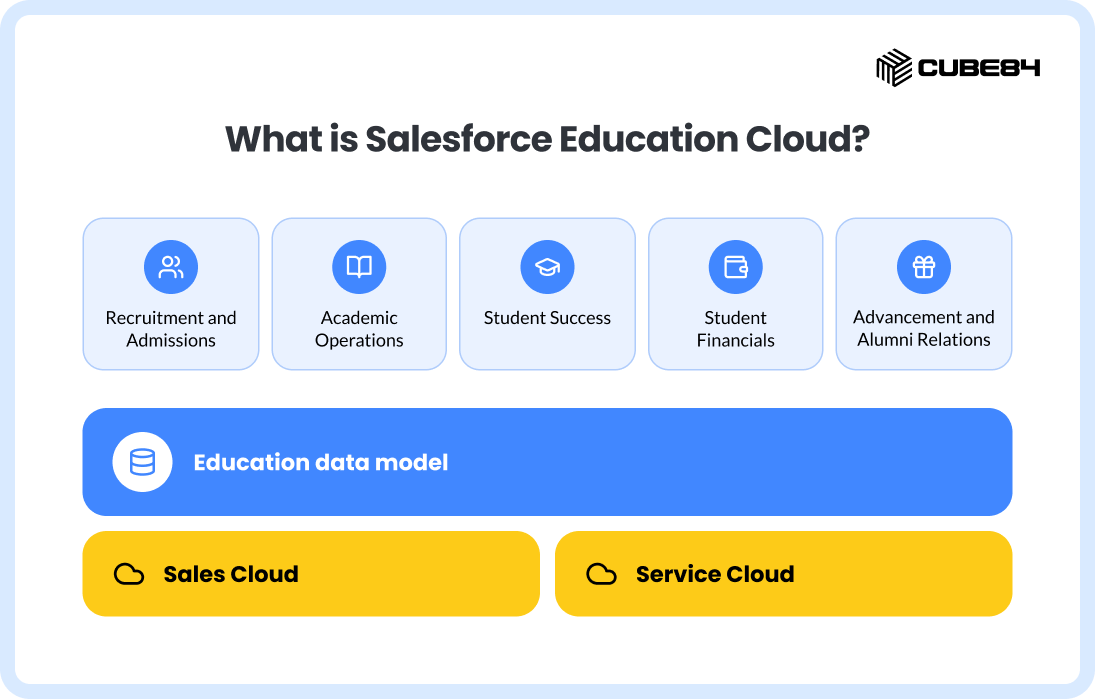
Salesforce Education Cloud is a higher education CRM, also positioned for K-12, built on Sales Cloud and Service Cloud. It adds an education data model and modules for Recruitment and Admissions, Academic Operations, Student Success, Student Financials, and Advancement and Alumni Relations. Salesforce updates it three times a year.
What do you get out of the box?
You get a foundation that would take months to design from scratch. The main pieces:
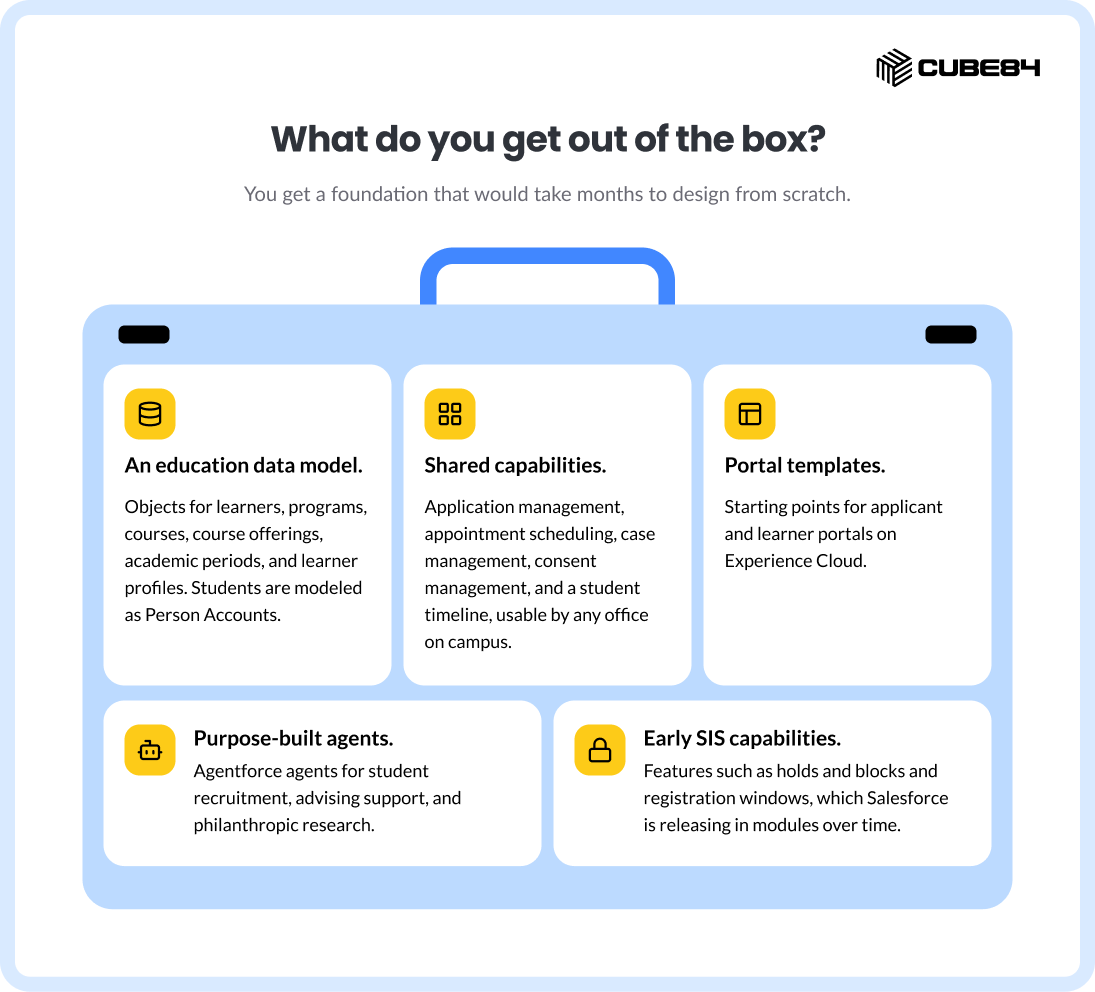
An education data model. Objects for learners, programs, courses, course offerings, academic periods, and learner profiles. Students are modeled as Person Accounts.
Shared capabilities. Application management, appointment scheduling, case management, consent management, and a student timeline, usable by any office on campus.
Portal templates. Starting points for applicant and learner portals on Experience Cloud.
Purpose-built agents. Agentforce agents for student recruitment, advising support, and philanthropic research.
Early SIS capabilities. Features such as holds and blocks and registration windows, which Salesforce is releasing in modules over time.
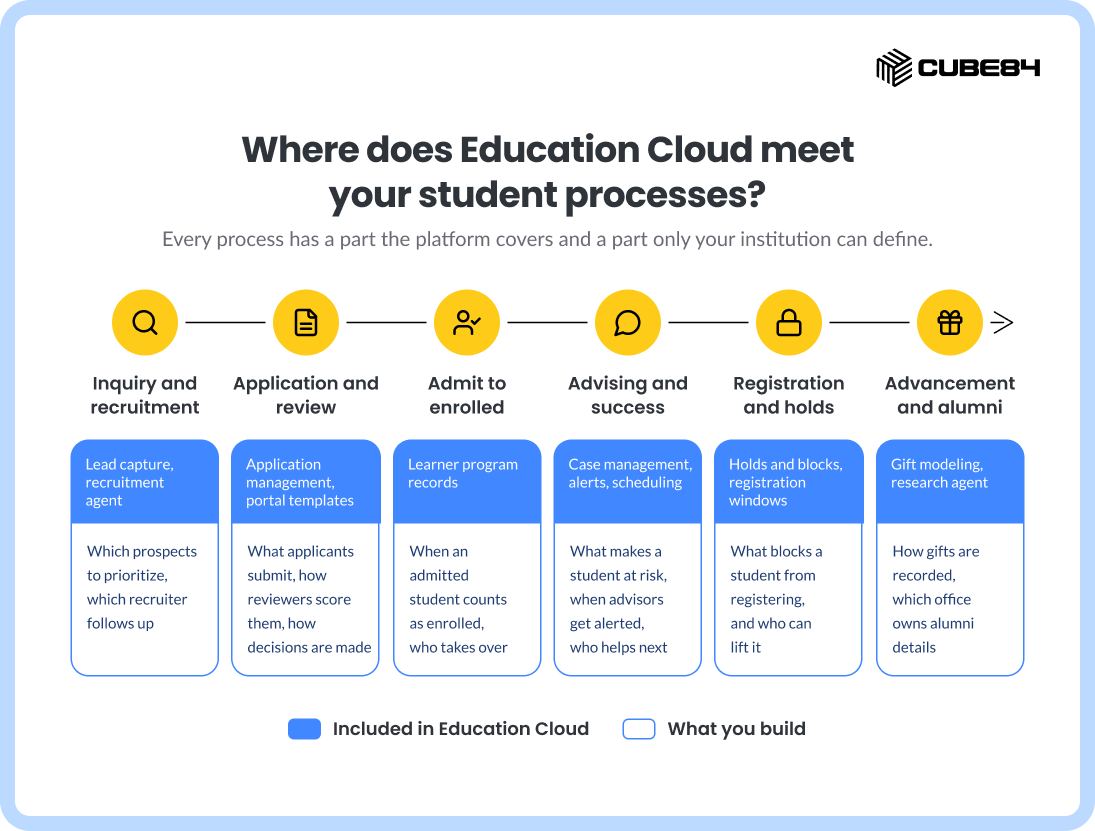
Where does Education Cloud meet your student processes?
This is where scoping goes right or wrong. Every process has a part the platform covers and a part only your institution can define.
What do you still have to build?
Think of the remaining work in five layers. Each one depends on decisions the platform cannot make for you.
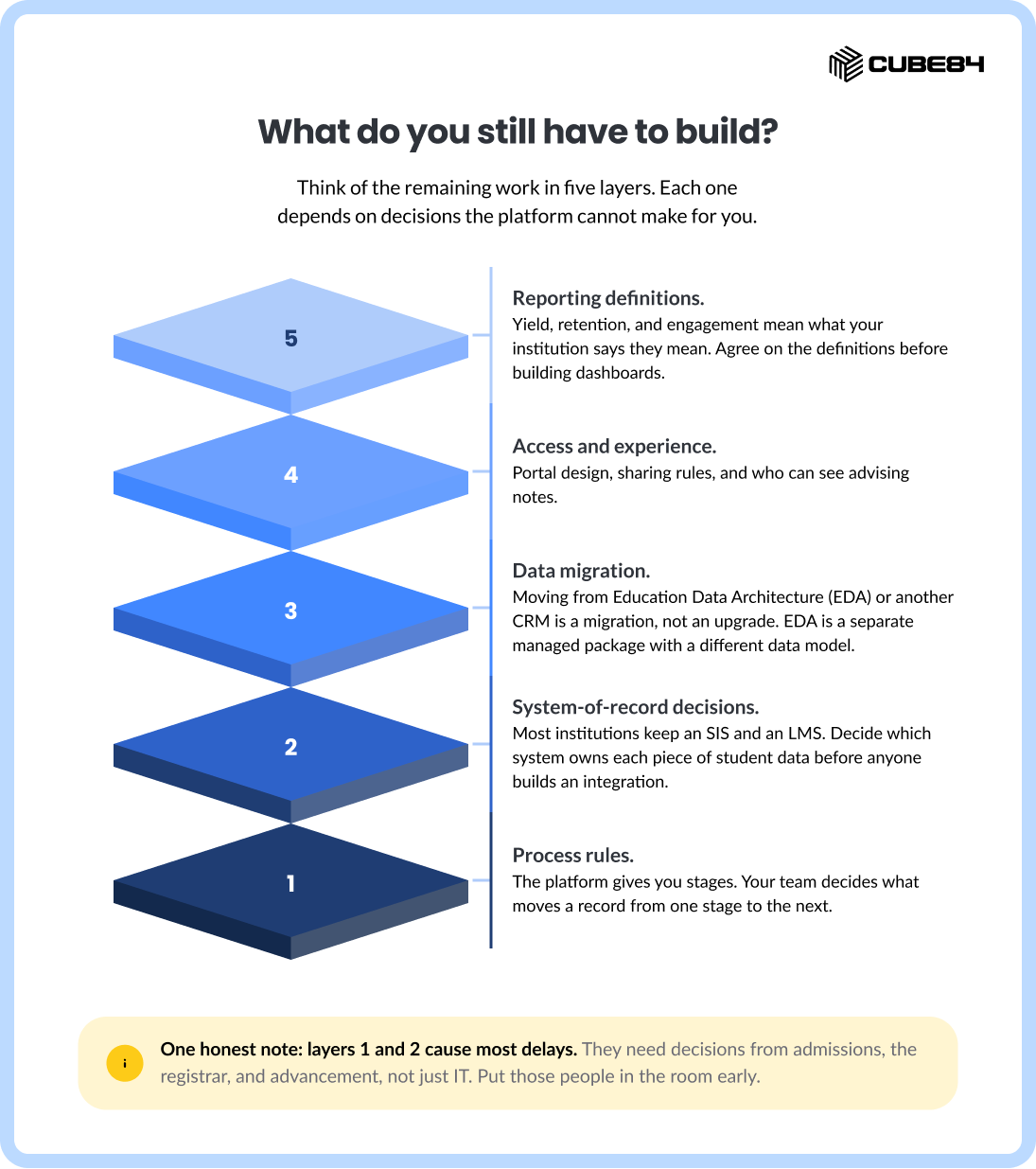
Process rules. The platform gives you stages. Your team decides what moves a record from one stage to the next.
System-of-record decisions. Most institutions keep an SIS and an LMS. Decide which system owns each piece of student data before anyone builds an integration.
Data migration. Moving from Education Data Architecture (EDA) or another CRM is a migration, not an upgrade. EDA is a separate managed package with a different data model.
Access and experience. Portal design, sharing rules, and who can see advising notes.
Reporting definitions. Yield, retention, and engagement mean what your institution says they mean. Agree on the definitions before building dashboards.
One honest note: layers 1 and 2 cause most delays. They need decisions from admissions, the registrar, and advancement, not just IT. Put those people in the room early.
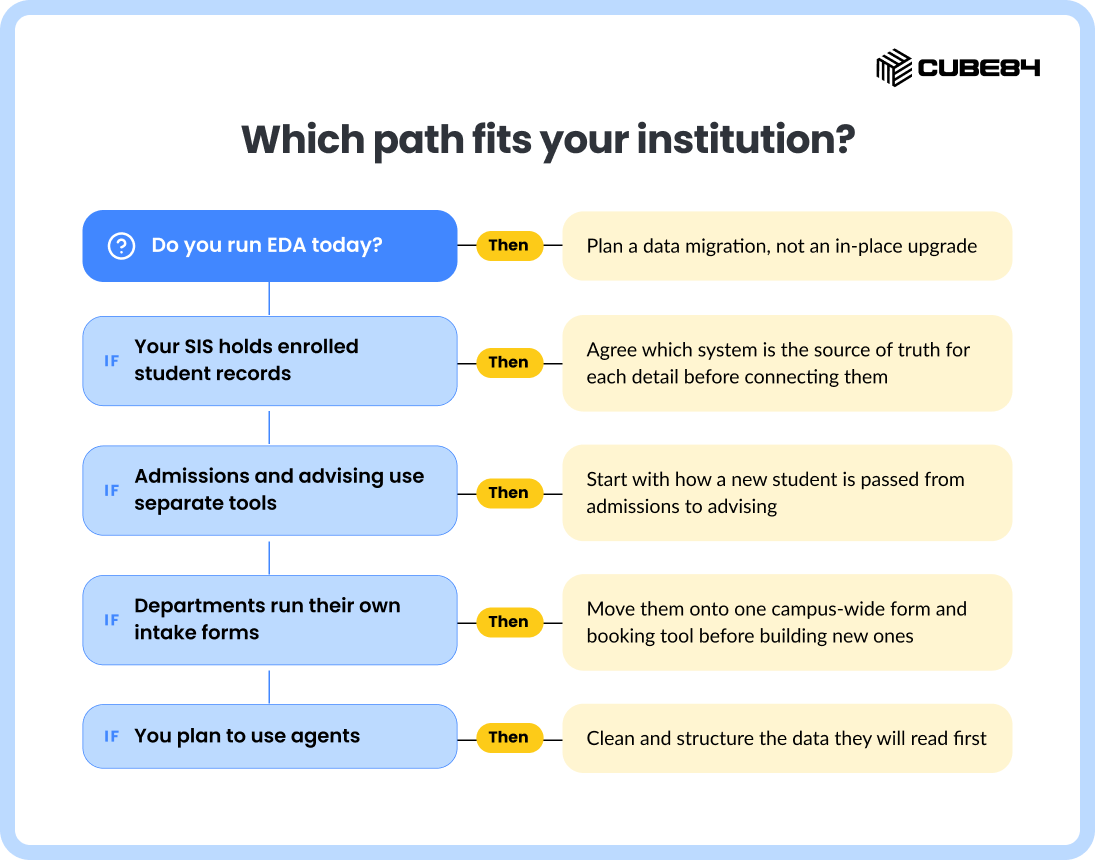
Which path fits your institution?
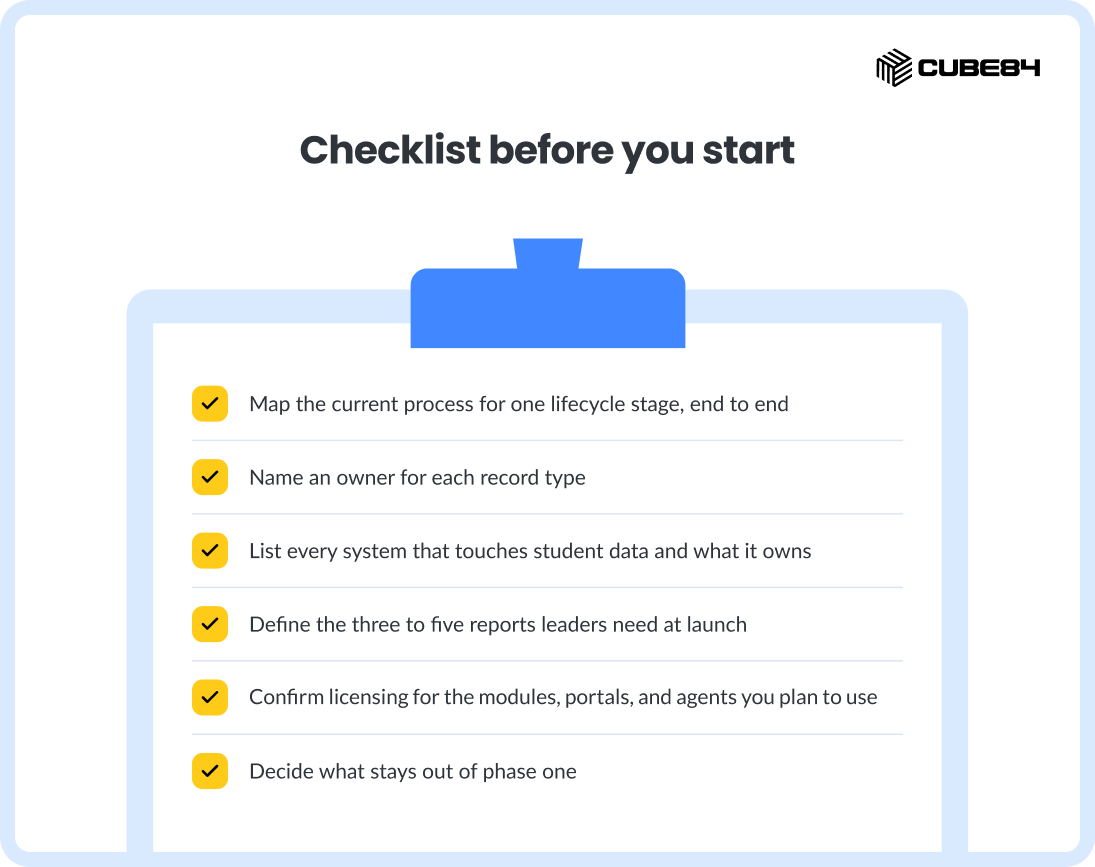
Checklist before you start
Planning an Education Cloud implementation?
CUBE84 starts with your student processes, then maps them to the platform. You get a clear line between what Salesforce provides and what your team owns, before the build starts. Built to run.