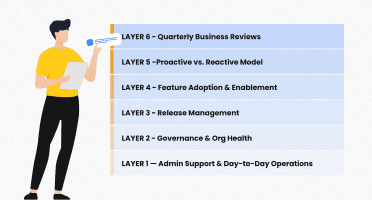

Finding the Right Model to Support Salesforce at Every Stage
When Salesforce is first introduced in an organization, it usually feels manageable. A small team or a single administrator takes care of updates, resolves issues, and supports users with their everyday needs. At this stage, Salesforce acts as a dependable tool that supports daily work without requiring a heavy support structure.
As the organization grows, its dependency on Salesforce becomes more significant. Different departments begin using it for their processes, connected systems start exchanging data with it, and older configurations require more careful attention. Salesforce itself has also grown into one of the most sophisticated cloud platforms in the world. It includes more than 100 interconnected products, shapes the daily work of thousands of teams globally, and generates nearly $38 billion in annual revenue. With three major releases each year, the platform introduces new features, updates, and security changes that need planning, testing, and structured rollout across teams.
These shifts create pressure for internal teams. Workloads increase as more requests come in, integrations require monitoring, and long-standing customizations need review to avoid unexpected problems. Governance and compliance expectations rise as the organization expands. A small team that once managed everything now finds itself balancing several priorities at once.
This is usually when leaders begin asking a more strategic question:
How should Salesforce be supported so that the platform stays healthy, reliable, and aligned with the organization’s goals over the long term?
This question matters because it shifts the focus from individual tasks to the structure that supports all of them. When that structure does not match the complexity of the environment, issues take longer to resolve, and improvements slow down. When it does match, work becomes more organized, knowledge is not limited to a few people, and the platform becomes easier to manage, update, and improve over time.
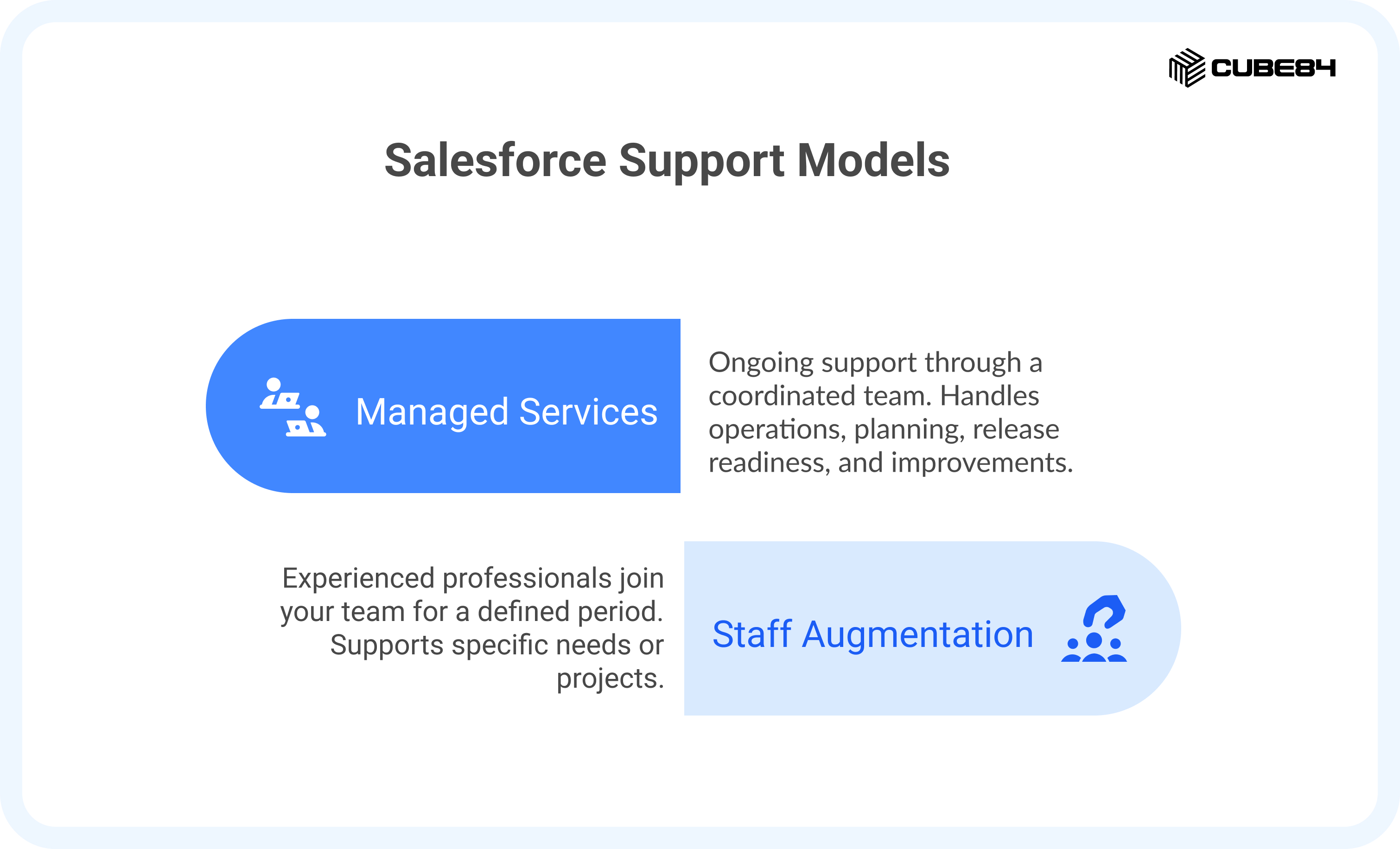
At this point, many organizations begin exploring the two support models that help keep Salesforce stable and effective as it grows:
1. Managed Services, which provides steady, ongoing support through a coordinated team that handles operations, planning, release readiness, and improvements
2. Staff Augmentation or On-Demand Hire, where experienced professionals join your team for a defined period to support specific needs or projects
This guide is designed to help you understand these two approaches clearly and choose the one that fits your environment. Inside, you will find:
1. A clear explanation of how each support model works in daily practice
2. The types of situations where one model tends to support teams more effectively than the other
3. How each model influences long-term effort, budgeting, and planning
4. Guidance on how organizations shift from one approach to another when their needs change
5. Questions that help you understand whether a provider is equipped to support your environment
With this comprehensive framework, your leadership can confidently choose a Salesforce support model that fits your organization’s current reality and future ambitions.
If you’re also evaluating external support against internal hiring, this comparison of Salesforce managed services vs in-house admin provides additional context.
Understanding Your Support Options
Before choosing the right Salesforce support model, it helps to understand how each approach shows up in everyday work. Many teams hear these terms often, but the real difference becomes clear only when you look at how the work is carried out and who is accountable for what.
What is Salesforce Managed Services
Salesforce Managed Services is a long-term support model where a coordinated team helps maintain and improve your Salesforce environment on an ongoing basis. Their goal is to keep the system stable, organized, and aligned with how the business operates. They work across several areas such as administration, releases, improvements, and planning.
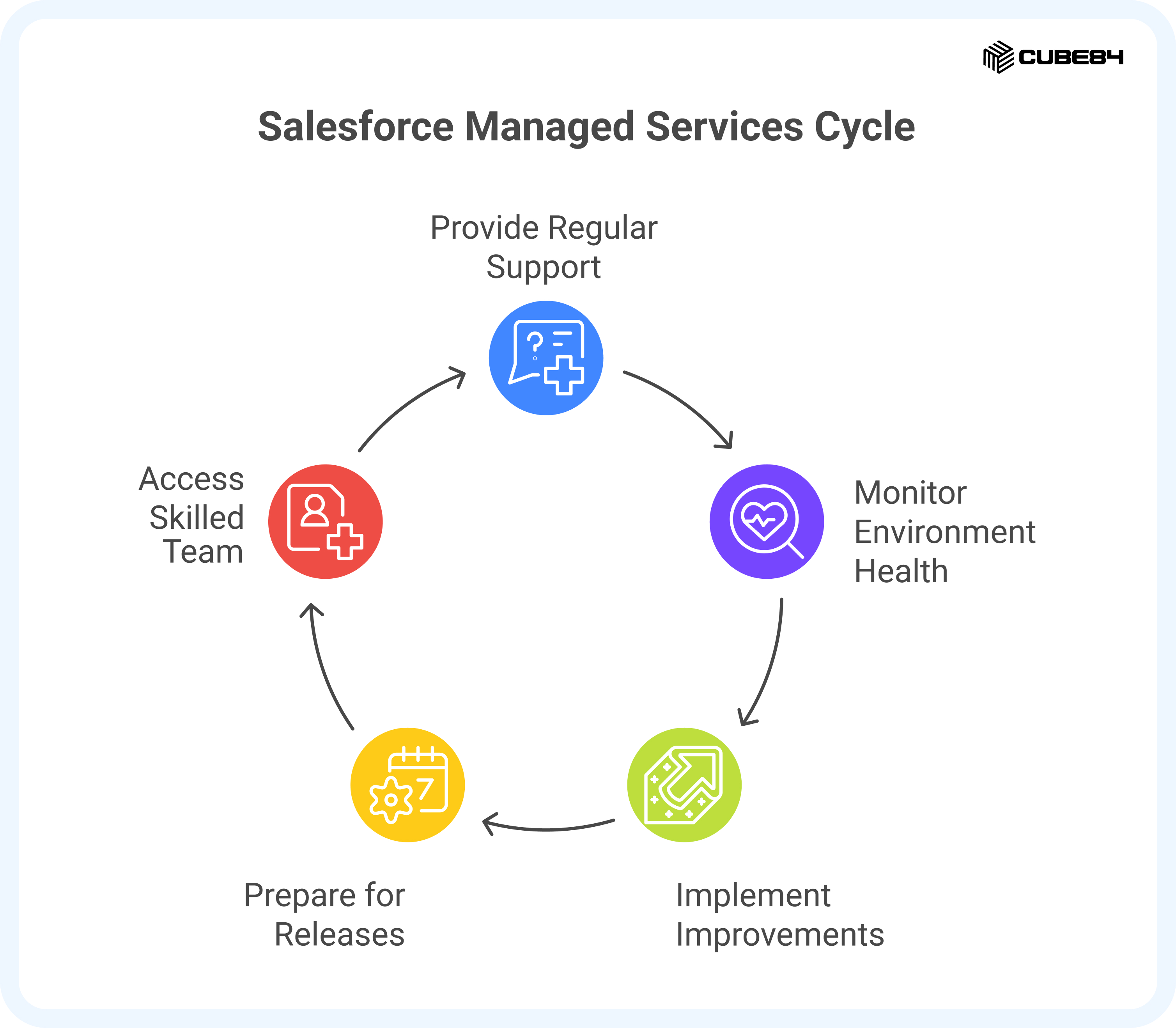
A good Managed Services team functions as an extension of your internal team and shares responsibility for both day-to-day operations and long-term success.
What Managed Services Typically Look Like
1. Regular support that handles questions and routine tasks
2. Continuous monitoring of the health of the environment
3. Scheduled improvements and updates based on business needs
4. Preparation for Salesforce releases
5. Access to a blend of skills such as admin, development, and architecture
What is Staff Augmentation
Staff Augmentation, also known as on-demand hiring, brings skilled Salesforce professionals directly onto your team for a defined period of time. They work under your leadership and focus on the priorities you set. This model is ideal when you need specific expertise or temporary capacity.
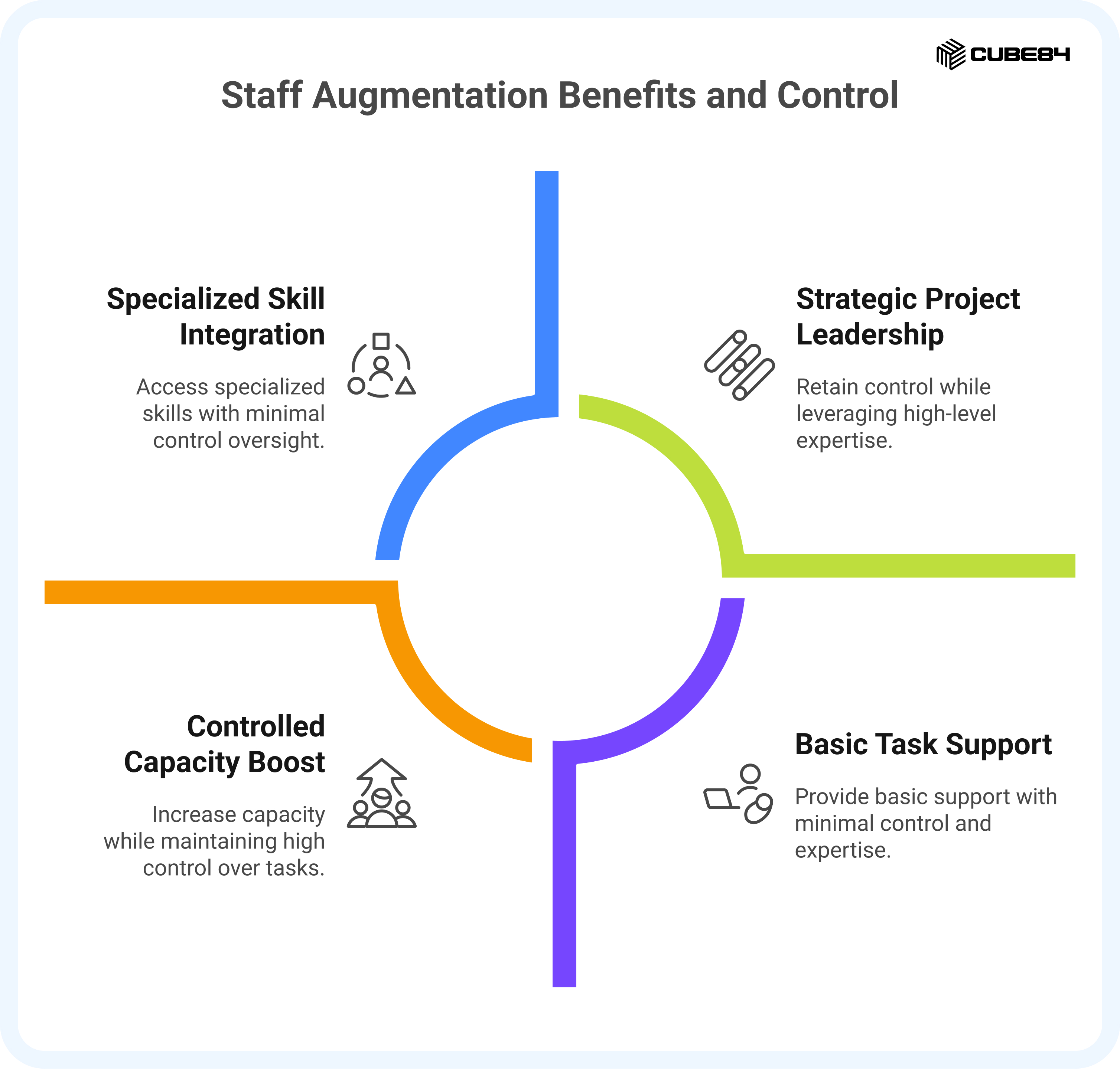
Staff Augmentation gives you the people you need, when you need them, while letting you retain complete control over strategy and delivery.
What Staff Augmentation Typically Looks Like
1. A Salesforce professional joins your internal team
2. You decide the priorities, pace, and outcomes
3. Useful for projects, workload spikes, or skill gaps
4. The person blends into your ways of working and existing processes
The Core Difference
The difference between Managed Services and Staff Augmentation comes down to who carries responsibility for outcomes and how the work is organized.
1. Managed Services focuses on shared responsibility and long-term improvement. The partner takes ownership of keeping Salesforce working the way your business needs it to. They handle everyday support, review upcoming releases, plan improvements, and coordinate work across different skill sets. This gives your team a dependable support structure without relying on a single individual.
2. Staff Augmentation focuses on adding capacity and specific skills when you need them. Your team sets priorities and directs the work. The professional who joins you strengthens your internal team by closing skill gaps, helping with projects, or managing higher workloads during busy periods.
Dimension | Managed Services | Staff Augmentation |
Control and Ownership | Shared ownership where the partner is accountable for system performance, reliability, and outcomes | Full control remains with your internal team; external talent follows your direction |
Scope of Responsibility | End-to-end support, including monitoring, release management, user support, and improvement planning | Task-based or role-specific work handled within your defined scope |
Pricing Model | Usually fixed or retainer-based for predictable monthly or quarterly costs | Typically, hourly or daily rates depending on role and duration |
Engagement Length | Long-term, focused on stability, governance, and ongoing improvement | Short- to mid-term, tied to projects, milestones, or capacity needs |
Team Structure | Multi-skilled team including admins, developers, and architects working within a governance framework | An individual or a small team embedded within your organization’s existing structure |
Strategic vs Tactical Focus | Strategic. Proactive, improvement-driven, and aligned with your long-term business goals | Tactical. Reactive, focused on short-term delivery and immediate project needs. |
Why Both Models Exist
Salesforce environments rarely operate with one consistent pattern of work. Some periods require steady care, structured oversight, and a team that can look after the platform as a whole. Other periods involve defined projects, new features, or specialised skills that are only needed for a limited time. Because the demands shift, the industry has evolved two support models that address different types of needs.
Common scenarios include:
1. Ongoing operational work that needs predictable coverage and coordinated attention
2. Project phases that require a skill set your team does not need year-round
3. Times when internal teams are stretched by rising requests or new business requirements
4. Stages of growth where the environment becomes more complex and needs broader expertise
5. Short periods where additional capacity helps maintain momentum without long-term hiring
The goal is to choose the structure that best fits your environment today.
Cost Comparison, Budget Planning, and ROI
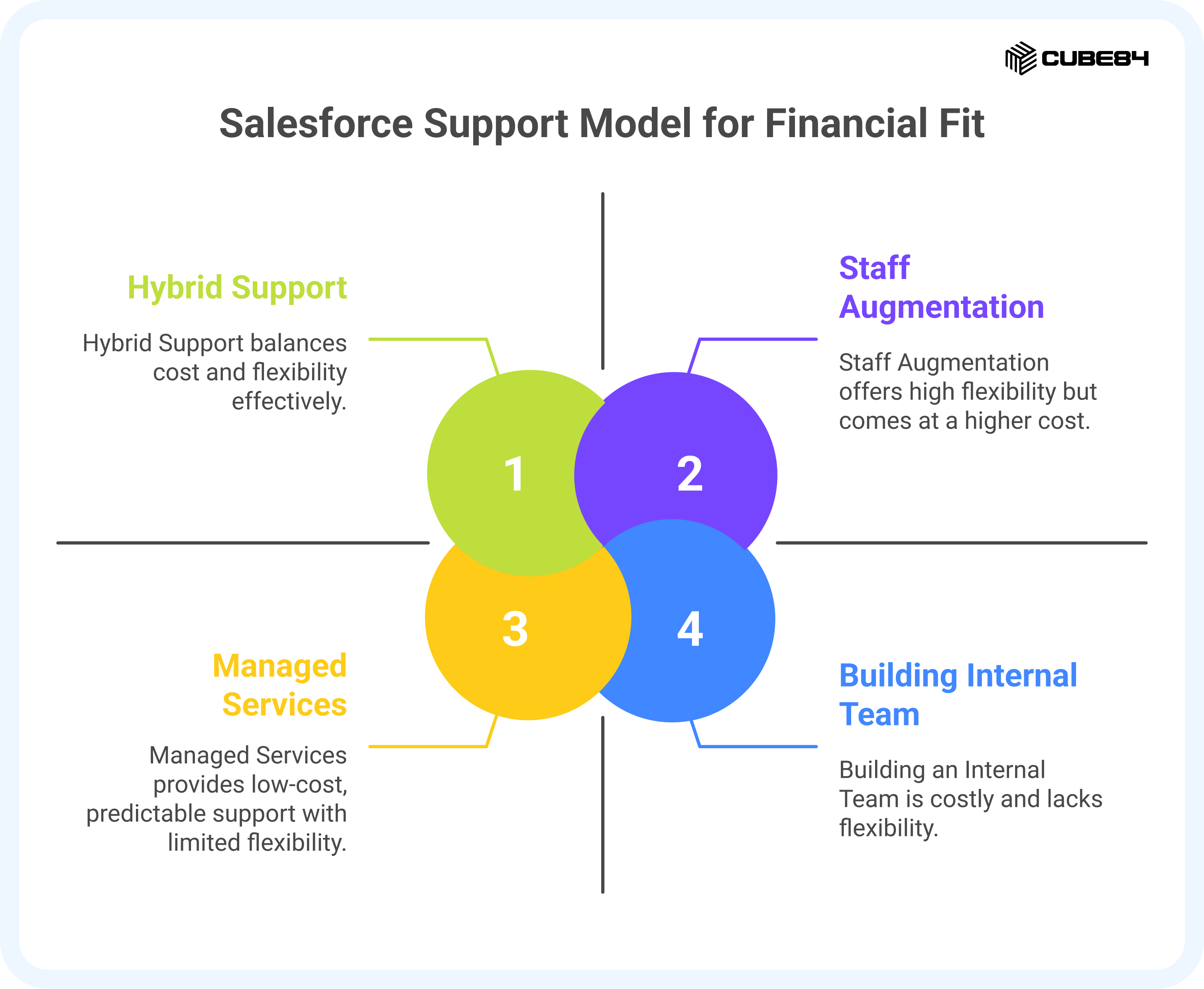
Choosing a Salesforce support model is not only about capability. It is also about understanding how each option fits into your budget and what type of return it provides over time. Managed Services, Staff Augmentation, and Hybrid models each structure costs differently, and they create value in different ways. The aim of this section is to make those differences clear and easy to evaluate.
How Managed Services Typically Work Financially
Managed Services usually follow a predictable monthly structure that supports ongoing work. Organizations choose this model when they want reliable coverage and the ability to plan ahead.
This approach often includes:
1. A steady monthly or quarterly cost
2. Weekly or monthly time allocated to support, improvements, and planning
3. A coordinated team rather than a single resource
4. A structure that remains stable as your environment expands
This predictability helps with budget cycles and reduces surprises.
The return on investment comes from consistency. Issues are prevented earlier, release cycles are smoother, and improvements move forward without long pauses. Organizations also avoid the hidden cost of rework, delays, and knowledge gaps that slow down progress.
For teams that want a rough idea of what Managed Services might look like for their setup, the Managed Services Calculator can help you get an estimate quickly.
How Staff Augmentation Typically Works Financially
Staff Augmentation follows a flexible model where you pay for the time and expertise you need. It works well when requirements shift often or when the work is linked to projects or periods of high demand.
Staff Augmentation typically includes:
1. Hourly or monthly costs based on role and experience
2. Work tied to specific tasks, deliverables, or timelines
3. Faster onboarding without long-term commitments
4. The option to increase or reduce involvement as work changes
The return on investment comes from speed and precision. Projects are completed faster, skill gaps are resolved immediately, and temporary spikes in demand are handled without adding permanent roles.
Cost Factors to Consider Across All Support Models
Regardless of which model you choose, organizations often evaluate the same cost-related questions:
1. Are delays in enhancements creating hidden costs for sales, service, or operations
2. Are we losing productivity because the team spends too much time fixing issues
3. Are we overly dependent on one person, creating financial and operational risk
4. Are projects moving more slowly than they should because of skill or capacity gaps
5. Are we spending more time managing issues than preventing them
These questions help teams evaluate the financial impact of their current structure and the value of shifting to a different approach.
Comparing Cost Profiles at a Glance
Consideration | Managed Services | Staff Augmentation | Hybrid |
Cost Structure | Predictable monthly cost | Flexible cost based on usage | Predictable base with scalable additions |
What You Pay For | Ongoing management, planning, support, and improvements | Hours or months of specific expertise | Foundation of coverage plus project-based help |
Value Over Time | Stability, consistency, and reduced long-term maintenance | Faster project delivery and specialised execution | Stability plus accelerated delivery when needed |
Risk Reduction | Lower risk through shared knowledge and coordinated processes | Lower hiring risk since partners can replace resources | Lower risk across both operations and projects |
Financial Fit | Best for teams that want steady forecasting | Best for teams with variable needs | Best for teams balancing BAU and project work |
Typical ROI | Fewer delays, smoother operations, better data quality | Faster launches, reduced backlog, immediate expertise | Continuous stability with the ability to speed up key initiatives |
The key idea is that cost differences are not only about pricing. They come from what each model helps you avoid: delays, rework, hiring cycles, stalled improvements, and gaps in expertise.
Understanding ROI Beyond the Monthly Cost
Return on investment becomes clearer when organizations look at practical outcomes such as:
1. Time saved by internal teams when operational tasks are supported externally
2. Fewer disruptions from issues or inconsistent processes
3. Faster delivery of projects without slowing BAU work
4. Better use of Salesforce releases and new features
5. Lower long-term maintenance because the environment stays cleaner
6. Reduced hiring and turnover costs
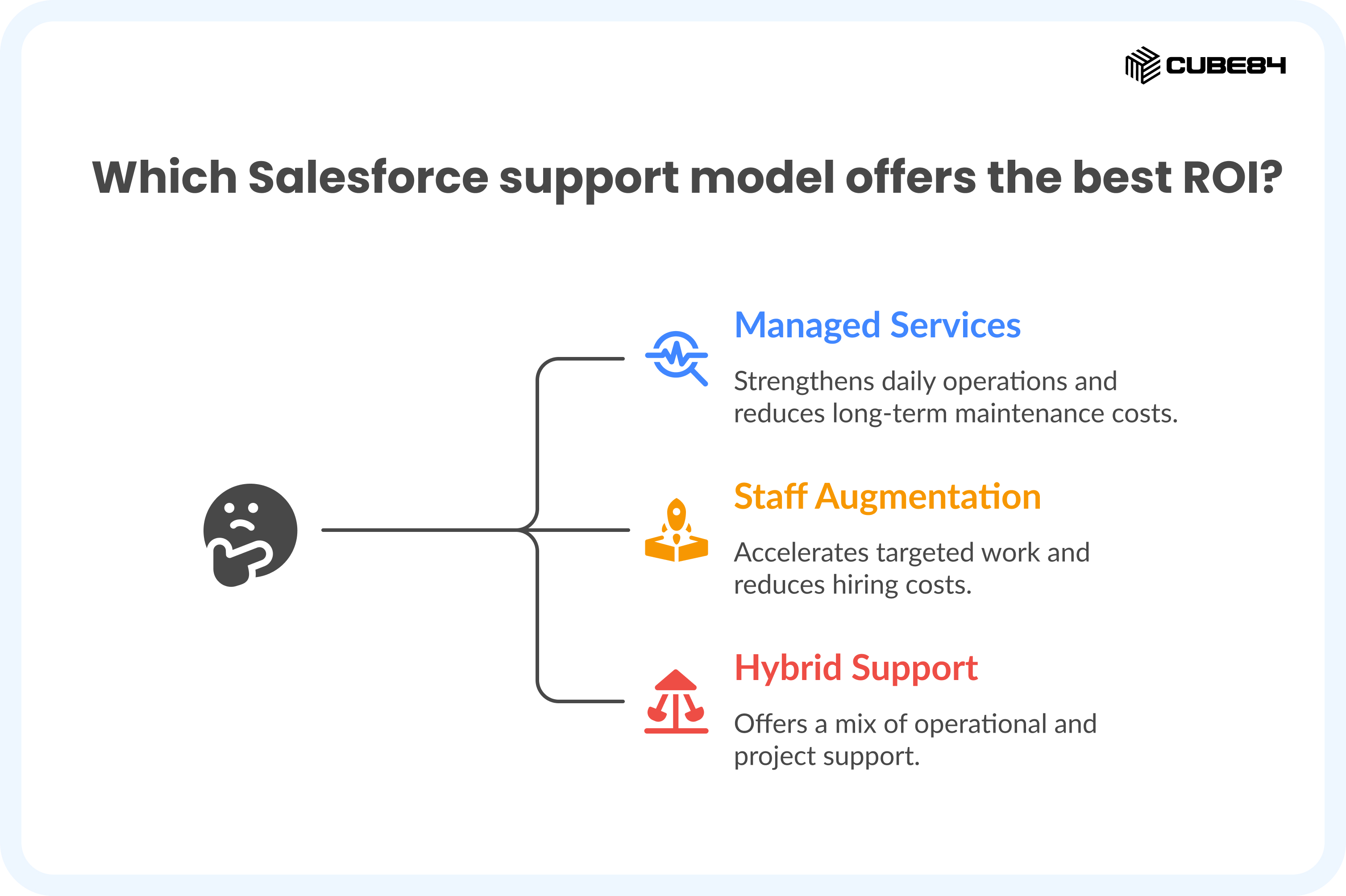
When evaluated together, these factors show that each model delivers ROI in a different way. Managed Services strengthens daily operations. Staff Augmentation accelerates targeted work. Hybrid support offers a mix of both.
When Managed Services Is the Right Fit
Managed Services works best when Salesforce is central to your daily operations and the environment needs consistent attention, guidance, and improvement. Many organizations reach this point when the system is used across several teams, requests come in steadily, or the internal team is too small to manage everything comfortably.
This model is not only about getting help with issues. It is about having a structured approach that keeps Salesforce healthy, organized, and aligned with how the business is growing. The situations below can help you see whether this approach might be a natural match for your team.
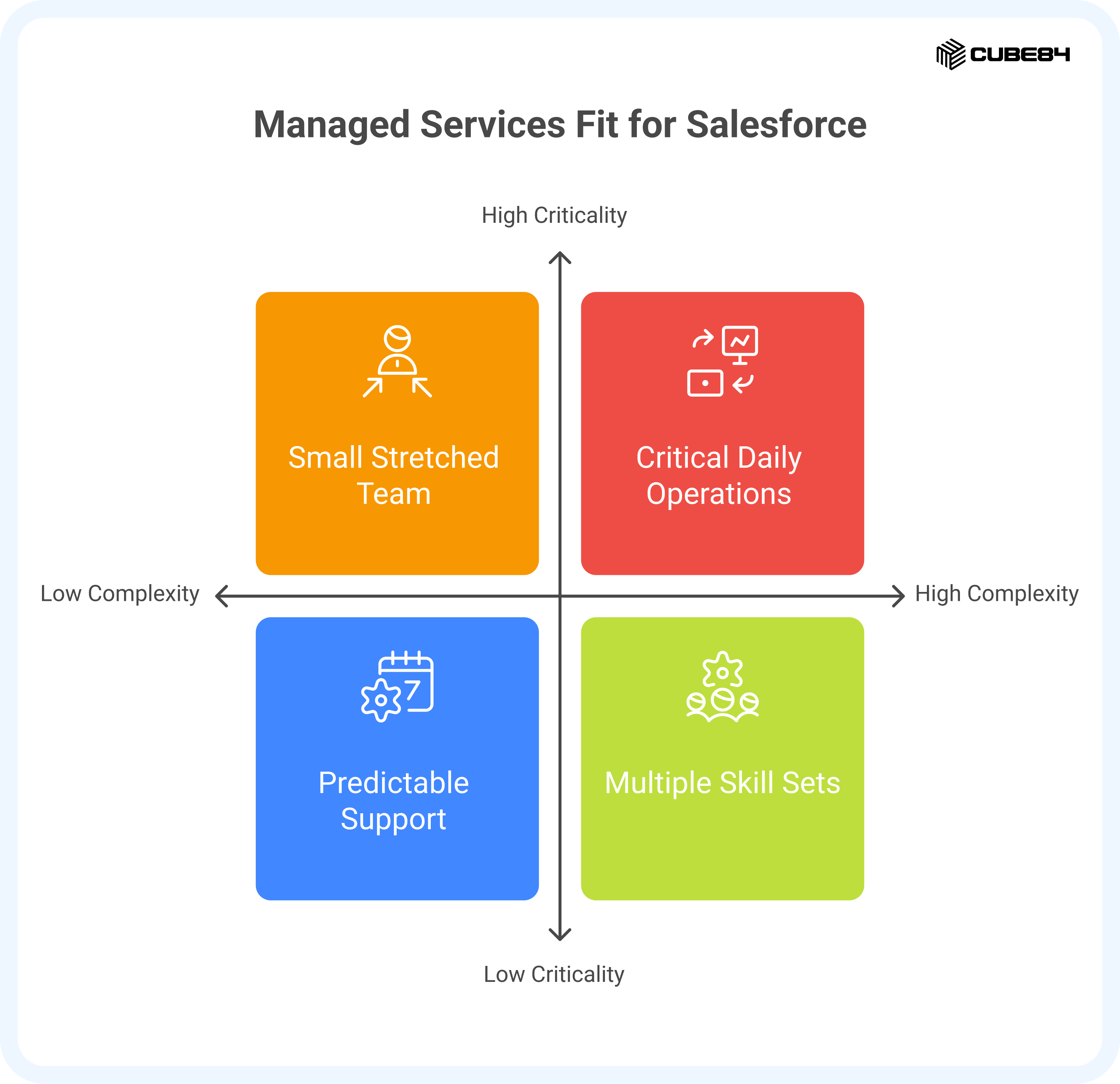
1. When Your Internal Team Is Small or Stretched
Many organizations begin with one administrator or a small group supporting Salesforce. As usage expands across sales, service, marketing, operations, and other departments, the workload increases rapidly. User questions need attention. Reports and dashboards need updates. Workflows require improvements. Release changes need review.
A small team often ends up taking on more than is realistic. Managed Services provides a broader team to share the workload, so your internal staff can stay focused on the decisions and processes that require their knowledge of how your organization actually works.
This applies when you notice:
1. One or two people are handling the majority of Salesforce requests
2. Enhancement work keeps getting postponed
3. Different departments need support at the same time, and the team does not have enough hours to cover everything
4. You depend heavily on one administrator to keep the system running
2. When You Need Multiple Skill Sets to Support the Environment
Salesforce environments often require more than administrative work. They need configuration, development, reporting, integration oversight, architectural planning, documentation, testing, and release preparation.
It is rare for one person to be equally strong in all of these areas. Managed Services gives you access to a broader range of skills, so work can move forward consistently, and nothing slows down due to limited expertise.
This matters when your environment includes:
1. Custom automation and flows
2. Integrations with other systems
3. Large or growing user groups
4. Multiple Salesforce products
5. Technical debt that needs review
3. When Predictable Support Helps with Planning
Managed Services usually operate through a set monthly structure. This creates predictability in both cost and coverage. You know what support is available, how time is allocated, and when planned work can be delivered.
For many teams, this helps with budgeting, resource planning, and internal communication.
It supports organizations that prefer:
1. A consistent monthly spend
2. A reliable process for handling new requests
3. Clear visibility into ongoing work
4. A steady pace of improvements rather than ad hoc fixes
4. When Salesforce Is Critical to Daily Work
As Salesforce becomes more critical to daily operations, delays and unresolved issues can create disruptions across entire teams. When different departments need dependable access to accurate data and timely support, Managed Services helps maintain continuity.
You may need this if:
1. User issues must be addressed quickly
2. The system supports customer-facing processes
3. Delayed updates affect several departments
4. Stability has become a priority for leadership
5. When Your Organization Is Going Through Change
Growth often brings new processes, new teams, and new expectations from leadership. Each change affects Salesforce. Managed Services helps ensure that the platform evolves alongside the business instead of lagging behind or becoming inconsistent.
This support becomes especially helpful during expansions, reorganizations, or new product launches.
6. When You Need Strong Governance or Compliance
Industries with data privacy requirements, audit processes, or security expectations often need a structured way to manage Salesforce changes.
Managed Services helps maintain clear documentation, consistent approval processes, and reliable tracking of system updates so compliance remains steady.
7. When You Want Internal Teams to Focus on Higher Value Work
Salesforce champions, product owners, and administrators often want more time for planning, enablement, departmental partnership, and process improvement. When they spend most of their time responding to support tickets, these strategic areas stall.
Managed Services handles operational work so your internal team can focus on initiatives that support business growth.
Cost Considerations for Managed Services
Building an internal Salesforce team can be valuable, but it can also be resource-heavy. Hiring full-time roles requires recruitment, onboarding, training, benefits, and ongoing retention.
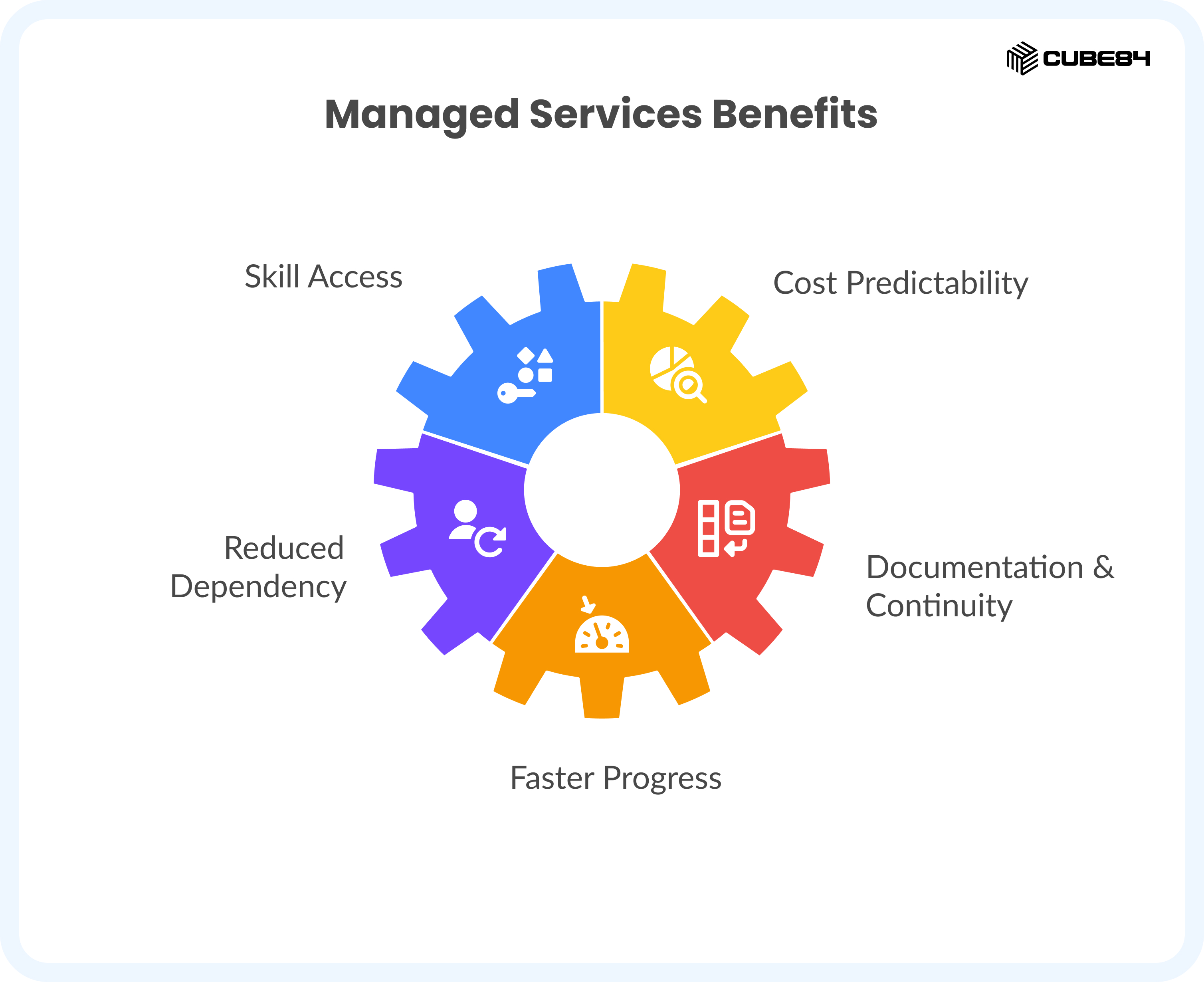
Managed Services offers an alternative structure with:
1. Access to multiple skills without creating several full-time roles
2. A predictable cost model that aligns with monthly forecasting
3. Reduced dependency on one person for system knowledge
4. Documentation and continuity that stay with the organization
5. Faster progress on enhancements and fixes
Managed Services gives you a different way to structure Salesforce support without replacing your internal team. It works alongside your administrators by taking on the work that requires consistent attention across skills and functions.
Real World Examples
A mid-sized company using multiple Salesforce clouds
A company relies on Sales Cloud, Service Cloud, and Experience Cloud. One administrator has been maintaining everything for years, but requests from sales, service, and operations now arrive daily. Enhancement work is postponed, release cycles cause anxiety, and integrations break without warning.
Managed Services adds a small coordinated team, including an admin, a developer, and an architect. They handle user support, prepare for releases, streamline workflows, stabilize integrations, and create documentation.
The internal admin focuses on priorities and business alignment. The environment becomes more organized, issues are resolved faster, and planned improvements finally move forward.
A fast-growing organization introducing new products and regions
A fast-growing organization adds new sales teams, new territories, and new approval paths. New hires need onboarding, reports need rework, and several parts of the Salesforce setup require refinement.
With limited internal staff, they struggle to keep up with the pace of change. Managed Services provides structured weekly support, monthly planning, and steady enhancement work.
The team receives reliable support with new-user onboarding, data quality, territory updates, and workflow improvements. Salesforce stays consistent even through fast expansion.
An organization that recently completed an implementation
A company has just gone live on Salesforce. The implementation partner leaves once the system is launched, and the internal team is not fully ready to manage post-launch feedback, training requests, or early refinements.
Managed Services steps in to stabilize the environment. They handle support questions, adjust automation based on real user behavior, clean up data, and prepare for the first Salesforce release cycle after go-live.
Instead of struggling through the early months, the organization moves through them with confidence and steady improvement.
When Staff Augmentation Is the Right Fit
Staff Augmentation works best when your internal Salesforce team has a solid foundation but needs additional skills, extra capacity, or temporary support to meet growing or time-sensitive demands. Instead of replacing your internal team, it strengthens the work they already do. The added professional integrates into your day-to-day processes, aligns with your priorities, and helps you maintain progress without slowing down your commitments.
This model supports the parts of your workload that are temporary, specialised, or too large for your internal team to handle on its own.
Below are the situations where this approach naturally fits, along with the questions organizations usually ask when evaluating it.
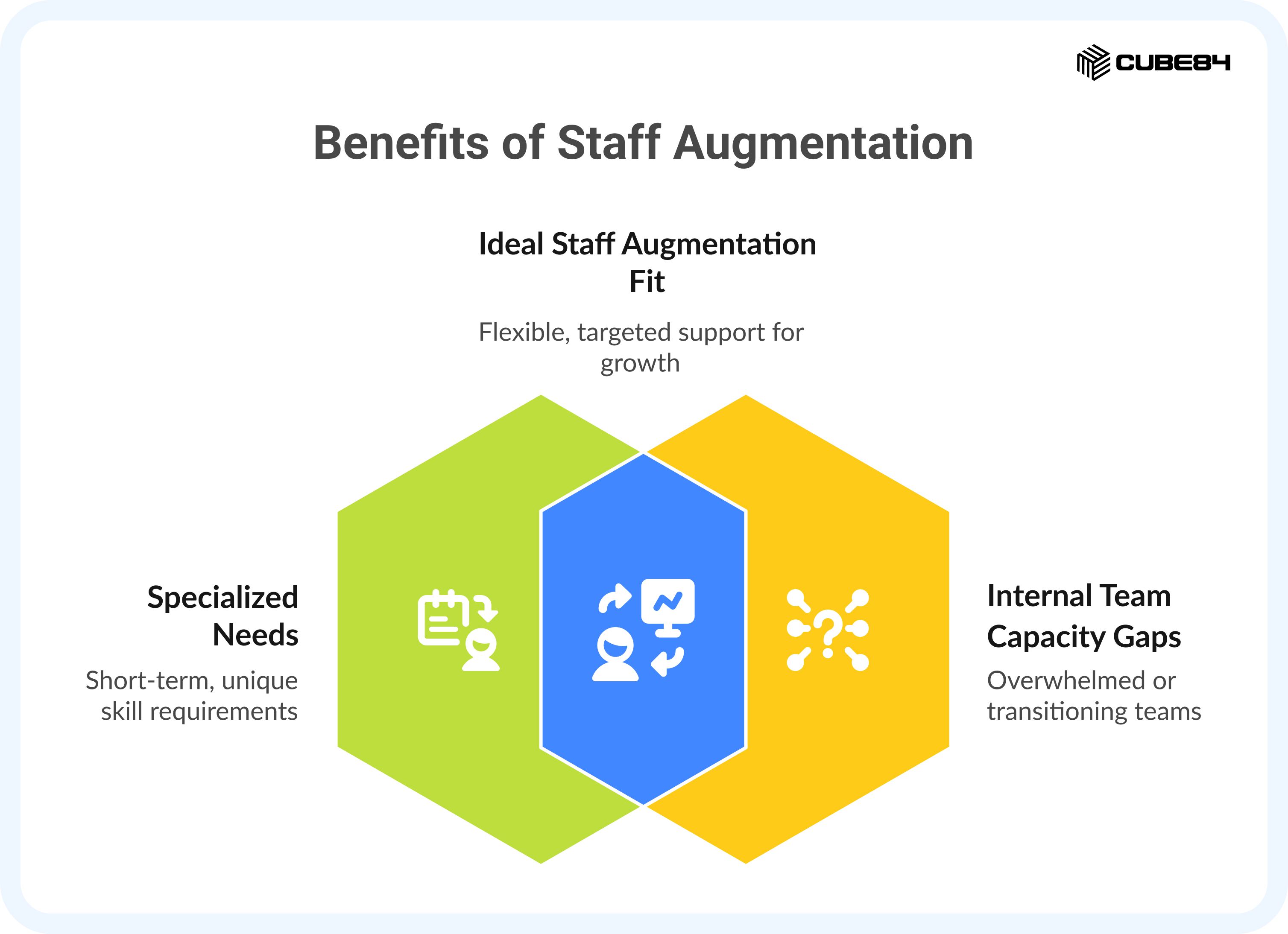
1. When You Need a Specific Skill That Your Team Does Not Use Every Day
Many Salesforce teams are strong in core administration but occasionally need specialised experience. Hiring full-time for a skill you will only use during certain projects rarely makes sense. Staff Augmentation gives you targeted expertise only for the period when you need it.
This becomes relevant when you require proficiency in areas such as:
1. Apex development
2. API troubleshooting or integration monitoring
3. CPQ configuration
4. Experience Cloud setup
5. Data migration or data model restructuring
6. Advanced automation or Flow refinement
7. Security and permission design
8. Architecture input for short, focused planning cycles
Teams often ask whether the skill will be required long-term. If the answer is no, temporary support is usually the most practical choice.
This allows your internal team to keep ownership while gaining access to the expertise needed for higher complexity work.
2. When Your Team Needs Extra Capacity to Keep Up With Demand
Even strong teams face moments when the volume of work exceeds their available hours. Requests from multiple departments, backlogs of enhancements, seasonal cycles, and internal deadlines can all increase the workload faster than expected.
Staff Augmentation helps you maintain momentum without compromising your staff’s day-to-day organization support.
You may need additional capacity when you notice:
1. Enhancement requests piling up
2. Several teams are asking for support at the same time
3. Testing and QA require more attention during release cycles
4. New initiatives coming from leadership with short timelines
5. A rise in support tickets due to business expansion
Teams often ask whether they should hire. If the workload increase is temporary or linked to a specific period of change, Staff Augmentation preserves budget flexibility while helping you stay on track.
3. When You Are Preparing for a Defined Project or Milestone
Some Salesforce needs are driven by projects rather than ongoing operations. These require focused attention, stable execution, and sometimes specialised skills that your team uses only during specific phases.
Common examples include:
1. Launching a new product or business unit
2. Redesigning processes after a reorganization
3. Building a new integration or updating an existing one
4. Completing a data migration effort
5. Cleaning up technical debt before expansion
6. Preparing for user acceptance testing
7. Supporting the rollout of new workflows or features
Teams often ask how to handle project work while keeping BAU support stable. Staff Augmentation makes this possible by giving you a resource dedicated to the project while your internal team continues supporting the rest of the organization.
4. When You Want to Keep Full Control of Priorities and Direction
Some organizations prefer to manage the roadmap internally. They want help executing work, without reshaping processes or ownership. Staff Augmentation fits this preference because the professional joins your team and follows your internal guidance.
This works well when:
1. You have a clear roadmap and want to drive it yourself
2. Your team manages priorities effectively
3. You want additional execution capacity, not a redesign of your structure
4. Your existing processes and ceremonies already work
5. You want support that blends into your internal culture
Teams often ask whether bringing in outside help means losing control. Under Staff Augmentation, all decisions remain with your internal leadership.
5. When You Need Continuity During Internal Team Changes
Organizations experience turnover, parental leave, internal promotions, and transitions into new roles. These changes can create gaps that affect your ability to maintain progress.
Staff Augmentation helps maintain continuity when:
1. A key team member is on leave
2. You are hiring for a role, but need support immediately
3. A staff transition creates a temporary skill gap
4. You want a smoother onboarding for a new hire
5. Your operational work cannot pause during internal changes
Teams often ask how to avoid losing momentum. Temporary coverage helps keep daily work moving without interruption.
6. When You Want Exposure to New Practices and Patterns
Working with professionals who have supported multiple Salesforce environments helps your internal team learn naturally through collaboration. Many partners, including CUBE84, maintain their own internal COE, so the talent they provide is trained, tested, and up to date with current releases and industry patterns.
This is helpful when:
1. You want to modernize how your team works
2. You want guidance on best practices without a long consulting engagement
3. Your team benefits from seeing how other organizations structure their environment
4. You want a smoother adoption of new features introduced during Salesforce releases
Teams often ask whether a temporary resource can help them grow. With strong partners, the answer is yes.
7. When Staff Augmentation Is More Practical Than Hiring a Full-Time Employee
Hiring a full-time Salesforce professional requires recruitment, onboarding, salary, benefits, training, and long-term investment. Staff Augmentation gives you access to experienced professionals without the commitment.
Many organizations choose this model when they need reliable talent now but cannot justify a permanent role. It also reduces the risk of choosing someone who might not be the right fit.
Partners can also replace a resource quickly if needed, with limited disruption and minimal knowledge transfer, since the partner’s internal team already understands your environment and ensures continuity.
This flexibility gives organizations confidence that they will always have the support they need, even if the individual resource changes.
Staff Augmentation vs Hiring a Full-Time Employee
The table below outlines how organizations usually compare these two options.
Dimension | Staff Augmentation | Full-Time Employee |
Commitment Level | Flexible engagement based on actual need | Long-term commitment with fixed cost |
Risk of Hiring the Wrong Fit | Low. A partner can replace the resource quickly without major disruption | High. Wrong hires require rehiring, retraining, and lost time |
Speed of Getting Started | Fast. Resources can often join within days | Slow. Recruitment and onboarding extend the timeline |
Skill Coverage | Access to specialised skills without hiring multiple roles | Limited to the skill set of one individual |
Keeping Knowledge Up to Date | Supported by the partner’s COE and continuous training | Dependent on internal time and budget for learning |
Cost Structure | Pay for the time and expertise you need | Salary plus the full cost of employment, including benefits, payroll taxes, insurance, and other overhead. Many organizations estimate this as 1.3 to 1.7 times the base salary. |
Continuity if Someone Leaves | Partner ensures smooth replacement with internal knowledge transition | Knowledge loss and operational slowdown |
Scalability | Easy to increase or reduce based on workload | Scaling requires additional hiring |
Management Effort | Your team directs day-to-day work, sets priorities, and reviews outcomes. The partner supports hiring, replacement, and ongoing coaching in the background. | Your team manages day-to-day work, performance, development, and long-term career growth internally. |
Best For | Specialized work, temporary needs, project support, or periods of high demand | Permanent, long-term roles that require daily involvement |
Cost Considerations for Staff Augmentation
Hiring a full-time Salesforce professional requires recruitment, onboarding, training, benefits, and long-term commitment. Staff Augmentation provides a flexible alternative when you need immediate expertise without expanding permanent headcount.
It is important to remember that a staff augmentation resource still works as part of your team. Someone on your side has to set priorities, give direction, review work, and handle feedback. That time has a cost, even if it does not show up as a separate line item.
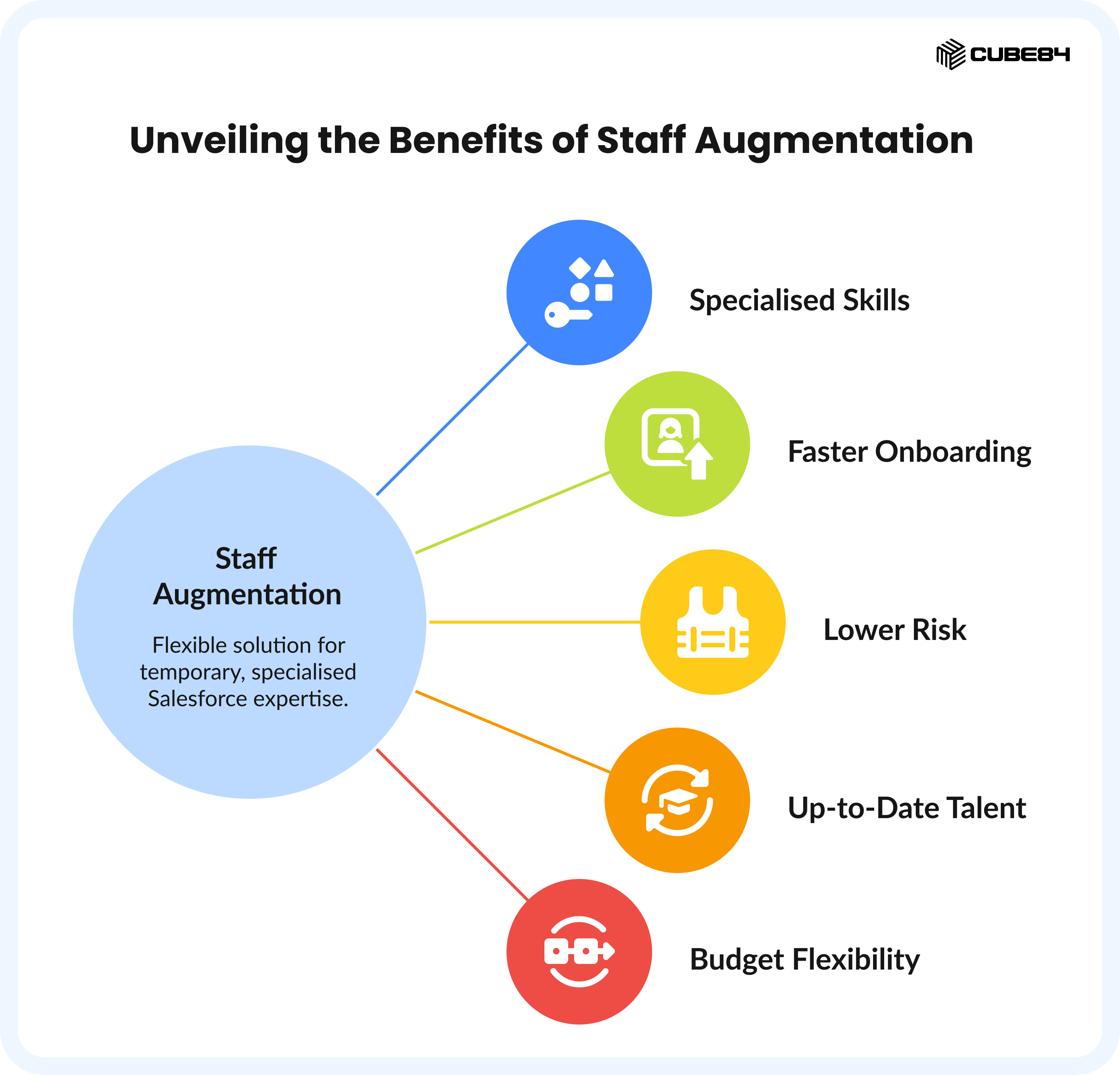
With this model, you gain:
1. Access to specialised skills only for the duration you need them
2. Faster onboarding because the partner handles vetting and readiness
3. Lower risk if the assigned resource is not the right fit, since partners can replace them quickly
4. Talent that stays up to date through the partner’s internal COE
5. Budget flexibility because you pay for time and expertise, not ongoing employment costs
Staff Augmentation helps you strengthen your internal team without taking on the cost and responsibility of a permanent hire, especially when the work is temporary, specialised, or tied to a defined project.
When you compare costs, it helps to factor in management time as well, so the Staff Augmentation model isn't viewed as cheaper just because those hours are hidden.
Real World Examples
When your internal team is strong but needs a specialist for a short period
A mid-sized company plans to connect Salesforce with its finance platform. The internal admin manages daily work well but has limited experience with integration design. Staff Augmentation brings in an integration specialist for three months. The specialist helps define data flows, build the connection, test error handling, and set up monitoring steps. The internal team continues to lead priorities and approvals. Once the integration is live, the specialist hands over documentation and the team resumes full ownership.
A company launching a new product line with a strict deadline
A growing organization introduces a new product that requires updates to opportunity stages, quoting logic, and reporting. Their internal team can handle the changes, but would not finish on time while also supporting users. A Salesforce consultant joins temporarily and focuses only on the product launch. They configure the new workflow, prepare test cases, collaborate with sales leadership, and ensure the rollout aligns with the go-live date. The internal team maintains BAU support while the project moves forward without delays.
A team modernizing an older Salesforce setup
A company has an internal admin who knows the system well but wants to move older automations to Flow and clean up outdated components. Since this work requires focused time and advanced Flow skills, they add a temporary Flow specialist. The specialist reviews existing automation, suggests improvements, rebuilds complex logic, and documents the changes. The internal admin learns from the work and continues maintaining the updated setup.
Choosing Between Managed Services and Staff Augmentation
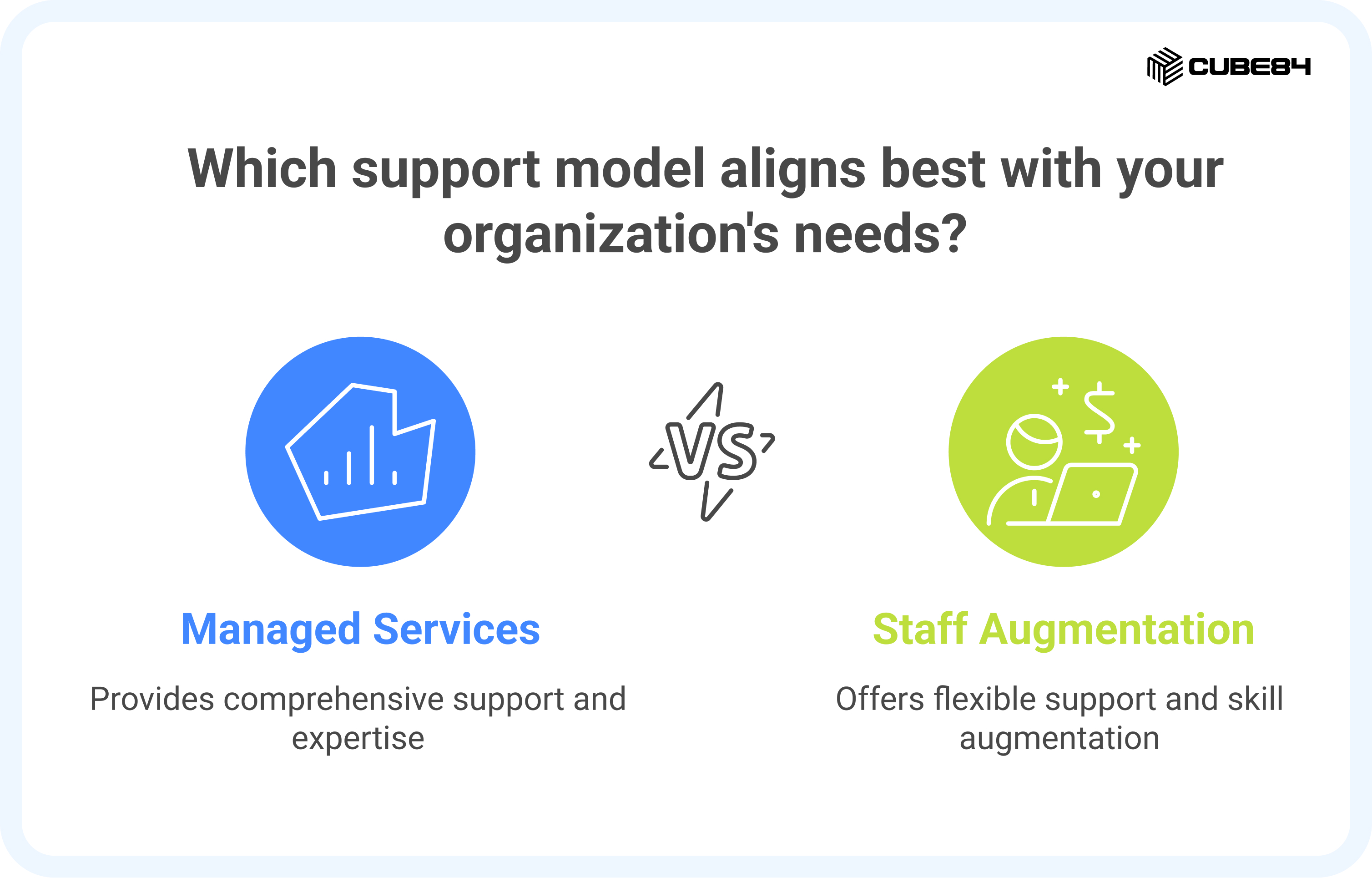
After understanding both models, the next step is deciding which one aligns best with your environment. Many organizations do not struggle with Salesforce itself. They struggle with knowing what kind of support structure is appropriate for their size, workload, and goals.
This section gives you a clear way to think through that decision. It highlights the questions that matter most and guides you toward a model that supports your team without overcommitting resources.
How to Evaluate Which Model You Need
The following areas help illustrate where each model naturally fits. These questions reflect what leadership teams typically ask when choosing their support approach.
Your Team’s Current Capability
Consider how much Salesforce knowledge already exists within your organization.
Ask:
1. Do you have at least one person who understands your processes and can guide work internally?
2. Are one or two people responsible for all support
3. Does your team already manage priorities effectively
4. Are you frequently relying on a single resource for continuity
Managed Services works well when internal capability is limited or stretched.
Staff Augmentation works well when you have a solid internal foundation and need additional hands or specialised skills.
The Type of Work You Need Help With
Look at whether your needs are ongoing or project-based.
Ongoing needs include:
1. Daily user support
2. Release readiness
3. Regular improvements
4. Documentation and governance
These match naturally with Managed Services.
Project-based needs include:
1. Integrations
2. Product launches
3. Data migrations
4. Process redesign
5. Seasonal workload spikes
These usually fit Staff Augmentation more comfortably.
Your Preference for Ownership and Direction
Consider how much direction you want to provide day to day.
Ask:
1. Do you want someone to manage the environment proactively
2. Do you prefer to guide priorities internally
3. Do you want a structure that ensures work is planned and reviewed regularly
4. Do you want someone who blends into your internal ceremonies and processes
Managed Services shares ownership and focuses on long-term consistency.
Staff Augmentation keeps full ownership with you while adding capacity to deliver.
Budget Structure and Predictability
Think about how you prefer to plan financially.
Predictable monthly cost points toward Managed Services.
Variable cost based on workload points toward Staff Augmentation.
Both are valid, and the right choice depends on how steady your needs are.
The Complexity of Your Salesforce Environment
Complex environments require multiple skills.
Simpler environments can be supported through individual roles.
A broader set of skills, including flows, integrations, testing, architecture, and release planning, aligns well with Managed Services.
A defined scope with targeted technical needs is a good fit for Staff Augmentation.
Your Timeline and Urgency
If you need support immediately, Managed Services provides faster onboarding because the team is already assembled.
If your need is specific and urgent, Staff Augmentation may also be fast, especially when you need a single role for a single project.
Putting It All Together
If most of your answers point toward ongoing support, shared ownership, multi-skill coverage, or long-term consistency, Managed Services is likely the better fit.
If most of your answers point toward temporary needs, targeted skills, internal ownership, or project-based work, Staff Augmentation is likely the better fit.
There is no single correct answer for every organization. What matters most is choosing a structure that supports your current stage of growth and provides the flexibility or stability you need.
How a Strong Partner COE Supports Both Models
Whether you use Managed Services or Staff Augmentation, the quality of the support you receive depends heavily on the strength of the partner behind it. Many organizations assume they are choosing only between two delivery models, but the reality is that the maturity of the provider’s internal structure shapes the value you actually get.
One of the most important elements in that structure is the partner’s internal Center of Excellence, often called a COE.
What a Partner COE Means for You
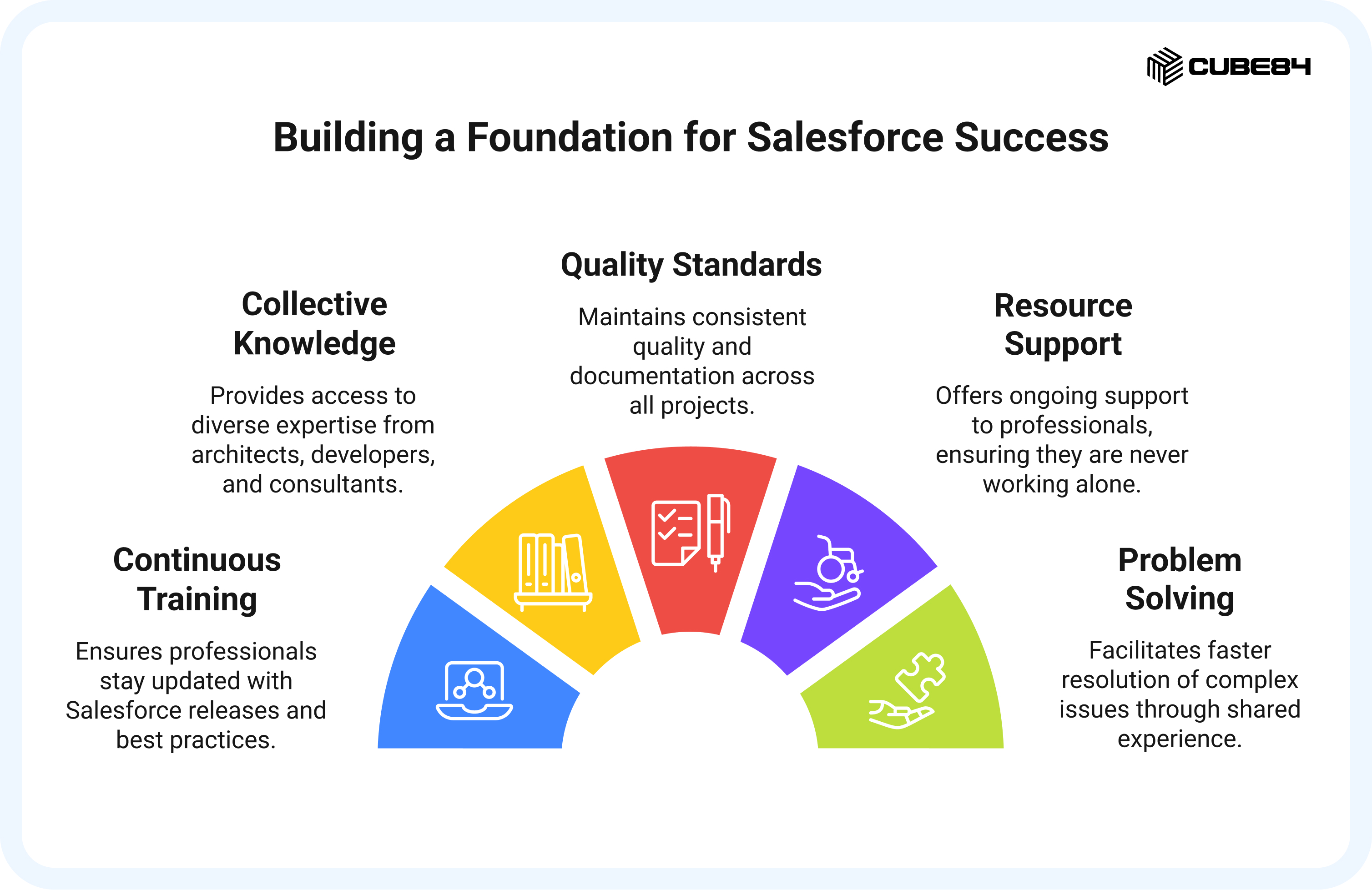
A COE is the group responsible for continuously training, guiding, and supporting the professionals who work on your Salesforce environment. This ensures that every person you work with stays current with new releases, follows reliable patterns, and has a place to turn to when complex questions arise.
A strong COE helps you in ways that individual hiring cannot match.
You benefit from:
1. Continuous training on Salesforce releases and platform changes
2. Access to collective knowledge from architects, developers, and consultants
3. Standards for quality and documentation that remain consistent across work
4. Support for the resource assigned to your environment, so they are never working alone
5. Faster problem-solving because they can draw on experience from other industries and setups
This gives you a safety net that does not depend on a single person. Even if the assigned resource changes, the COE preserves context, patterns, and continuity.
A Small Note About Your Own Internal COE
Even with a strong partner COE behind you, most organizations still keep a light internal structure to guide decision-making. It does not have to be formal. It can simply be one or two people who understand the business well and help with things like:
1. Deciding what work should be prioritised
2. Reviewing changes before they go live
3. Keeping an eye on security and access
4. Sharing updates with the teams that use Salesforce the most
This small internal group helps ensure the work your partner does stays aligned with how your organization actually runs. It also keeps communication simple and reduces back-and-forth during projects or regular support.
Why This Matters for Managed Services
Managed Services teams rely on their COE to bring predictability to your environment. When releases roll out or complex issues appear, the COE guides the team through proven approaches. This keeps your environment consistent, reduces risk during changes, and ensures your support team is always aligned with the latest best practices.
Why This Matters for Staff Augmentation
When you use Staff Augmentation, the professional you bring in works within your team’s structure. The COE ensures they stay up to date with skills and patterns, even if your internal team does not have time to teach or guide. If you ever need a replacement, the COE helps you transition smoothly because knowledge does not reside with a single person.
What to Look for in a Partner COE
When evaluating a provider, it helps to ask questions such as:
1. How often do you train your team on Salesforce releases
2. How do you support the resources assigned to our environment when they need help
3. What standards or review processes does your COE maintain
4. How do you ensure continuity if a resource transitions
5. How does your COE share knowledge across your internal teams
A strong COE gives you confidence that the support you receive will stay reliable, consistent, and future-ready, no matter which model you choose.
When a Hybrid Approach Makes Sense
Even with strong internal teams and clear support structures, Salesforce's needs do not stay the same throughout the year. Some months involve routine work and steady enhancements. Other months involve large initiatives, new products, or work that requires specialised skills for a short period. This is where a hybrid approach becomes useful.
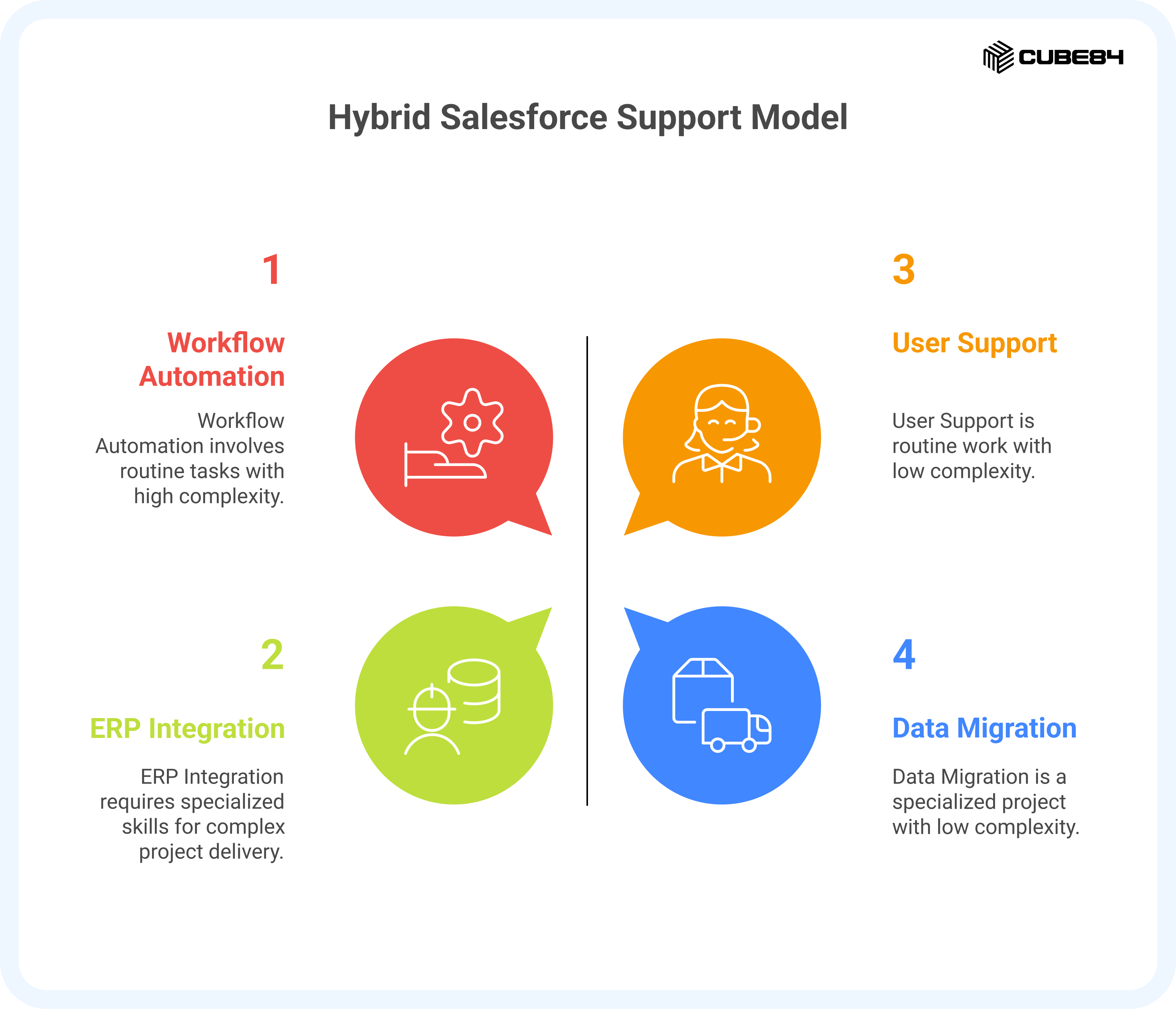
A hybrid model combines the predictability of Managed Services with the focused support of Staff Augmentation. It allows your organization to keep Salesforce stable month after month while scaling up temporarily whenever the work becomes heavier or more complex.
How Managed Services and Staff Augmentation Complement Each Other
Managed Services maintains the environment day to day. User requests are handled, workflows are updated, data quality is monitored, and release preparation continues without interruption. This provides a steady operating rhythm.
Staff Augmentation steps in when a defined project or specialised requirement appears. The temporary professional joins your internal team, follows your direction, and works on the initiative without distracting the Managed Services structure or slowing BAU support.
The two models do not overlap. They solve different needs and support different kinds of work.
When a Hybrid Model Fits Naturally
A combined model tends to fit well when your organization:
1. Handles consistent Salesforce demand throughout the year
2. Takes on periodic projects that require specific technical skills
3. Wants predictable support without limiting its ability to move quickly
4. Has internal teams that manage priorities but need temporary help with delivery
5. Wants to avoid slowing BAU work whenever a major initiative begins
This model gives your organization stability during routine periods and precision during project periods.
What a Hybrid Model Looks Like in Practice
Under the hybrid structure:
1. Managed Services handles routine work, user support, improvements, and releases
2. Staff Augmentation joins only when a specialised project requires their skills
3. The internal team continues to guide priorities in both areas
4. Once the project is complete, the temporary resource steps out smoothly
This prevents sudden pressure on internal staff, reduces backlog growth, and helps initiatives move forward without compromising daily operations.
A Practical Example
A company receives consistent requests from sales, service, and operations teams. Managed Services supports this workload every month and keeps the environment organized.
Later, the company decides to introduce a new integration with its ERP. The work requires focused time and experience with API design. Instead of shifting Managed Services away from BAU tasks or overloading internal staff, the company adds a temporary integration specialist. The project is completed on time, documentation is handed over, and BAU support continues without disruption.
Why Some Organizations Prefer a Hybrid Path
Salesforce environments grow in waves. There are steady periods and demanding periods. A hybrid approach adapts to both without requiring long-term hiring or constant restructuring.
It provides:
1. Stability from Managed Services
2. Flexibility from Staff Augmentation
3. Continuity for internal teams
4. Faster delivery for project-based work
It is a practical option for organizations whose Salesforce needs evolve throughout the year.
A Simple Assessment to Help You Choose the Right Support Model
Once you understand how each model works, the next step is to evaluate which one fits your own Salesforce environment. The questions below help you look at your team, your workload, and your expectations so you can choose a structure that supports both short-term needs and long-term stability.
This assessment is designed to be practical. Your answers will point to the model that best matches how your organization operates today.
Team Capability: Do you have internal Salesforce expertise?
No internal expertise at all
Managed Services is usually the right starting point because it provides complete coverage across skills.
A small team of one or two people
Managed Services or a Hybrid approach may fit best. Daily support, releases, and planning often exceed the capacity of a small team.
A strong, experienced internal team
Staff Augmentation usually works well, especially when you need temporary help or specialised skills.
Scope of Need: What type of support do you require?
Wide-ranging needs that include administration, support, enhancements, releases, and planning
Managed Services is usually the most reliable choice.
A specific skill gap or a defined project
Staff Augmentation is often more practical because you can bring the exact expertise you need for the period required.
Both ongoing operations and project support
A Hybrid model gives you stability through Managed Services and flexibility through temporary resources.
Control Preference: How much direction do you want to maintain?
You want to delegate support so your internal team can focus on strategy
Managed Services helps you hand over operational effort while keeping overall alignment.
You prefer to stay closely involved and guide daily work
Staff Augmentation supports this preference because you retain full control.
You want a partner who shares responsibility while still allowing you to direct certain areas
A Hybrid approach balances both.
Budget Structure: How do you prefer to plan your spending?
You want predictable monthly or quarterly costs that align with planning cycles
Managed Services offers the most stable structure.
You prefer flexible spending that adjusts based on project timelines
Staff Augmentation is usually the better fit.
You want predictable support with room for project-based additions
A Hybrid approach works well.
Timeline: How quickly do you need support?
You need support within days or a few weeks
Managed Services usually onboards faster because the team is already assembled.
You can spend more time finding the exact right individual
Staff Augmentation allows you to choose a specialist who fits your requirements.
You have an urgent project that requires a specific skill
Staff Augmentation is generally the fastest path to the expertise you need.
Coverage Needs: What hours and consistency do you require?
You need extended or near continuous coverage
Managed Services is structured for this type of availability.
You need support during standard business hours
Both models can meet this requirement.
You need support only for defined project periods
Staff Augmentation is usually sufficient.
Complexity Level: How complex is your Salesforce environment?
High complexity, such as several integrations, custom development, multiple clouds, and large user groups
Managed Services helps manage this breadth consistently.
Moderate complexity
Either model can work depending on what the internal team can handle confidently.
Lower complexity with mostly standard functionality
Staff Augmentation may be enough for occasional help or short-term projects.
Strategic vs Operational Needs: What is your primary focus?
You want dependable daily operations along with steady improvements
Managed Services aligns naturally with this requirement.
You want to drive strategic or transformational changes such as rearchitecture, new modules, or major redesigns
Staff Augmentation allows you to add architects or specialists for concentrated effort.
You need both stability and project advancement
A Hybrid model helps balance long-term operations with short-term delivery.
Quick Reference Table: Which Model Fits Your Situation
This table brings the eight questions together in one place so you can see which direction your answers lean toward
Dimension | Managed Services | Staff Augmentation | Hybrid Approach |
Internal Team Strength | No internal expertise or a very small team | Strong internal team that understands your processes | A small team that needs both operational support and project help |
Type of Work Needed | Ongoing support, maintenance, releases, improvements, planning | A specific skill, temporary need, or defined project | A mix of ongoing support plus project or short-term help |
Control Preference | Prefer to delegate day-to-day operations | Prefer to guide daily work internally | Want shared responsibility, depending on the type of work |
Budget Pattern | Prefer predictable monthly or quarterly expenses | Prefer flexible spending that varies with the work | Want some predictability with room for project-based work |
Timeline | Need support quickly across multiple work areas | Need a specific expert as soon as possible | Need ongoing support, but also project flexibility |
Hours and Coverage | Prefer consistent availability and structured coverage | Support is required only during project work or business hours | Need predictable support plus extra help during peak periods |
Environment Complexity | High complexity with several moving parts, integrations, or teams | Lower to moderate complexity, where targeted help is enough | Moderate to high complexity that needs consistency plus short bursts of additional help |
Primary Need | Reliable operations with steady improvements | Strategic projects, new builds, or temporary workload increases | A combination of stability and project advancement |
Using the Results
Most organizations see a clear pattern when they answer these questions honestly. The answers point to one of three directions:
Most answers point toward ongoing support and predictability
Managed Services may fit your environment best.
Most answers point toward temporary needs, specific skills, or close internal control
Staff Augmentation is likely the better match.
Your answers are split across both stability and flexibility
A Hybrid approach gives you predictable coverage with the option to scale for projects.
If you want a structured way to calculate how much Managed Services support you may need, the MSP Calculator can help. It uses information about your environment, workload, and team capacity to estimate the number of hours that would support your Salesforce setup effectively.
A clear view of your needs makes it easier to select a model that fits your organization today and supports the way you want Salesforce to grow in the future.
Making a Smooth Transition Between Support Models
Salesforce needs rarely stay the same for long. Growth, new processes, new products, and shifting team capacity often create a natural point where organizations move from one support model to another. The success of that transition depends less on the model itself and more on how the change is planned, communicated, and carried out.
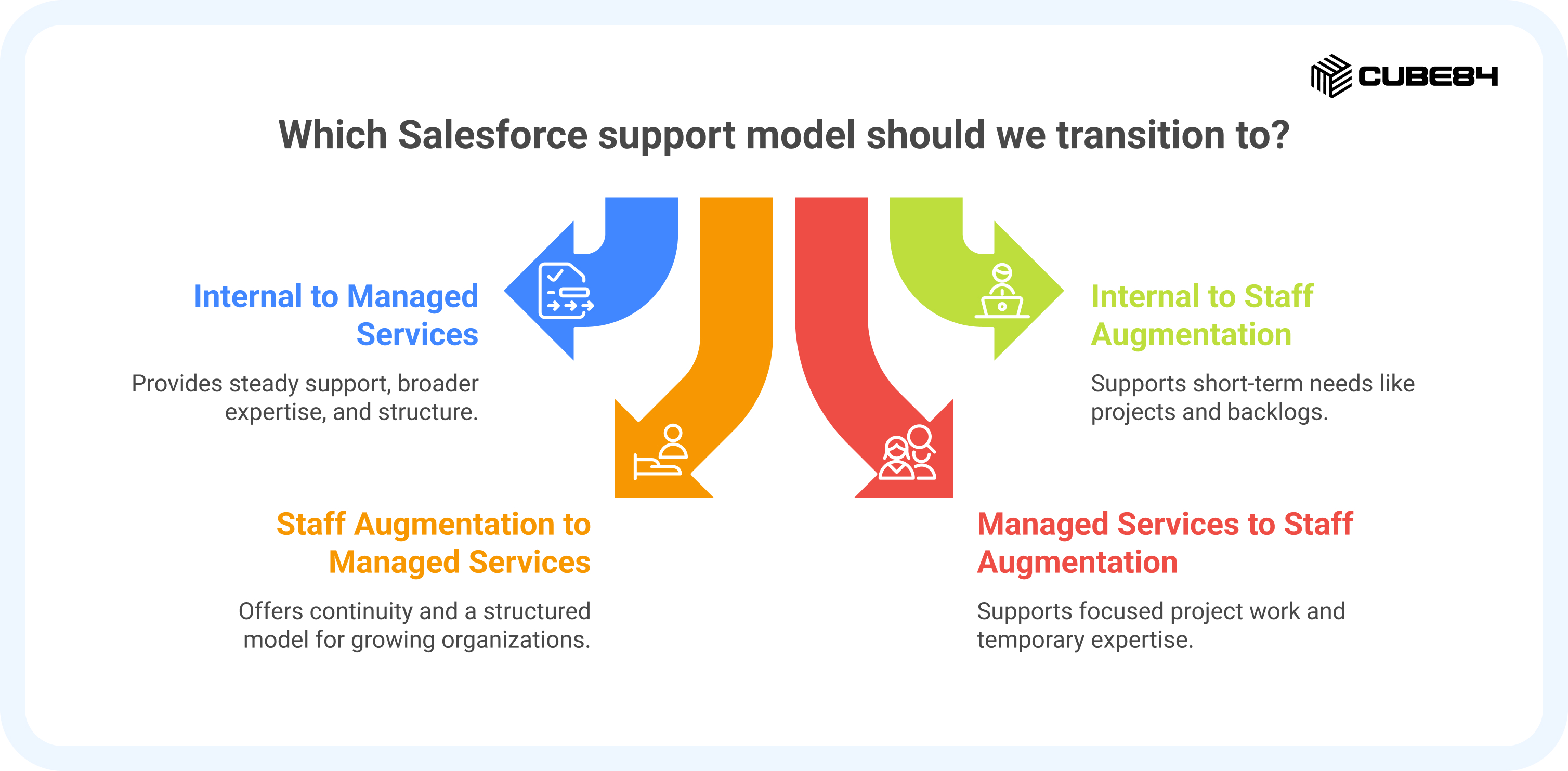
This section explains how transitions typically work in practice and the steps that help teams stay steady while making a shift.
The Four Common Transition Paths
Moving from an Internal Team to Managed Services
This transition usually happens when internal teams need steady support, broader expertise, or more structure.
A smooth transition includes:
1. A short overlap where the Managed Services team reviews your setup
2. A shared backlog review to confirm priorities
3. Weekly and monthly routines are defined early
4. Documentation of BAU tasks so nothing is missed
5. Access and approval paths are set up clearly
This keeps internal staff involved while shifting operational responsibility to a coordinated support team.
Moving from an Internal Team to Staff Augmentation
This supports short-term needs like projects, backlogs, or specialised work.
A smooth transition includes:
1. Defined deliverables for the augmented resource
2. Access to workflows, documentation, and tools
3. A short ramp up to understand how your team works
4. Frequent check-ins to make sure progress stays aligned
5. A clear endpoint or completion milestone
Your internal team leads direction while gaining the temporary support they need.
Moving from Staff Augmentation to Managed Services
This often occurs when organizations outgrow the limited capacity of individual roles and want a broader, structured model.
A smooth transition includes:
1. A handover from the augmented resource to the Managed Services team
2. Migration of open work into the Managed Services backlog
3. A review of automation, integrations, and key processes
4. Establishing a predictable operating rhythm
This ensures continuity even as responsibility shifts to a coordinated team.
Moving from Managed Services to Staff Augmentation
This usually supports focused project work or the need for temporary specialised expertise.
A smooth transition includes:
1. Clear project milestones for the augmented resource
2. Collaboration with the Managed Services team
3. Agreement on who handles daily tickets versus project tasks
4. A short overlap for knowledge transfer
This allows BAU support to remain uninterrupted while project work accelerates.
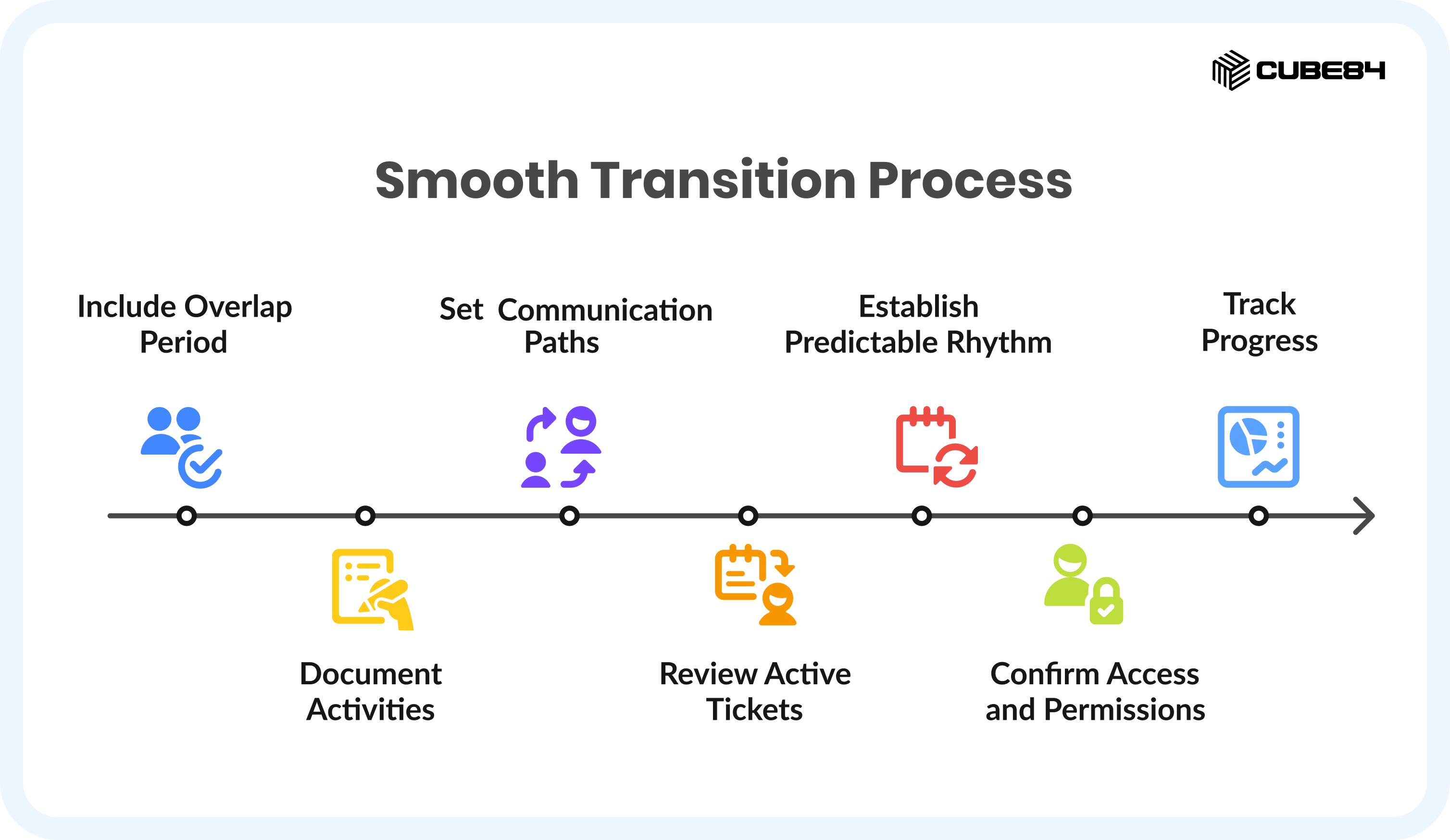
How to Transition Smoothly
Regardless of direction, successful transitions follow a few consistent steps:
1. Include an overlap period
Two to three weeks is ideal to prevent gaps or delays.
2. Document daily, weekly, and monthly activities
Clear documentation helps the incoming team understand routines and expectations.
3. Set communication paths early
Define who approves changes, who receives updates, and how users submit requests.
4. Review active tickets and ongoing projects
Establish one shared view of current work so nothing falls through the gaps.
5. Establish a predictable rhythm from the start
Weekly check-ins, planning cycles, and a shared backlog help keep everyone aligned.
6. Confirm access and permissions on day one
Most early delays come from access issues, not a lack of capability.
7. Track progress during the first month
Helpful indicators include:
1. Ticket resolution time
2. Movement in the backlog
3. Release readiness
4. Time spent on rework
5. User satisfaction
If any of these dip, adjustments can be made quickly.
Common Mistakes to Avoid
Transitions become difficult when:
1. The shift happens without an overlap period
2. BAU work is not documented
3. Priorities are unclear before the transition begins
4. Internal ownership is not assigned
5. The incoming team is not given enough context
Avoiding these issues helps both teams deliver smoothly from the first week.
What a Successful Transition Looks Like
A successful transition is easy to recognize.
1. Support continues without delays.
2. Users get answers when they need them.
3. Enhancement work keeps moving.
4. Project schedules stay on track.
5. The new team understands your priorities and begins contributing quickly.
Leaders see progress in regular updates, and nothing feels paused or uncertain.
Questions to Ask Vendors
Choosing the right partner matters as much as choosing the right model. A good vendor will make their processes clear, answer hard questions, and show how they will work with your team. Below are practical questions grouped by theme, plus what their answers should tell you.
Operational clarity and day-to-day
Question: How will we submit requests and track progress?
What you want to hear: a simple intake process, clear SLAs, and a shared backlog or ticket system you can access.
Question: Who will be our day-to-day contacts, and how often will we meet?
What you want to hear: named points of contact and a regular cadence for planning and review.
Question: How do you handle knowledge retention and documentation?
What you want to hear: a written documentation standard, a living runbook for your org, and procedures for handoffs.
Delivery and governance
Question: What is included in your standard service, and what counts as out of scope?
What you want to hear: clear boundary examples and transparent pricing for anything outside the base agreement.
Question: What are your response and resolution targets for different ticket severities?
What you want to hear: defined response times and escalation paths for urgent production issues.
Question: How do you approach release testing and release windows?
What you want to hear: a release checklist, sandbox testing practices, and a plan for regression testing before major Salesforce releases.
People, skills, and continuity
Question: Who will actually do the work, and what are their credentials?
What you want to hear: role descriptions and evidence of experience, not just marketing labels.
Question: How do you vet and train your people?
What you want to hear: structured interviewing, hands-on technical vetting, and ongoing training tied to a COE or similar program.
Question: What happens if a resource is not a fit?
What you want to hear: a replacement guarantee and a transition plan that limits disruption.
Quality, measurement, and outcomes
Question: How do you measure success?
What you want to hear: metrics such as ticket resolution time, backlog reduction, release incidents, and user satisfaction.
Question: How do you report progress and ROI back to leadership?
What you want to hear: concise, regular reports that map work to business outcomes and effort invested.
Question: Can you show examples or case studies from similar environments?
What you want to hear: specific examples that reflect your size, complexity, or industry.
Risk, continuity, and security
Question: How do you protect our data and manage access?
What you want to hear: clear security controls, least privilege practices, and audit-ready processes.
Question: How do you reduce single-person dependence and ensure redundancy?
What you want to hear: team-based coverage, cross-training, and COE support so knowledge is shared.
Question: What SLA credits or remedies are available if commitments are not met?
What you want to hear: transparent remedy language and a sensible service agreement.
Commercial and practical
Question: How is pricing structured, and how predictable are monthly costs?
What you want to hear: clear pricing, examples of common add-ons, and a simple way to project next quarter or year costs.
Question: Do you offer conversion options if we want to hire someone full-time later?
What you want to hear: transparent conversion terms and any fees, plus a handover plan.
Question: Can you work with our procurement and legal requirements?
What you want to hear: flexibility and a willingness to agree to terms that fit your governance needs.
Quick vendor evaluation checklist
Use this short checklist during vendor calls. Score each item 0 to 2, where 0 is poor, 1 is acceptable, and 2 is excellent.
1. Clear intake and ticketing process
2. Named, experienced delivery leads
3. Experience depth across their support team, such as years of Salesforce work or a clear approach to reducing technical debt
4. Transparent SLAs and escalation paths
5. Security and access controls explained
6. Example case studies or references
7. Predictable pricing and clear out-of-scope items
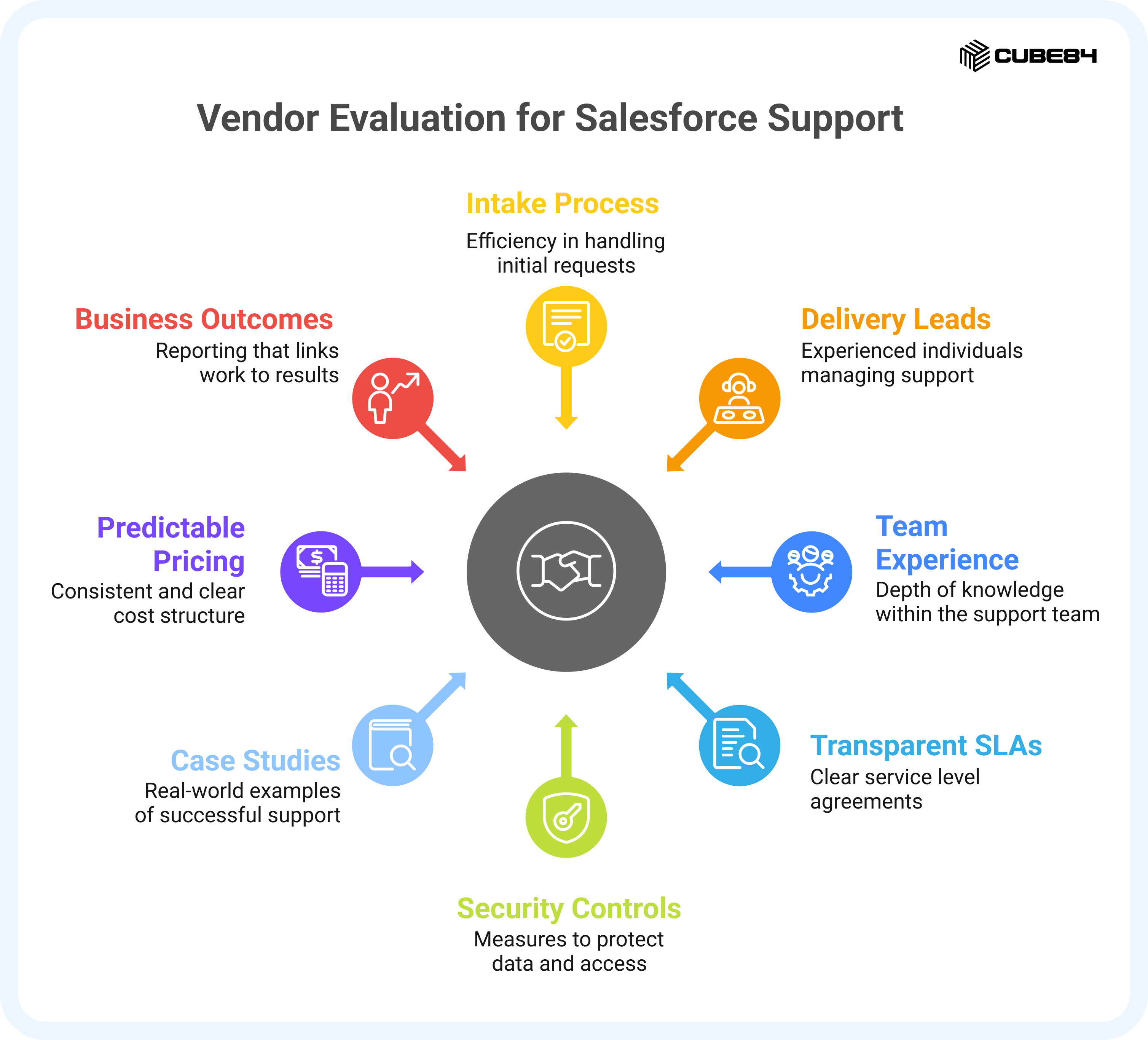
Reporting that ties work to business outcomes
A partner that scores well across these points is likely to be reliable and easier to work with during a transition or ongoing engagement.
Conclusion
Salesforce support is not one-size-fits-all. Every organization reaches a point at which the way work is handled no longer aligns with what the platform needs. When that happens, choosing the right model comes down to understanding your team, your priorities, and the pace of your business.
What matters most is choosing a support model that aligns with how your Salesforce setup works today. If you would like help thinking through what this could look like for your organization, you can contact us. We are happy to help!