

Introduction
There is a question most Finance and Operations leaders eventually face — usually during a renewal conversation, or when a new leader joins and starts asking hard questions about the spend on the Salesforce consultant or the partner.
Managed services agreements are notoriously vague at the point of sale. Terms like "ongoing support," "platform optimization," and "continuous improvement" appear freely in proposals and pitch decks. They sound reassuring. But they rarely correspond to a specific service, a defined deliverable, or a measurable outcome. What one provider calls "proactive support" another calls "ticket management with faster response times." What one calls "governance" covers only user access reviews. What another calls "feature adoption" is a quarterly email with release notes.
This ambiguity is not accidental. It allows providers to scope narrowly while billing broadly — and it leaves Finance without a meaningful basis for evaluating cost, RevOps without a clear map for leveraging the engagement, and Operations without the language to hold a partner accountable.
This blog is a direct response to that gap. What follows is a complete, layer-by-layer breakdown of what a well-structured Salesforce Managed Services engagement actually includes — and equally important, what should be there but often is not.
If you are currently evaluating whether managed services is the right model for your organization at all, the comparisons in Salesforce Managed Services vs. Staff Augmentation and Salesforce Managed Services vs. In-House Admin cover that ground well. This blog assumes you have cleared that threshold — and now need to understand exactly what you are buying.
What Is Salesforce Managed Services, Actually?
Before breaking down the layers, it helps to establish a precise working definition — because the term is used loosely enough that two providers can both call what they offer "managed services" while delivering fundamentally different things.
Salesforce Managed Services is a structured, ongoing support model in which an external partner takes shared responsibility for the health, performance, and evolution of your Salesforce environment. The operative words are ongoing, shared responsibility, and evolution. This is not project-based development. It is not a help desk. And it is not staff augmentation, where you direct the work and the vendor provides bodies.
In a mature managed services engagement, the partner brings a team — typically a blend of admins, developers, architects, and a delivery lead — and that team functions as an integrated extension of your internal operations. They do not wait for tickets. They carry a view of your Salesforce roadmap, your release calendar, and your org health at all times.
The distinction matters because it shapes every expectation you should hold, every SLA you should negotiate, and every review conversation you should have. With that definition anchored, here is what a complete engagement looks like from the inside.
The Six Service Layers of Salesforce Managed Services
Layer 1 — Admin Support and Day-to-Day Operations
This is the most visible layer and the one most buyers focus on when they first evaluate managed services. It covers the day-to-day work of keeping Salesforce running — user management, configuration changes, report and dashboard updates, validation rules, workflow adjustments, and troubleshooting.
But admin support inside a mature managed services engagement is more structured than it might appear. A well-run engagement organizes admin support into defined request tiers, each with a corresponding response expectation and escalation path.
TABLE 1 — ADMIN SUPPORT REQUEST TIER MODEL
Tier | Request Type | Examples | Traget Response |
T1 — Operational | Routine tasks, low complexity | User provisioning, field additions, report edits | Same business day |
T2 — Configuration | Process changes, moderate complexity | Flow updates, page layout redesigns, sharing rule changes | 1–2 business days |
T3 — Development | Custom code, integrations, architectural changes | Apex triggers, LWC components, API modifications | Scoped & scheduled |
T4 — Strategic | Roadmap decisions, architecture review | New cloud evaluation, data model redesign | QBR cadence |
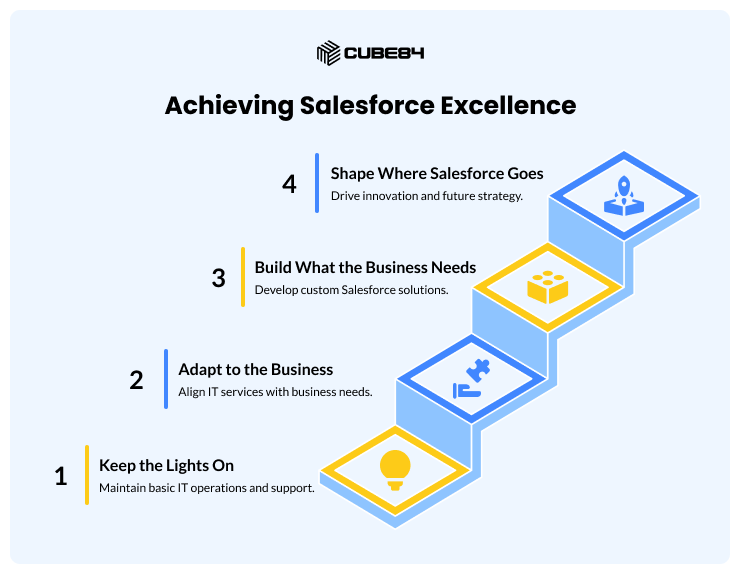
What separates a strong managed services provider from a basic support desk is their handling of T3 and T4 work. Providers who cap their offering at T1 and T2 are running a help desk, not a managed service. The presence of certified developers and an architect in the engagement team — not just on the org chart — is the signal to look for.
Layer 2 — Governance and Org Health Management
Governance is the layer most buyers underestimate when they first engage a managed services partner — and the one they value most after twelve months in a well-run engagement.
Salesforce orgs accumulate technical debt quietly. Unused fields, redundant workflows, over-permissioned profiles, automation conflicts, and stale integrations compound over time. Without active governance, an org that was well-configured at go-live can drift into a fragile, expensive-to-maintain state within two to three years. This is one of the most consistent patterns behind the ROI shortfalls organizations experience post-implementation.
A mature managed services engagement makes governance a delivered service, not a background activity. It includes a defined set of governance practices executed on a regular cadence.
TABLE 2 — GOVERNANCE DELIVERED AS A SERVICE
Governance Area | What It Involves | Cadence |
Org Health Monitoring | Automated scanning of field usage, automation conflicts, test coverage, storage utilization | Monthly |
User Access Reviews | Audit of profiles, permission sets, role hierarchy, inactive users | Quarterly |
Technical Debt Assessment | Identification of deprecated components, redundant flows, outdated custom code | Quarterly |
Change Management Log | Documentation of every configuration and code change, owner, and rationale | Ongoing |
Security & Compliance Review | Review against Salesforce security baseline, login policies, connected app permissions | Bi-annually |
Data Quality Monitoring | Duplicate rate tracking, missing required field rates, data completeness by object | Monthly |
The governance layer is also where the partner's documentation discipline becomes visible. A provider who delivers governance well maintains a living architecture decision record — a documented log of why key decisions were made, not just what was built. When your internal team changes or a new leader comes in, this record is often more valuable than the configuration itself.
Layer 3 — Salesforce Release Management
Salesforce releases three major platform updates every year — Spring, Summer, and Winter — each containing hundreds of feature changes, security patches, and deprecated behaviors. For organizations running Sales Cloud, Service Cloud, Experience Cloud, Revenue Cloud, or any other product layer, each release carries both opportunity and risk.
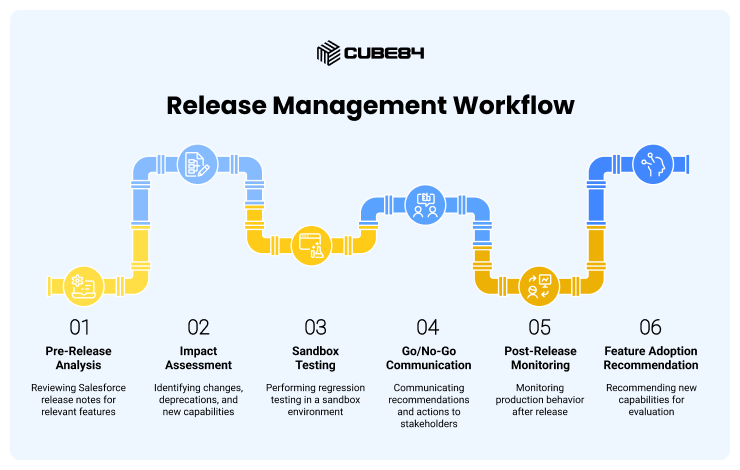
Release management as a managed service means your partner does not wait for the release to arrive and ask you what to do. It means they are reviewing release notes weeks ahead, identifying the changes relevant to your specific org configuration, testing critical paths in sandbox, and communicating a clear go/no-go recommendation before the release window.
RELEASE MANAGEMENT WORKFLOW — WHAT A MATURE ENGAGEMENT COVERS
1. Pre-Release Analysis — Review of official Salesforce release notes filtered to features relevant to your active products and configurations
2. Impact Assessment — Identification of any behaviors that will change, features that will be deprecated, or new capabilities worth adopting
3. Sandbox Testing — Regression testing of critical business processes in a full or partial sandbox copy before production release
4. Go/No-Go Communication — A clear written communication to internal stakeholders with a recommendation, rationale, and any required actions
5. Post-Release Monitoring — Active monitoring of production behavior in the first 48–72 hours after release
6. Feature Adoption Recommendation — A curated shortlist of new capabilities from each release worth evaluating for your roadmap
Organizations without release management as a defined service layer are almost always in reactive mode — discovering changed behavior in production, often raised by an end user, and scrambling to diagnose whether it is a configuration issue or a platform change. This is operationally expensive and completely avoidable.
Layer 4 — Feature Adoption and User Enablement
Feature adoption is the most frequently missing layer in managed services engagements — and the one with the most direct impact on Salesforce ROI.
The gap between what Salesforce is licensed to do and what users actually do in it is, for most organizations, significant. Salesforce's own research consistently points to adoption as the primary driver of value realization post-implementation. But most managed services engagements treat adoption as a go-live activity — a few training sessions at launch — rather than as an ongoing operational responsibility.
A mature managed services partner treats feature adoption as a continuous service layer with its own cadence, measurement, and ownership.
TABLE 3 — FEATURE ADOPTION AS A MANAGED SERVICE
Activity | Description | Owner | Cadence |
Adoption Baseline | Login rates, feature usage metrics, and report utilization by team and role | MSP + RevOps | Quarterly |
Underutilization Identification | Analysis of licensed features not actively used — flows not running, reports not opened, fields not populated | MSP | Monthly |
Enablement Planning | Structured training or in-system guidance for identified gaps | MSP + Internal | Per gap identified |
Release Feature Evaluation | Curated review of new Salesforce capabilities mapped to your team's workflow gaps | MSP | Per release |
Adoption Scorecard | A documented view of adoption health by team, shared at Quarterly Business Reviews | MSP | Quarterly |
This layer has a direct relationship to the Total Cost of Ownership conversation. License spend that is not converting into active usage is not a Salesforce problem — it is a support model problem. An engagement that tracks adoption gives Finance a concrete mechanism to connect support investment to license value realized.
Layer 5 — Proactive vs. Reactive Support: The Operational Distinction
This distinction is the one that most directly separates managed services from everything else — and the one that is most often misrepresented in proposals.
Reactive support means your partner responds when something breaks or when your team raises a request. The work is entirely demand-driven. Your team identifies the problem. The provider solves it.
Proactive support means your partner is continuously monitoring your org — for performance degradation, automation conflicts, data anomalies, security signals, and emerging technical debt — and raising issues before your team encounters them in production.
The difference is not philosophical. It is operational, and it is measurable.
The practical question to ask any provider: "What did you proactively surface for a current client last month — not in response to a ticket, but because your monitoring identified it?" An experienced provider will have a specific answer. A reactive provider will pivot to discussing their SLA response times.
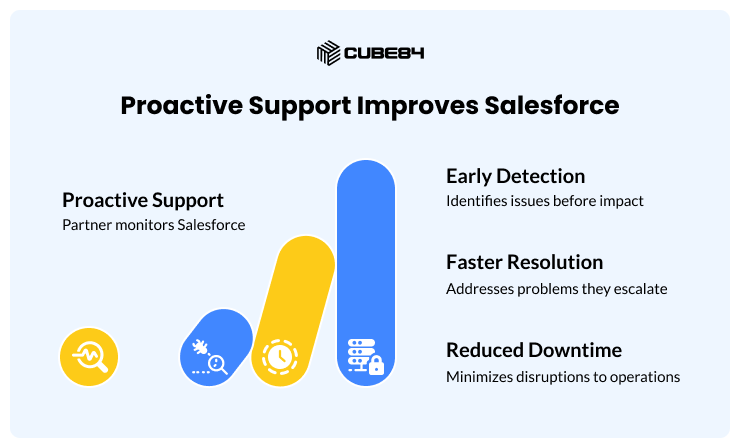
TABLE 4 — PROACTIVE VS. REACTIVE SUPPORT MODEL COMPARISON
Dimension | Reactive Support | Proactive Support |
Issue Discovery | End user or internal team identifies and reports | Partner detects through monitoring before users are affected |
Work Initiation | Ticket submitted by client | Partner raises issue proactively with recommendation |
Technical Debt | Accumulates until it causes visible problems | Identified and addressed on a structured cadence |
Release Readiness | Addressed after release is deployed | Managed ahead of each release window |
Data Quality | Flagged when reports produce wrong numbers | Monitored monthly, trends surfaced in QBRs |
Client Effort Required | High — client must diagnose, articulate, and prioritize | Lower — partner brings issues with context and recommendation |
Engagement Tone | Vendor-client | Partner-operator |
Layer 6 — Quarterly Business Reviews (QBRs)
The Quarterly Business Review is the governance mechanism that ties every other layer together. It is the moment in the engagement calendar where the partner brings visibility, and the internal team brings direction. Done well, it is the most valuable recurring conversation in the engagement. Done poorly, it is a slideshow recap of what got done last quarter.
A structured QBR covers six areas — and Finance, RevOps, and Operations each have a legitimate stake in the output.
TABLE 5 — WHAT A STRUCTURED QBR SHOULD CONTAIN
QBR Section | What It Covers | Relevant For |
Org Health Summary | Current technical debt status, open risks, governance findings | Operations, IT |
Adoption Scorecard | License utilization, feature usage rates, user engagement by team | RevOps, Finance |
Delivery Review | Work completed in the quarter vs. committed scope | Operations, Finance |
Release Impact Report | What changed in the last Salesforce release and how your org was affected | Operations, IT |
Roadmap Alignment | Proposed priorities for the next quarter based on business direction | RevOps, Operations |
Cost and Value Summary | Hours consumed vs. budget, cost-per-outcome where measurable, investment recommendations | Finance |
The QBR is also where the budget conversation for the next period should be grounded. Finance leaders who treat the QBR as a compliance activity — something to attend without active engagement — are leaving cost management on the table. The hour allocation, the priority sequencing, and the build-vs.-buy decisions that emerge from a well-run QBR directly shape the support spend for the following quarter.
The Three-Way Comparison: Managed Services vs. In-House Admin vs. Staff Augmentation
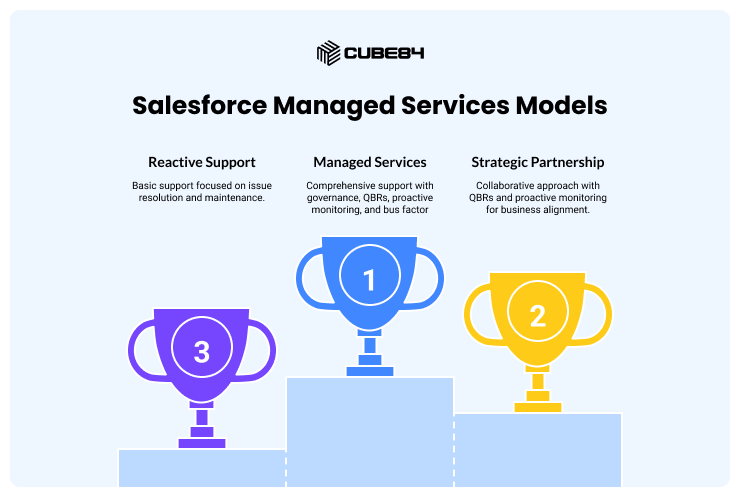
Most cost conversations about Salesforce support happen as two-way comparisons — managed services vs. in-house, or managed services vs. staff augmentation. The more useful frame is a three-way view, because the actual choice many organizations face involves all three options at once — sometimes in combination.
This table is intentionally focused on the structural differences that determine long-term cost and capability. For deeper model-vs-model analysis, Salesforce Managed Services vs. Staff Augmentation and the In-House Admin comparison provide full detail.
TABLE 6 — THREE-WAY COMPARISON (MANAGED SERVICES COLUMN HIGHLIGHTED)
Dimension | In-House Admin | Staff Augemntation | Managed Services |
Team Structure | Single individual | One or more individuals directed by your team | Multi-role team (admin + dev + architect + delivery lead) |
Skill Coverage | Limited to admin's certified scope | Targeted — you hire for what you identify | Broad — covers admin, development, architecture, strategy |
Governance | Ad hoc, depends on individual | Not typically included | Structured, delivered as a service layer |
Release Management | Informal or reactive | Not typically in scope | Proactive, scheduled ahead of each release |
Feature Adoption | Depends on admin's initiative | Outside scope | Tracked, measured, and reported quarterly |
Proactive Monitoring | Rarely structured | Not in scope | Core to the engagement model |
Quarterly Business Reviews | Not standard | Not standard | Standard deliverable with Finance-visible reporting |
Bus Factor Risk | High — single point of failure | Medium — depends on vendor bench | Low — team-based delivery |
Cost Predictability | Variable (salary + benefits + turnover risk) | Variable (hourly/day rate, project-dependent) | Predictable (monthly retainer with defined scope) |
Indicative Annual Cost (USD) | $90K–$140K all-in (FTE + benefits) | $80K–$180K depending on hours and seniority | $72K–$180K depending on retainer tier |
Strategic Input | Limited to admin's experience | Not typically included | Included — roadmap planning, architecture oversight |
Best Fit For | Stable, lower-complexity orgs with light workloads | Defined project scope or specific skill gap | Orgs with ongoing development needs or growth trajectory |
How Managed Services Cost Models Are Structured
Cost structures in Salesforce Managed Services vary by provider, but most mature engagements use one of three models — or a combination.
TABLE 7 — MANAGED SERVICES PRICING MODELS
Model | How It Works | Best For | Finanace Consideration |
Fixed Monthly Retainer | Set hours per month at a fixed fee. Unused hours typically do not roll over. | Orgs with predictable, steady workloads | High budget predictability; scope discipline required |
Tiered Retainer | Defined service tiers with a fixed monthly fee per tier. Scope is defined by tier. | Orgs that want to scale support as complexity grows | Straightforward to budget; upgrade path is clear |
Consumption-Based | Hours purchased in blocks and drawn down as work is completed. Typically 20–40 hour minimums. | Orgs with variable or project-driven workloads | Flexible but requires active monitoring to avoid overruns |
Hybrid | Fixed retainer for core operations with a separate development budget for T3/T4 work. | Orgs that want operational predictability with development flexibility | Requires two budget lines but reflects how work actually flows |
TABLE 8 — INDICATIVE MONTHLY RETAINER RANGES (2025–2026)
Retainer Tier | Approx. Monthly Range (USD) | What It Typically Covers |
Essential / Foundational | $4,000 – $7,000 | T1–T2 admin support, monthly health check, release monitoring |
Growth / Standard | $7,000 – $12,000 | T1–T3 support, governance, feature adoption tracking, QBRs |
Enterprise / Full-Service | $12,000 – $20,000+ | Full service stack including architecture oversight, proactive monitoring, roadmap advisory |
These ranges reflect offshore or hybrid delivery models that combine onshore delivery leads with offshore execution — the structure most established mid-market Salesforce MSPs use. Fully onshore engagement teams will carry a premium of 30–60% above these ranges.
For a more complete cost modeling framework including TCO analysis and total investment benchmarks, the Complete Salesforce TCO Guide provides the full methodology.
A Practical Checklist: Evaluating What a Provider Actually Includes
Before signing a managed services agreement, Finance, RevOps, and Operations leaders should validate that the engagement covers each of the six service layers described in this blog. The checklist below gives you a structured basis for that conversation.
TABLE 9 — MANAGED SERVICES ENGAGEMENT EVALUATION CHECKLIST
Layer | Questions to Ask | What a Strong Answer Look Like |
Admin Support | How are requests tiered, and what is the escalation path from T1 to T3? | Defined tiers with documented response SLAs and a clear path to development resources |
Governance | What governance activities are delivered as part of the engagement, and on what cadence? | Named deliverables: org health reports, access reviews, technical debt assessments — on a defined schedule |
Release Management | Walk me through your process for the last Salesforce release. | Pre-release sandbox testing, written impact assessment, go/no-go communication, post-release monitoring |
Feature Adoption | How do you measure and report on Salesforce adoption for your current clients? | Adoption scorecard, usage metrics by team, underutilization identification, enablement recommendations |
Proactive Support | What did you proactively surface for a client last month — not from a ticket? | A specific example: a data quality issue, a governance finding, a security configuration risk |
QBR Quality | Can you share a sample QBR report or walk me through what you cover? | A structured report covering org health, adoption, delivery, roadmap alignment, and cost/value summary |
Certifications | Which certifications are held by the team assigned to our account? | Named certifications matching your active product stack — not just company-level badges |
For more on evaluating certifications as a proxy for delivery quality, Salesforce Certifications and Badges: What to Look For When Choosing an MSP covers the full framework.
What a Well-Structured Engagement Looks Like Month by Month
One of the clearest ways to evaluate a managed services proposal is to ask the provider to map out what a typical month looks like — not in terms of ticket resolution, but in terms of structured activities and deliverables.
TABLE 10 — SAMPLE MONTHLY ACTIVITY CALENDAR
Week | Activity | Who Leads |
Week 1 | Sprint planning — prioritize backlog for the month based on business direction | MSP Delivery Lead + Internal POC |
Week 1 | Org health monitoring report generated | MSP Admin / Architect |
Week 2 | Sprint delivery — T1/T2 admin support, active T3 development work | MSP Team |
Week 2 | Mid-month sync with internal POC — blockers, reprioritization | MSP Delivery Lead + Internal POC |
Week 3 | Sprint delivery continues | MSP Team |
Week 3 | Data quality monitoring pull — anomalies flagged to internal team | MSP Admin |
Week 4 | Sprint review and delivery summary — what was completed, what carries to next month | MSP Delivery Lead |
Week 4 | Release preparation (if release window is approaching) | MSP Architect + Admin |
Month End | Hours summary and budget utilization report | MSP Delivery Lead → Finance |
A provider who cannot describe their engagement at this level of operational detail is likely running a reactive help desk with a managed services label. The month-by-month structure is what creates accountability, predictability, and the foundation for a QBR conversation that is actually useful.
The Signal That Separates Managed Services from Support in Disguise
After working across many Salesforce engagements, one signal consistently distinguishes a true managed services provider from a support desk operating under a more attractive label.
They surface the automation conflict in your org before it breaks in production. They flag that you are three Salesforce releases behind on a security configuration. They come to a QBR with a finding about a feature your team is paying for but not using. They push back on a development request because they believe a declarative solution will be easier to maintain.
A reactive support provider waits for you to ask.
That distinction — proactive surfacing of issues, recommendations, and opportunities — is not a personality trait or a cultural value. It is a function of how the engagement is structured, what monitoring the provider has in place, and what accountability they carry for outcomes rather than just deliverables.
When evaluating a managed services provider, the most efficient question you can ask is: "Tell me about something you identified for a client last quarter that they had not already noticed themselves." The answer will tell you more than any proposal document.
Conclusion
Salesforce Managed Services is not a single thing. It is a layered engagement model, and the value you extract from it depends almost entirely on which layers your provider actually delivers — and how rigorously each layer is executed.
The six layers that define a complete engagement are: admin support and day-to-day operations, governance and org health management, release management, feature adoption and user enablement, the proactive vs. reactive operating model, and Quarterly Business Reviews. An engagement that delivers all six is a strategic asset. An engagement that delivers only the first one is an expensive help desk.
For Finance leaders, the clarity that comes from understanding these layers is the basis for rational budgeting — not just of the managed services retainer, but of the license investment it is meant to protect.
For RevOps leaders, it is the map that connects Salesforce support spending to pipeline performance, adoption health, and the platform capabilities your revenue teams actually use.
For Operations leaders, it is the framework for holding a partner accountable — not to ticket volume, but to the outcomes that make Salesforce a reliable operational foundation.
Related Reading
Salesforce Managed Services vs. Staff Augmentation: Which is Right for Your Business? — cube84.com/blog/salesforce-managed-services-vs-staff-augmentation-which-is-right-for-your-business
Salesforce Managed Services vs. In-House Admin: What's the Best Fit for Growing Teams? — cube84.com/blog/salesforce-managed-services-vs-in-house-admin-whats-the-best-fit-for-growing-teams
Why Salesforce ROI Often Falls Short and How Managed Services Help — cube84.com/blog/why-salesforce-roi-often-falls-short-and-how-managed-services-help
The Complete Salesforce TCO Guide — cube84.com/blog/the-complete-salesforce-tco-guide-how-to-calculate-analyze-and-optimize-costs
Salesforce Certifications and Badges: What to Look For When Choosing an MSP — cube84.com/blog/salesforce-certifications-and-badges-what-are-they-and-what-should-you-look-for-when-choosing-an-msp